KaedeRPG 0.1.0
版Version: 0.1.0
言語: 日本語Language: English
目次Contents

KaedeRPG リファレンス

この説明書は KaedeRPG 0.1.0(2026-10-21)のものです。

Unreal Engine の中で、2D の RPG とノベルゲームを作るプラグイン KaedeRPG の、エディタの全タブ・全項目の説明です。


目次

  1. このリファレンスの読み方
  2. 作品フォルダ
  3. エディタの画面
  4. マップのタブ
  5. イベントのタブと命令
  6. 物語のタブ
  7. データベースのタブ
  8. キャラと素材のタブ
  9. 変数のタブ
  10. 画面のタブ
  11. 検査のタブ(詰まない検査)
  12. ゲームの操作(プレイヤー向け)
  13. 生成 AI と一緒に作る
  14. CLI(kaede-rpg.exe)
  15. サーバーの機能(クラウドセーブ・記録の順位・遠隔の値・お知らせ)
  16. まだできないこと
  17. 同梱物の権利

1. このリファレンスの読み方

エディタで見ている欄の名前から、その欄に何を書くか・取りうる値・書かないときの値を引くための文書です。

列 中身
項目 エディタに出る欄の名前
鍵 作品フォルダの JSON の鍵(CLI の set や生成 AI が使う名前)
何を書くか その欄に書くもの・効くところ
取りうる値 数の範囲・選べる値・指す先(「アイテムの ID」なら、データベースのアイテムの id)。入れ子の項目は、その表を指します
既定 その欄を書かない(空にする)ときの値・振る舞い
必須 「必須」の欄は、書かないと検査が error を出します(エディタでは名前が赤)

2. 作品フォルダ

新しく作る: ツールの 新規… を押すと窓が開き、始め方と作品フォルダを選んで 作る を押します。

どちらでも、rpg.json・登録簿と AI 用のファイル(CLAUDE.md・AGENTS.md・.claude/。生成 AI と作るとき〔§13〕に AI が読むファイルで、触らなくてかまいません)ができます。

ファイル 中身
rpg.json 題名・開始位置・最初の仲間・最初のお金
vars.json 変数(フラグ・数・文字)
assets.json 素材(絵・音)の登録。ファイルは media/ の下
characters.json キャラ(名前・顔・表情・歩く絵)
tilesets/*.json タイルセット(48px・通行)
maps/*.json マップ(3 層・通行の上書き・イベント)
common/*.json コモンイベント
story/<章>/<話>.json 物語の話。最後の話に「エンディング」の印
db/*.json データベース
ui/*.json 画面(無ければ製品の既定の画面)
themes/<名前>.json・themes/<名前>/ 作品のテーマ(色・形)とその絵(§10。無ければ製品のテーマ)
share-log.json 取り込んだ部品の束の出どころ(名前・版・作者・ライセンス。§10 の「テーマを配る・取り込む」)
strings/<言語>.json ゲームの画面の文言の上書き(無くてよい。下の「作品の言語」)
tests/ 遊ぶ入力の列(CLI の play・自動プレイ)

使える素材: 画像は PNG、音は OGG と WAV。タイルは 48×48px。

作品の中を探す: 台詞の一部・名前・変数の名前・id が作品のどこにあるかは、上の段の 探す の欄(§3)か CLI の search(§14)で探します。探すのは上の表の JSON(マップ・テンプレート・コモン・物語・データベース・変数・キャラ・素材・タイルセット・rpg.json など)と story/ の .ks で、英字の大文字小文字は区別しません。画面(ui/)・テーマ(themes/)・文言の表(strings/)は探しません。置き換え(一括の変更)はできません。

作品の言語: rpg.json の language(ja/en。書かなければ ja)で、ゲームの画面の決まった文言(メニューの「所持品」「技」・タイトルの「はじめから」・戦闘の「〜の攻撃!」・「〜を手に入れた」・セーブの文など)の言語が決まります。知らない値は検査の F-LANG-01(error)です。


3. エディタの画面

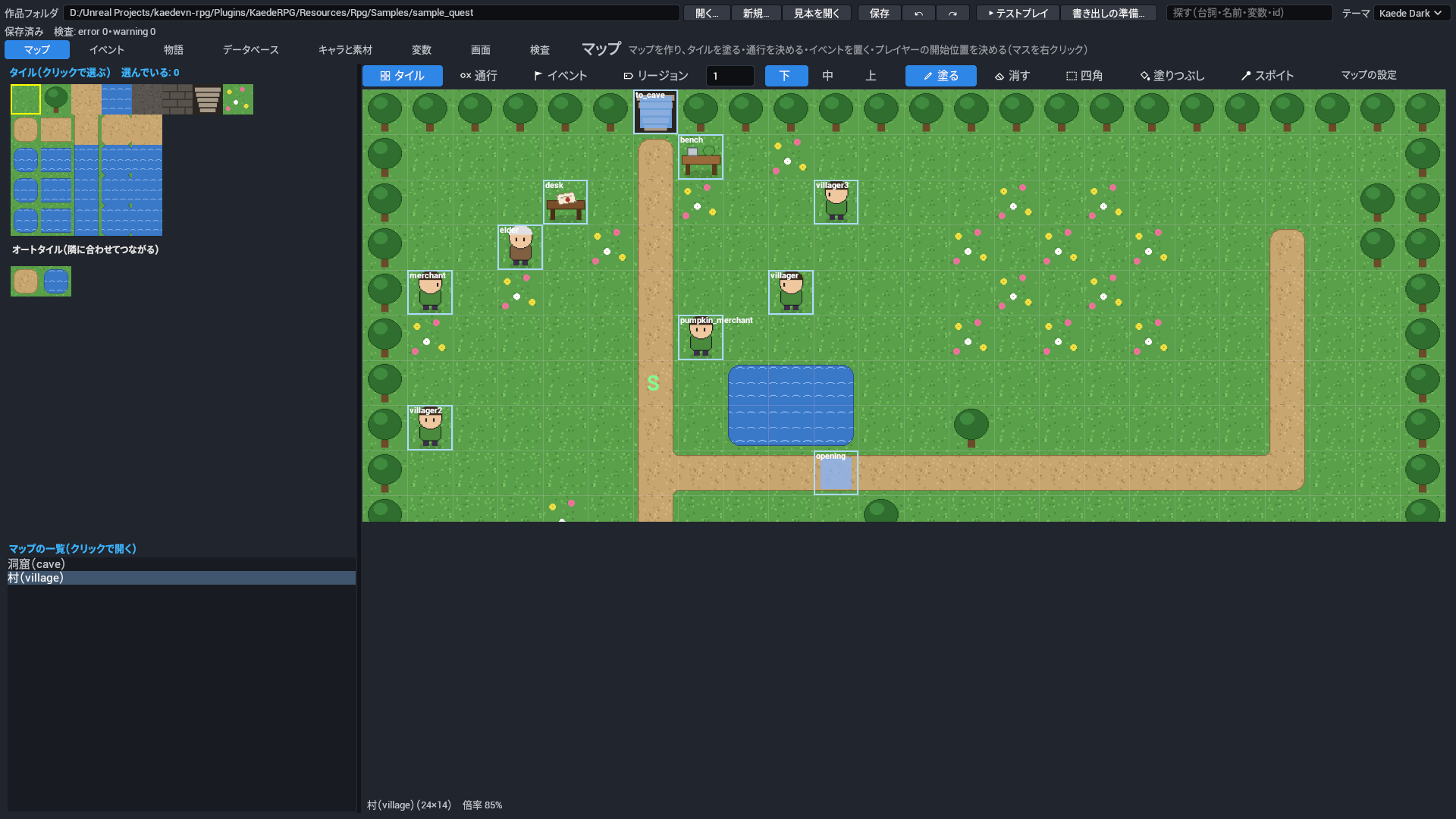
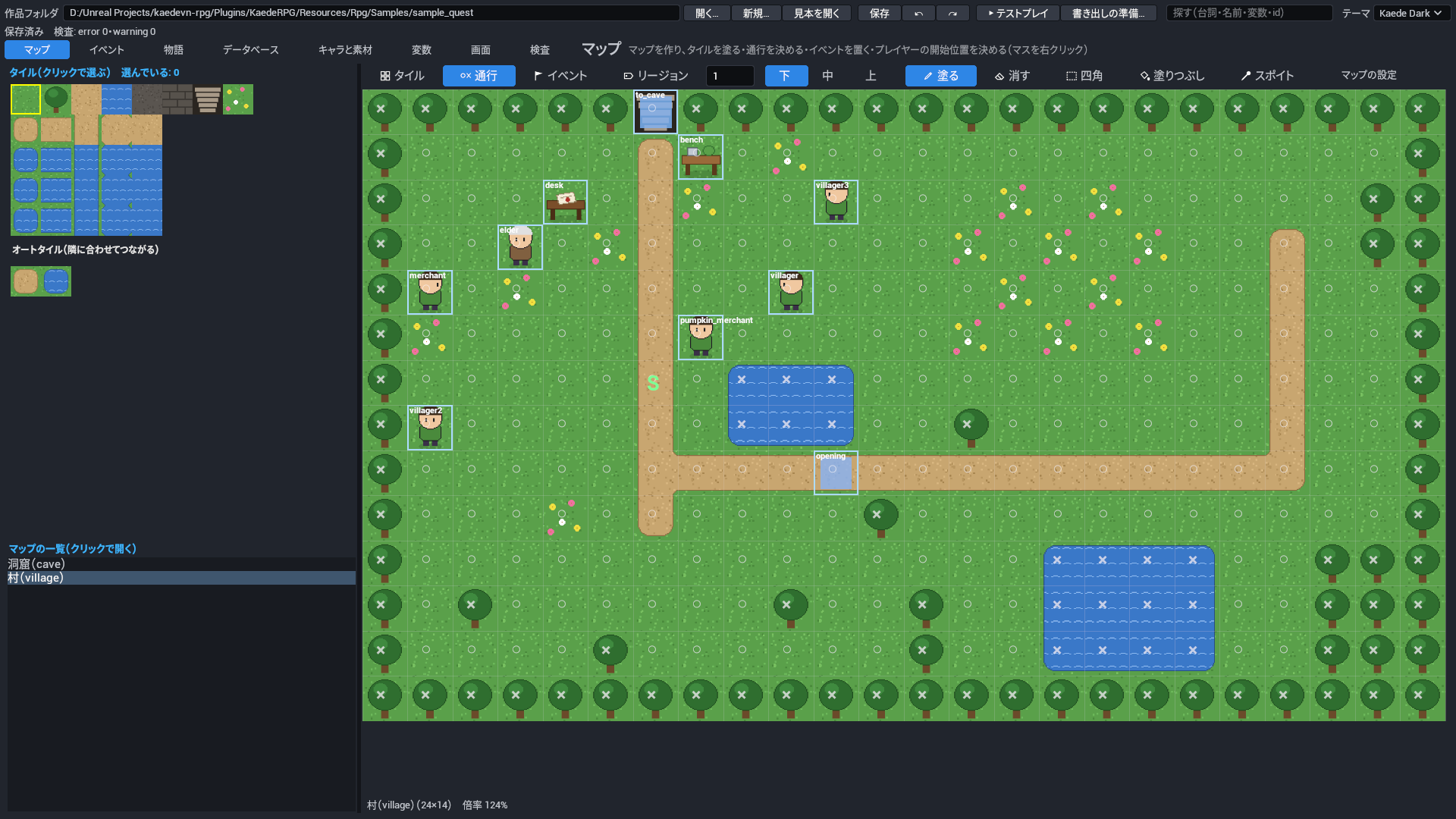
エディタ(マップのタブ)

場所 中身
上の段 作品フォルダ・開く…・新規…・見本を開く・保存(Ctrl+S)・↶ 元に戻す(Ctrl+Z)・↷ やり直す(Ctrl+Y)・▶ テストプレイ・書き出しの準備…・探す(検索の欄)・テーマ
その下 保存の状態(● 未保存)と、検査の件数(error・warning)。探したときは、その下に結果の一覧
タブの切り替え マップ・イベント・物語・データベース・キャラと素材・変数・画面・検査。同じ行の右に、いまのタブの名前とそのタブでできること(収まらないときは「…」。指を置くと全文が出ます)

タブの中は、区切りごとに青い小見出し(「マップの一覧」「選んだマップの設定」「タイル」「命令」「選んだ命令の項目」など)が付いています。

色のテーマ: このツールの窓は UE のエディタのテーマと同じ色で表示されます。このプラグインは UE 用のテーマを 2 つ(Kaede Dark・Kaede Light)同梱しています。この説明書の絵は全部 Kaede Dark です。


4. マップのタブ

並びは昔ながらの RPG 制作ツールと同じです。

場所 使い方
左上 タイルの選び場。クリックでタイルを選ぶ(選んでいる番号は見出しに出ます)。リージョンのタブでは、リージョンの番号の表になります
左の下 マップの一覧。選ぶと開きます
中の上 タイル/通行/イベント/リージョン(Tab で切り替え)、リージョンの番号、層 下/中/上、道具(絵と名前のボタン)、マップの設定
中 マップ。Ctrl+ホイールで拡大・縮小。開くと窓に収まる倍率で出ます(大きなマップは 50% で、イベントのある辺りを真ん中に)
中の下 マップの名前と大きさ・倍率・カーソルのマスとリージョンの番号
右(マップの設定 で出す) 選んだマップの設定(名前・タイルセット・BGM・エンカウント・床の効果・戦闘の背景・雰囲気)と、新しい id・幅×高さ → 新規/複製/大きさを変える/削除。いつもは閉じて、マップを広く見せます

4.1 タイル

道具(タイルのとき)

キー 道具 使い方
1 塗る クリック・ドラッグで塗る。1 回のドラッグが元に戻す 1 回
— 消す そのマスを空にする
2 四角 ドラッグした四角を塗る
3 塗りつぶし 同じタイルの続くマスを塗る
4 スポイト クリックしたマスのタイルを選ぶ

全部の層をそのまま描きます。いま塗っている層は、道具の行の 下/中/上 で分かります。

オートタイル: タイルの選び場の下の「オートタイル」の欄(A0 A1 …)から選んで塗ると、草・道・水・壁などの縁が、隣のマスに合わせて自動でつながります。形は塗ったあとも周りに合わせて描き直されるので、縁のタイルを 1 枚ずつ選ぶ必要はありません。水のようにコマのあるものはゲームで揺れます(エディタでは 1 コマ目)。オートタイルの絵の作り方は、下の「キャラと素材」のタイルセットを見てください。

タイトルとゲームオーバーの絵: データベースの 作品の設定 の タイトルの背景の絵・ゲームオーバーの絵 に背景の素材を選ぶと、画面いっぱいに出ます。

戦闘の背景: 「選んだマップの設定」の 戦闘の背景 に、床(下に描く)と壁(上に重ねる)の 2 枚の背景の素材を選びます。そのマップで始まる戦闘(エンカウントもイベントの戦闘も)の後ろに出ます。ボスなど、その敵の組だけ別の背景にするときは、データベースの 敵の組 の 戦闘の背景(床)・(壁) に書きます(マップより先に使います)。見本では、洞窟に洞窟の背景を入れてあります。

雰囲気(右の「選んだマップの設定」の「雰囲気」で 作る を押すと出ます): 暗さ(0〜1。1 で真っ暗)・プレイヤーの明かりの半径・霧(濃さ・色・流れる速さ)・天候(雨・雪と強さ)・遠景(マップの下に重ねる絵。カメラに付いてくる割合と流れる速さ)・前景(キャラの上の絵)。暗いマップでは、プレイヤーの明かりと、イベントのページの 明かり の中だけが見えます。命令 weather・atmosphere で途中で変えられます(そのマップにいる間だけ)。

ピクチャ: マップ(雰囲気・前景を含む)の上、会話の窓とマップの HUD の下に、命令 picture で番号つきの絵(地図・手紙・一枚絵など)を出せます(§5 の「ピクチャの命令」)。マップを移っても消えず、戦闘の画面の間は描きません。

影: マップの shadows(マスごとの 0〜15。1 左上・2 右上・4 左下・8 右下の 4 分の 1 マスに影)を書くと、壁や建物の下に影が出ます(エディタで塗る道具はまだありません。JSON か CLI の set で書きます)。

maps/<id>.json(file:map)

項目 鍵 何を書くか 取りうる値 既定 必須
ID id マップを指す名前。命令の移る先(transfer)や開始位置、検査の場所(map:<id>)で使い、ファイル名(maps/<id>.json)と同じにします。 ID(英小文字で始まり、英小文字・数字・_)。ファイル名と違うと検査の F-ID-03。 なし(必須) 必須
名前 name 遊ぶ人に見せるマップの名前。マップの HUD やセーブの一覧に出ます。 文字 なし(必須) 必須
幅(マス) width マップの横のマス数。層・通行の上書き・リージョン・影の一覧の長さは 幅×高さ にそろえます。 1〜500。1 マスは 48px。 なし(必須) 必須
高さ(マス) height マップの縦のマス数。層・通行の上書き・リージョン・影の一覧の長さは 幅×高さ にそろえます。 1〜500。1 マスは 48px。 なし(必須) 必須
タイルセット tileset このマップを塗るタイルセット。タイルの絵と、タイルそのものの通行(木・水・岩は通れないなど)がここから決まります。 タイルセットの ID なし(必須) 必須
層 layers 下・中・上の 3 層のタイルの並び。マップのタブで塗った結果が入ります。 項目の組(§4.1 の「層」の表) なし(必須) 必須
影(マスごとの 0〜15: 1 左上・2 右上・4 左下・8 右下) shadows マスごとの影。壁や建物の下に、4 分の 1 マスずつ影を落とします(エディタで塗る道具はまだ無く、JSON か CLI の set で書きます)。 一覧(1 件は 0〜15)。足し合わせた数(1 左上・2 右上・4 左下・8 右下。15 で全面)。長さは 幅×高さ。 なし(影を描かない)
戦闘の背景(床・壁) battleBack このマップで始まる戦闘(エンカウントもイベントの戦闘も)の後ろに出す、床と壁の 2 枚の背景。敵の組に戦闘の背景があれば、そちらを先に使います。 項目の組(§4.1 の「戦闘の背景(床・壁)」の表) なし(暗い無地)
BGM bgm このマップに入ったときに流す BGM。 素材の ID(種類 bgm) なし(前の BGM がそのまま流れる)
雰囲気(暗さ・霧・天候・遠景・前景) atmosphere マップの雰囲気。暗さ・プレイヤーの明かり・霧・天候・遠景・前景を決めます。命令 weather・atmosphere で、そのマップにいる間だけ変えられます。 項目の組(§4.1 の「雰囲気(暗さ・霧・天候・遠景・前景)」の表) なし(明るく、霧・天候・遠景・前景なし)

戦闘の背景(床・壁)(battle_back)

項目 鍵 何を書くか 取りうる値 既定 必須
床(下に描く) floor 戦闘の画面の下に描く床の背景の絵。画面を隙間なく覆うように拡大して真ん中に出します。 素材の ID(種類 bg) なし(床の絵を出さない)
壁(上に重ねる) wall 床の上に重ねる壁の背景の絵。画面を隙間なく覆うように拡大して真ん中に出します。 素材の ID(種類 bg) なし(壁の絵を出さない)

雰囲気(暗さ・霧・天候・遠景・前景)(atmosphere)

項目 鍵 何を書くか 取りうる値 既定 必須
暗さ(0〜1) darkness マップの暗さ。暗いマップでは、プレイヤーの明かりと、イベントのページの明かりの中だけが見えます。 0〜1。0 で明るいまま、1 で真っ暗。 0(暗くしない)
プレイヤーの明かりの半径(マス) playerLight 暗いマップで、プレイヤーのまわりを照らす明かりの半径。 0〜20 0(明かりなし)
霧 fog マップ全体にかかる霧(濃さ・色・流れる速さ)。 項目の組(§4.1 の「霧」の表) なし(霧なし)
天候 weather マップの天候(雨・雪と強さ)。 項目の組(§4.1 の「天候」の表) なし(天候なし)
遠景(下から重ねる) parallax マップの下に重ねる遠景の絵。一覧の先頭から順に、下から重ねます。 一覧(1 件は§4.1 の「遠景(下から重ねる)」の表) なし(遠景なし)
前景 foreground キャラの上に重ねる前景の絵(木の葉・霧の絵など)。 項目の組(§4.1 の「遠景(下から重ねる)」の表) なし(前景なし)

霧(fog)

項目 鍵 何を書くか 取りうる値 既定 必須
濃さ(0〜1) opacity 霧の濃さ。 0〜1。0 で無し、1 で塗りつぶし。 0(見えない)
色 color 霧の色。 色。#rrggbb の形。 #ffffff(白)
流れる速さ(px/秒) speed 霧が流れる速さ。 数。1 秒に動く px。0 で止まる。 20

天候(weather)

項目 鍵 何を書くか 取りうる値 既定 必須
種類 kind 降らせるものの種類。 none・rain・snow。none なし・rain 雨・snow 雪。 なし(必須) 必須
強さ(1〜10) power 雨や雪の強さ。 1〜10。1 で弱く、10 で最も強い。 5

遠景(下から重ねる)(layer)

項目 鍵 何を書くか 取りうる値 既定 必須
画像 asset 遠景・前景に使う絵(ピクチャか背景の素材)。画面を埋めるように敷き詰めて繰り返します。 素材の ID(種類 picture・bg) なし(必須) 必須
横にカメラへ付いてくる割合 scrollX カメラが横に動いたとき、絵が横にどれだけ動くか。 0〜2。0 で画面に止まったまま、1 でマップと同じだけ動く。 0.5
縦にカメラへ付いてくる割合 scrollY カメラが縦に動いたとき、絵が縦にどれだけ動くか。 0〜2。0 で画面に止まったまま、1 でマップと同じだけ動く。 0.5
横に流れる速さ(px/秒) speedX カメラと関係なく、絵が横に流れ続ける速さ(雲など)。 数。1 秒に動く px。正の数で左へ流れる。 0(流れない)
縦に流れる速さ(px/秒) speedY カメラと関係なく、絵が縦に流れ続ける速さ。 数。1 秒に動く px。正の数で上へ流れる。 0(流れない)
不透明度 opacity 絵の不透明度。 0〜1。0 で見えない、1 でそのまま。 1(不透明)

層(layers)

項目 鍵 何を書くか 取りうる値 既定 必須
lower lower 下の層のタイル。地面(草・道・水など)を塗ります。 一覧(1 件は -1 以上)。タイルの番号を 幅×高さ 個(左上から横に並べる)。-1 は空。 なし(必須) 必須
middle middle 中の層のタイル。地面の上に置く物(木・柵・建物など)を塗ります。 一覧(1 件は -1 以上)。タイルの番号を 幅×高さ 個(左上から横に並べる)。-1 は空。 なし(必須) 必須
upper upper 上の層のタイル。キャラより上に描く物(屋根・木の上の部分など)を塗ります。 一覧(1 件は -1 以上)。タイルの番号を 幅×高さ 個(左上から横に並べる)。-1 は空。 なし(必須) 必須

4.2 通行

通行: マスをクリックするたびに、そのマスの通行が「タイルどおり → ×(通れない)→ ○(通れる)」と替わります。タイルそのものの通行(木・水・岩は通れないなど)は、キャラと素材のタブのタイルセットで決めます。
通行

項目 鍵 何を書くか 取りうる値 既定 必須
通行の上書き(0 1 2) passOverride マスごとに、タイルの通行を上書きします。マップのタブの「通行」でクリックして替える値です。 一覧(1 件は 0〜2)。0 タイルどおり・1 通れない(×)・2 通れる(○)。長さは 幅×高さ(左上から横に並べる)。 なし(全部タイルどおり)

4.3 イベント

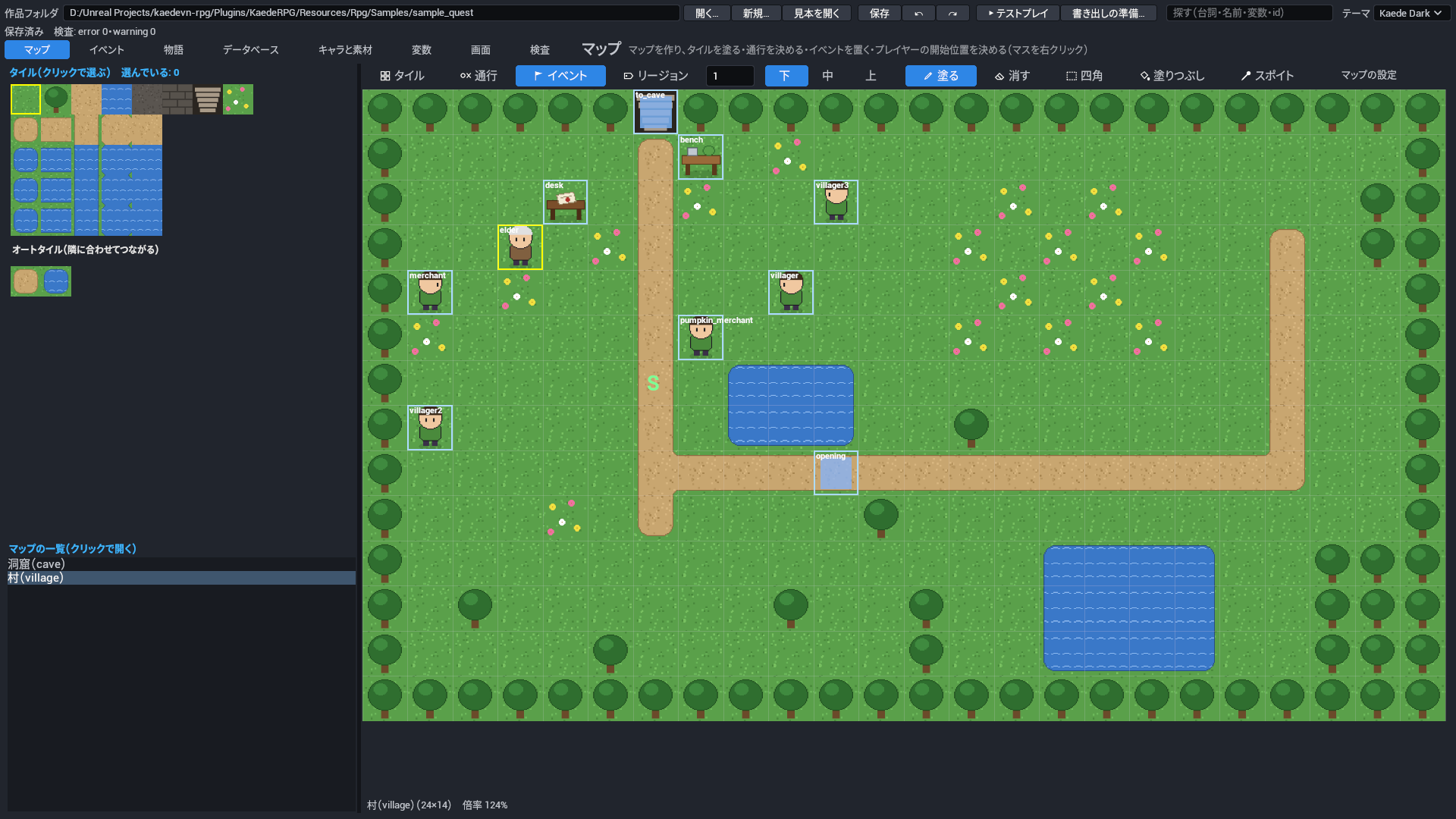
イベント: 空きマスをダブルクリックで新しいイベント、イベントをドラッグで移動、イベントをダブルクリックでイベントのタブへ。マスを右クリックすると:

イベントの印(長老を選択)

項目 鍵 何を書くか 取りうる値 既定 必須
イベント events このマップに置くイベント(人・宝箱・扉・入口など)。 一覧(1 件は§5.1 の「イベント」の表) なし(イベントなし)

「イベント」(event)の項目は §5.1 の表。

4.4 リージョン

リージョン: マップの上の リージョン を押し、左上の番号の表(1〜255)から番号を選んで塗ると、マスに番号が付きます(番号ごとの色と数字で見えます。色は 8 色の繰り返し。道具の行の数の欄でも選べます。「消す」で 0 に戻します)。番号は、ランダムエンカウントの出る範囲と、命令の条件式の region(プレイヤーのいるマスの番号。例 region == 2)に使います。

ここから下は、欄に項目の名前(英語の語)と値を書いて決める設定です。使わなくても、マップは作れて遊べます。

床の効果: 右の「選んだマップの設定」(マップの設定 で出します)の 床の効果 に、リージョンの番号ごとに、1 歩ごとのダメージ(damage。HP 1 は残る・画面が赤く光る)・滑る床(slip。向いた方へ止まるまで進む)・エンカウントの率(encounterRate。0 で出ない)を書きます。見本では、洞窟の右奥が滑る床、右下の隅がダメージ床です。

ランダムエンカウント: 右の「選んだマップの設定」の ランダムエンカウント に、平均の歩数(steps)と出る敵の組(list: 敵の組・重み・出るリージョン)を書きます。歩数を 12 にすると、およそ 12 歩に 1 回戦闘になります。リージョンを書いた行は、その番号のマスでだけ出ます。エンカウントの戦闘は逃げられ、負けるとゲームオーバーです。イベントの命令 エンカウント(encounter)で止めたり戻したりできます。

maps/<id>.json(file:map)

項目 鍵 何を書くか 取りうる値 既定 必須
リージョン(マスごとの番号 0〜255・0 はなし) regions マスごとのリージョンの番号。ランダムエンカウントの出る範囲・床の効果・条件式の region に使います。 一覧(1 件は 0〜255)。長さは 幅×高さ(左上から横に並べる)。 なし(全部 0)
ランダムエンカウント encounters このマップを歩いているときのランダムエンカウント。平均の歩数と出る敵の組を書きます。エンカウントの戦闘は逃げられ、負けるとゲームオーバーです。 項目の組(§4.4 の「ランダムエンカウント」の表) なし(エンカウントしない)
床の効果(リージョンの番号 → 効果) regionEffects リージョンの番号ごとの床の効果(1 歩ごとのダメージ・滑る床・エンカウントの率)。 鍵 → 値 の組(値は §4.4 の「床の効果(リージョンの番号 → 効果)」の表)。鍵はリージョンの番号("3" など)。 なし(床の効果なし)

床の効果(リージョンの番号 → 効果)(region_effect)

項目 鍵 何を書くか 取りうる値 既定 必須
1 歩ごとのダメージ(仲間の HP。1 は残る) damage このリージョンのマスを 1 歩進むたびに仲間の HP を減らす量。画面が赤く光り、HP は 1 残ります。 0 以上 0(ダメージなし)
滑る(向いた方へ止まるまで進む) slip true にすると滑る床になり、乗ると向いた方へ止まるまで進みます。 はい・いいえ(true・false) false(滑らない)
エンカウントの率(%。0 で出ない) encounterRate このリージョンでのエンカウントの起こりやすさ。マップの平均の歩数に対する率で、0 で出ません。 0〜1000。%。50 で半分、200 で倍。 100(マップどおり)

ランダムエンカウント(encounters)

項目 鍵 何を書くか 取りうる値 既定 必須
平均の歩数(0 で出ない) steps エンカウントまでの平均の歩数。12 にすると、およそ 12 歩に 1 回戦闘になります。 0〜999。0 でエンカウントしない。 なし(必須) 必須
出る敵の組 list 出る敵の組の一覧。行ごとに敵の組・重み・出るリージョンを書き、重みの比で選ばれます。 一覧(1 件は§4.4 の「出る敵の組」の表) なし(必須) 必須

出る敵の組(encounter_entry)

項目 鍵 何を書くか 取りうる値 既定 必須
敵の組 troop この行で出す敵の組(データベースの敵の組)。 敵の組の ID なし(必須) 必須
重み weight ほかの行と比べたときの出やすさ。重み 2 の行は、重み 1 の行の 2 倍出ます。 0 以上 1
出るリージョン(空ならどこでも) regions この行が出るリージョンの番号。書いた番号のマスでだけ出ます。 一覧(1 件は 1〜255) なし(どこでも出る)

5. イベントのタブと命令

イベントのタブ

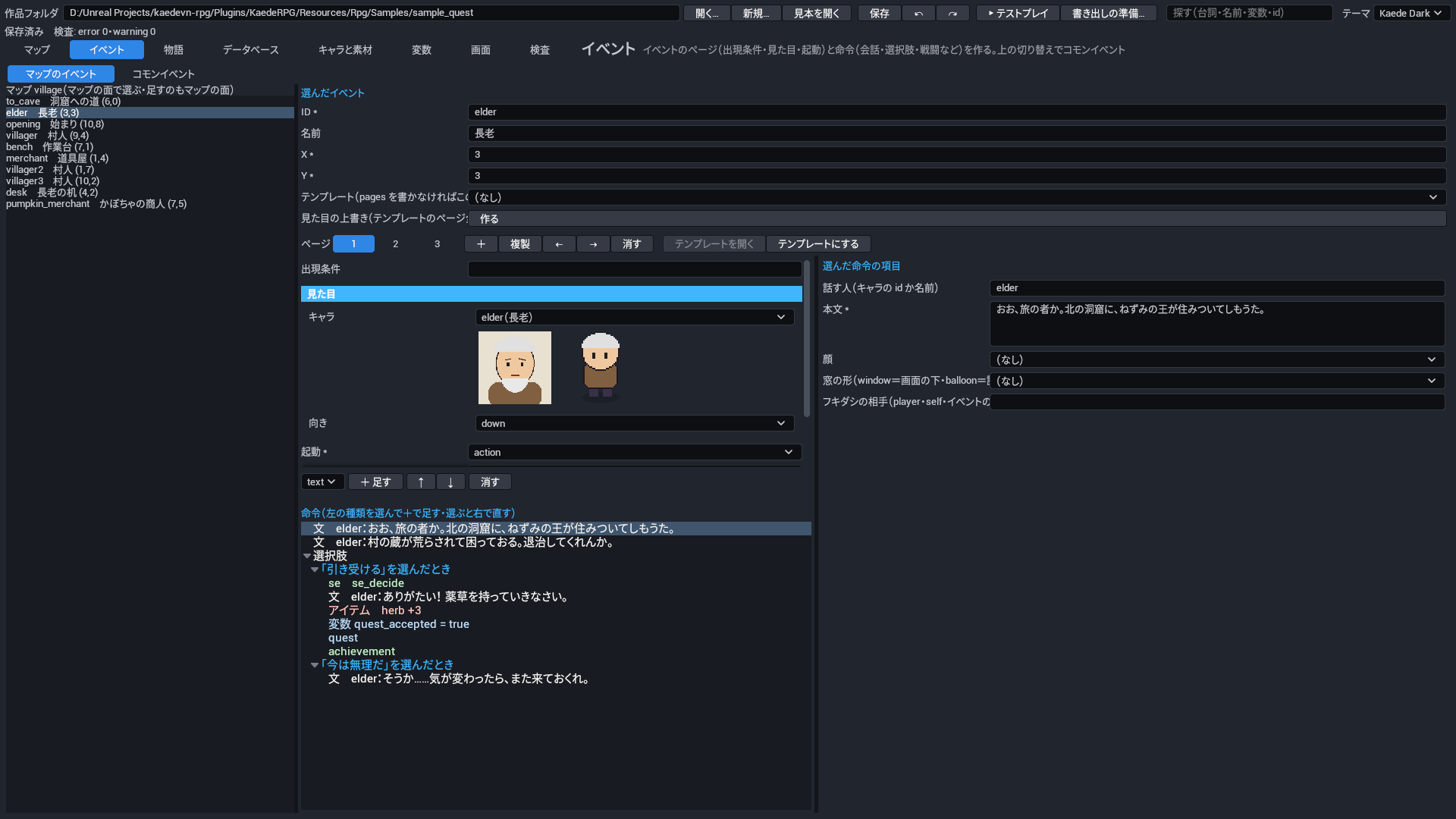
5.1 マップのイベント

項目 中身
出現条件 変数(比べ方と値)・自分のフラグ・アイテム(個数以上)・仲間。すべて満たすとき
見た目 キャラと向き(無ければ見えないイベント)
起動 決定キー(向いて決定)・触れる(乗る・ぶつかる)・自動(ページが有効な間、自動で。終わるように条件を外す命令を入れる)・並列(ほかと同時に。会話・選択肢・戦闘・ショップは使えない)
高さ 下(乗れる)・同じ(ぶつかる)・上
すり抜け 壁やほかのイベントを通り抜ける
自律移動 止まる・ランダム・近づく・ルート(頻度・速さ・繰り返し)
明かり 半径(マス)。暗いマップ(雰囲気の暗さ)で、そのイベントのまわりが見える(たいまつ・街灯など)

テンプレートイベント: 同じ中身のイベント(村人・看板・宝箱など)を何か所にも置くときは、1 つ作ってイベントのタブの テンプレートにする を押します(ページが templates/<id>.json に移ります)。あとはマップを右クリック →「テンプレート「…」を置く」で置けます。テンプレートを直すと、置いたイベント全部に効きます(イベントのタブの テンプレートを開く)。置いたイベントごとに、見た目(look)だけ上書きできます。

イベント(event)

項目 鍵 何を書くか 取りうる値 既定 必須
ID id マップの中でイベントを指す名前。検査や探すの場所(map:<マップ>/event:<id>)、自分のフラグ、移動の命令の相手に使います。マップの中で重ならないようにします。 ID(英小文字で始まり、英小文字・数字・_) なし(必須) 必須
名前 name 作る人のためのイベントの名前。イベントのタブの一覧で id の横に出ます(ゲームには出ません)。 文字 なし(一覧には id だけが出る)
X x イベントを置くマスの横の位置。 0 以上。左端が 0。マップの幅より小さく。 なし(必須) 必須
Y y イベントを置くマスの縦の位置。 0 以上。上端が 0。マップの高さより小さく。 なし(必須) 必須
ページ(テンプレートを使うなら書かない) pages イベントのページ。後ろのページから見て、出現条件を満たす最初のページが使われます。テンプレートを使うときは書きません。 一覧(1 件は§5.1 の「ページ(テンプレートを使うなら書かない)」の表) なし(テンプレートが無ければ何もしないイベント)
テンプレート(§2.8.1・pages を書かなければこの中身で動く) template 中身を借りるテンプレートイベント。ページを書かなければ、このテンプレートのページで動きます。テンプレートを直すと、置いたイベント全部に効きます。 テンプレートの ID なし(自分のページで動く)
見た目の上書き(テンプレートのページ全部) look テンプレートのページ全部の見た目を、このイベントだけ上書きします(同じ村人を別のキャラで置くなど)。書いた項目だけ替わります。 項目の組(§5.1 の「見た目の上書き(テンプレートのページ全部)」の表) なし(テンプレートの見た目のまま)

templates/<id>.json(file:template)

項目 鍵 何を書くか 取りうる値 既定 必須
ID id テンプレートを指す名前。イベントの template に書き、ファイル名(templates/<id>.json)と同じにします。 ID(英小文字で始まり、英小文字・数字・_)。ファイル名と違うと検査の F-ID-03。 なし(必須) 必須
名前 name 作る人のためのテンプレートの名前。エディタの一覧や、マップの右クリックの「テンプレート「…」を置く」に出ます。 文字 なし(id が出る)
ページ pages 置いたイベントが使うページ。イベントのページと同じ書き方です。 一覧(1 件は§5.1 の「ページ(テンプレートを使うなら書かない)」の表) なし(必須) 必須

ページ(テンプレートを使うなら書かない)(page)

項目 鍵 何を書くか 取りうる値 既定 必須
出現条件 conditions このページが使われる条件。変数・自分のフラグ・アイテム・仲間を書き、すべて満たすときに使われます。 一覧(1 件は§5.1 の「出現条件」の表) なし(いつでも使われる)
見た目 look このページのときのイベントの見た目(キャラと向き)。 項目の組(§5.1 の「見た目の上書き(テンプレートのページ全部)」の表) なし(見えないイベント)
起動 trigger このページの命令が動き出すきっかけ。 action・touch・auto・parallel。action 決定キー(向いて決定)・touch 触れる(乗る・ぶつかる)・auto 自動(ページが有効な間、自動で。終わるように条件を外す命令を入れる)・parallel 並列(ほかと同時に。会話・選択肢・戦闘・ショップは使えない)。 なし(必須) 必須
高さ priority プレイヤーと比べたイベントの高さ。重なって描く順と、ぶつかるかどうかが決まります。 below・same・above。below 下(乗れる)・same 同じ(ぶつかる)・above 上(キャラより上に描き、下を通れる)。 same(同じ。ぶつかる)
すり抜け through true にすると、このイベントが壁やほかのイベントを通り抜け、プレイヤーもぶつからなくなります。 はい・いいえ(true・false) false(通り抜けない)
自律移動 move このページの間、イベントがひとりで動く動き方(止まる・ランダム・近づく・ルート)。 項目の組(§5.1 の「自律移動」の表) なし(止まったまま)
明かり(暗いマップで見える) light 暗いマップ(雰囲気の暗さ)で、このイベントのまわりを見えるようにする明かり(たいまつ・街灯など)。 項目の組(§5.1 の「明かり(暗いマップで見える)」の表) なし(明かりなし)
命令 blocks このページが動いたときに実行する命令の並び(会話・分岐・戦闘など)。 命令の列 なし(何もしない)

出現条件(condition)

項目 鍵 何を書くか 取りうる値 既定 必須
変数 var 比べる変数。比べ方と値で、変数の今の値を比べます。1 つの条件には変数・自分のフラグ・アイテム・仲間のどれか 1 つを書きます。 変数の ID。まだ値の入っていない変数は false として比べる。 なし(変数を見ない)
比べ方 op 変数と値の比べ方。 ==・!=・>=・<=・>・<。== 等しい・!= 違う・>= 以上・<= 以下・> より大きい・< より小さい。自分のフラグは常に == で比べる。 ==(等しい)
値 value 変数や自分のフラグと比べる値。 文字・数・真偽。true/false・数・文字。 true
自分のフラグ self 比べるこのイベントの自分のフラグ(命令 set_self で立てる、イベントごとの印)。値と等しいとき満たします。 変数の ID。まだ立てていないフラグは false。 なし(自分のフラグを見ない)
アイテム item 持っているかを見るアイテム。個数以上を持っているとき満たします。 アイテムの ID なし(アイテムを見ない)
個数(以上) count アイテムの条件で、持っている必要のある数。 1 以上 1
仲間がいる actor パーティにいるかを見る仲間。いるとき満たします。 仲間の ID なし(仲間を見ない)

明かり(暗いマップで見える)(light)

項目 鍵 何を書くか 取りうる値 既定 必須
半径(マス) radius イベントのまわりを照らす明かりの半径。 0〜20。マスの数。 なし(必須) 必須

見た目の上書き(テンプレートのページ全部)(look)

項目 鍵 何を書くか 取りうる値 既定 必須
キャラ character イベントの姿に使うキャラ(キャラの歩く絵)。 キャラの ID なし(見えない)
向き dir イベントの最初の向き。 up・down・left・right。up 上・down 下・left 左・right 右。 down(下)

自律移動(move)

項目 鍵 何を書くか 取りうる値 既定 必須
動き type イベントがひとりで動く動き方。 fixed・random・approach・route。fixed 止まる・random ランダムに歩く・approach プレイヤーに近づく・route 手の列のとおりに動く。 なし(必須) 必須
頻度 frequency ランダム・近づくで、1 歩ごとの間の長さ。数が大きいほど休まずに歩きます。 1〜5。1 歩ごとに(5−頻度)×0.5 秒休む。5 で休まない。 3
速さ speed 1 マス進む速さ。 1〜6。4 で 1 マス 0.25 秒。1 増えるごとに倍の速さ、1 減るごとに半分。 4(プレイヤーと同じ)
手の列 route 動き方が route のとき、順に行う手の列。 一覧(1 件は 文字)。up・down・left・right(1 マス進む。進めなければ飛ばす)・turn_up など(向く)・turn_toward_player・wait:ミリ秒・face_fixed:on/off・through:on/off・hide・show。 なし(動かない)
繰り返す repeat 手の列を最後まで行ったら、最初から繰り返すか。 はい・いいえ(true・false) true(繰り返す)

5.2 コモンイベント

左の上の切り替えで コモンイベント にすると、作品のコモンイベント(common/<id>.json)の一覧になります。コモンイベントはページを持たない命令の列で、イベント・物語・ほかのコモンイベントから命令 call_common で呼びます。命令の木の使い方は §5.1 と同じです。

項目 鍵 何を書くか 取りうる値 既定 必須
ID id コモンイベントを指す名前。命令 call_common で呼ぶときに書き、ファイル名(common/<id>.json)と同じにします。 ID(英小文字で始まり、英小文字・数字・_)。ファイル名と違うと検査の F-ID-03。 なし(必須) 必須
名前 name 作る人のためのコモンイベントの名前。エディタの選ぶ欄(call_common など)で id の横に出ます(ゲームには出ません)。 文字 なし(id だけが出る)
命令 blocks 呼ばれたときに実行する命令の並び。いくつものイベントで同じ処理を使うときにまとめます。 命令の列 なし(何もしない)

5.3 命令(60 種)

命令の種類

分類 命令
会話 text(文・話す人・顔。窓の形 を balloon にすると話す人の上のフキダシ)・text_clear・text_style(窓の色・名前の色)・choice(選択肢。選択肢ごとの命令と、出す条件)・chatter(止まらない会話: プレイヤーを止めずに、誰かの上へ短い文を数秒出す)
流れ if(条件式。成り立つとき/成り立たないとき)・label・jump・end_event・wait・call_common・call_story
変数 set_var(= 代入・+ 足す・- 引く)・set_self(自分のフラグ)
入力 input_name(名前を打たせる)・input_number(数を桁ごとに選ばせる)・input_item(持っているアイテムを 1 つ選ばせる)。結果は var の変数に入る(下の「入力の命令」)
物 item・gold・party(仲間を加える・外す)・recover_all
クエスト・記録 quest(クエストを受ける・達成・失敗)・record(サーバーの記録に値を送る。§15)・achievement(実績を解く)
移動 transfer(マップを移る・向き・暗転)・move_route(イベントやプレイヤーを動かす)・erase_event
戦闘など battle(敵の組。逃げられる・負けてもよい。勝った/負けた/逃げたときの命令)・shop(品と売れるか)・save_screen・game_over・return_title・credits(作品フォルダの credits.txt を流す)・encounter(ランダムエンカウントを止める・戻す)・craft_screen(合成の画面)
ノベルの見た目 bg・bg_clear・ch(立ち絵・表情・左/中央/右)・ch_hide・ch_clear・ch_expr・ch_move
演出 effect(揺れ・光など)・filter・transition・mask・mask_clear・animation(アニメを誰かの上で再生)・weather(雨・雪)・atmosphere(暗さ)・camera(ズームの倍率と寄せる先)・camera_reset
ピクチャ picture(番号つきの絵を出す・同じ番号は置き換える)・picture_move(位置・大きさ・不透明度を時間をかけて変える)・picture_clear(1 枚か全部を消す)(下の「ピクチャの命令」)
音 bgm・bgm_stop・se・se_stop・voice

文中の差し込み(text の本文・chatter): {var:名前}(変数の値)・{item:id}(アイテムの名前)・{actor:id}(仲間の名前)・{gold}(お金)・{currency}(お金の単位)。{color:#ff4040}赤い字{/color} で本文の一部に色を付けます。知らない名前はそのまま出ます(検査 R-TEXT-01 が知らせます)。

条件式(if・選択肢の条件): met_elder == true・gold >= 100・item.herb >= 1・self.done などを &&(かつ)・||(または)・!(でない)でつなぎます。比べ方は == != >= <= > <。変数は変数のタブで登録した名前です(gold・item.<id>・party.・actor.・region(プレイヤーのいるマスのリージョン)・quest.<id>.state・quest.<id>.ready は登録なしで使えます)。

入力の命令: 遊ぶ人に入れさせた結果を変数に入れます。変数は先に変数のタブで登録し、型を合わせます(合わないと検査 R-INP-01)。

命令 項目 変数の型 取消
input_name(名前) var・maxLen(字の数・既定 8)・default(最初の名前。空なら変数の今の値) 文字 最初の名前のまま進む
input_number(数・暗証番号) var・digits(桁の数 1〜8・既定 4)・default 数 できない
input_item(どれを渡す?) var・kind(all 全部・consumable 消耗品・key 大事な物) 文字(アイテムの id) 空の id で進む

名前に使える字の制限はありません(改行だけ除きます)。input_item は選んだアイテムを減らしません(渡すなら、続けて item の命令で減らします)。結果は {var:hero_name} のように文中で使います。

ピクチャの命令: 地図・手紙・一枚絵・自作の目盛りなどを、番号(1〜20)つきの絵として画面に出し、動かし、消します。座標は画面の 1280×720 の論理座標(画面の JSON と同じ。窓の大きさが変わっても同じ所)。番号の大きいものが上に重なります。

命令 項目
picture(出す) no(番号 1〜20・同じ番号は置き換える)・asset(素材の種類 picture か bg)・x y(既定 0)・w h(0 で絵の大きさ)・opacity(0〜1・既定 1)・origin(x y の指す所。topleft 左上〔既定〕・center 真ん中)
picture_move(動かす) no・x y w h opacity(書いた項目だけ変わる)・durationMs(かける時間。既定 0=すぐ)・wait(終わるまで次の命令へ進まない。既定は待たない)
picture_clear(消す) no(無ければ全部)

命令ごとの項目は下の表です(並びはエディタの命令の種類の並び)。

text(会話)

会話の窓を 1 つ出し、遊ぶ人が決定キーを押すまで待ちます。窓の形を balloon にすると、画面の下の窓の代わりに相手の頭の上のフキダシで出します。

項目 鍵 何を書くか 取りうる値 既定 必須
話す人(キャラの id か名前) speaker 窓の名前の欄に出す話す人。キャラの id を書くとそのキャラの名前と顔が出て、id でない文はそのまま名前として出ます。 文字。例 elder(キャラの id)・村人 なし(名前を出さない語り)
本文 body 窓に出す文。{var:名前}・{item:id}・{actor:id}・{gold}・{currency} の差し込みと、{color:#ff4040}…{/color} の色が使えます。 文字(複数行) なし(必須) 必須
顔 face 窓に出す顔の絵。キャラの顔と違う顔(表情違いなど)を出すときに書きます。 素材の ID(種類 face) 話す人がキャラの id ならそのキャラの顔。それ以外は顔なし
窓の形(window=画面の下・balloon=話す人の上のフキダシ) style 窓の形。balloon にすると、フキダシの相手の頭の上に出します(相手が見つからないときと選択肢のときは画面の下の窓)。 window・balloon。window 画面の下の窓・balloon 頭の上のフキダシ window(画面の下の窓)
フキダシの相手(player・self・イベントの id) target フキダシを出す相手。player はプレイヤー、self はこのイベント、ほかはそのマップのイベントの id です。style が balloon のときだけ効きます。 文字 self(このイベント)

text_clear(会話)

会話の窓の文・話す人・顔を消します。

項目なし。

text_style(会話)

これより後の会話の窓の色と名前の色を変えます。書かなかった色は元(画面とテーマの色)に戻ります。

項目 鍵 何を書くか 取りうる値 既定 必須
窓の色 bgColor これより後の会話の窓(フキダシも)の地の色。設定の窓の濃さはこの色にも掛かります。 色。#rrggbb の形。default でも元に戻す なし(画面の JSON とテーマの色に戻す)
名前の色 nameColor これより後の会話の窓の、話す人の名前の字の色。 色。#rrggbb の形。default でも元に戻す なし(画面の JSON の色、無ければテーマの accent に戻す)

choice(会話)

選択肢を出して遊ぶ人に選ばせ、選んだ選択肢の命令を実行します。条件で 1 つも出ないときは、何も出さずに次の命令へ進みます。

項目 鍵 何を書くか 取りうる値 既定 必須
選択肢 options 出す選択肢の並び。1 つずつに、出す文・出す条件・選んだときの命令を書きます。上から順に出ます。 一覧(1 件は「選択肢」の表) なし(必須) 必須

選択肢(choice_option)

項目 鍵 何を書くか 取りうる値 既定 必須
文 text 選択肢として遊ぶ人に見せる文。 文字 なし(必須) 必須
出す条件(条件式) condition この選択肢を出す条件式。成り立たないときはこの選択肢だけ出しません。 文字。例 gold >= 100・item.herb >= 1 && !self.done なし(いつも出す)
選んだときの命令 actions この選択肢を選んだときに実行する命令。終わると選択肢の命令の次へ進みます。 命令の列 なし(何もせず選択肢の次へ進む)

if(流れ)

条件式が成り立つかどうかで、実行する命令の並びを分けます。

項目 鍵 何を書くか 取りうる値 既定 必須
条件式 condition 分かれ目の条件式。変数・gold・item.<id>・self.名前 などを比べ、&&(かつ)・||(または)・!(でない)でつなぎます。 文字。例 met_elder == true・gold >= 100 なし(必須) 必須
成り立つとき thenBlocks 条件式が成り立つときに実行する命令。 命令の列 なし(何もしない)
成り立たないとき elseBlocks 条件式が成り立たないときに実行する命令。 命令の列 なし(何もしない)

set_var(変数)

変数に値を入れる・足す・引く命令です。変数は条件式・文中の差し込み・ページの出現条件で使えます。

項目 鍵 何を書くか 取りうる値 既定 必須
変数 var 値を変える変数。変数のタブで登録した名前から選びます。 変数の ID なし(必須) 必須
操作 op 変え方。= は値をそのまま入れ、+ と - は今の数に足す・引きます。 =・+・-。= 代入・+ 足す・- 引く(+ と - は数のときだけ。true は 1、それ以外は 0 として計算) なし(必須) 必須
値 value 入れる値、または足す・引く量。 文字・数・真偽。数・true/false・文字 なし(必須) 必須

set_self(変数)

このイベントだけが持つフラグ(自分のフラグ)に値を入れます。ページの出現条件や条件式の self.名前 で見ます。

項目 鍵 何を書くか 取りうる値 既定 必須
自分のフラグ var このイベントの自分のフラグの名前。ページの出現条件の「自分のフラグ」や条件式の self.名前 で見ます。 変数の ID。例 done なし(必須) 必須
値 value 自分のフラグに入れる値。 文字・数・真偽。ふつうは true/false なし(必須) 必須

call_common(流れ)

コモンイベントの命令を実行し、終わったらこの命令の次へ戻ります。

項目 鍵 何を書くか 取りうる値 既定 必須
コモンイベント common 実行するコモンイベント。 コモンイベントの ID なし(必須) 必須

call_story(流れ)

物語の話を実行し、終わったらこの命令の次へ戻ります。長い会話や、立ち絵・背景を使う場面に使います。

項目 鍵 何を書くか 取りうる値 既定 必須
話(章/話) story 実行する物語の話。章/話 の形で指します。 物語の話の ID。例 01_main/01_opening なし(必須) 必須

jump(流れ)

同じイベント(または同じ話)の中の label の位置へ飛びます。

項目 鍵 何を書くか 取りうる値 既定 必須
行き先のラベル label 飛び先の label の名前。同じイベント(または同じ話)の中の label だけ指せます。無い名前は検査 R-FLOW-01 が知らせ、ゲームでは命令の並びの終わりへ飛びます。 文字 なし(必須) 必須

label(流れ)

jump の行き先になる目印を置きます。label 自体は何もしません。

項目 鍵 何を書くか 取りうる値 既定 必須
ラベル name jump から指す目印の名前。同じイベントの中で重ならないようにします(重なると検査 R-FLOW-01、jump は最初のものへ飛ぶ)。 文字 なし(必須) 必須

end_event(流れ)

ここで命令の並びを終えます。call_common・call_story で呼ばれた中なら、呼んだ側の次の命令へ戻ります。

項目なし。

wait(流れ)

決めた時間だけ待ってから次の命令へ進みます。

項目 鍵 何を書くか 取りうる値 既定 必須
待つ時間(ミリ秒) ms 次の命令へ進むまで待つ時間。 0 以上。1000 で 1 秒 なし(必須) 必須

bg(ノベルの見た目)

会話の背景の絵を出します(いまの背景と入れ替わります)。

項目 鍵 何を書くか 取りうる値 既定 必須
背景 asset 背景に出す絵(素材の種類 bg)。 素材の ID(種類 bg) なし(必須) 必須
フェードの時間(ミリ秒) fadeMs 背景を出すときのフェードの時間。 0 以上。1000 で 1 秒 0(すぐ出す)

bg_clear(ノベルの見た目)

会話の背景の絵を消します。

項目 鍵 何を書くか 取りうる値 既定 必須
フェードの時間(ミリ秒) fadeMs 背景を消すときのフェードの時間。 0 以上。1000 で 1 秒 0(すぐ消す)

ch(ノベルの見た目)

キャラの立ち絵を、表情と位置(左・中央・右)を決めて出します。同じキャラが出ていれば置き換えます。

項目 鍵 何を書くか 取りうる値 既定 必須
キャラ character 立ち絵を出すキャラ(キャラのタブで登録したもの)。 キャラの ID なし(必須) 必須
表情 expression 出す表情の名前。キャラに登録した表情から選びます。 文字 キャラの既定の表情
位置 pos 立ち絵を置く位置。 L・C・R。L 左・C 中央・R 右 C(中央)
フェードの時間(ミリ秒) fadeMs 立ち絵を出すときのフェードの時間。 0 以上。1000 で 1 秒 0(すぐ出す)

ch_hide(ノベルの見た目)

1 人のキャラの立ち絵を消します。

項目 鍵 何を書くか 取りうる値 既定 必須
キャラ character 立ち絵を消すキャラ。 キャラの ID なし(必須) 必須
フェードの時間(ミリ秒) fadeMs 立ち絵を消すときのフェードの時間。 0 以上。1000 で 1 秒 0(すぐ消す)

ch_clear(ノベルの見た目)

出ている立ち絵を全部消します。

項目 鍵 何を書くか 取りうる値 既定 必須
フェードの時間(ミリ秒) fadeMs 立ち絵を全部消すときのフェードの時間。 0 以上。1000 で 1 秒 0(すぐ消す)

ch_expr(ノベルの見た目)

出ている立ち絵の表情を替えます。出ていないキャラには何もしません。

項目 鍵 何を書くか 取りうる値 既定 必須
キャラ character 表情を替えるキャラ。立ち絵が出ていないと何もしません。 キャラの ID なし(必須) 必須
表情 expression 替える先の表情の名前。キャラに登録した表情から選びます。 文字 なし(必須) 必須

ch_move(ノベルの見た目)

出ている立ち絵を別の位置(左・中央・右)へ時間をかけて動かします。動いている間も次の命令へ進みます。RPG のゲームの画面には描かれません(§16)。

項目 鍵 何を書くか 取りうる値 既定 必須
キャラ character 動かす立ち絵のキャラ。 キャラの ID なし(必須) 必須
位置 pos 動かす先の位置。 L・C・R。L 左・C 中央・R 右 なし(必須) 必須
時間(ミリ秒) durationMs 動かし終えるまでの時間。 0 以上。1000 で 1 秒 300

effect(演出)

画面の揺れ・光・暗転・白く飛ばす・暗転や白から戻す、の演出をします。演出が終わるまで次の命令へ進みません。RPG のゲームの画面では、揺れと光は時間だけ待ち、暗転・白への溶暗は時間が過ぎてから一度に替わります(§16)。

項目 鍵 何を書くか 取りうる値 既定 必須
演出 kind する演出の種類。fade_black・fade_white の後は、black_in・white_in で戻すまで画面が黒・白のままです。 shake・flash・fade_black・black_in・fade_white・white_in。shake 揺れ・flash 光・fade_black 暗転・black_in 暗転から戻す・fade_white 白く飛ばす・white_in 白から戻す なし(必須) 必須
強さ intensity 揺れの強さ。kind が shake のときだけ効きます。 0 以上 5
時間(ミリ秒) durationMs 演出にかける時間。この間、次の命令へ進みません。 0 以上。1000 で 1 秒 shake 300・flash 200・それ以外 500

filter(演出)

画面全体に色のフィルタ(モノクロ・セピアなど)をかけます。フィルタを空か none にすると外します。RPG のゲームの画面には描かれません(§16)。

項目 鍵 何を書くか 取りうる値 既定 必須
フィルタ filter 画面にかけるフィルタの名前。空か none でフィルタを外します。 文字。grayscale モノクロ・sepia セピア・warm 暖色(morning も同じ)・cool 寒色・none 外す なし(必須) 必須
強さ intensity フィルタのかかり具合。 0〜1。0 でかからない・1 で全部 1(いちばん強い)

transition(演出)

KaedeVN のトランジション(TRANSITION)を始めます。終わるのを待たずに次の命令へ進みます。RPG のゲームの画面には描かれません(§16)。

項目 鍵 何を書くか 取りうる値 既定 必須
対象 target トランジションをかける層。 文字。background 背景・character 立ち絵・overlay いちばん上 overlay
種類(fade など。KaedeVN の TRANSITION の type) kind トランジションの種類。KaedeVN の TRANSITION 命令の type に渡します。 文字。例 fade なし(必須) 必須
時間(ミリ秒) durationMs トランジションにかける時間。 0 以上。1000 で 1 秒 0(すぐ)

mask(演出)

画面全体を 1 色で覆います。mask_clear まで覆ったままです。RPG のゲームの画面には描かれません(§16)。

項目 鍵 何を書くか 取りうる値 既定 必須
色 color 画面を覆う色。 色。#rrggbb の形 #000000(黒)
不透明度 opacity 覆う色の濃さ。 0〜1。0 で透明・1 で下が見えない 1(下が見えない)
時間(ミリ秒) durationMs 覆い終えるまでの時間。 0 以上。1000 で 1 秒 0(すぐ)

mask_clear(演出)

mask で覆った色を外します。RPG のゲームの画面には描かれません(§16)。

項目 鍵 何を書くか 取りうる値 既定 必須
時間(ミリ秒) durationMs 覆った色を外し終えるまでの時間。 0 以上。1000 で 1 秒 0(すぐ)

picture(ピクチャ)

番号(1〜20)つきの絵を画面に出します。同じ番号は置き換え、番号の大きいものが上に重なります。マップを移っても消えず、セーブに入ります。

項目 鍵 何を書くか 取りうる値 既定 必須
番号(1〜20。同じ番号は置き換える) no ピクチャの番号。picture_move・picture_clear はこの番号で指します。同じ番号のピクチャは置き換え、番号の大きいものが上に重なります。 1〜20 なし(必須) 必須
絵(素材の picture か bg) asset 出す絵。地図・手紙・一枚絵など。 素材の ID(種類 picture・bg)。素材の種類 picture か bg(違う種類は検査 R-REF-02) なし(必須) 必須
X(1280×720 の論理座標・既定 0) x 絵の横の位置。画面の 1280×720 の論理座標で、窓の大きさが変わっても同じ所です。origin の指す所をここに合わせます。 数。左端が 0・右端が 1280 0
Y(既定 0) y 絵の縦の位置(1280×720 の論理座標)。 数。上端が 0・下端が 720 0
幅(0 で絵の大きさ) w 絵を描く幅(論理座標)。 0 以上。後で picture_move で大きさを動かすなら、ここで書いておく 0(絵の大きさ)
高さ(0 で絵の大きさ) h 絵を描く高さ(論理座標)。 0 以上。後で picture_move で大きさを動かすなら、ここで書いておく 0(絵の大きさ)
不透明度(0〜1・既定 1) opacity 絵の不透明度。0 で出して picture_move で 1 にすると、薄く出して濃くできます。 0〜1。0 で透明・1 で不透明 1
X・Y の指す所(topleft 左上・center 真ん中。既定 topleft) origin x・y が絵のどこを指すか。 topleft・center。topleft 左上・center 真ん中 topleft(左上)

picture_move(ピクチャ)

出ているピクチャの位置・大きさ・不透明度を、書いた項目だけ時間をかけて変えます。

項目 鍵 何を書くか 取りうる値 既定 必須
番号(出ていないと R-PIC-01) no 動かすピクチャの番号。出ていない番号には何もしません(作品のどこにもその番号の picture が無いと検査 R-PIC-01)。 1〜20 なし(必須) 必須
X(書いた項目だけ変わる) x 動かす先の横の位置(1280×720 の論理座標)。 数 なし(今の位置のまま)
Y y 動かす先の縦の位置(1280×720 の論理座標)。 数 なし(今の位置のまま)
幅 w 変える先の幅。picture で w を 0(絵の大きさ)のままにしていると、0 から伸びるように見えます。 0 以上 なし(今の幅のまま)
高さ h 変える先の高さ。picture で h を 0(絵の大きさ)のままにしていると、0 から伸びるように見えます。 0 以上 なし(今の高さのまま)
不透明度(0〜1) opacity 変える先の不透明度。 0〜1。0 で透明・1 で不透明 なし(今の不透明度のまま)
時間(ミリ秒・既定 0=すぐ) durationMs 変え終えるまでの時間。この間、まっすぐ一定の速さで変わります。 0 以上。1000 で 1 秒 0(すぐ変わる)
終わるまで待つ(既定は待たない) wait true にすると、変え終えるまで次の命令へ進みません。 はい・いいえ(true・false) false(待たずに次の命令へ進む)

picture_clear(ピクチャ)

ピクチャを 1 枚、または全部消します。

項目 鍵 何を書くか 取りうる値 既定 必須
番号(空なら全部消す) no 消すピクチャの番号。 1〜20 なし(全部消す)

bgm(音)

BGM を流します(いま流れている BGM と入れ替わります)。

項目 鍵 何を書くか 取りうる値 既定 必須
BGM asset 流す BGM(素材の種類 bgm)。 素材の ID(種類 bgm) なし(必須) 必須
音量 volume BGM の音量。 0〜1。0 で無音・1 で素材のまま 1
フェードの時間(ミリ秒) fadeMs 流し始めるときのフェードの時間。 0 以上。1000 で 1 秒 0(すぐ流す)

bgm_stop(音)

流れている BGM を止めます。

項目 鍵 何を書くか 取りうる値 既定 必須
フェードの時間(ミリ秒) fadeMs 止めるときのフェードの時間。 0 以上。1000 で 1 秒 0(すぐ止める)

se(音)

効果音を 1 回鳴らします。

項目 鍵 何を書くか 取りうる値 既定 必須
効果音 asset 鳴らす効果音(素材の種類 se)。 素材の ID(種類 se) なし(必須) 必須
音量 volume 効果音の音量。 0〜1。0 で無音・1 で素材のまま 1

se_stop(音)

鳴っている効果音を止めます。

項目なし。

voice(音)

ボイスを 1 回鳴らします。

項目 鍵 何を書くか 取りうる値 既定 必須
ボイス asset 鳴らすボイス(素材の種類 voice)。 素材の ID(種類 voice) なし(必須) 必須

transfer(移動)

プレイヤーを別のマップ(または同じマップの別のマス)へ移します。移ると、命令で変えた天候・暗さとカメラは元に戻ります。

項目 鍵 何を書くか 取りうる値 既定 必須
移動先のマップ map 移る先のマップ。 マップの ID なし(必須) 必須
X x 移る先のマスの X(左から何マス目か。0 から数える)。 0 以上。単位はマス。 なし(必須) 必須
Y y 移る先のマスの Y(上から何マス目か。0 から数える)。 0 以上。単位はマス。 なし(必須) 必須
向き dir 移ったあとのプレイヤーの向き。 up・down・left・right。up 上・down 下・left 左・right 右。 移る前の向きのまま。
暗転する fade 移るときに画面を暗くしてから明るくするか。暗転の間は次の命令へ進みません。 はい・いいえ(true・false) true(暗転する)。

move_route(移動)

プレイヤーかイベントを、手の列のとおりに動かします(歩く・向く・待つなど)。

項目 鍵 何を書くか 取りうる値 既定 必須
動かすもの(player・self・イベントの id) target 動かすもの。player はプレイヤー、self はこの命令のイベント、それ以外はこのマップのイベントの id。見つからないときは何もしません。 文字 なし(必須) 必須
手の列 route 上から順に行う手の列。進めない歩きは飛ばします。 一覧(1 件は 文字)。手は up・down・left・right(1 歩)・turn_up などの turn_<向き>(向くだけ)・turn_toward_player(プレイヤーの方を向く)・wait:<ミリ秒>(待つ)。イベントだけ face_fixed:on/off(向きを固定)・through:on/off(すり抜け)・hide/show(隠す・出す)。 なし(必須) 必須
終わるまで待つ wait 動き終わるまで次の命令へ進まないか。 はい・いいえ(true・false) false(待たない)。

erase_event(移動)

この命令を実行しているイベントをマップから消します。消えるのは、プレイヤーがそのマップに入り直すまでです。

項目なし。

animation(演出)

アニメ(素材)をプレイヤーかイベントの上で再生します。アニメに効果音があれば一緒に鳴ります。

項目 鍵 何を書くか 取りうる値 既定 必須
どこで(player・self・イベントの id) target アニメを出す所。player はプレイヤー、self はこの命令のイベント、それ以外はこのマップのイベントの id。見つからないときは何もしません。 文字 なし(必須) 必須
アニメ asset 再生するアニメの素材。 素材の ID(種類 animation) なし(必須) 必須
終わるまで待つ(既定は待つ) wait アニメが終わるまで次の命令へ進まないか。 はい・いいえ(true・false) true(待つ)。

quest(クエスト・記録)

データベースのクエストを受ける・達成する・失敗にする・目標を満たしていれば達成する、を指示します。達成すると報酬が配られ、画面の上にお知らせが出ます。

項目 鍵 何を書くか 取りうる値 既定 必須
クエスト quest 操作するクエスト(データベースのクエスト)。 クエストの ID なし(必須) 必須
操作(start 受ける・complete 達成・fail 失敗・advance 目標を満たしていれば達成) op クエストに何をするか。達成すると報酬が配られます。 start・complete・fail・advance。start 受ける・complete 達成・fail 失敗・advance 目標を全部満たしていれば達成(満たしていなければ何もしない)。 なし(必須) 必須

encounter(戦闘など)

ランダムエンカウントを止めたり戻したりします。セーブに入ります。

項目 鍵 何を書くか 取りうる値 既定 必須
エンカウントする(false で止める) enabled ランダムエンカウントを出すか。false で止め、true で戻します。 はい・いいえ(true・false) なし(必須) 必須

weather(演出)

いまのマップの天候(雨・雪)と強さを変えます。マップにいる間だけ効き、マップを移ると元に戻ります。

項目 鍵 何を書くか 取りうる値 既定 必須
天候 kind いまのマップの天候。 none・rain・snow。none 止む・rain 雨・snow 雪。 なし(必須) 必須
強さ(1〜10) power 雨・雪の強さ。大きいほど強くなります。 1〜10 5。
変わる時間(ミリ秒) ms 今の天候から新しい天候へ変わるのにかける時間。待たずに次の命令へ進みます。 0 以上。1000 で 1 秒。 0(すぐ変わる)。

atmosphere(演出)

いまのマップの暗さを変えます。マップにいる間だけ効き、マップを移ると元に戻ります。

項目 鍵 何を書くか 取りうる値 既定 必須
暗さ(0〜1) darkness いまのマップの暗さ。暗いと、プレイヤーとイベントの明かりの中だけが見えます。 0〜1。0 で暗くない・1 で真っ暗。 なし(必須) 必須
変わる時間(ミリ秒) ms 今の暗さから新しい暗さへ変わるのにかける時間。待たずに次の命令へ進みます。 0 以上。1000 で 1 秒。 0(すぐ変わる)。

chatter(会話)

止まらない会話です。プレイヤーを止めずに、誰かの上へ短い文を数秒出します。

項目 鍵 何を書くか 取りうる値 既定 必須
誰の上に(player・self・イベントの id) target 文を出す相手。player はプレイヤー、self はこの命令のイベント、それ以外はこのマップのイベントの id。見つからないときは何もしません。同じ相手に出すと、前の文と入れ替わります。 文字 なし(必須) 必須
文 text 相手の上に出す短い文。{var:名前} などの差し込みが使えます。 文字 なし(必須) 必須
出している時間(ミリ秒) ms 文を出しておく時間。 300〜20000。1000 で 1 秒。 2500(2.5 秒)。

camera(演出)

カメラのズームの倍率を変え、プレイヤー・イベント・マスへ寄せます。マップを移ると元に戻ります。

項目 鍵 何を書くか 取りうる値 既定 必須
ズームの倍率(1 で元・2 で 2 倍) zoom カメラのズームの倍率。 0.5〜4。1 で元・2 で 2 倍・0.5 で半分。 1(元の大きさ)。
寄せる先(player・self・イベントの id。空なら x・y) target カメラを寄せる相手。player はプレイヤー、self はこの命令のイベント、それ以外はこのマップのイベントの id。書くと x・y より先に使います。 文字 空。x と y の両方があればそのマスへ寄せ、無ければプレイヤーに付いていく。
寄せる先の X(マス) x カメラを寄せるマスの X。target が空で、y も書いたときに使います。 0 以上。単位はマス。 なし(マスへは寄せない)。
寄せる先の Y(マス) y カメラを寄せるマスの Y。target が空で、x も書いたときに使います。 0 以上。単位はマス。 なし(マスへは寄せない)。
移る時間(ミリ秒) ms 今のカメラから新しい倍率・寄せる先へ移るのにかける時間。 0 以上。1000 で 1 秒。0 ですぐ。 500(0.5 秒)。
終わるまで待つ(既定は待つ) wait カメラが移り終わるまで次の命令へ進まないか。 はい・いいえ(true・false) true(待つ)。

camera_reset(演出)

カメラを元(倍率 1・プレイヤーに付いていく)に戻します。

項目 鍵 何を書くか 取りうる値 既定 必須
移る時間(ミリ秒) ms 元のカメラへ戻るのにかける時間。 0 以上。1000 で 1 秒。0 ですぐ。 500(0.5 秒)。
終わるまで待つ(既定は待つ) wait 戻り終わるまで次の命令へ進まないか。 はい・いいえ(true・false) true(待つ)。

credits(戦闘など)

作品フォルダの credits.txt を流す画面を開きます。閉じると次の命令へ進みます。

項目なし。

item(物)

アイテムを増やすか減らします。0 より少なくはなりません。

項目 鍵 何を書くか 取りうる値 既定 必須
アイテム item 増やす・減らすアイテム(データベースのアイテム)。 アイテムの ID なし(必須) 必須
増やす・減らす op 増やすか減らすか。 +・-。+ 増やす・- 減らす。 なし(必須) 必須
個数 count 増やす・減らす個数。 1 以上 1。

gold(物)

お金を増やすか減らします。0 より少なくはなりません。

項目 鍵 何を書くか 取りうる値 既定 必須
増やす・減らす op 増やすか減らすか。 +・-。+ 増やす・- 減らす。 なし(必須) 必須
金額 amount 増やす・減らすお金の額。 0 以上 なし(必須) 必須

party(物)

仲間をパーティに加えるか外します。もう入っている仲間を加える・入っていない仲間を外すときは何も変わりません。

項目 鍵 何を書くか 取りうる値 既定 必須
仲間 actor 加える・外す仲間(データベースの仲間)。 仲間の ID なし(必須) 必須
加える・外す op パーティに加えるか外すか。加えると列の最後に入ります。 add・remove。add 加える・remove 外す。 なし(必須) 必須

recover_all(物)

HP と MP を最大にし、状態(戦闘不能を含む)を消します。

項目 鍵 何を書くか 取りうる値 既定 必須
対象(party か仲間の id) target 回復する相手。party はパーティ全員、それ以外は仲間の id(その仲間 1 人)。 文字 party(パーティ全員)。

battle(戦闘など)

敵の組と戦闘を始めます。勝った・負けた・逃げたときの命令をそれぞれ書けます。敵の組が無いなどで始められないときは、逃げたことにして進みます。

項目 鍵 何を書くか 取りうる値 既定 必須
敵の組 troop 戦う敵の組(データベースの敵の組)。 敵の組の ID なし(必須) 必須
逃げられる canEscape 戦闘のコマンドで逃げるを選べるか。逃げると「逃げたとき」の命令へ進みます。 はい・いいえ(true・false) false(逃げられない)。
負けても続く canLose 負けてもゲームオーバーにせず「負けたとき」の命令へ進むか。 はい・いいえ(true・false) false(負けるとゲームオーバー。ただしデータベースのシステムで「負けても続く」にした作品では、負けたときの命令へ進む)。
勝ったとき winBlocks 勝ったときに実行する命令。終わると戦闘の命令の次へ進みます。 命令の列 空(何もせず次の命令へ)。
負けたとき loseBlocks 負けたときに実行する命令(負けても続くときだけ)。終わると戦闘の命令の次へ進みます。 命令の列 空(何もせず次の命令へ)。
逃げたとき escapeBlocks 逃げたとき(または戦闘を始められなかったとき)に実行する命令。終わると戦闘の命令の次へ進みます。 命令の列 空(何もせず次の命令へ)。

craft_screen(戦闘など)

合成の画面を開きます。作業台などに置きます。閉じると次の命令へ進みます。

項目 鍵 何を書くか 取りうる値 既定 必須
作れる作り方(空なら全部) recipes この画面で作れる作り方(データベースの合成)。作業台ごとに作れる物を絞るときに書きます。 一覧(1 件は 合成の作り方の ID) 空(全部の作り方)。

shop(戦闘など)

店の画面を開き、品物を買えるようにします。閉じると次の命令へ進みます。

項目 鍵 何を書くか 取りうる値 既定 必須
品物 goods 店で売る品物の一覧。1 行ごとにアイテムと値段を書きます。 一覧(1 件は「品物」の表) なし(必須) 必須
売れる sellable 遊ぶ人が持っているアイテムを店に売れるか。売値はアイテムの値段の半分(端数は切り捨て)です。 はい・いいえ(true・false) true(売れる)。

品物(shop_good)

項目 鍵 何を書くか 取りうる値 既定 必須
アイテム item 売る品物(データベースのアイテム)。 アイテムの ID なし(必須) 必須
値段(空ならアイテムの値段) price この店での買値。店ごとに値段を変えるときに書きます。 0 以上 データベースのアイテムの値段。

record(クエスト・記録)

値の式を計算して、cloud.json の記録(順位)へ送ります。Steam で出すゲームでは Steam へ送ります。待たずに次の命令へ進みます。

項目 鍵 何を書くか 取りうる値 既定 必須
記録(cloud.json の records) record 送る先の記録(cloud.json の records に書いた記録の id)。 記録の ID なし(必須) 必須
値の計算式(変数・item.<id>・gold・playtime=遊んだ秒) value 送る値を計算する式。式が読めないときは送らず、エラーを記録に残します。 文字。例 playtime(遊んだ秒)・gold・item.herb・変数の名前。 なし(必須) 必須

achievement(クエスト・記録)

実績を取ります。まだ取っていないときだけ取り、Steam で出すゲームでは Steam へ送ります。待たずに次の命令へ進みます。

項目 鍵 何を書くか 取りうる値 既定 必須
実績(cloud.json の achievements) achievement 取る実績(cloud.json の achievements に書いた実績の id)。 実績の ID なし(必須) 必須

input_name(入力)

名前を打たせる画面を開き、結果を文字の変数に入れます。取消すると最初の名前のまま進みます。

項目 鍵 何を書くか 取りうる値 既定 必須
入れる変数(文字) var 打った名前を入れる変数。変数のタブで型を文字にして登録しておきます(合わないと検査 R-INP-01)。 変数の ID なし(必須) 必須
最大の字数(既定 8) maxLen 打てる名前の字の数の上限。長い分は切られます。 1〜32 8。
最初の名前(取消でもこれ。空なら変数の今の値) default 画面を開いたときに入っている名前。取消したときもこの名前になります。 文字 変数の今の値(文字でなければ空)。

input_number(入力)

数を桁ごとに選ばせる画面(暗証番号など)を開き、結果を数の変数に入れます。取消はできません。

項目 鍵 何を書くか 取りうる値 既定 必須
入れる変数(数) var 選んだ数を入れる変数。変数のタブで型を数にして登録しておきます(合わないと検査 R-INP-01)。 変数の ID なし(必須) 必須
桁の数(1〜8・既定 4) digits 選ばせる数の桁の数。 1〜8 4。
最初の数(空なら変数の今の値) default 画面を開いたときに入っている数。 0 以上 変数の今の値(数でなければ 0)。

input_item(入力)

持っているアイテムを 1 つ選ばせ、その id を文字の変数に入れます。取消すると空の id が入ります。選んだアイテムは減らしません(渡すなら続けて item の命令で減らします)。

項目 鍵 何を書くか 取りうる値 既定 必須
入れる変数(文字=アイテムの id・取消は空) var 選んだアイテムの id を入れる変数。変数のタブで型を文字にして登録しておきます(合わないと検査 R-INP-01)。取消すると空になります。 変数の ID なし(必須) 必須
出すアイテム(all 全部・consumable 消耗品・key 大事な物。既定 all) kind 一覧に出す、持っているアイテムの種類。 all・consumable・key。all 全部・consumable 消耗品・key 大事な物。 all(全部)。

save_screen(戦闘など)

セーブの画面を開き、閉じるまで待ちます。ここで保存したセーブをロードすると、この命令の次から続きます。

項目なし。

game_over(戦闘など)

ゲームオーバーにします。後ろの命令は実行しません。

項目なし。

return_title(戦闘など)

タイトルの画面へ戻ります。後ろの命令は実行しません。

項目なし。


6. 物語のタブ
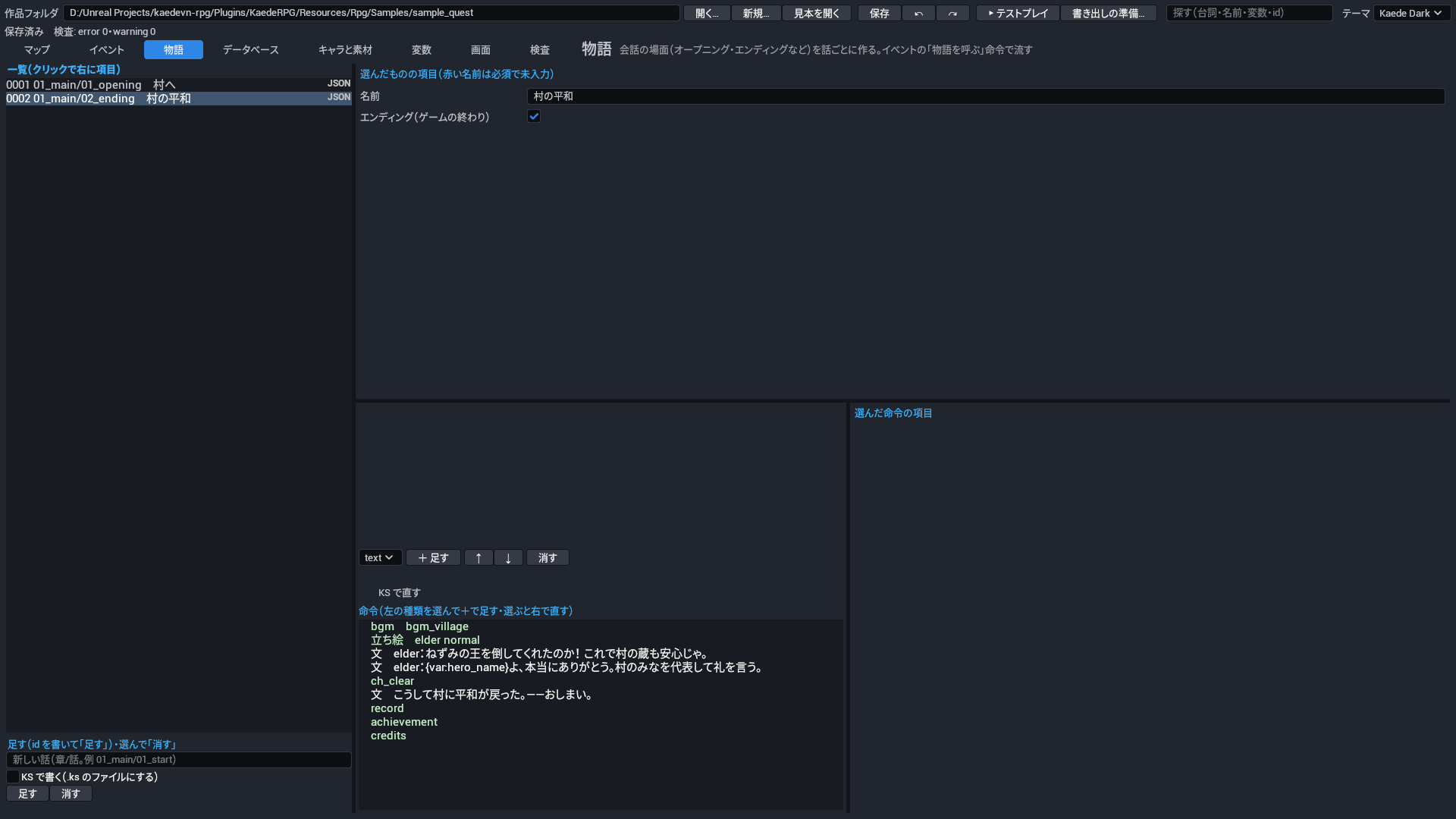
物語のタブ

会話中心の場面(オープニング・エンディング・回想など)は「物語の話」にまとめ、イベントから call_story で呼びます。使い分けは、長い会話や、立ち絵・背景を使う場面は物語へ、短いひと言(村人のあいさつなど)はイベントへ、です。

KS で直す: 押すと、木の上に話の KS(§6.1 の書き方・整った形)が複数行の欄で出ます。欄で直して 反映(または Ctrl+Enter)を押すと、欄の KS で話をまるごと置き換え、命令の木を作り直します。

始まりの話の作り方: 開始のマップにイベントを置き、1 ページ目を「条件なし・自動」にして call_story と set_self(例 done を true)、2 ページ目を「自分のフラグ done が true」で見た目なしにします。

項目 鍵 何を書くか 取りうる値 既定 必須
ID id 話の中の id。話そのものは story/<章>/<話> のファイルの場所で指し(call_story など)、.ks の話ではファイル名が入ります。 文字 なし(必須) 必須
名前 name 作る人のための話の名前。物語のタブの右上で直し、エディタの選ぶ欄(call_story など)で話の場所の横に出ます。KS では @story name=… と書きます。 文字 なし(話の場所だけが出る)
エンディング(ゲームの終わり) ending この話がゲームの終わり(エンディング)かどうかの印。最後の話に付けると、検査が「エンディングがどこからも呼ばれていない」を見つけられます。 はい・いいえ(true・false) false(エンディングではない)
命令 blocks 話の中身の命令の並び(会話・立ち絵・背景・分岐など)。イベントから call_story で呼ばれて実行されます。 命令の列 なし(何もしない)

6.1 話をテキスト(KS)で書く

長い会話は、命令の木で 1 つずつ足すより、テキストで書くほうが早いことがあります。話は story/<章>/<話>.ks に KS(同梱のノベルゲームエンジン KaedeVN の @命令 の書き方)で書けます。.ks と .json はどちらで持っても同じ話で、エディタの木でも CLI でも同じように直せます(1 つの話はどちらか 1 つ。両方あると検査が F-FILE-03 を言います)。

@story name=長老の頼み
; 村の長老。頼みを受けるかどうか
@bgm bgm_village
#elder
ようこそ、旅の者よ。北の洞窟に、ねずみの王が住みついてしまった。
村の畑が荒らされて困っている。退治してくれんか。
@l
choice {
  "引き受ける" {
    #elder style=balloon target=self
    ありがたい! 薬草を持っていきなさい。
    @l
    @item herb + count=3
    quest_accepted = true
    @quest rat_hunt start
  }
  "今は無理だ" {
    #elder
    そうか……気が変わったら、また来てくれ。
    @l
  }
}
if (gold >= 100) {
  @se se_decide
} else {
  @wait 300
}
battle rat_king canEscape=true {
  win {
    boss_defeated = true
  }
  lose {
    @game_over
  }
}
行 意味
@story name=題名 話の名前(先頭に 1 行・任意)。エンディングの話は @story name=… ending=true
#話す人 → 本文 → @l 1 つの窓。#elder はキャラの id(名前と顔が出る)。語りは # を書かない。@p は窓を消して区切る。フキダシは #elder style=balloon target=self
@命令 必須の値 … key=値 … 命令。必須の項目を順に、残りを key=値 で(例 @bgm bgm_village volume=0.5・@item herb + count=3・@transfer cave 6 8 dir=up)
変数 = 値・+=・-=・self.名前 = 値 変数と自分のフラグ
if (条件式) { … } else { … } 分岐
choice { と "文" if (条件式) { … } 選択肢
battle 敵の組 canEscape=true { win {…} lose {…} escape {…} } 戦闘(勝ち・負け・逃げ)
*名前・@jump 名前 ラベルと飛び先
; 文 コメント(木には灰色で出ます)

7. データベースのタブ

仲間 敵
仲間 敵

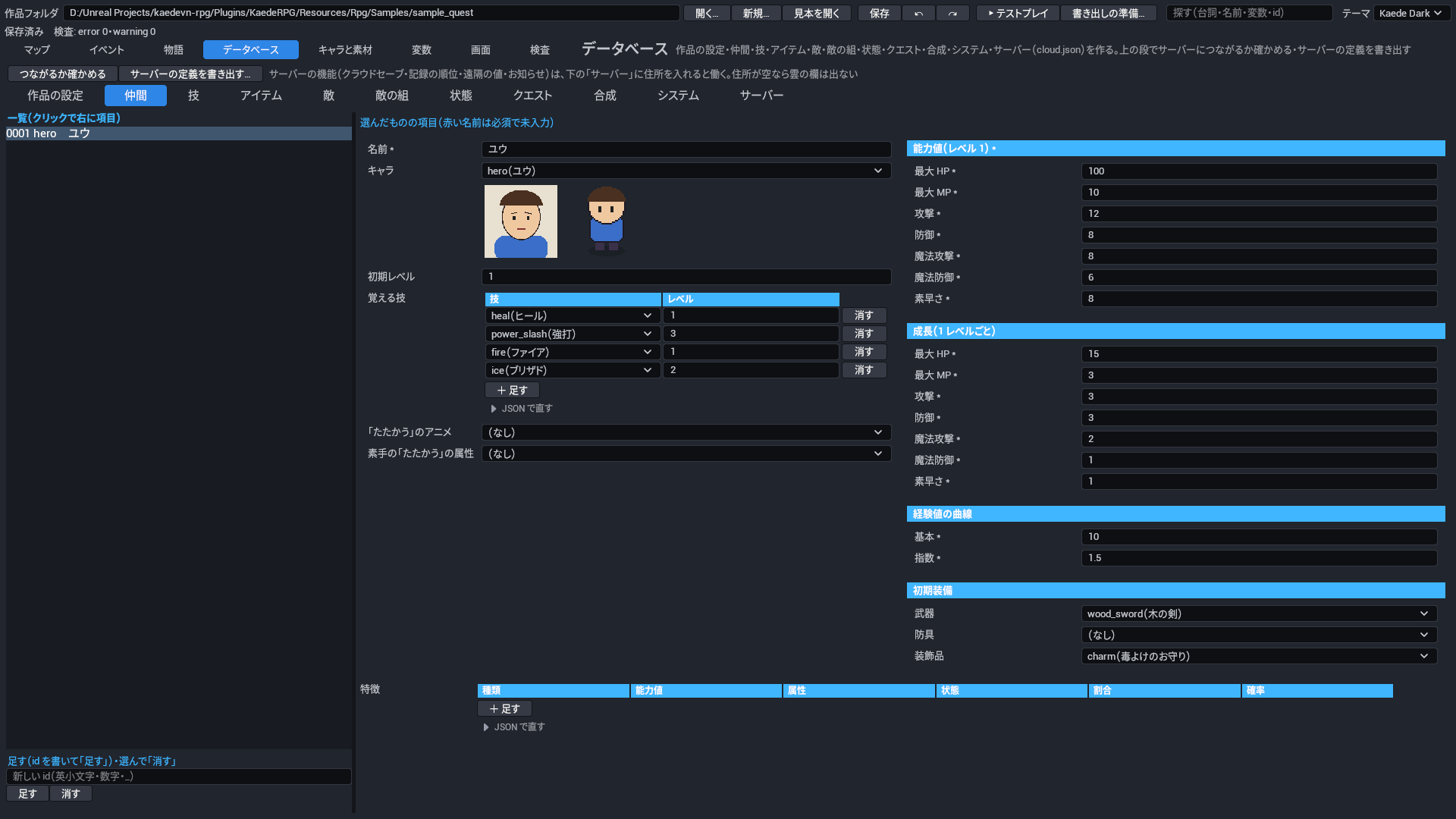
上のタブで種類を選び、左の一覧(番号つき)から 1 件を選ぶと、右に全部の項目が出ます。項目は 2 段組で、左の段に 1 行の欄と絵の見本、右の段に能力値などのまとまり(色の帯の見出しと枠)、一覧(覚える技・特徴など)は表で出ます(§3 の「一覧の欄は表で直す」)。一覧の下の欄に id を書いて 足す、選んで 消す。

7.1 作品の設定

主な項目: 題名・開始位置・最初の仲間・最初のお金・タイトル画面・マップの HUD(hud。画面 ui/hud.json)・起動のロゴ(logos。タイトルの前に順に出す画像と時間)。

rpg.json(file:rpg)

項目 鍵 何を書くか 取りうる値 既定 必須
作品の ID id 作品を見分ける名前。セーブの置き場所と、サーバーのゲームの id(cloud.json の game を省いたとき)に使われる。 ID(英小文字で始まり、英小文字・数字・_)。英小文字・数字・_ で書く。 なし(必須) 必須
題名 title 作品の題名。エディタと書き出したゲームで作品の名前として出る。 文字 なし(必須) 必須
種類 type 作品の種類。マップを歩く RPG か、話を読むノベルかを書く。検査は rpg のときだけ開始位置とエンディングを確かめる。 rpg・novel。rpg マップを歩く RPG・novel ノベル(start.event の話から始める用。今のゲームの起動は rpg と同じ)。 なし(必須) 必須
タイルの拡大率 tileZoom ゲームでマップのタイル(48px)を何倍に拡大して描くか。大きくすると、画面に見えるマスが減る。 1〜4。1.5 のような小数も書ける。 2
開始位置 start ゲームを始めたときにプレイヤーが立つマップ・マス・向き。マップのタブでマスを右クリックし「ここをプレイヤーの開始位置に」でも決められる。 項目の組(§7.1 の「開始位置」の表) なし(rpg では検査 R-GOAL-02 の error。ゲームが始まらない)
最初の仲間 party ゲームを始めたときに仲間にいる人の一覧。データベースの仲間の id を順に書き、先頭がマップを歩く。 一覧(1 件は 仲間の ID) 空(仲間なし。検査 R-GOAL-02 の warning)
最初のお金 gold ゲームを始めたときに持っているお金。 0 以上 0
タイトル画面 titleScreen タイトルに使う画面の名前。今のゲームはこの欄を読まず、タイトルには ui/title.json(作品に無ければ製品の既定)を出す。 画面の ID なし(使われない)
画面のテーマ(fantasy=装飾枠・modern=すっきり。作品の themes/<名前>.json も使える。空は fantasy) uiTheme ゲームの画面(窓の色・枠・書体など)のテーマの名前。製品のテーマか、作品の themes/<名前>.json の名前を書く。 文字。製品には 12 の系統と色違い(例 crystal-jade)がある。 fantasy
画面のレイアウトの差し替え(画面 → 名前。ui/<画面>.<名前>.json) uiLayouts 画面ごとに形だけを差し替える指定。画面の名前に名前を対応させると、ui/<画面>.<名前>.json をその画面に使う。 鍵 → 値 の組(値は 文字)。例 {"message": "wide"} で ui/message.wide.json を使う。 なし(差し替えない)
マップの HUD を出す(画面 ui/hud.json) hud マップを歩いている間、画面 ui/hud.json(マップの HUD)を出すかどうか。 はい・いいえ(true・false) false(出さない)
起動のロゴ(タイトルの前に順に出す) logos 起動したときに、タイトルの前に順に出すロゴの画像と出している時間の一覧。 一覧(1 件は§7.1 の「起動のロゴ(タイトルの前に順に出す)」の表) なし(ロゴを出さずにタイトルへ)
タイトルの背景の絵 titleImage タイトルの画面いっぱいに出す背景の素材。 素材の ID(種類 bg) なし(絵を出さない)
ゲームオーバーの絵 gameOverImage ゲームオーバーの画面いっぱいに出す背景の素材。 素材の ID(種類 bg) なし(絵を出さない)
章の順 chapters 物語の章(story/<章>/ のフォルダ)の順。今のゲームと検査はこの欄を読まない。 一覧(1 件は 文字) なし(使われない)
ゲームの画面の言語(ja・en。空は ja。文言は製品の strings/<言語>.json、作品の strings/<言語>.json で上書き) language ゲームの画面の決まった文言(メニュー・タイトル・戦闘の文など)の言語。作品が書いた台詞や名前は替わらない。 ja・en。ja 日本語・en 英語。知らない値は検査 F-LANG-01 の error。 ja

起動のロゴ(タイトルの前に順に出す)(logo)

項目 鍵 何を書くか 取りうる値 既定 必須
画像 asset ロゴとして出す画像の素材。 素材の ID(種類 picture・bg・ui) なし(必須) 必須
出している時間(ミリ秒) ms そのロゴを出している時間。 500〜10000。ミリ秒。1000 で 1 秒。 2000(2 秒)

開始位置(start)

項目 鍵 何を書くか 取りうる値 既定 必須
マップ map ゲームを始めたときにプレイヤーがいるマップの id。 マップの ID なし(rpg では検査 R-GOAL-02 の error。ゲームが始まらない)
X x 開始のマスの横の位置。左端が 0。 0 以上。マス。 0
Y y 開始のマスの縦の位置。上端が 0。 0 以上。マス。 0
向き dir 始めたときにプレイヤーが向いている方向。 up・down・left・right。up 上・down 下・left 左・right 右。 down
最初の話(story:章/話) event type が novel のときに最初に流す話。rpg では使われず、書くと検査 R-GOAL-02 の warning になる(rpg の始まりの話は、開始のマップに自動のページのイベントを置いて呼ぶ)。 文字。例 story:ch1/opening。 なし(何も流さない)

7.2 仲間

主な項目: 名前・キャラ・初期レベル・能力値(HP・MP・攻撃・防御・魔法攻撃・魔法防御・素早さ)・成長(1 レベルごと)・経験値の曲線・覚える技・初期装備・「たたかう」のアニメ・素手の「たたかう」の属性・特徴。

属性と特徴

種類 書くこと 効き方
能力値の倍率(param) 能力値・割合(%) 攻撃 120% など。装備の画面と状態の画面の数にも入ります
属性の効き(element) 属性・割合(%) 200%で 2 倍(「効果は抜群だ!」)、0%で効かない
状態にかからない(stateResist) 状態 「〜には毒が効かなかった」
たたかうで状態(attackState) 状態・確率(%) 通常攻撃が当たると、その確率で状態を付けます
毎ターンの HP(hpRegen) 割合(%) ターンの終わりに最大 HP のその割合だけ回復(負で減る。HP 1 より下げない)

db/actors.json(file:db/actors)

項目 鍵 何を書くか 取りうる値 既定 必須
仲間 actors 仲間(パーティに入る人物)の一覧。最初の仲間やイベントで加える仲間は、ここの id で指します。 一覧(1 件は§7.2 の「仲間」の表) なし(必須) 必須

仲間(actor)

項目 鍵 何を書くか 取りうる値 既定 必須
ID id 仲間を指す名前。最初の仲間・仲間を加える命令・条件式などがこの id で指します。 ID(英小文字で始まり、英小文字・数字・_) なし(必須) 必須
名前 name メニューや戦闘、メッセージに出る仲間の名前。 文字 なし(必須) 必須
キャラ character この仲間の見た目に使うキャラ。パーティの先頭にいるとマップでこのキャラの歩く絵が出て、メニューにはこのキャラの顔が出ます。 キャラの ID なし(マップに歩く絵を出さない。顔は仲間と同じ id のキャラがあればそれを使う)
初期レベル level ゲームを始めたとき(仲間になったとき)のレベル。経験値はそのレベルに届く分から始まり、覚える技のうちこのレベル以下のものを最初から覚えています。 1〜99 1
能力値(レベル 1) params レベル 1 のときの能力値(最大 HP・最大 MP・攻撃・防御・魔法攻撃・魔法防御・素早さ)。レベル L の値は「この値+成長×(L−1)」に、装備で足す値と特徴の倍率を入れたものです。 項目の組(§7.2 の「能力値(レベル 1)」の表) なし(必須) 必須
成長(1 レベルごと) growth 1 レベル上がるごとに能力値へ足す量。項目ごとに書きます。 項目の組(§7.2 の「能力値(レベル 1)」の表) 全部 0(レベルが上がっても能力値は変わらない)
経験値の曲線 expCurve 次のレベルまでに要る経験値の曲線。レベル L から L+1 までの経験値は floor(基本 × L^指数) です。 項目の組(§7.2 の「経験値の曲線」の表) 基本 10・指数 1.5
覚える技 skills 覚える技と、覚えるレベルの一覧。戦闘に勝ってそのレベルに上がると覚え、「〜を覚えた」と出ます。 一覧(1 件は§7.2 の「覚える技」の表) なし(技を覚えない)
初期装備 equip ゲームを始めたときに身に着けている武器・防具・装飾品。 項目の組(§7.2 の「初期装備」の表) なし(何も装備しない)
「たたかう」のアニメ attackAnimation この仲間が「たたかう」を使ったとき、戦闘で相手に重ねて出すアニメ。 素材の ID(種類 animation) システムの「たたかう」の既定のアニメ(それも無ければ出さない)
素手の「たたかう」の属性 attackElement 武器を持たないとき(または武器に属性が無いとき)の「たたかう」の属性。相手の特徴の属性の効きが掛かります。 属性の ID なし(属性の無い攻撃)
特徴 traits この仲間にいつも付いている特徴(能力値の倍率・属性の効き・状態にかからない・たたかうで状態・毎ターンの HP)。装備の特徴と合わせて効きます。 一覧(1 件は§7.2 の「特徴」の表) なし

能力値(レベル 1)(params)

項目 鍵 何を書くか 取りうる値 既定 必須
最大 HP hp 最大 HP。0 になると戦闘不能(敵は倒れる)。 0 以上 なし(必須) 必須
最大 MP mp 最大 MP。技を使うと消費 MP の分だけ減ります。 0 以上 なし(必須) 必須
攻撃 atk 攻撃。計算式で a.atk・b.atk として読みます(「たたかう」は a.atk * 4 - b.def * 2)。 0 以上 なし(必須) 必須
防御 def 防御。計算式で a.def・b.def として読みます(「たたかう」で受けるダメージを減らす)。 0 以上 なし(必須) 必須
魔法攻撃 mat 魔法攻撃。計算式で a.mat・b.mat として読みます。 0 以上 なし(必須) 必須
魔法防御 mdf 魔法防御。計算式で a.mdf・b.mdf として読みます。 0 以上 なし(必須) 必須
素早さ agi 素早さ。戦闘で行動する順(大きいほど先)と、逃走の成功率の式(party.agi・troop.agi)に効きます。 0 以上 なし(必須) 必須

特徴(trait)

項目 鍵 何を書くか 取りうる値 既定 必須
種類(param 能力値の倍率・element 属性の効き・stateResist 状態にかからない・attackState たたかうで状態・hpRegen 毎ターンの HP) kind 特徴の種類。種類ごとに書く項目が決まります(能力値の倍率は能力値と割合・属性の効きは属性と割合・状態にかからないは状態・たたかうで状態は状態と確率・毎ターンの HP は割合)。 param・element・stateResist・attackState・hpRegen。param 能力値の倍率・element 属性の効き・stateResist 状態にかからない・attackState たたかうで状態を付ける・hpRegen ターンの終わりに HP が増減。要る項目が無いと検査が R-DB-04 で知らせる。 なし(必須) 必須
能力値(param) param 能力値の倍率(param)で掛ける能力値。装備の画面と状態の画面の数にも入ります。 atk・def・mat・mdf・agi。atk 攻撃・def 防御・mat 魔法攻撃・mdf 魔法防御・agi 素早さ(HP・MP は選べない)。 なし(何も掛けない)
属性(element) element 属性の効き(element)で効きを変える属性。その属性の技や攻撃を受けたときのダメージに割合を掛けます。 属性の ID なし(効かない)
状態(stateResist・attackState) state 状態にかからない(stateResist)ではかからなくなる状態、たたかうで状態(attackState)では通常攻撃が当たったときに付ける状態。 状態の ID なし(効かない)
割合(%。param・element は倍率・hpRegen は最大 HP の増減) rate 割合(%)。能力値の倍率と属性の効きでは掛ける倍率、毎ターンの HP ではターンの終わりに増減する最大 HP の割合です。 -100〜1000。例 攻撃 120 で 1.2 倍。属性は 150 以上で「効果は抜群」、0 で効かない。毎ターンの HP は負で減る(HP 1 より下げない)。 能力値の倍率・属性の効きは 100(変わらない)、毎ターンの HP は 0(増減しない)
確率(%・attackState) chance たたかうで状態(attackState)で、通常攻撃が当たったときに状態を付ける確率(%)。 0〜100 100(当たれば必ず付ける)

経験値の曲線(exp_curve)

項目 鍵 何を書くか 取りうる値 既定 必須
基本 base 経験値の曲線の基本。レベル L から L+1 までの経験値 floor(基本 × L^指数) の「基本」で、大きいほど全体にレベルが上がりにくくなります。 1 以上 なし(必須) 必須
指数 factor 経験値の曲線の指数。大きいほど、高いレベルほど次までの経験値が急に増えます。 1〜4。例 1 で毎レベル同じ割合で増える・1.5 が既定の曲線。 なし(必須) 必須

覚える技(learn)

項目 鍵 何を書くか 取りうる値 既定 必須
技 skill 覚える技。 技の ID なし(必須) 必須
レベル level その技を覚えるレベル。初期レベル以下なら最初から覚えています。 1〜99 なし(必須) 必須

初期装備(equip)

項目 鍵 何を書くか 取りうる値 既定 必須
武器 weapon 最初に装備している武器(種類が武器のアイテム)。 アイテムの ID なし(装備しない)
防具 armor 最初に装備している防具(種類が防具のアイテム)。 アイテムの ID なし(装備しない)
装飾品 accessory 最初に装備している装飾品(種類が装飾品のアイテム)。 アイテムの ID なし(装備しない)

7.3 技

主な項目: 名前・消費 MP・消費 HP(HP が足りないと使えない)・対象・効き方(ダメージ・回復・状態を付ける)・計算式(例 a.atk * 2 - b.def)・振れ(%)・命中(%)・付ける状態・属性・アニメ。

技の計算式は、既定のまま使ってかまいません(エディタで技を足すと a.atk * 2 - b.def が入ります)。変えるときは、使う側が a、受ける側が b です(a.atk・b.def・a.mat・a.level など)。

db/skills.json(file:db/skills)

項目 鍵 何を書くか 取りうる値 既定 必須
技 skills 技の一覧。仲間の覚える技・敵の行動から、ここの id で指します。 一覧(1 件は§7.3 の「技」の表) なし(必須) 必須

技(skill)

項目 鍵 何を書くか 取りうる値 既定 必須
ID id 技を指す名前。仲間の覚える技・敵の行動・命令がこの id で指します。 ID(英小文字で始まり、英小文字・数字・_) なし(必須) 必須
名前 name 戦闘の技の一覧やメニュー、「〜は〜を使った」の文に出る技の名前。 文字 なし(必須) 必須
消費 MP mpCost 使うと減る MP。MP が足りないと使えません。 0 以上 0(MP を使わない)
消費 HP(HP が足りないと使えない) hpCost 使うと減る HP。使って倒れる分は使えません(HP が消費 HP より多いときだけ使える)。 0 以上。覚えるレベルの最大 HP 以上だと、検査が R-DB-05 で知らせる。 0(HP を使わない)
対象 target 技が効く相手。敵が使うときは、敵から見た相手(敵=仲間の側)になります。 enemy・enemies・ally・allies・self。enemy 敵 1 体・enemies 敵全体・ally 味方 1 人・allies 味方全員・self 自分。 なし(必須) 必須
効き方 kind 技の効き方。ダメージと回復は計算式の値を使い、付ける状態があればどれでも状態を付けます。 damage・heal・state。damage ダメージ(戦闘だけ)・heal HP を回復・state 状態を付ける(フィールドで使うと、その状態を治す)。 なし(必須) 必須
計算式 formula ダメージや回復の量を決める式。使う側が a、受ける側が b です(a.atk・b.def・a.mat・a.level など)。 文字。四則と min・max・floor。a.・b. の後ろは hp mp mhp mmp atk def mat mdf agi level。読めない式・知らない名前は検査が R-DB-02 で知らせる。 なし(ダメージも回復もしない。エディタで技を足すと a.atk * 2 - b.def が入る)
振れ(%) variance 計算式の値の振れ幅(%)。値に 1±振れ の範囲の乱数を掛けます(戦闘だけ)。 0〜100 20
命中(%) hit 当たる確率(%)。外れると「〜には当たらなかった」と出て何も効きません(戦闘だけ)。 0〜100 100(必ず当たる)
付ける状態 state 当たったときに相手に付ける状態。 状態の ID なし(状態を付けない)
状態の確率(%) stateChance 付ける状態が付く確率(%)。 0〜100 100(必ず付く)
属性 element 技の属性。相手の特徴の属性の効きがダメージに掛かります。 属性の ID なし(属性の無い技)
説明 description メニューの技の画面で、選んだ技の説明として出る文。 文字(複数行) なし(出さない)
使える場面 scope 技を使える場面。戦闘の技の一覧とメニューの技の画面のどちらに出るかが決まります。 battle・field・both。battle 戦闘だけ・field フィールドのメニューだけ・both 両方。 battle(戦闘だけ)
アニメ animation 戦闘で技を使ったとき、相手に重ねて出すアニメ。 素材の ID(種類 animation) なし(アニメを出さない)

7.4 アイテム

主な項目: 名前・種類(消耗品・武器・防具・装飾品・大事な物)・値段・説明・効果(消耗品。属性も付けられる)・使える場面(戦闘・フィールド・両方)・足す能力値(装備)・装備で付く特徴・武器の「たたかう」の属性・使ったときのアニメ。

足す能力値(装備)(params_partial)

項目 鍵 何を書くか 取りうる値 既定 必須
最大 HP hp 装備したときに最大 HP へ足す量。 0 以上 0(足さない)
最大 MP mp 装備したときに最大 MP へ足す量。 0 以上 0(足さない)
攻撃 atk 装備したときに攻撃へ足す量。 0 以上 0(足さない)
防御 def 装備したときに防御へ足す量。 0 以上 0(足さない)
魔法攻撃 mat 装備したときに魔法攻撃へ足す量。 0 以上 0(足さない)
魔法防御 mdf 装備したときに魔法防御へ足す量。 0 以上 0(足さない)
素早さ agi 装備したときに素早さへ足す量。 0 以上 0(足さない)

db/items.json(file:db/items)

項目 鍵 何を書くか 取りうる値 既定 必須
アイテム items アイテム(消耗品・装備・大事な物)の一覧。ショップ・宝箱・落とす物・装備から、ここの id で指します。 一覧(1 件は§7.4 の「アイテム」の表) なし(必須) 必須

アイテム(item)

項目 鍵 何を書くか 取りうる値 既定 必須
ID id アイテムを指す名前。アイテムの命令・ショップ・落とす物・装備がこの id で指します。 ID(英小文字で始まり、英小文字・数字・_) なし(必須) 必須
名前 name 所持品・ショップ・入手のお知らせに出るアイテムの名前。 文字 なし(必須) 必須
種類 kind アイテムの種類。使えるか、どの装備の枠に入るか、売れるかが決まります。 consumable・weapon・armor・accessory・key。consumable 消耗品(効果があれば使える)・weapon 武器・armor 防具・accessory 装飾品・key 大事な物(売れない)。 なし(必須) 必須
値段 price ショップで買う値段。売るとこの半分(端数は切り捨て)になります。ショップの命令で値段を書けば、そちらが使われます。 0 以上 0(ただ。売っても 0)
説明 description 所持品の画面とショップで、選んだアイテムの説明として出る文。 文字(複数行) なし(出さない)
効果(消耗品) effect 消耗品を使ったときの効き方(対象・効き方・計算式・状態・属性)。種類が消耗品のときだけ使えます。 項目の組(§7.4 の「効果(消耗品)」の表) なし(使えない)
使える場面 scope 消耗品を使える場面。戦闘のアイテムの一覧とメニューの所持品のどちらで使えるかが決まります。 battle・field・both。battle 戦闘だけ・field フィールドのメニューだけ・both 両方。 both(両方)
足す能力値(装備) params 装備しているあいだ能力値に足す量(武器・防具・装飾品)。 項目の組(§7.4 の「足す能力値(装備)」の表) なし(足さない)
使ったときのアニメ animation 戦闘でこのアイテムを使ったとき、相手に重ねて出すアニメ。 素材の ID(種類 animation) なし(アニメを出さない)
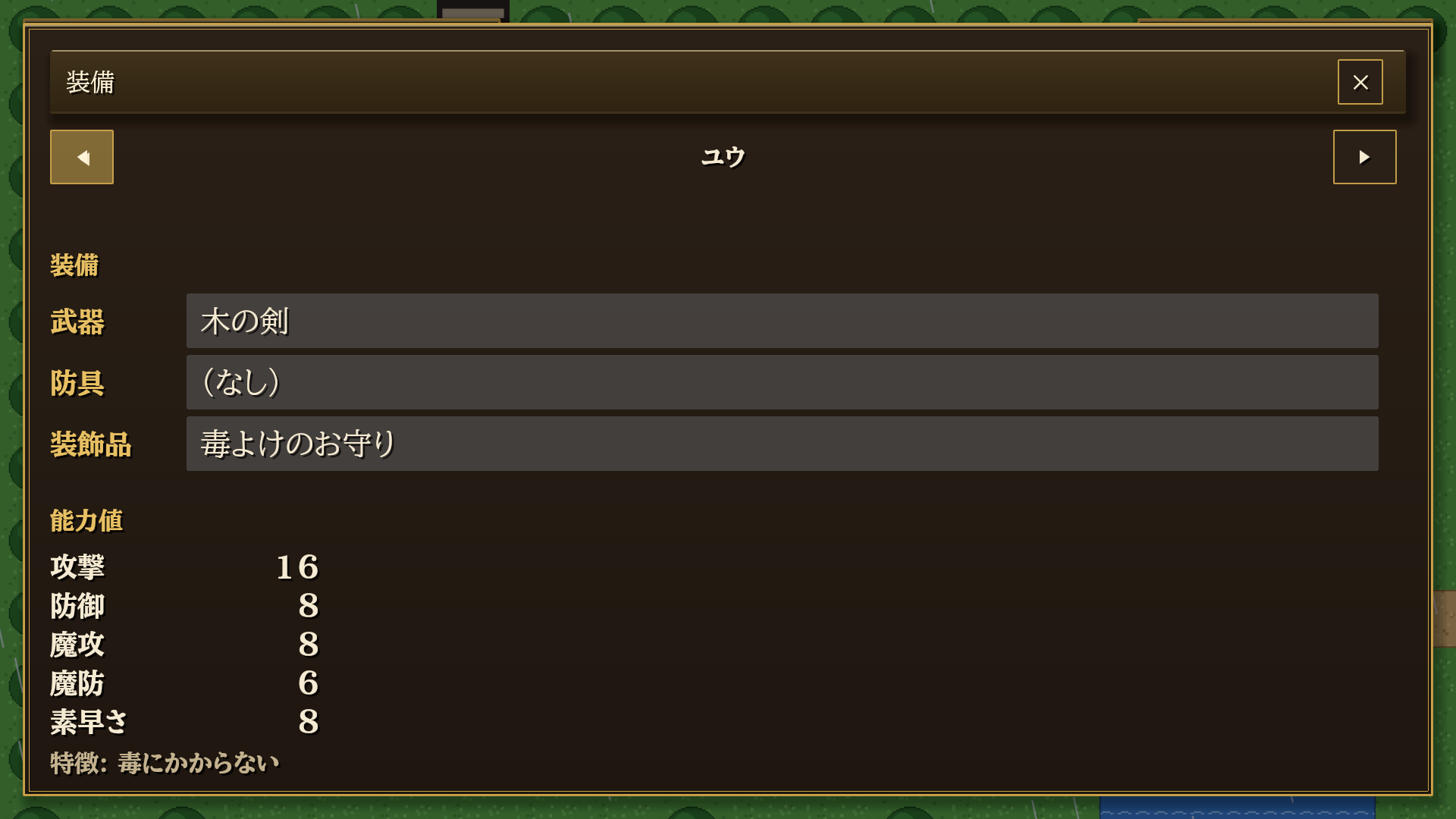
装備で付く特徴 traits 装備しているあいだ付く特徴。装備の画面に「特徴: 毒にかからない」のように出ます。 一覧(1 件は§7.2 の「特徴」の表) なし
「たたかう」の属性(武器) attackElement 武器のとき、装備した仲間の「たたかう」の属性。仲間の素手の属性より先に使われます。 属性の ID なし(仲間の素手の属性を使う)

効果(消耗品)(item_effect)

項目 鍵 何を書くか 取りうる値 既定 必須
対象 target アイテムが効く相手。 enemy・enemies・ally・allies・self。enemy 敵 1 体・enemies 敵全体・ally 味方 1 人・allies 味方全員・self 使った人。 なし(必須) 必須
効き方 kind アイテムの効き方。ダメージと回復は計算式の値を使い、状態を書けばどれでも状態を付けます。 damage・heal・state。damage ダメージ(戦闘だけ)・heal HP を回復・state 状態を付ける(フィールドで使うと、その状態を治す。戦闘不能を治すと HP が最大の 1/4 で起き上がる)。 なし(必須) 必須
計算式 formula ダメージや回復の量を決める式。使う側が a、受ける側が b です。戦闘では振れ 20%がかかり、フィールドでは値そのままです。 文字。書き方は技の計算式と同じ(例 50・a.mat * 2)。 なし(ダメージも回復もしない)
付ける・治す状態 state 戦闘では相手に付ける状態、フィールドで効き方が状態のときは治す状態(毒消しなど)。 状態の ID なし(状態を付けない・治さない)
属性 element 効果の属性。相手の特徴の属性の効きがダメージに掛かります。 属性の ID なし(属性の無い効果)

「特徴」(trait)の項目は §7.2 の表。

7.5 敵

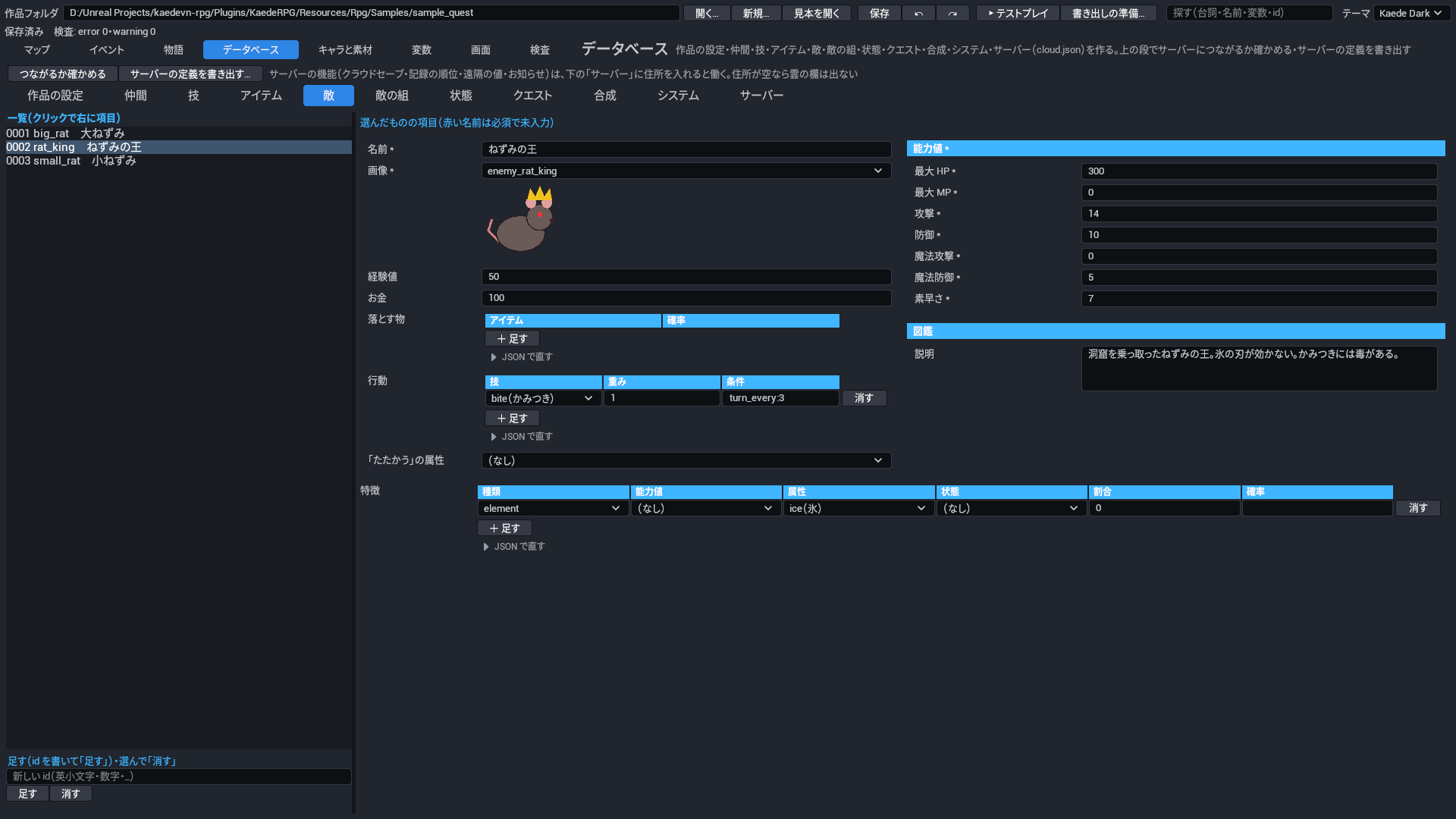
主な項目: 名前・画像・能力値・経験値・お金・落とす物(確率)・行動(技と条件)・特徴・「たたかう」の属性・図鑑の説明。

図鑑と鑑賞: 倒した敵、戦闘で当てて分かった属性の効き、見た背景、聞いた曲を、作品ごとに覚えます(セーブとは別で、新しく始めても残ります)。タイトルの 図鑑と鑑賞 から見られます。敵に 図鑑の説明 を、背景・ピクチャ・BGM の素材に 鑑賞に載せる(gallery)を付けます。戦闘では、分かった弱点が敵の名前の下に「弱点 火」のように出ます。

db/enemies.json(file:db/enemies)

項目 鍵 何を書くか 取りうる値 既定 必須
敵 enemies 敵の一覧。敵の組(戦う相手の並び)から、ここの id で指します。 一覧(1 件は§7.5 の「敵」の表) なし(必須) 必須

敵(enemy)

項目 鍵 何を書くか 取りうる値 既定 必須
ID id 敵を指す名前。敵の組・クエストの目標(倒す)がこの id で指します。 ID(英小文字で始まり、英小文字・数字・_) なし(必須) 必須
名前 name 戦闘と図鑑に出る敵の名前。同じ名前の敵が並ぶと A・B・C が付きます。 文字 なし(必須) 必須
画像 image 戦闘で出す敵の絵(素材の id)。 素材の ID(種類 enemy) なし(必須) 必須
能力値 params 敵の能力値。HP・MP はこの値で戦闘を始めます。計算式では敵のレベルは 1 として読みます。 項目の組(§7.2 の「能力値(レベル 1)」の表) なし(必須) 必須
経験値 exp 倒したときの経験値。勝つと、戦って生き残った仲間それぞれに敵全員の合計が入ります(控えにはシステムの控えの経験値の割合)。 0 以上 0
お金 gold 倒したときに手に入るお金。勝つと敵全員の合計が入ります。 0 以上 0
落とす物 drops 勝ったときに落とす物と確率の一覧。1 つずつ別に確率を引きます。 一覧(1 件は§7.5 の「落とす物」の表) なし(何も落とさない)
行動 actions 敵が使う技と、重み・条件の一覧。毎ターン、条件を満たす行動から重みの割合で 1 つ選びます。 一覧(1 件は§7.5 の「行動」の表) なし(いつも「たたかう」)
特徴 traits この敵に付いている特徴(弱点の属性・状態にかからない など)。能力値の倍率は敵の能力値に掛けてから戦闘に出ます。 一覧(1 件は§7.2 の「特徴」の表) なし
「たたかう」の属性 attackElement この敵の「たたかう」の属性。 属性の ID なし(属性の無い攻撃)
図鑑(§2.11.5) bestiary タイトルの「図鑑と鑑賞」で、倒した敵に出す情報。 項目の組(§7.5 の「図鑑(§2.11.5)」の表) なし(図鑑に説明を出さない)

図鑑(§2.11.5)(bestiary)

項目 鍵 何を書くか 取りうる値 既定 必須
説明 description 図鑑で、倒した敵の能力値・弱点・落とす物と一緒に出す説明の文。 文字(複数行) なし(出さない)

落とす物(drop)

項目 鍵 何を書くか 取りうる値 既定 必須
アイテム item 落とすアイテム。手に入ると「〜を手に入れた」と出ます。 アイテムの ID なし(必須) 必須
確率(%) chance 落とす確率(%)。倒した敵 1 体ごとに引きます。 0〜100 なし(必須) 必須

行動(enemy_action)

項目 鍵 何を書くか 取りうる値 既定 必須
技 skill 敵が使う技。MP が足りないときは使えず、そのターンは何もしません。 技の ID なし(必須) 必須
重み weight 選ばれやすさ。条件を満たす行動の重みの合計に対する割合で選ばれます。 1 以上。例 重み 3 と 1 なら 3:1 で選ぶ。 1
条件(always・hp_below:<%>・turn_every:<n>) condition この行動を選べる条件。 文字。always いつでも・hp_below:<%> HP が最大のその割合より少ないとき(例 hp_below:30)・turn_every:<n> n ターンごと(例 turn_every:3)。ほかの書き方は選ばれない。 always(いつでも)

「能力値(レベル 1)」(params)の項目は §7.2 の表。

「特徴」(trait)の項目は §7.2 の表。

7.6 敵の組

主な項目: 名前・敵と位置。

戦闘の強さは、CLI の kaede-rpg battle <敵の組> --runs 20 で勝率を確かめられます(§14)。

db/troops.json(file:db/troops)

項目 鍵 何を書くか 取りうる値 既定 必須
敵の組 troops 戦闘で一度に出てくる敵の組み合わせの一覧。イベントの戦闘や、マップで出会う敵はここの組を指します。 一覧(1 件は§7.6 の「敵の組」の表) なし(必須) 必須

敵の組(troop)

項目 鍵 何を書くか 取りうる値 既定 必須
ID id 敵の組を指す名前。戦闘の命令やマップの出会う敵の設定から、この id で呼びます。 ID(英小文字で始まり、英小文字・数字・_) なし(必須) 必須
名前 name エディタの一覧などで敵の組を見分けるための名前。 文字 なし(必須) 必須
敵 members この組で出てくる敵と、戦闘の画面での位置。1 行に 1 体です。 一覧(1 件は§7.6 の「敵」の表) なし(必須) 必須
BGM bgm この組との戦闘で流す BGM。システムの戦闘の BGM より先に使います。 素材の ID(種類 bgm) なし(システムの戦闘の BGM を流す)
戦闘の背景(床) background この組との戦闘で後ろに描く背景のうち、床の絵。 素材の ID(種類 bg) なし(床も壁も空なら、戦闘を始めたマップの戦闘の背景を使う)
戦闘の背景(壁) background2 この組との戦闘で後ろに描く背景のうち、壁の絵。床の絵の上に重ねます。 素材の ID(種類 bg) なし(床も壁も空なら、戦闘を始めたマップの戦闘の背景を使う)

敵(troop_member)

項目 鍵 何を書くか 取りうる値 既定 必須
敵 enemy 出てくる敵。データベースの敵から選びます。 敵の ID なし(必須) 必須
X(設計画面 1920×1080) x 戦闘の画面で敵を置く横の位置。1920×1080 の設計の画面での座標です。 0〜1920。左端が 0。 960(画面の横の中央)
Y(設計画面 1920×1080) y 戦闘の画面で敵を置く縦の位置。1920×1080 の設計の画面での座標です。 0〜1080。上端が 0。 500

7.7 状態

主な項目: 名前・アイコン(ゲームではまだ出しません)・行動の制限・続くターン(最小と最大)・戦闘の終わりで治るか・毎ターンの HP の増減(%)・能力値の倍率・特徴。

db/states.json(file:db/states)

項目 鍵 何を書くか 取りうる値 既定 必須
状態 states 毒・眠りなど、戦闘で仲間や敵にかかる状態の一覧。技やアイテムの効果・特徴から id で指します。 一覧(1 件は§7.7 の「状態」の表)。id が dead の状態(戦闘不能)は予約で、書かなければ自動で足されます。 なし(必須) 必須

状態(state)

項目 鍵 何を書くか 取りうる値 既定 必須
ID id 状態を指す名前。技の付ける状態・特徴の状態にかからない・条件式などから、この id で呼びます。 ID(英小文字で始まり、英小文字・数字・_)。dead は戦闘不能の予約です。 なし(必須) 必須
名前 name 戦闘のメッセージ(「〜には毒が効かなかった」など)や画面に出る状態の名前。 文字 なし(必須) 必須
アイコン icon この状態を表す小さな絵。素材の UI から選びます。 素材の ID(種類 ui) なし(出さない)
行動の制限 restrict この状態の間、行動できなくするかどうか。眠り・麻痺などに使います。 none・cannot_act。none 制限なし・cannot_act 行動できない。 none(行動できる)
続くターン [最小, 最大] turns 状態が続くターン数の最小と最大。かかったときにこの範囲から決まり、ターンの終わりごとに 1 減って 0 で治ります。 一覧(1 件は 0 以上)。例 [2, 4]。数を 1 つだけ書くと最小と最大が同じになります。 [1, 1](1 ターン)
戦闘の終わりで治る releaseOnBattleEnd 戦闘が終わったときにこの状態を治すかどうか。切ると戦闘のあとも残ります。 はい・いいえ(true・false) true(治る)
毎ターンの HP の増減(%) slip この状態の間、ターンの終わりごとに増減する HP を、最大 HP に対する割合で書きます。毒は負の数です。 -100〜100。単位は%。例 -10 で毎ターン最大 HP の 10%減る(HP 1 より下げない)。 0(増減しない)
能力値の倍率 paramRate この状態の間、能力値に掛ける倍率。攻撃アップ・防御ダウンなどに使います。 項目の組(§7.4 の「足す能力値(装備)」の表)。能力値ごとに倍率を書く。例 {"atk": 1.5} で攻撃 1.5 倍。書かない能力値は 1 倍。 なし(どの能力値も 1 倍)
特徴 traits この状態の間に付く特徴(能力値の倍率・属性の効き・状態にかからない・たたかうで状態・毎ターンの HP)。 一覧(1 件は§7.2 の「特徴」の表) なし(特徴なし)

「足す能力値(装備)」(params_partial)の項目は §7.4 の表。

「特徴」(trait)の項目は §7.2 の表。

7.8 クエスト

主な項目: 名前・説明・目標(変数がその値以上・アイテムをその数持つ・受けてから敵をその数倒す)・報酬(お金・経験値・アイテム)。

クエスト: データベースの クエスト に目標と報酬を書き、イベントの命令 クエスト(quest)で受ける(start)・達成(complete)・失敗(fail)・目標を満たしていれば達成(advance)を指示します。達成で報酬を配り、画面の上にお知らせが出ます。条件式では quest.<id>.state(0 受けていない・1 進行中・2 達成・3 失敗)と quest.<id>.ready(目標を全部満たした)が読めます。プレイヤーはメニューの クエスト で進み具合を見られます。見本では、長老の頼みを引き受けると「ねずみ退治」を受け、王を倒して長老に知らせると達成します。

db/quests.json(file:db/quests)

項目 鍵 何を書くか 取りうる値 既定 必須
クエスト quests クエストの一覧。イベントの命令 クエスト(quest)で受ける・達成・失敗を指示し、プレイヤーはメニューのクエストで進み具合を見ます。 一覧(1 件は§7.8 の「クエスト」の表) なし(必須) 必須

クエスト(quest)

項目 鍵 何を書くか 取りうる値 既定 必須
ID id クエストを指す名前。命令 quest や条件式の quest.<id>.state・quest.<id>.ready から、この id で呼びます。 ID(英小文字で始まり、英小文字・数字・_) なし(必須) 必須
名前 name メニューのクエストや、受けた・達成したときのお知らせに出るクエストの名前。 文字 なし(必須) 必須
説明 description メニューのクエストで、選んだクエストの下に出す説明の文。 文字(複数行) なし(出さない)
目標 goals 達成の目標。全部を満たすと quest.<id>.ready が真になり、命令 quest の advance で達成になります。 一覧(1 件は§7.8 の「目標」の表) なし(目標なし。いつでも満たしている扱い)
報酬 rewards 達成したときに配る報酬(お金・経験値・アイテム)。 項目の組(§7.8 の「報酬」の表) なし(報酬なし)

目標(quest_goal)

項目 鍵 何を書くか 取りうる値 既定 必須
種類(var 変数・item アイテム・defeat 倒す) kind 目標の種類。変数がその値以上か、アイテムをその数持っているか、受けてから敵をその数倒したかで満たします。 var・item・defeat。var 変数・item アイテム・defeat 倒す。 なし(必須) 必須
変数(var) var 種類が var のときに見る変数。 変数の ID なし(種類が var のときは書く)
アイテム(item) item 種類が item のときに数える所持品のアイテム。 アイテムの ID なし(種類が item のときは書く)
敵(defeat) enemy 種類が defeat のときに倒した数を数える敵。クエストを受けてから倒した分だけ数えます。 敵の ID なし(種類が defeat のときは書く)
数(変数はこの値以上) count 満たすのに要る数。変数はこの値以上、アイテムはこの数を持つ、敵はこの数倒すと満たします。 1 以上 1
画面に出す文(空なら作る) text メニューのクエストで目標として出す文。 文字 なし(種類と相手から「〜を 3 体倒す」のような文を作る)

報酬(quest_rewards)

項目 鍵 何を書くか 取りうる値 既定 必須
お金 gold 達成したときに渡すお金。 0 以上 0(渡さない)
経験値(パーティの全員) exp 達成したときに、パーティの全員にそれぞれ渡す経験値。 0 以上 0(渡さない)
アイテム items 達成したときに渡すアイテムとその数。 一覧(1 件は§7.10 の「アイテム」の表) なし(渡さない)

「アイテム」(item_count)の項目は §7.10 の表。

7.9 合成

主な項目: できる物と数・材料と数・お金。

合成: データベースの 合成 に作り方(材料とできる物)を書き、イベントの命令 合成の画面(craft_screen。作れる作り方を絞ることもできます)を作業台などに置きます。手に入れる道の無い材料があると、検査が知らせます。見本では、村の作業台でねずみの尻尾 2 つから薬草を作れます。

db/recipes.json(file:db/recipes)

項目 鍵 何を書くか 取りうる値 既定 必須
合成の作り方 recipes 合成の作り方の一覧。イベントの命令 合成の画面(craft_screen)を置くと、プレイヤーがここの作り方で材料から物を作れます。 一覧(1 件は§7.9 の「合成の作り方」の表) なし(必須) 必須

合成の作り方(recipe)

項目 鍵 何を書くか 取りうる値 既定 必須
ID id 作り方を指す名前。命令 合成の画面で作れる作り方を絞るときに、この id で指します。 ID(英小文字で始まり、英小文字・数字・_) なし(必須) 必須
名前(空ならできる物の名前) name 合成の画面の一覧に出す作り方の名前。 文字 なし(できる物の名前を出す)
できる物 result 作るとできるアイテムとその数。 項目の組(§7.10 の「アイテム」の表) なし(必須) 必須
材料 materials 作るのに使う材料のアイテムとその数。作ると所持品から減ります。手に入れる道の無い材料があると、検査が知らせます。 一覧(1 件は§7.10 の「アイテム」の表) なし(必須) 必須
お金 gold 作るのにかかるお金。足りないと作れません。 0 以上 0(かからない)

「アイテム」(item_count)の項目は §7.10 の表。

7.10 システム

主な項目: お金の単位・戦闘の BGM・勝利の ME(ゲームではまだ鳴らしません)・最初の所持品・逃走の成功率の式・勝ったあとに全回復・勝利の画面(既定は出す)・入手のお知らせ(既定は出す)・既定の文字の音・「たたかう」の既定のアニメ・属性の一覧・戦う人数(パーティの先頭から。既定 4。残りは控え)・控えの経験値(%)・負けたらゲームオーバー(切ると作品全体で負けても続く)。

db/system.json(file:db/system)

項目 鍵 何を書くか 取りうる値 既定 必須
お金の単位 currency 戦闘の報酬・お店・クエストの報酬などでお金の数の後ろに付ける単位。 文字 G
戦闘の BGM battleBgm 戦闘で流す BGM。敵の組に BGM があれば、そちらを流します。 素材の ID(種類 bgm) なし(敵の組にも無ければ流さない)
勝利の ME victoryMe 戦闘に勝ったときに鳴らす ME(短い曲)。 素材の ID(種類 me) なし(鳴らさない)
最初の所持品 initialItems ゲームを始めたときに持っているアイテムとその数。 一覧(1 件は§7.10 の「アイテム」の表) なし(何も持たない)
逃走の成功率の式 escapeFormula 戦闘で「逃げる」が成功する確率(%)の式。party.agi(仲間の素早さ)と troop.agi(敵の素早さ)が使えます。 文字 50 + (party.agi - troop.agi)
勝ったあとに全回復 recoverAfterBattle 戦闘に勝ったあと、仲間の HP と MP を最大まで戻すかどうか。 はい・いいえ(true・false) false(戻さない)
勝利の画面を出す(既定は出す) victoryScreen 戦闘に勝ったときに、経験値・お金・落とした物を並べる勝利の画面を出すかどうか。 はい・いいえ(true・false) true(出す)
「たたかう」の既定のアニメ attackAnimation 「たたかう」で出すアニメの既定。仲間に「たたかう」のアニメがあれば、そちらを使います。 素材の ID(種類 animation) なし(アニメを出さない)
入手のお知らせを出す(既定は出す) notifyGain アイテムやお金を手に入れたときに、画面にお知らせを出すかどうか。 はい・いいえ(true・false) true(出す)
既定の文字の音(キャラに無いとき) textSound 会話の文字を出すときに鳴らす効果音の既定。話す人のキャラに文字の音があれば、そちらを使います。 項目の組(§8.1 の「文字の音」の表)。asset 効果音・every 何文字ごとに鳴らすか(既定 2)・volume 音量(既定 0.5)。 なし(キャラにも無ければ鳴らさない)
属性(技・特徴で使う) elements 火・氷など、作品で使う属性の一覧。技やアイテムの効果、武器の「たたかう」、特徴の属性の効きから id で指します。 一覧(1 件は§7.10 の「属性(技・特徴で使う)」の表) なし(属性を使わない)
負けたらゲームオーバー(false で作品全体が負けても続く。既定 true) gameOverOnLose 戦闘に負けたらゲームオーバーにするかどうか。切ると作品全体で、どの戦闘も負けても続きます。 はい・いいえ(true・false) true(ゲームオーバーにする)
戦う人数(パーティの先頭から。既定 4) battleMembers 戦闘に出る人数。パーティの先頭からこの人数が戦い、残りは控えになります。 1〜8 4
控えの経験値(%。既定 0) reserveExp 戦闘に出なかった控えの仲間が受け取る経験値を、戦った仲間の経験値に対する割合で書きます。 0〜100。単位は%。例 50 で半分。 0(受け取らない)

属性(技・特徴で使う)(element_def)

項目 鍵 何を書くか 取りうる値 既定 必須
ID id 属性を指す名前。技やアイテムの効果、特徴の属性の効きから、この id で呼びます。 ID(英小文字で始まり、英小文字・数字・_) なし(必須) 必須
名前 name 戦闘で出る属性の名前。弱点の表示(「弱点 火」)などに使います。 文字 なし(必須) 必須

アイテム(item_count)

項目 鍵 何を書くか 取りうる値 既定 必須
アイテム item 対象のアイテム。データベースのアイテムから選びます。 アイテムの ID なし(必須) 必須
個数 count そのアイテムの個数。 1 以上 なし(必須) 必須

「文字の音」(text_sound)の項目は §8.1 の表。

7.11 サーバー

cloud.json のサーバーの住所(server)・ゲームの id(game)・記録(records)・実績(achievements)。表の つながるか確かめる と、サーバーの定義の書き出しもここにあります。使い方は §15。

cloud.json(file:cloud)

項目 鍵 何を書くか 取りうる値 既定 必須
サーバー server 作者が立てたサーバーの設定。住所を入れると、お知らせ・記録の順位・クラウドセーブ・引き継ぎ・遠隔の値の欄が標準の画面に出る。 項目の組(§7.11 の「サーバー」の表) なし(サーバーを使わない。欄は出ず、通信もしない)
ゲームの id(空なら rpg.json の id) game サーバーがこの作品を見分ける id。サーバーの npm run setup -- --game と同じにする。 ID(英小文字で始まり、英小文字・数字・_) rpg.json の id
記録(順位) records 記録の順位に使う記録の定義の一覧。イベントの命令「記録を送る」(record)で送る。 一覧(1 件は§7.11 の「記録(順位)」の表) なし(記録を使わない)
実績(住所が空でも手元で働く) achievements 実績の定義の一覧。イベントの命令で取らせる。サーバーの住所が空でも手元で働き、Steam で出すゲームは Steam の実績へ送る。 一覧(1 件は§7.11 の「実績(住所が空でも手元で働く)」の表) なし(実績を使わない)

サーバー(cloud_server)

項目 鍵 何を書くか 取りうる値 既定 必須
住所(https:// で始まり末尾の / なし。空ならサーバーを使わない) url サーバーの住所。サーバーを立てたときに出る https://….workers.dev を書く。 文字。https:// で始め、末尾に / を付けない(違うと検査 R-REC-03 の error)。 なし(サーバーを使わない)

記録(順位)(cloud_record)

項目 鍵 何を書くか 取りうる値 既定 必須
ID id 記録の名前。命令「記録を送る」で指し、サーバーの順位もこの名前で分かれる。 ID(英小文字で始まり、英小文字・数字・_) なし(必須) 必須
名前 name メニューの「記録・順位」に見出しとして出る記録の名前。 文字 id を出す
名前(英語) nameEn 記録の英語の名前。今のゲームの画面は language が en でも name を出す。 文字 なし(使われない)
種類(time 秒の時間・score 点) kind 記録の値が時間か点か。画面の値の書き方と、Steam の順位の表示が替わる。 time・score。time 秒の時間(時:分:秒で出る)・score 点(整数で出る)。 なし(必須) 必須
よい順(asc 小さいほどよい・desc 大きいほどよい) order どちらの値をよい記録として上に並べるか。 asc・desc。asc 小さいほどよい(クリアの時間など)・desc 大きいほどよい(点など)。 なし(必須) 必須
下限 min 受け付ける値の下限。サーバーはこれより小さい値を受け取らない。 数。max 以下にする(検査 R-REC-03)。 なし(必須) 必須
上限 max 受け付ける値の上限。サーバーはこれより大きい値を受け取らない。 数。min 以上にする(検査 R-REC-03)。 なし(必須) 必須

実績(住所が空でも手元で働く)(cloud_achievement)

項目 鍵 何を書くか 取りうる値 既定 必須
ID(英大文字・数字・_) id 実績の名前。イベントの命令で指し、Steam の実績の API 名と同じにする。 文字。英大文字・数字・_ で 1〜64 字(違うと検査 R-ACH-03 の error)。 なし(必須) 必須
名前 name 実績の画面に出る名前。 文字 なし(必須) 必須
名前(英語) nameEn 実績の英語の名前。今のゲームの画面は language が en でも name を出す。 文字 なし(使われない)
説明 desc 実績の画面に名前と並んで出る説明(取り方など)。 文字 空(説明を出さない)
説明(英語) descEn 実績の英語の説明。今のゲームの画面は language が en でも desc を出す。 文字 なし(使われない)
隠す(取るまで「???」) hidden 取るまで実績の画面で名前と説明を「???」にする。 はい・いいえ(true・false) false(初めから見せる)

8. キャラと素材のタブ

キャラ 素材
キャラ 素材

8.1 キャラ

characters.json(file:characters)

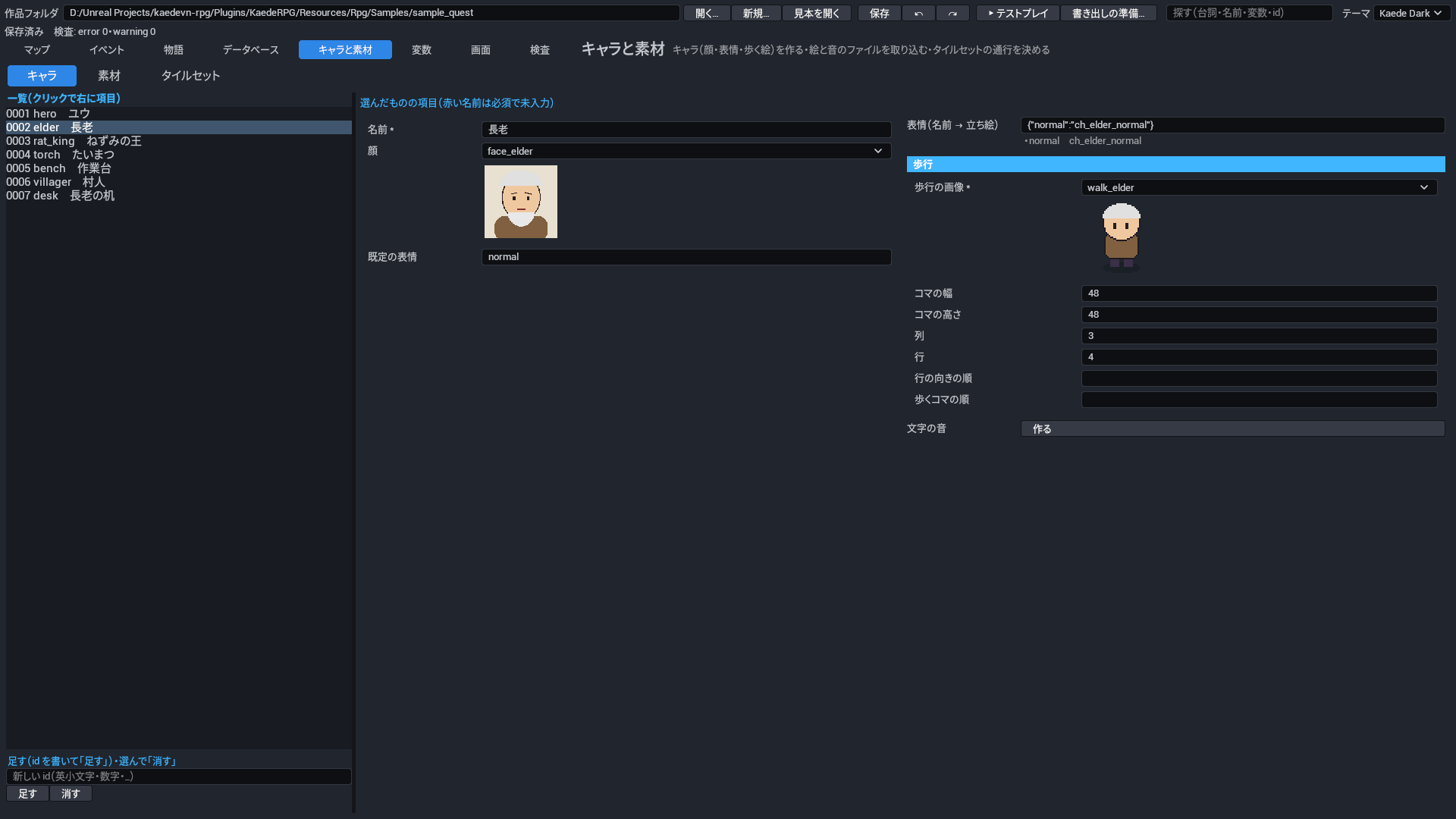
項目 鍵 何を書くか 取りうる値 既定 必須
キャラ characters 作品に出るキャラの一覧。会話の話し手・立ち絵・マップを歩く絵は、このキャラで決まる。 一覧(1 件は§8.1 の「キャラ」の表) なし(必須) 必須

キャラ(character)

項目 鍵 何を書くか 取りうる値 既定 必須
ID id キャラの名前(id)。データベースの仲間・イベント・会話の話し手からこの id で指す。 ID(英小文字で始まり、英小文字・数字・_) なし(必須) 必須
名前 name 会話の窓に話し手として出る名前。 文字 なし(必須) 必須
顔 face 会話の窓に出す顔の素材。台詞で顔を書かないときに使う。 素材の ID(種類 face) なし(顔を出さない)
表情(名前 → 立ち絵) expressions 表情の名前と立ち絵の素材の対応。立ち絵を出す命令は、表情の名前で立ち絵を選ぶ。 鍵 → 値 の組(値は 素材の ID(種類 ch))。例 {"normal": "elder_normal", "smile": "elder_smile"}。 なし(立ち絵を出せない)
既定の表情 defaultExpression 立ち絵の命令が表情を書かないときに使う表情の名前。expressions の名前を書く。 文字 なし(表情を書かない命令では立ち絵が決まらない)
歩行 walk マップを歩くときの絵(歩く絵の画像とコマの並び)。 項目の組(§8.1 の「歩行」の表) なし(マップに描かれない)
文字の音 textSound このキャラが話すときに、文字送りに合わせて鳴らす効果音。 項目の組(§8.1 の「文字の音」の表) データベースのシステムの既定の文字の音(それも無ければ鳴らさない)

文字の音(text_sound)

項目 鍵 何を書くか 取りうる値 既定 必須
効果音 asset 文字送りで鳴らす効果音の素材。 素材の ID(種類 se) なし(必須) 必須
何文字ごとに鳴らす every 何文字ごとに 1 回鳴らすか。 1〜10 2
音量 volume 文字の音の音量。 0〜1。0 で無音・1 で元の大きさ。 0.5

歩行(walk)

項目 鍵 何を書くか 取りうる値 既定 必須
歩行の画像 asset 歩く絵の画像の素材。向きごとの行と歩くコマの列を並べた 1 枚。 素材の ID(種類 walk) なし(必須) 必須
コマの幅 frameW 歩く絵の 1 コマの幅。 1 以上。px。 48
コマの高さ frameH 歩く絵の 1 コマの高さ。 1 以上。px。 48
列 cols 歩く絵の画像の列(横のコマ)の数。 1 以上 3
行 rows 歩く絵の画像の行(向き)の数。 1 以上 4
行の向きの順 order 画像の上の行から順に、どの向きの絵かを書く。 一覧(1 件は 文字)。up 上・down 下・left 左・right 右。 down・left・right・up(下・左・右・上)
歩くコマの順 pattern 歩くときに使う列の順。止まっているときは 2 番目の列を出す。 一覧(1 件は 数)。列の番号(左が 0)。 0・1・2・1

8.2 素材

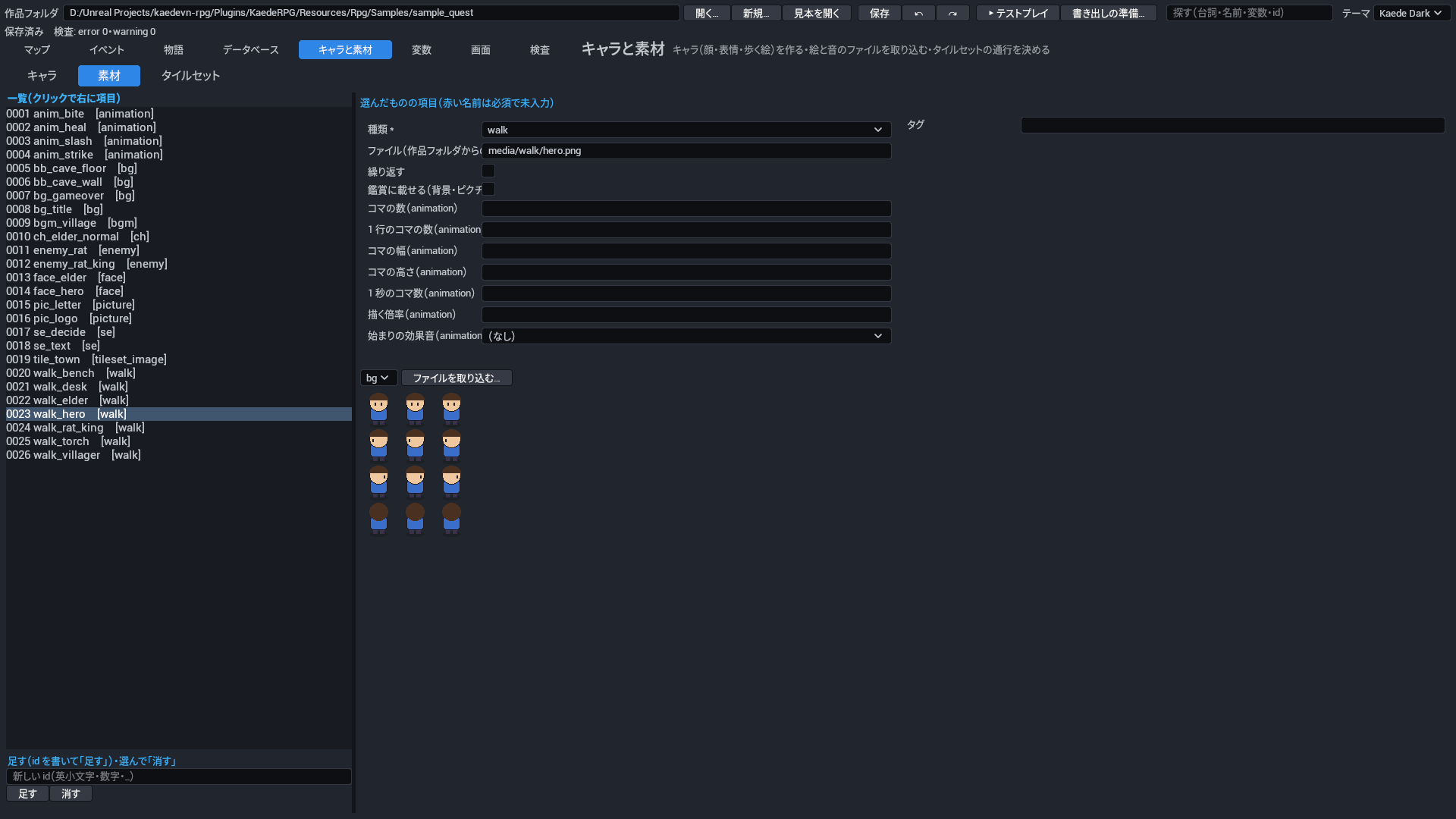
assets.json(file:assets)

項目 鍵 何を書くか 取りうる値 既定 必須
素材 assets 作品で使う素材(絵・音)の登録。鍵が素材の id で、マップ・キャラ・データベース・命令はこの id で素材を指す。 鍵 → 値 の組(値は §8.2 の「素材」の表) なし(必須) 必須

素材(asset)

項目 鍵 何を書くか 取りうる値 既定 必須
種類 kind 素材の種類。素材を選ぶ欄には、その欄に合う種類の素材だけが並ぶ。 bg・ch・face・walk・tileset_image・enemy・picture・bgm・bgs・me・se・voice・ui・animation。bg 背景・ch 立ち絵・face 顔・walk 歩く絵・tileset_image タイルセットの画像・enemy 敵・picture ピクチャ・bgm BGM・bgs BGS(環境音)・me ME(短い曲)・se 効果音・voice ボイス・ui UI の絵・animation アニメ。 なし(必須) 必須
ファイル(作品フォルダからの相対) path 素材のファイルの場所。作品フォルダからの相対で書く。「ファイルを取り込む…」で入れると media/<種類>/ の下に写して書く。 文字。画像は PNG、音は OGG と WAV。 なし(必須) 必須
タグ tags 素材を整理するための札。ゲームは読まない。 一覧(1 件は 文字) なし(何も起きない)
繰り返す loop 音を繰り返して鳴らす印。BGM に付ける。今のゲームはこの欄を読まず、BGM はいつも繰り返す。 はい・いいえ(true・false) なし(使われない)
鑑賞に載せる(背景・ピクチャ・BGM・§2.11.5) gallery タイトルの「図鑑と鑑賞」の鑑賞に載せる。背景・ピクチャ・BGM に付け、プレイヤーが見た・聞いたものだけが並ぶ。 はい・いいえ(true・false) false(載せない)
コマの数(animation) frames アニメ(種類 animation)のコマの数。 1〜200 1
1 行のコマの数(animation) columns アニメの画像で、横 1 行に並べたコマの数。コマが多いときは次の行へ続ける。 1〜200 frames と同じ(1 行に全部)
コマの幅(animation) frameW アニメの 1 コマの幅。 1 以上。px。 192
コマの高さ(animation) frameH アニメの 1 コマの高さ。 1 以上。px。 192
1 秒のコマ数(animation) fps アニメを 1 秒に何コマ進めるか。 1〜60 12
描く倍率(animation) scale アニメを描くときの倍率。 0.1〜8 1
始まりの効果音(animation) se アニメの始まりに鳴らす効果音の素材。 素材の ID(種類 se) なし(鳴らさない)

8.3 タイルセット

tilesets/<id>.json(file:tileset)

項目 鍵 何を書くか 取りうる値 既定 必須
ID id タイルセットの id。マップのタイルセットの欄からこの名前で指す。ファイル名 tilesets/<id>.json の <id> と同じにする(ゲームはファイル名で探す)。 ID(英小文字で始まり、英小文字・数字・_) なし(必須) 必須
名前 name タイルセットの名前。人が見分けるためのもので、ゲームには出ない。 文字 なし(何も起きない)
画像 image タイルを並べた画像の素材(種類 tileset_image)。 素材の ID(種類 tileset_image) なし(必須) 必須
タイルの幅 tileWidth 1 枚のタイルの幅。タイルは 48×48px だけを使う。 48〜48。px。 48
タイルの高さ tileHeight 1 枚のタイルの高さ。タイルは 48×48px だけを使う。 48〜48。px。 48
列の数 columns 画像の横に並んだタイルの数。タイルの番号は左上から右へ数え、この数で次の行へ進む。 1 以上 なし(必須) 必須
タイルの設定(番号 → 設定) tiles タイルごとの設定(通行・入れない方向・名前)。鍵はタイルの番号。 鍵 → 値 の組(値は §8.3 の「タイルの設定(番号 → 設定)」の表)。鍵は 0 から始まる整数の番号。 なし(全部のタイルが通れる)
オートタイル(マップには 10000+番号で書く) autotiles オートタイルの一覧。塗ると隣のマスに合わせて縁が自動でつながる。マップのマスには 10000+一覧の番号が入る。 一覧(1 件は§8.3 の「オートタイル(マップには 10000+番号で書く)」の表)。1 種類につき、画像に横 5 枚の帯(島・横に続く・縦に続く・内の角・中)を描く。 なし(オートタイルを使わない)

オートタイル(マップには 10000+番号で書く)(autotile)

項目 鍵 何を書くか 取りうる値 既定 必須
名前 name オートタイルの名前。人が見分けるためのもので、ゲームには出ない。 文字 空
帯の左上の列(タイル) col 画像の中の、5 枚の帯の左上のタイルの列。 0 以上。タイル単位(左が 0)。 なし(必須) 必須
帯の左上の行(タイル) row 画像の中の、5 枚の帯の左上のタイルの行。 0 以上。タイル単位(上が 0)。 なし(必須) 必須
アニメのコマ数(帯を下へ) frames アニメのコマ数。水のように動かすときは、帯を下へコマの数だけ並べて描く。エディタでは 1 コマ目を出す。 1〜8 1(動かない)
アニメの速さ(コマ/秒) fps アニメの速さ(1 秒に進むコマの数)。 0.1〜60 4
つながり方(floor 面・wall 壁と屋根) style 縁のつながり方。 floor・wall。floor 地面と水・wall 壁と屋根(内の角を使わない)。 floor
通行 pass このオートタイルのマスを通れるか。 o・x・star。o 通れる・x 通れない・star 通れてキャラの上に描く(下の層の通行で決まる)。 o(通れる)
入れない方向(u d l r) dir4 このマスに入れない辺。書いた辺の側からは入れない。 文字。u 上・d 下・l 左・r 右を並べる(例 ud)。u は上の辺から入れない=下へ歩いて入れない。 空(どの向きからも入れる)

タイルの設定(番号 → 設定)(tile)

項目 鍵 何を書くか 取りうる値 既定 必須
通行 pass このタイルのマスを通れるか。マップのタブの通行で、マスごとに上書きできる。 o・x・star。o 通れる・x 通れない・star 通れてキャラの上に描く(下の層の通行で決まる)。 o(通れる)
入れない方向(u d l r) dir4 このタイルのマスに入れない辺。書いた辺の側からは入れない。 文字。u 上・d 下・l 左・r 右を並べる(例 ud)。u は上の辺から入れない=下へ歩いて入れない。 空(どの向きからも入れる)
名前 label タイルの名前。人が見分けるためのもので、ゲームには出ない。 文字 なし(何も起きない)

9. 変数のタブ

変数のタブ

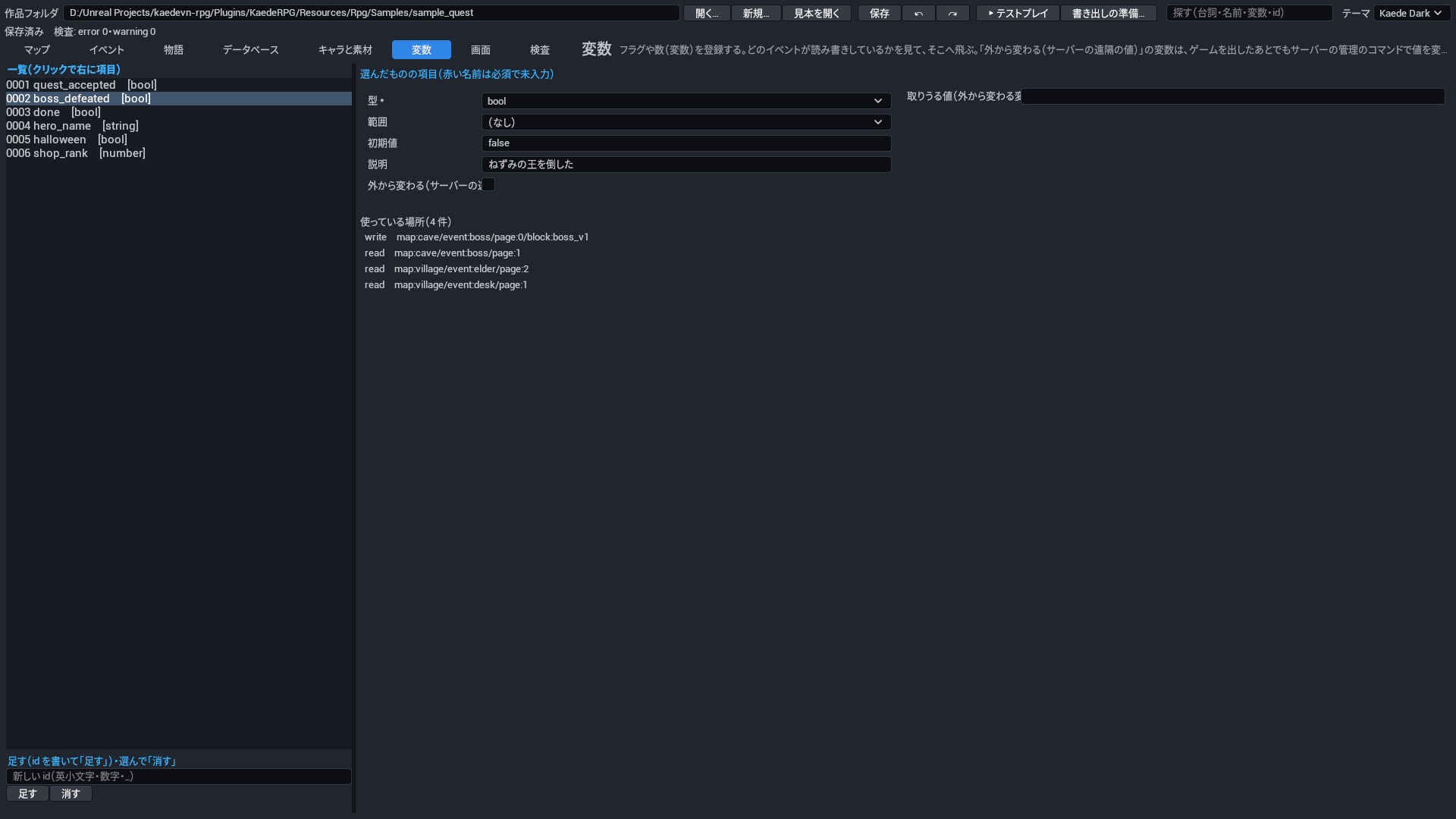
変数の一覧と、選んだ変数の型(真偽・数・文字)・範囲(全体/自分のフラグ)・初期値・説明。自分のフラグはイベントごとに別の値です。a b c d の 4 つは組み込みで、登録しなくてもどのイベントでも使えます(既定は false)。名前を付けたいときは範囲を「自分のフラグ」にして 1 つ登録すれば、同じ名前(例 done)をどのイベントでも使い回せます(宝箱ごとに登録しなくてよい)。右下に、その変数を読む場所・書く場所が並び、クリックするとその命令へ飛びます。

vars.json(file:vars)

項目 鍵 何を書くか 取りうる値 既定 必須
変数 vars 作品で使う変数(フラグ・数・文字)の一覧。イベントの条件・分岐・式から名前で読み書きする。 一覧(1 件は§9 の「変数」の表) なし(必須) 必須

変数(var)

項目 鍵 何を書くか 取りうる値 既定 必須
ID id 変数の名前。条件・分岐・式でこの名前で読み書きする。 ID(英小文字で始まり、英小文字・数字・_) なし(必須) 必須
型 type 変数が持つ値の型。 bool・number・string。bool 真偽(フラグ)・number 数・string 文字。 なし(必須) 必須
範囲 scope 変数が作品全体で 1 つか、イベントごとに別の値を持つ自分のフラグか。自分のフラグを 1 つ登録すれば、同じ名前をどのイベントでも使い回せる。 global・self。global 全体・self 自分のフラグ(イベントごと)。a b c d の 4 つの自分のフラグは登録しなくても使える。 global
初期値 initial ゲームを始めたときの値。型に合う値を書く。 文字・数・真偽 型の空の値(bool は false・number は 0・string は空)
説明 note その変数が何のためにあるかのメモ。ゲームには出ない。 文字 なし(何も起きない)
外から変わる(サーバーの遠隔の値) external サーバーの遠隔の値で外から変わる変数にする。作品の中では読めるが書けず(検査 R-EXT-01)、セーブにも入らない。自分のフラグには付けられない(R-EXT-02)。 はい・いいえ(true・false) false(ふつうの変数)
取りうる値(外から変わる変数) values 外から変わる変数が取りうる値の一覧。サーバーはこの外の値を受け取らず、play --var-matrix はこの組を全部回す。 一覧(1 件は 文字・数・真偽)。1〜16 個。初期値を含め、型に合う値を書く。 なし(外から変わる変数では検査 R-EXT-03 の error)

10. 画面のタブ

画面のタブ

ゲームの画面(タイトル・メニュー・会話の窓・選択肢・戦闘の窓・マップの HUD など)を、JSON を書かずに、絵を見ながら直すタブです。直した画面は作品の ui/<画面>.json に保存され、製品の既定の画面より先に使われます(製品の既定そのものは直しません)。何も直さなければ製品の既定の画面のままで、見た目はテーマ(下)で替えられます。

見ながら直す

場所 中身
左の上 画面の一覧。● は作品で直したもの。テーマごとの形の差し替え(menu.crystal など)も並びます
左の下 部品の木(画面の JSON の入れ子そのまま)。薄い行は、いまの見本の状態では出ていない部品(条件で消えている)
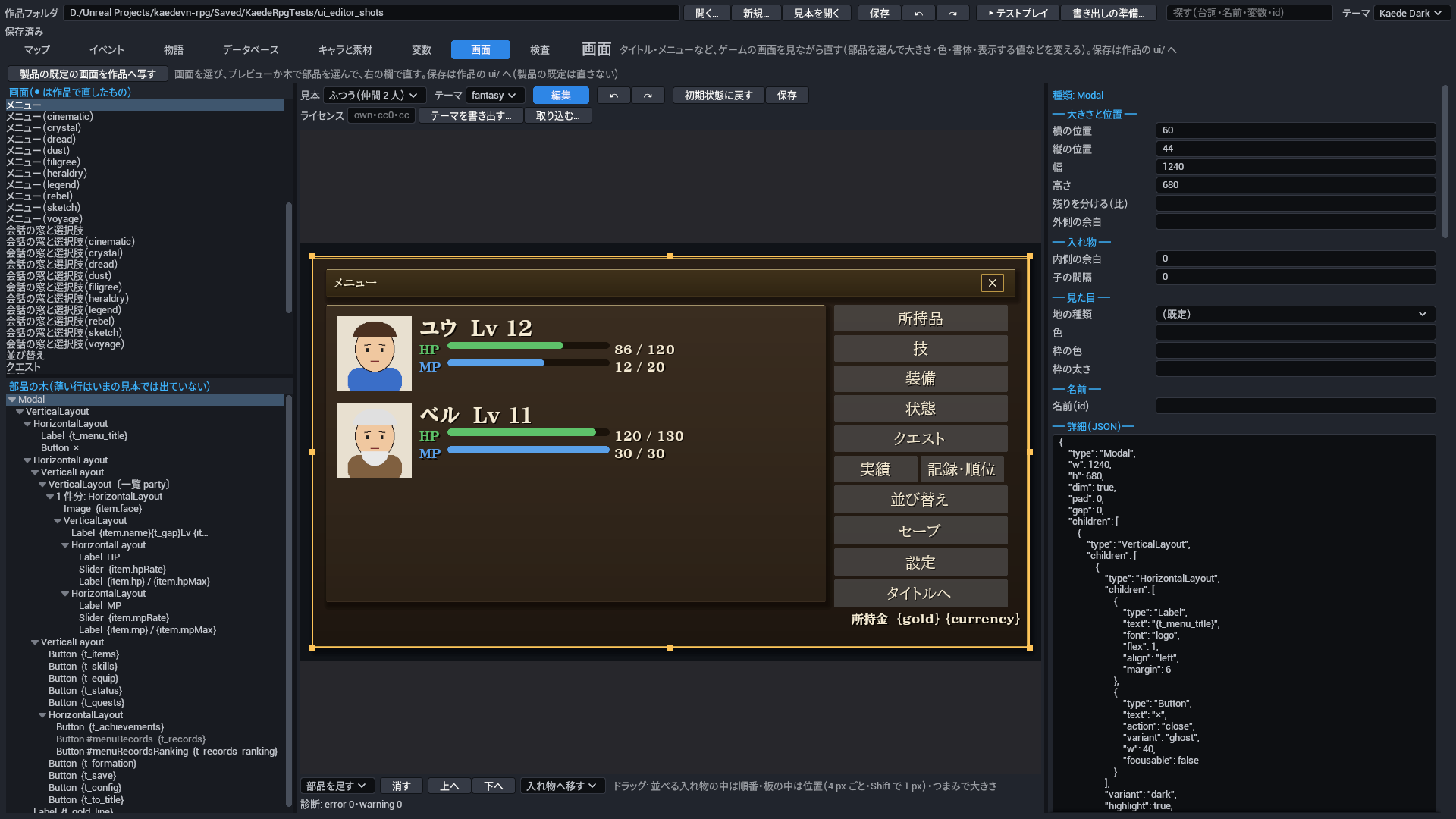
中央 プレビュー(ゲームと同じ描き方)。上の段に 見本・テーマ・編集/操作・↶・↷・初期状態に戻す・保存、下に部品を動かすボタンと診断
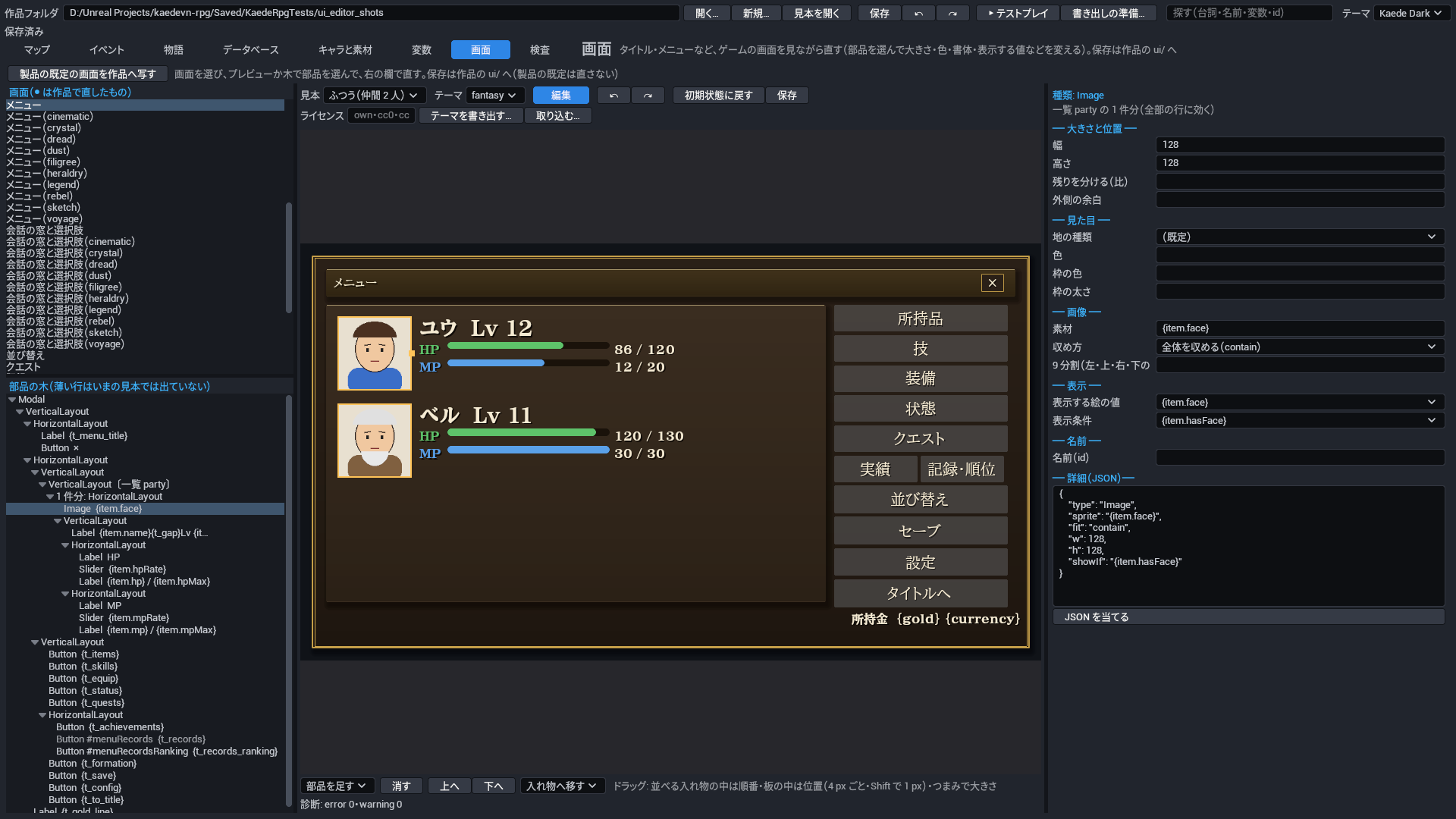
右 選んだ部品の欄(大きさと位置・入れ物・見た目・文字・画像・表示・動作・一覧・名前)と、いちばん下に 詳細(その部品の JSON)
  1. 左で画面を選びます(例: メニュー)。
  2. プレビューの上で部品を押すと選びます(押した所のいちばん小さい部品。同じ所をもう一度押すと 1 つ外側の部品)。木で押しても同じです。一覧(仲間の一覧など)の行を押すと、その 1 件分の型を選び、直すと全部の行に効きます。
  3. 右の欄で直します。色は空にするとテーマの色に任せます。表示する値(所持金・名前など)・表示条件(顔の絵があるとき、など)・押したときの動作 は、その画面でゲームが渡す値・受ける動作の一覧から選びます(一覧の正は製品の目録 Resources/Rpg/ui/catalog.json)。欄に無い鍵は 詳細 の JSON で直せます。
  4. 保存 で作品の ui/ に書きます。書く前に診断し、error(ゲームが受けない動作・閉じる手段が無いなど)があれば書きません。診断の件数と最初の 1 件はプレビューの下に出ます。

ドラッグで動かす

ドラッグ

部品を足す・消す

見本の状態

見本の状態

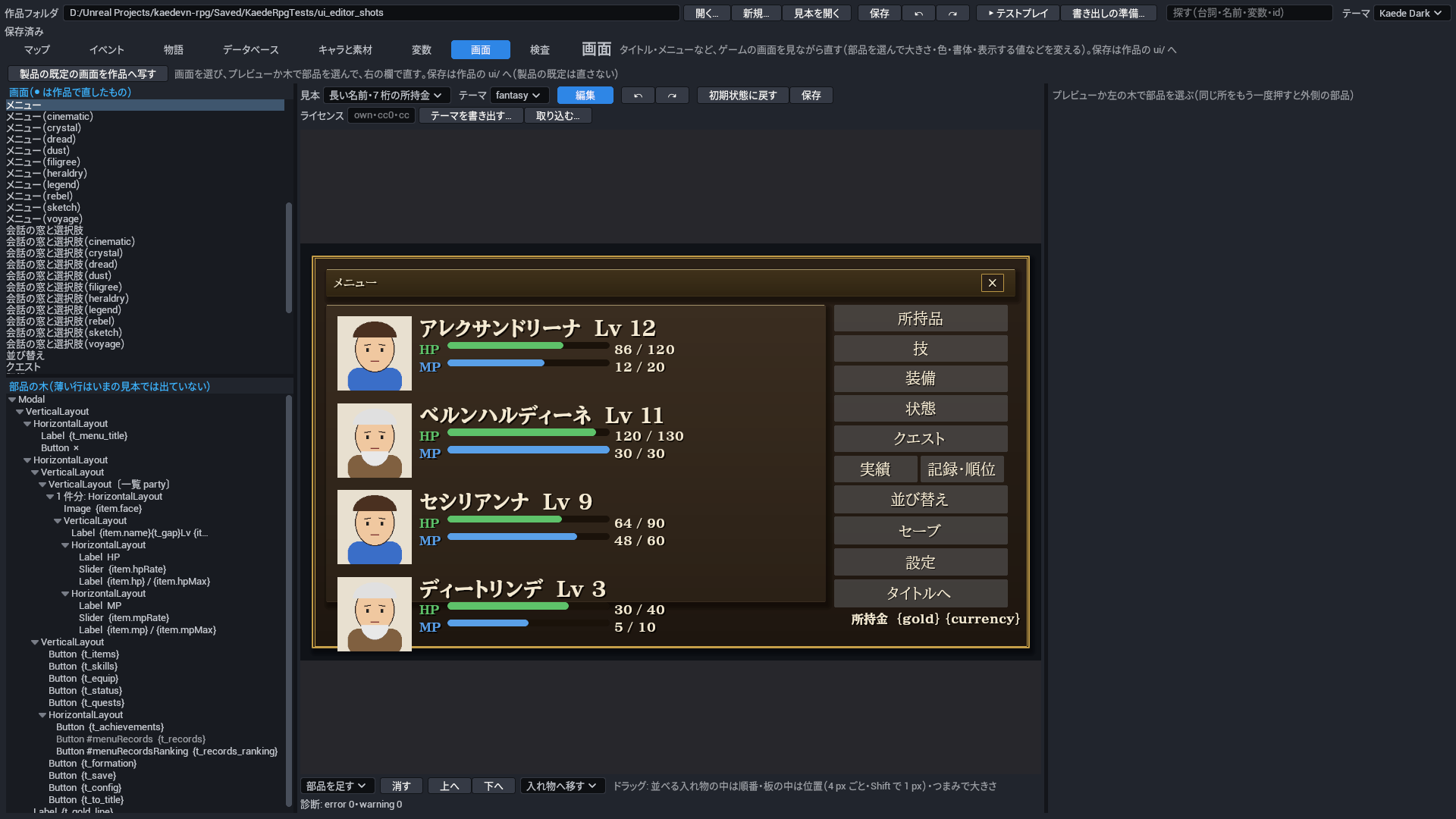
プレビューはゲームを起動せず、見本の値で描きます。上の段の 見本 で状態を切り替え、はみ出し・重なり・切れが無いかを見ます。

見本 中身
ふつう(仲間 2 人) 既定
仲間 1 人・仲間 4 人 仲間の一覧の行の数
長い名前・7 桁の所持金 仲間 4 人の長い名前と、所持金 9999999
顔の絵なし 顔の絵の無い仲間(顔の部品は条件で消えます)

テーマ の欄は、プレビューの色と書体だけを替えます(作品の rpg.json の uiTheme は変えません)。

初期状態に戻す

テストプレイと AI

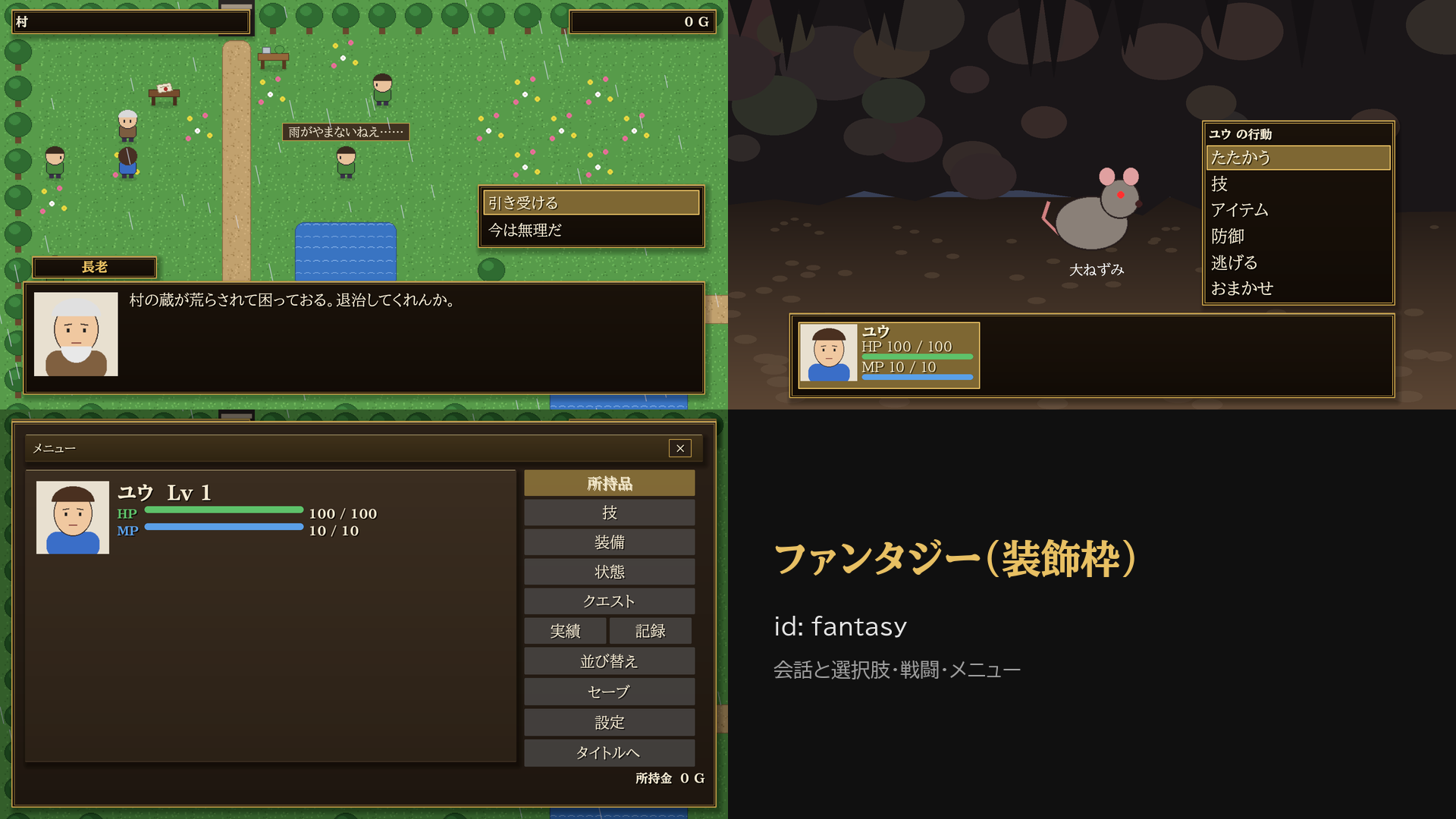
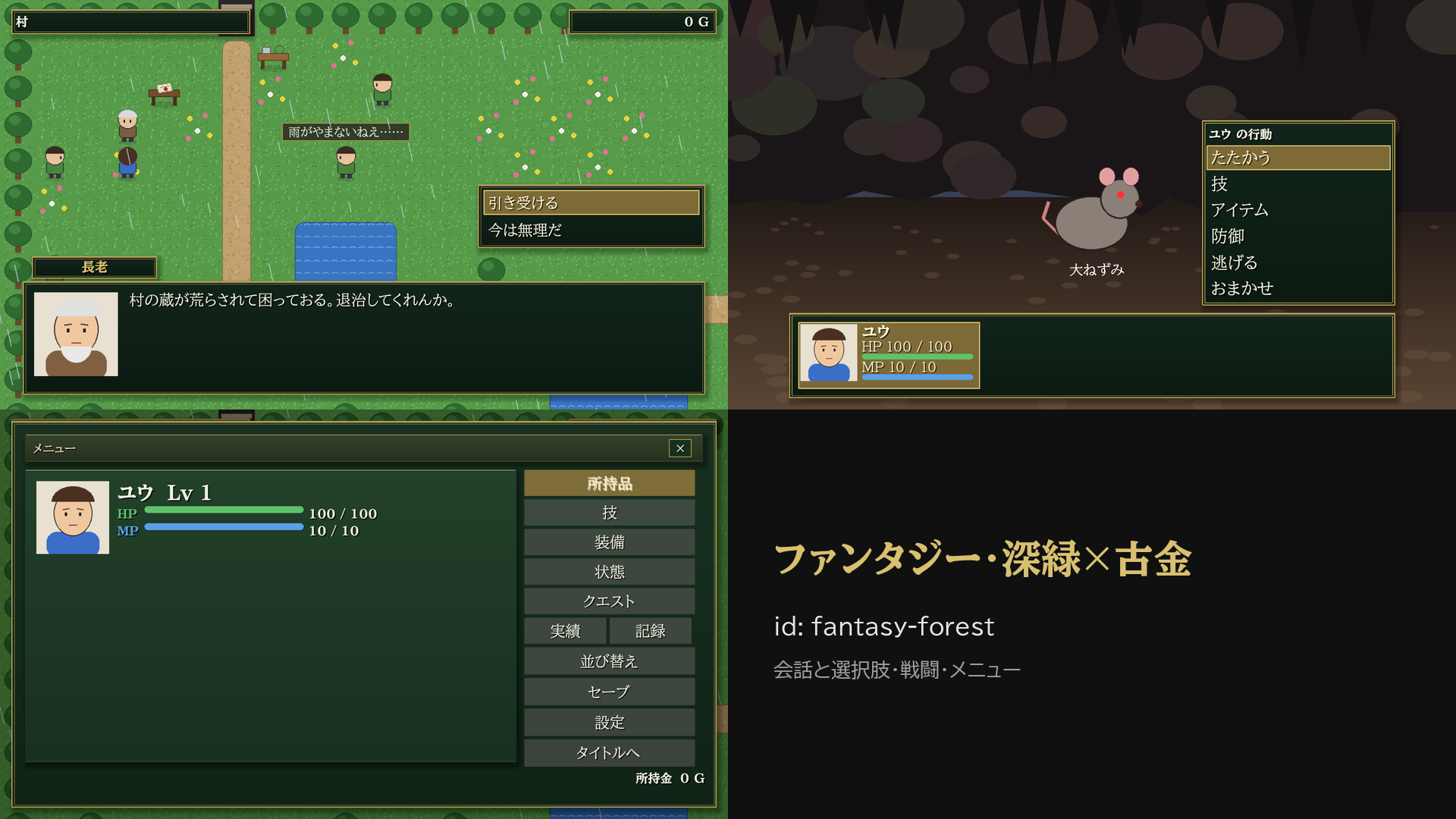
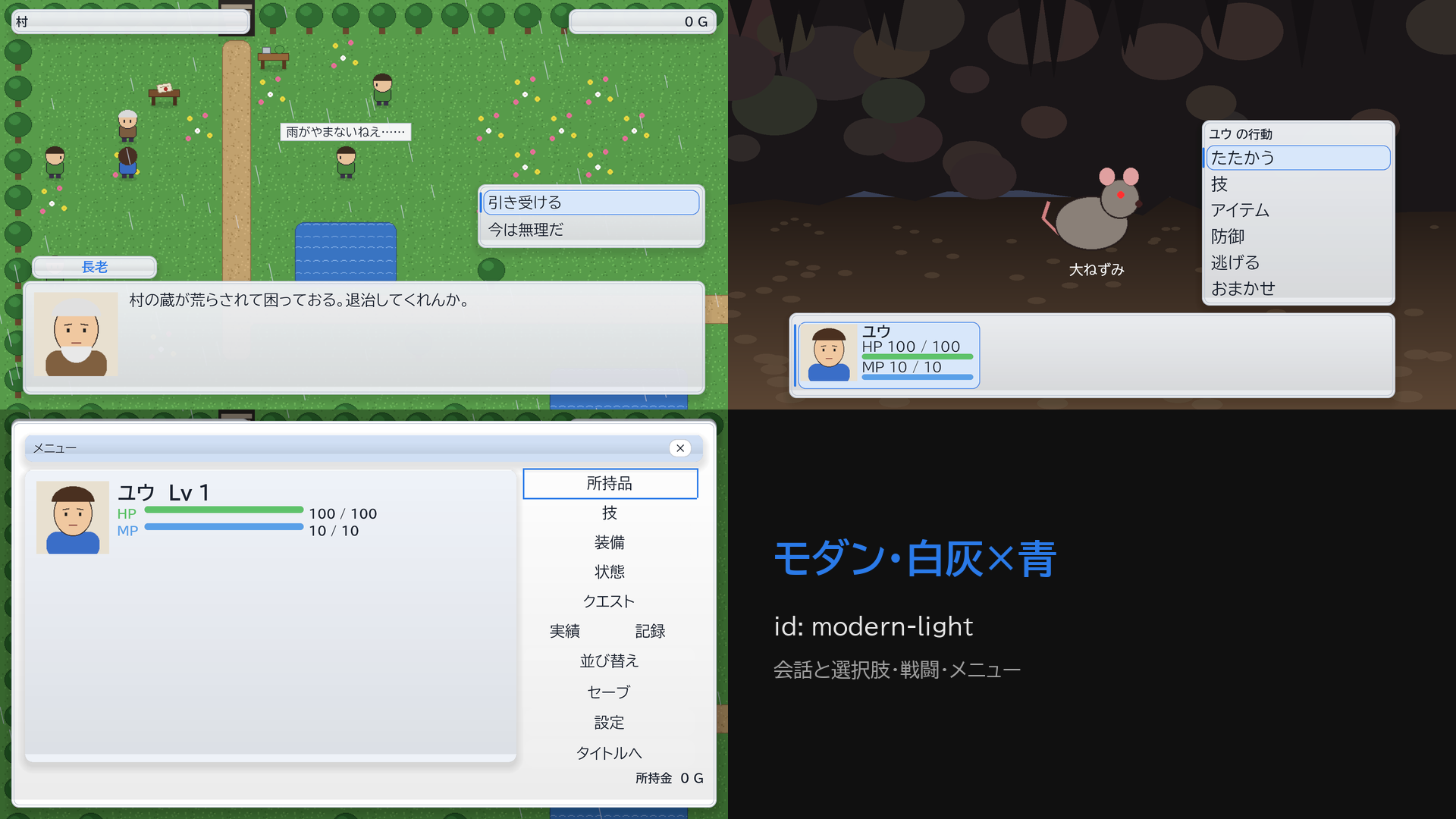
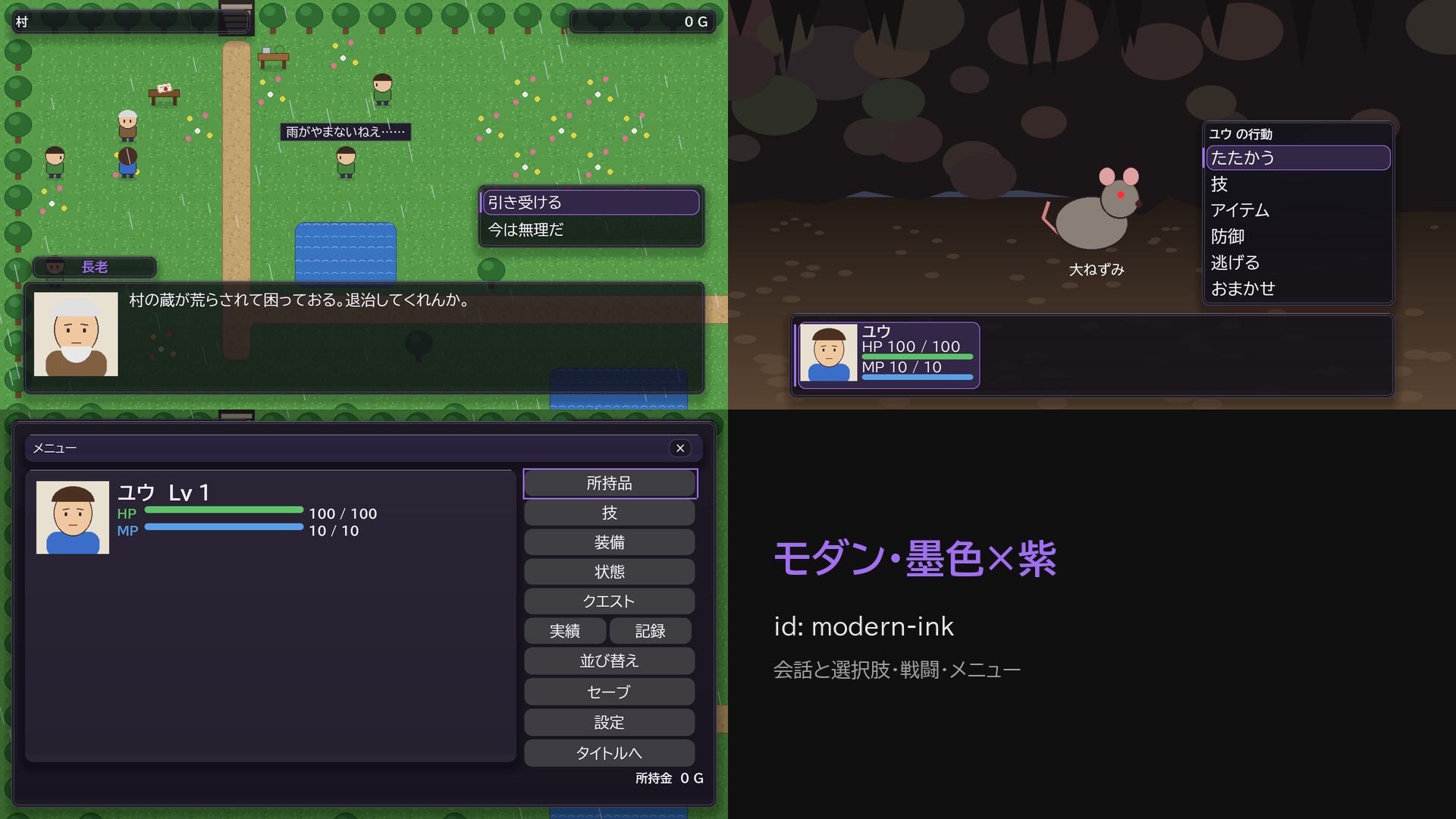
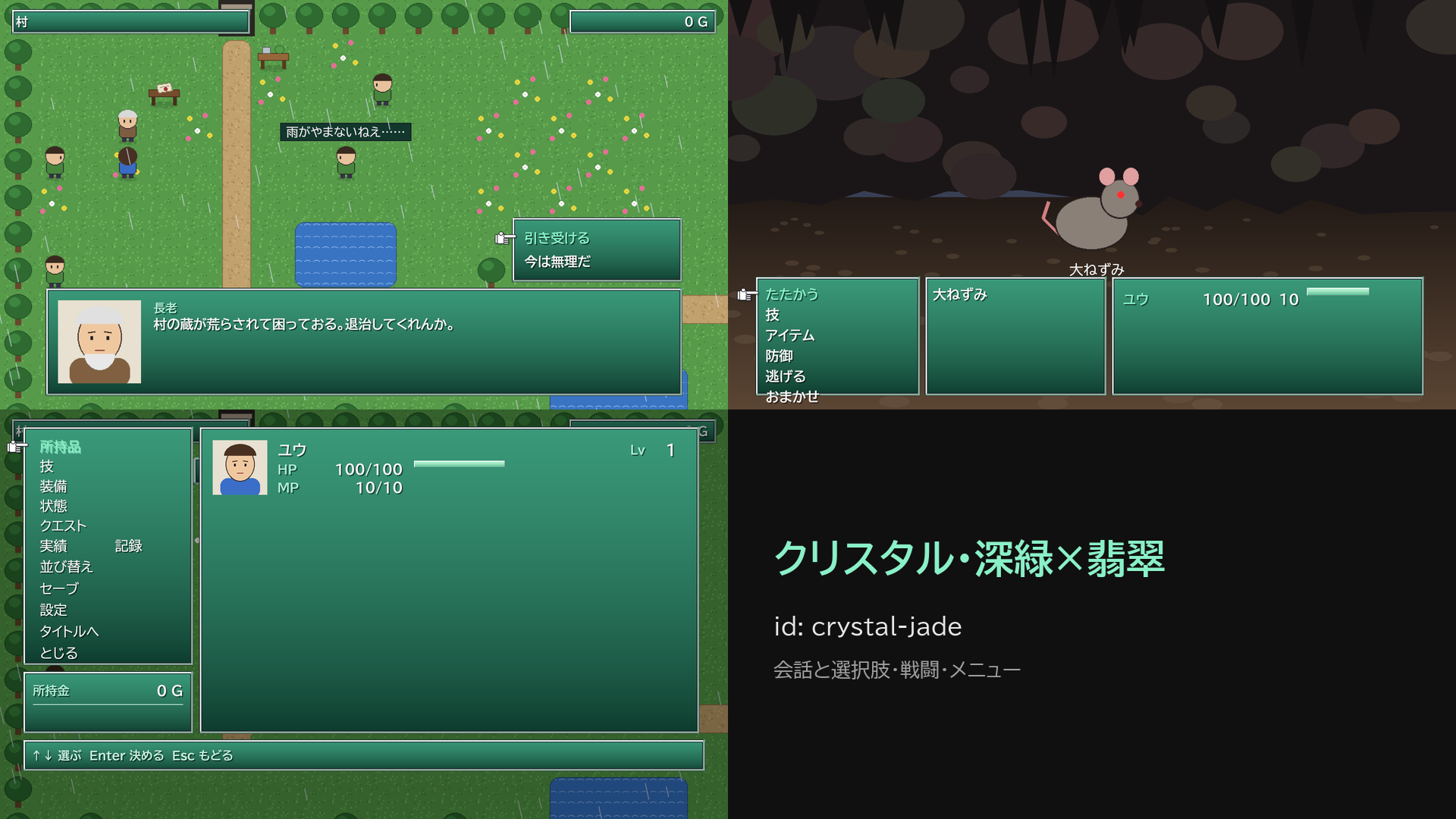
ゲーム画面のテーマ: 窓の色・枠・角の丸み・書体・飾り・選んだ項目の見せ方、テーマによっては会話・戦闘・メニュー・タイトルの配置までまとめて替えます。データベースのタブの作品の設定(rpg.json)の 画面のテーマ(uiTheme)に名前を書きます。製品には 12 の系統と、そのうち 10 の系統の色違い 20 があります(全部で 32)。

テーマ 見た目
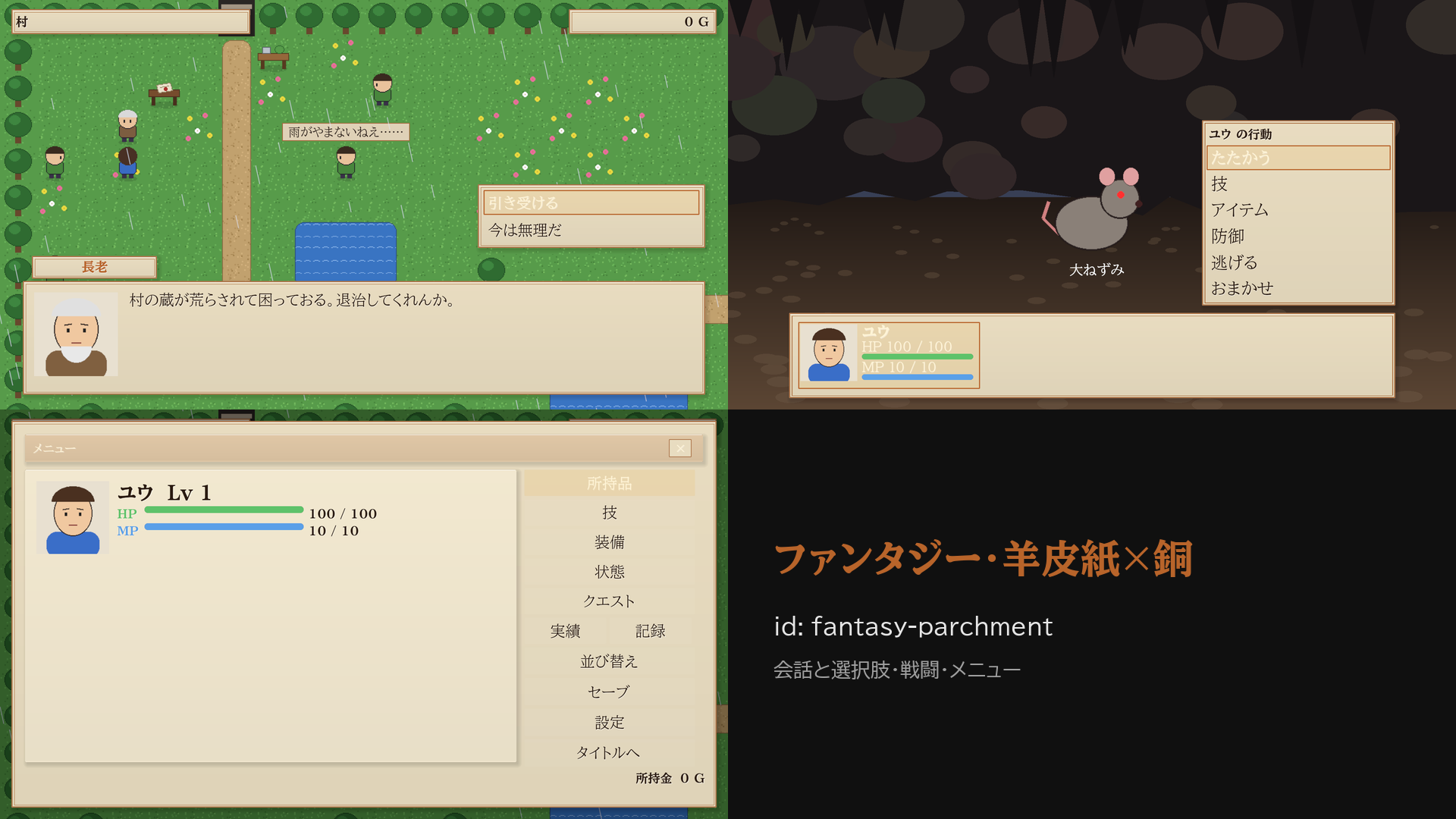
fantasy(ファンタジー・既定) 金の二重枠と四隅の飾り・明朝体
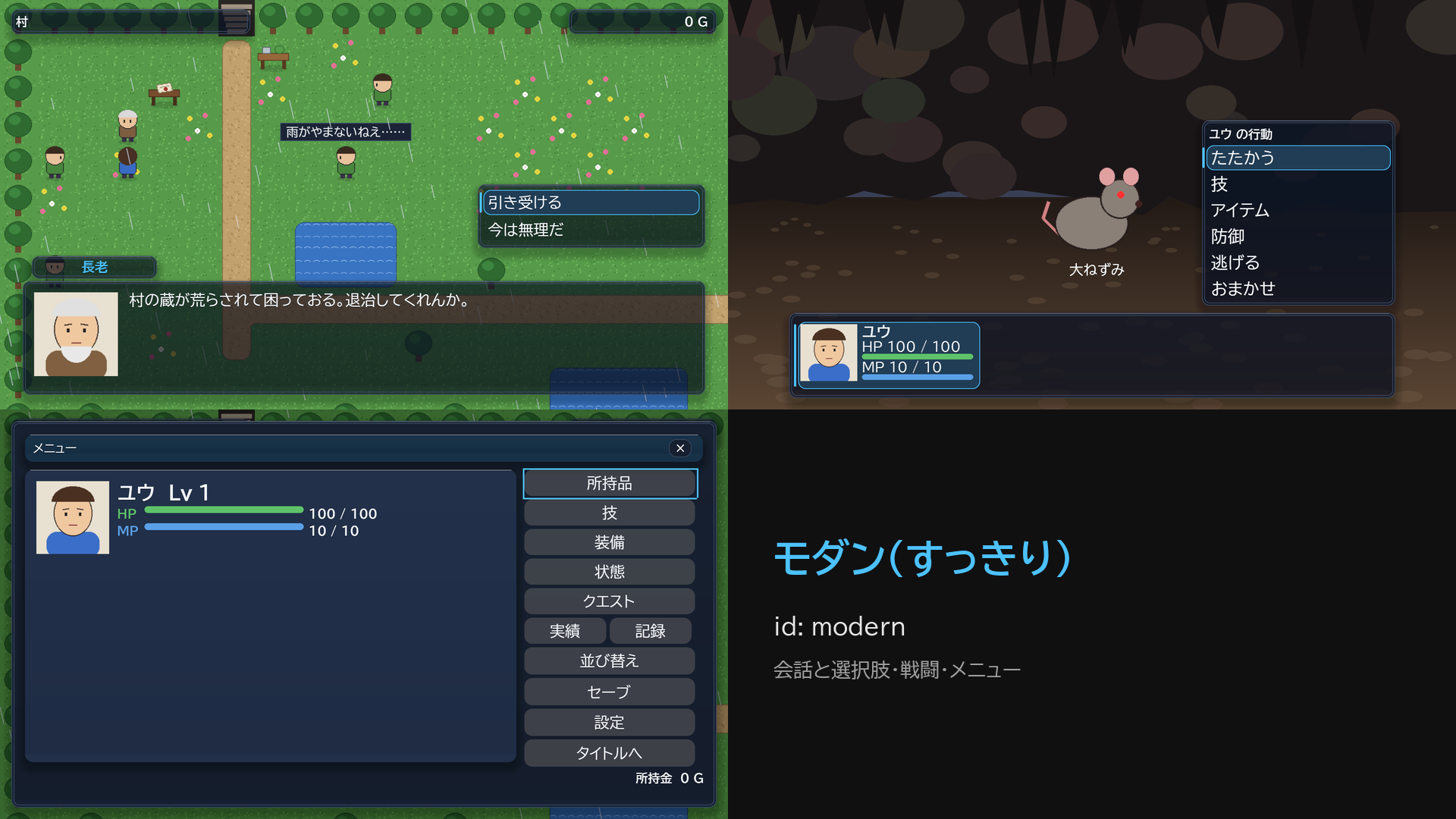
modern(モダン) 丸い角と細い枠・すりガラス・ゴシック体
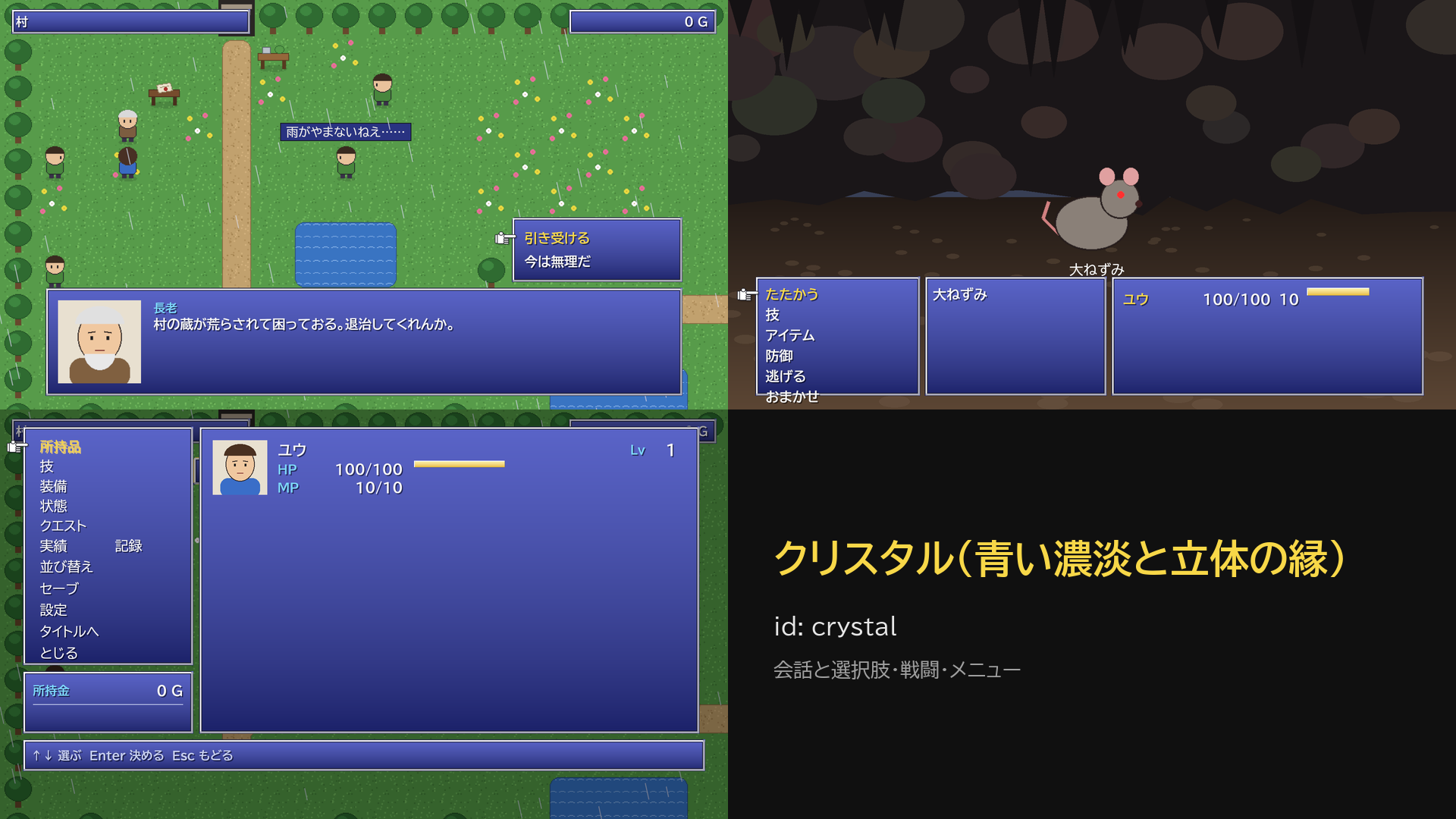
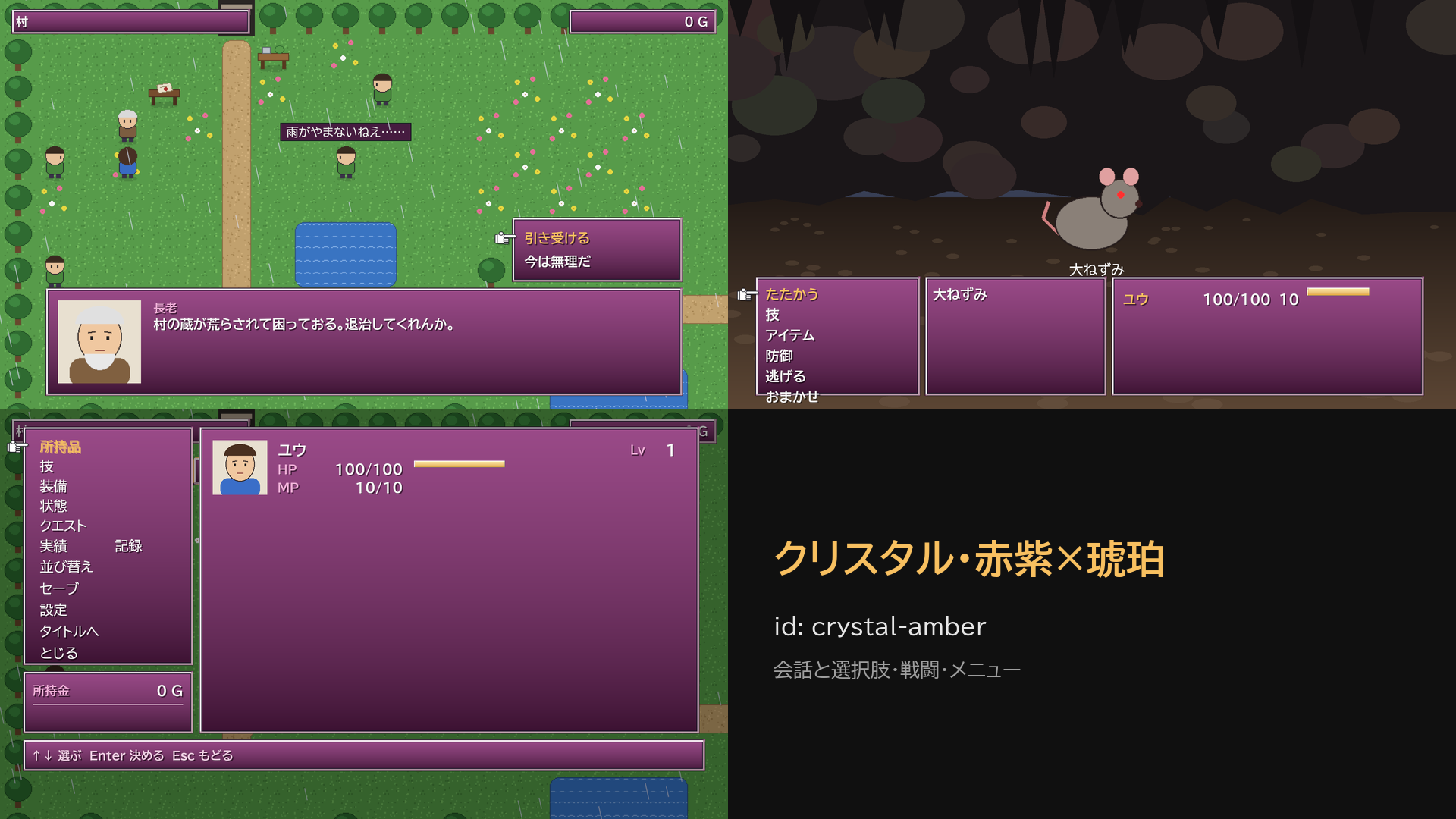
crystal(クリスタル) 青い濃淡の窓・立体の縁・手のカーソル・黄色の選択文字
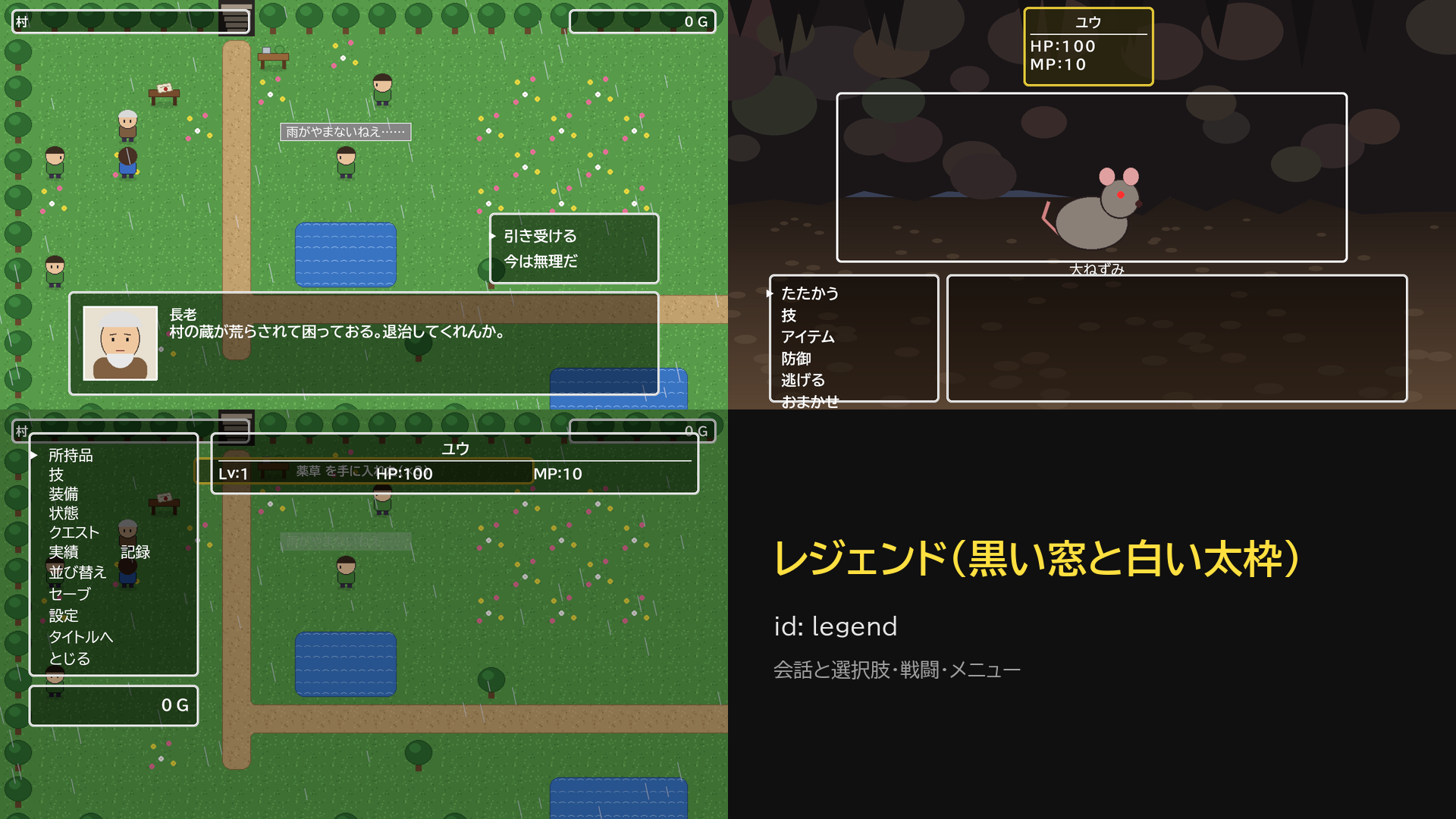
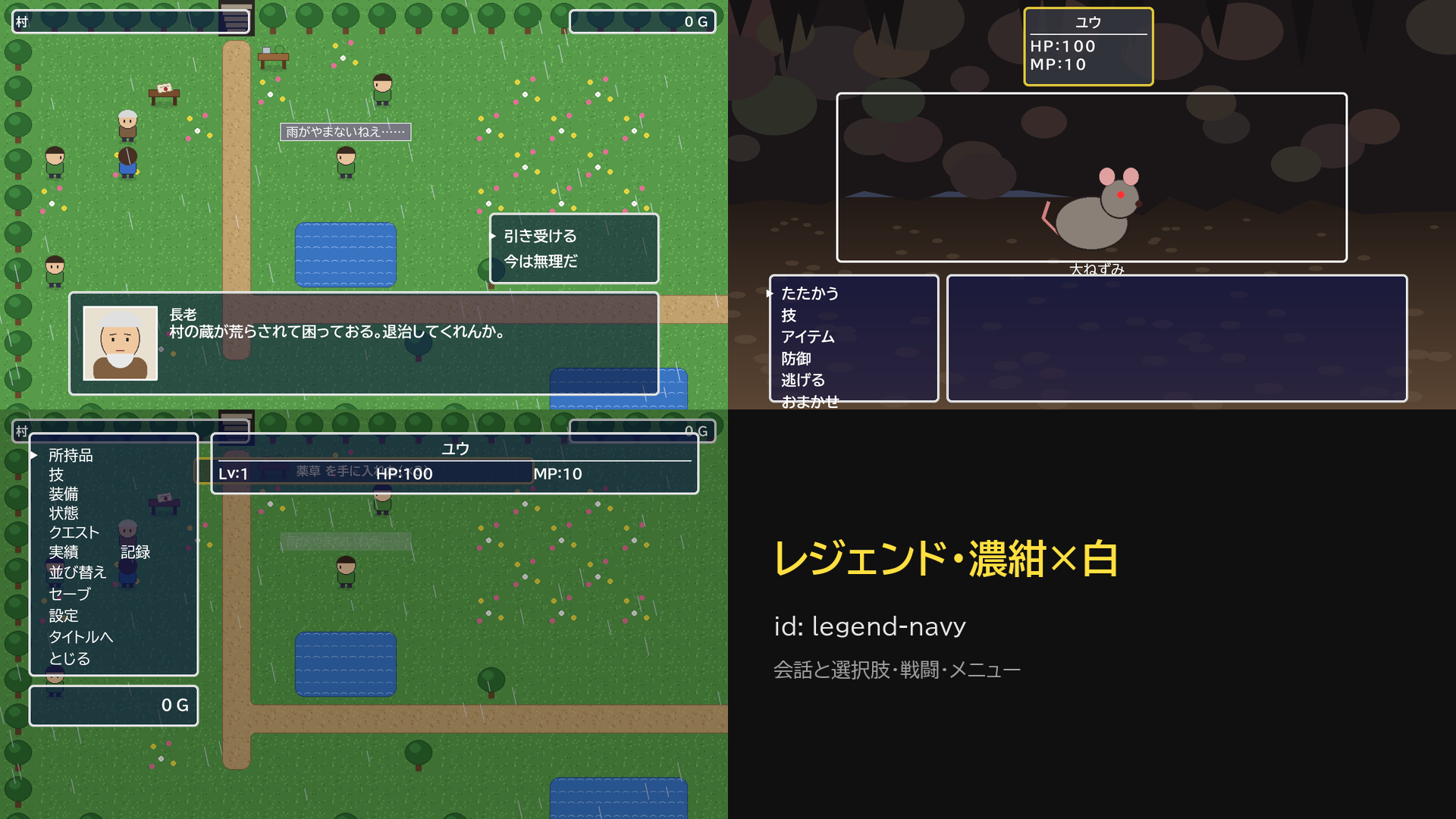
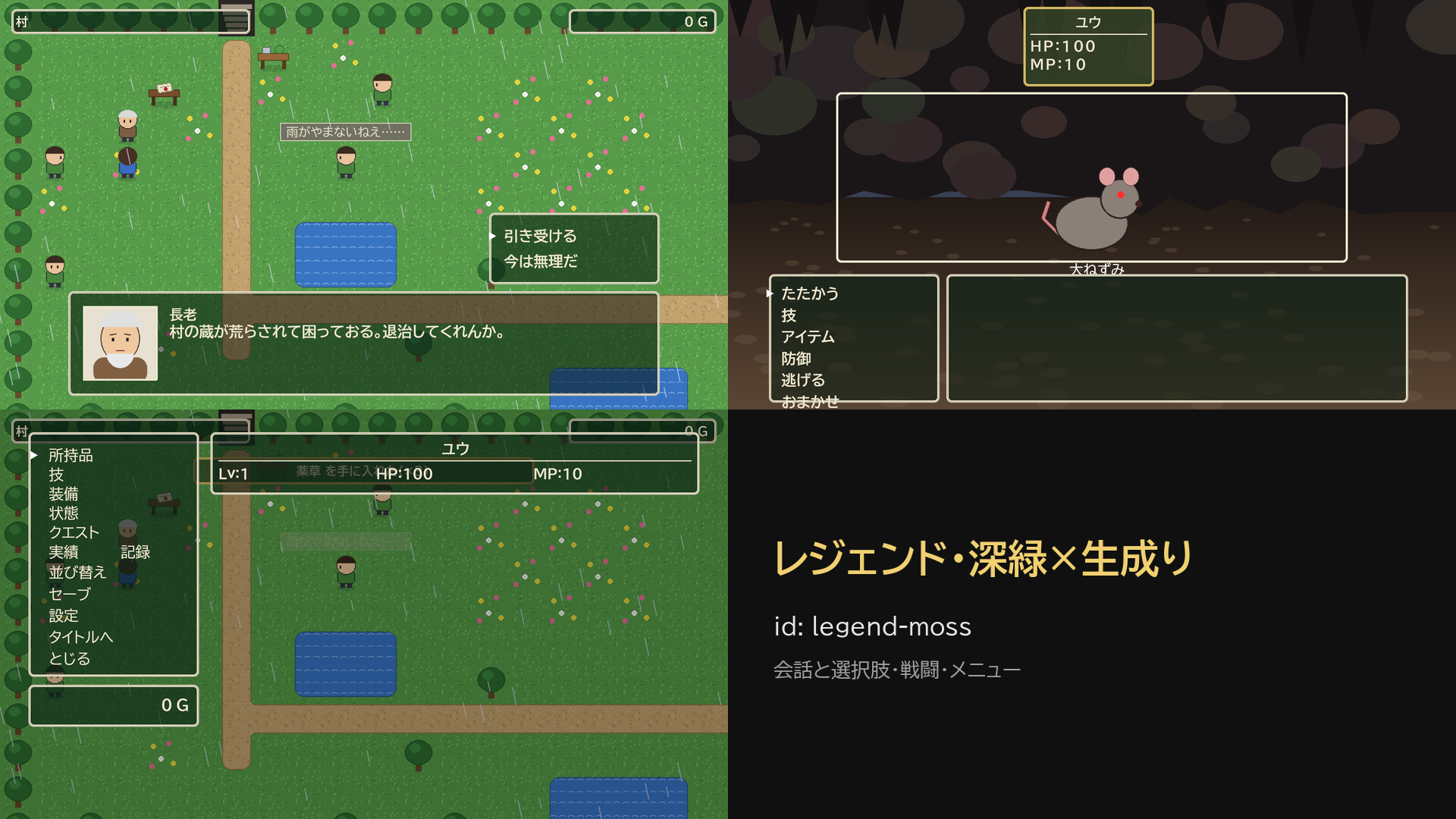
legend(レジェンド) 黒い透ける窓・白い太い角丸枠・広い字間・上に並ぶ仲間の窓
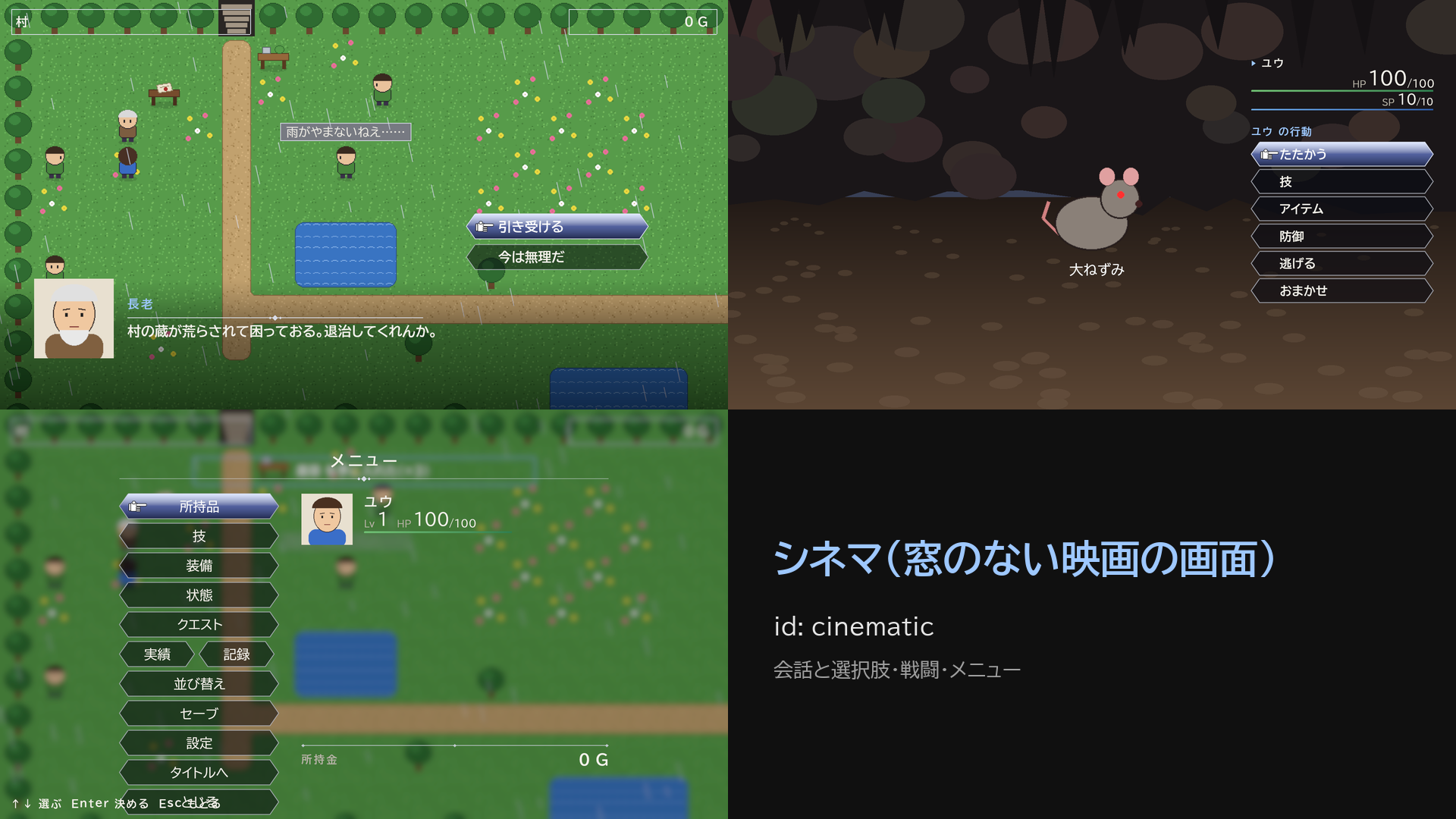
cinematic(シネマ) 窓を描かない映画の画面・端で消える帯・菱形の区切り線・尖った板・大小の数字
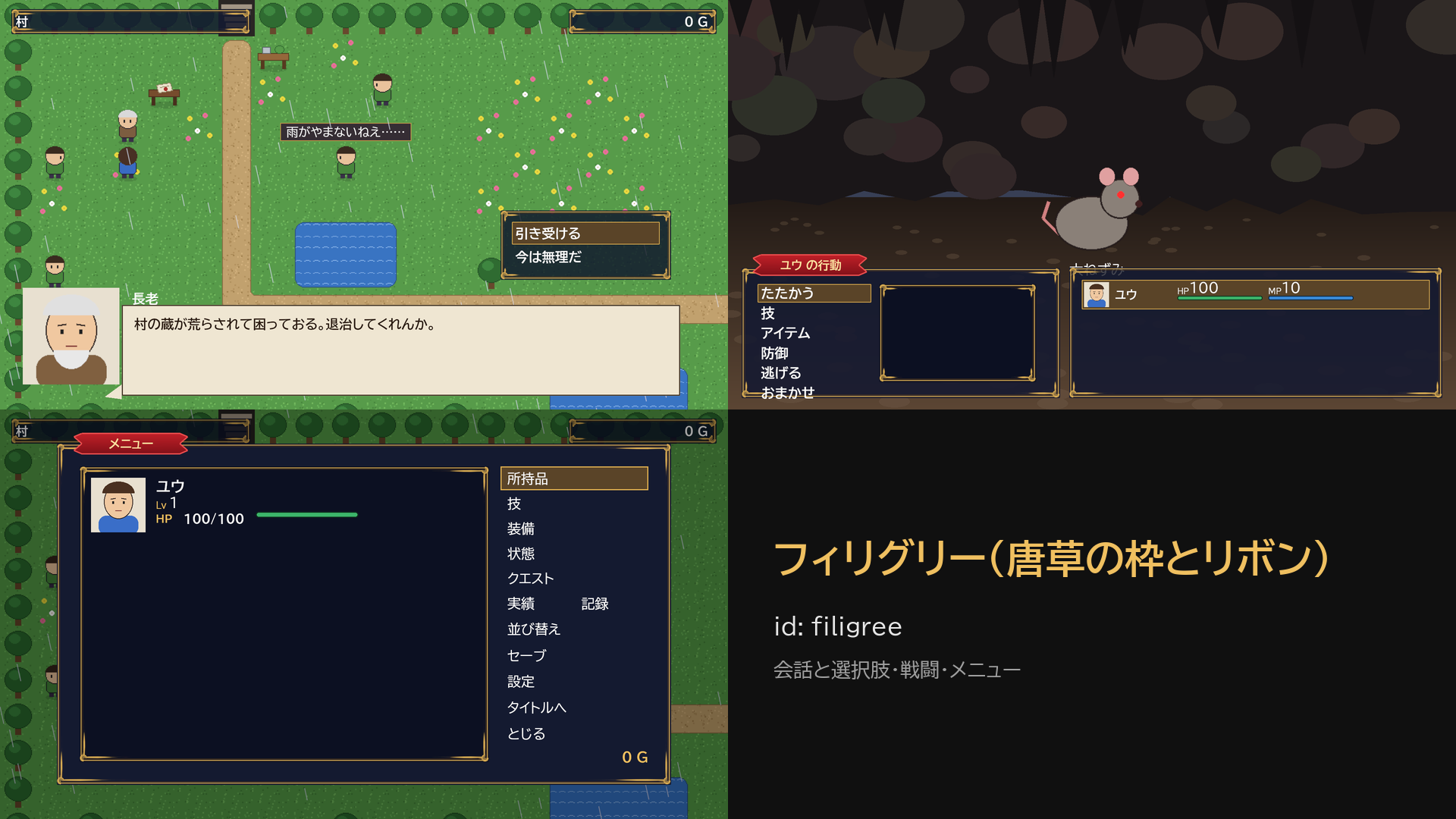
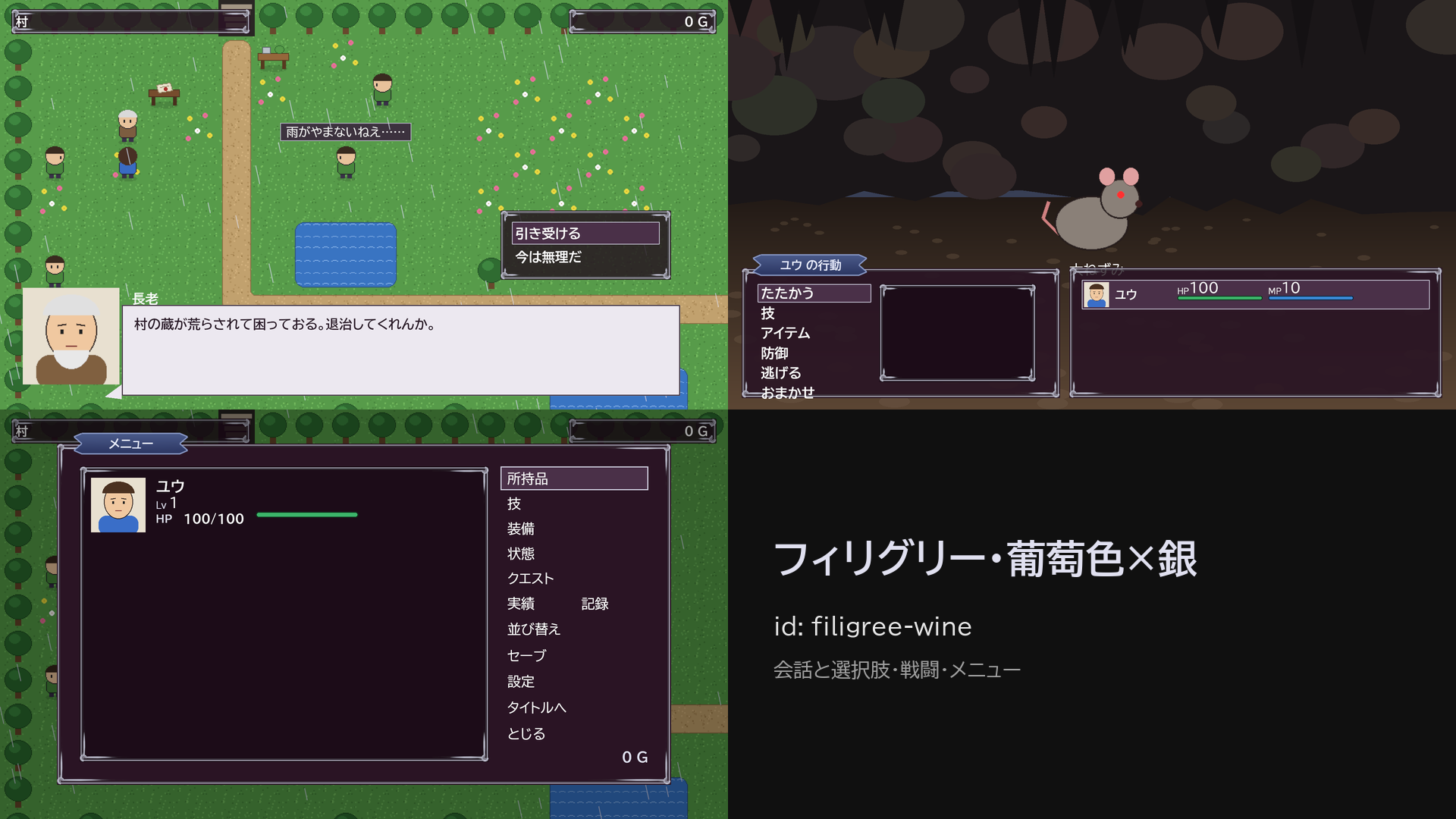
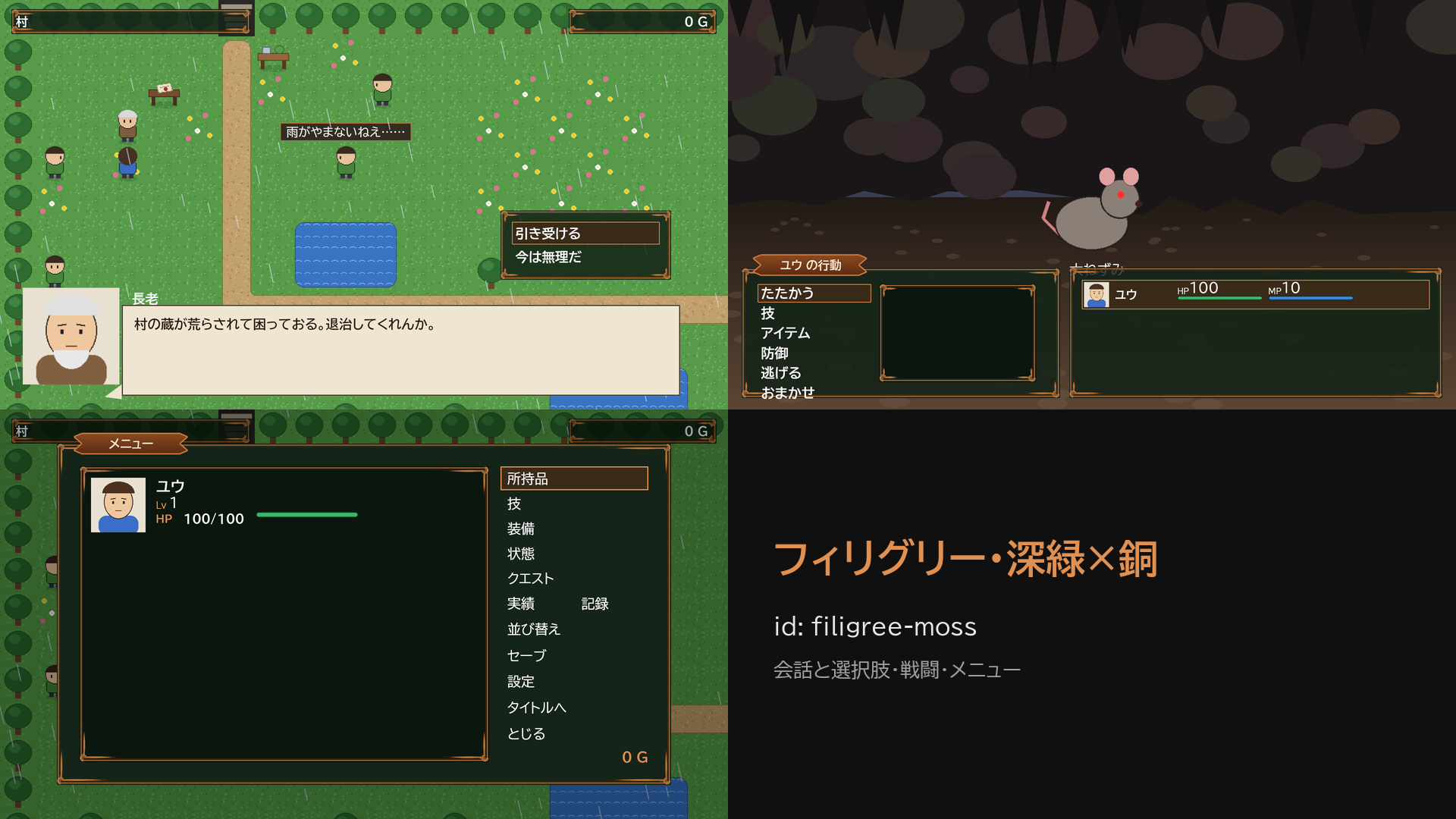
filigree(フィリグリー) 唐草の絵の枠・赤いリボン・縁取りの文字・紙の吹き出し
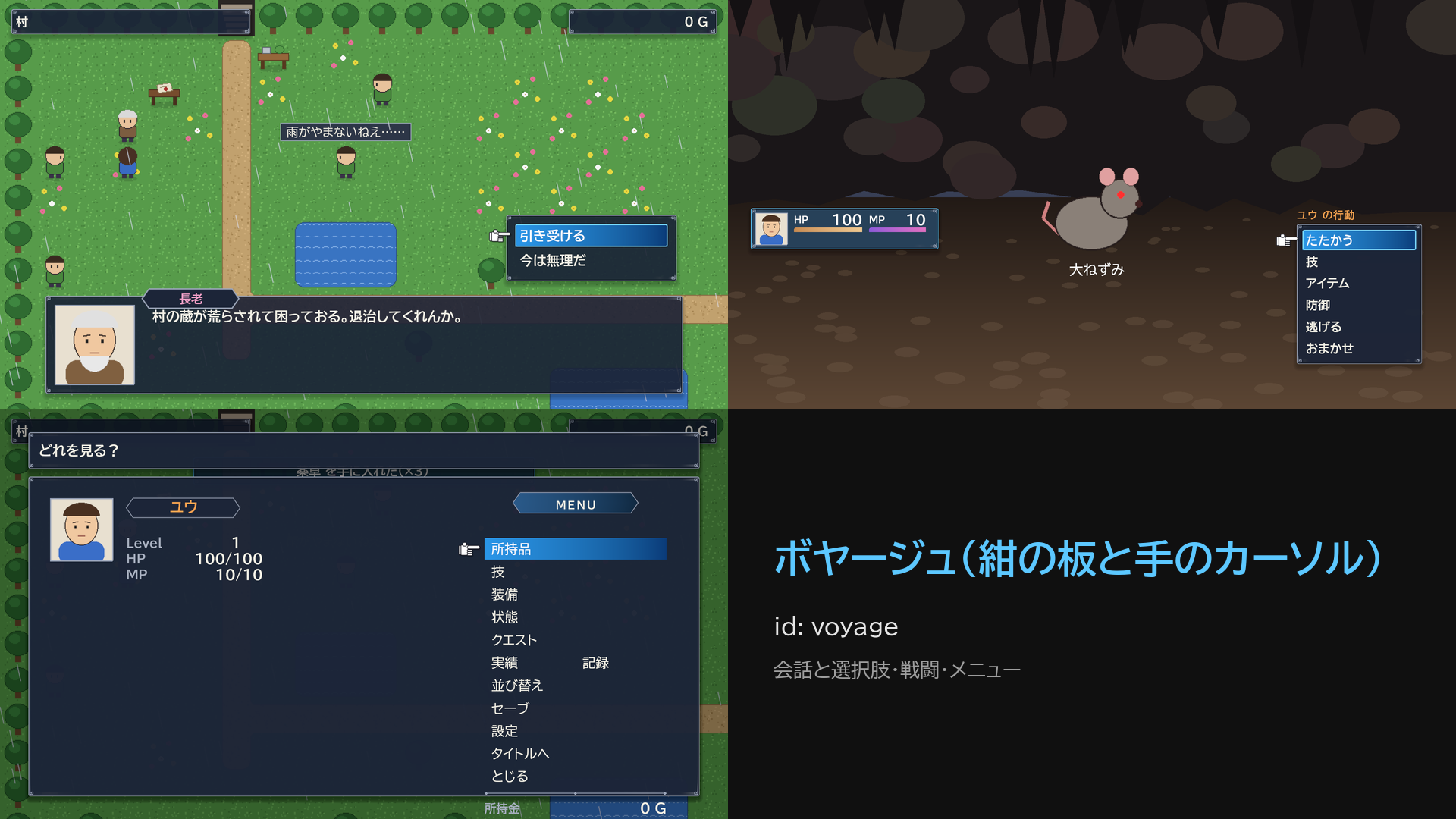
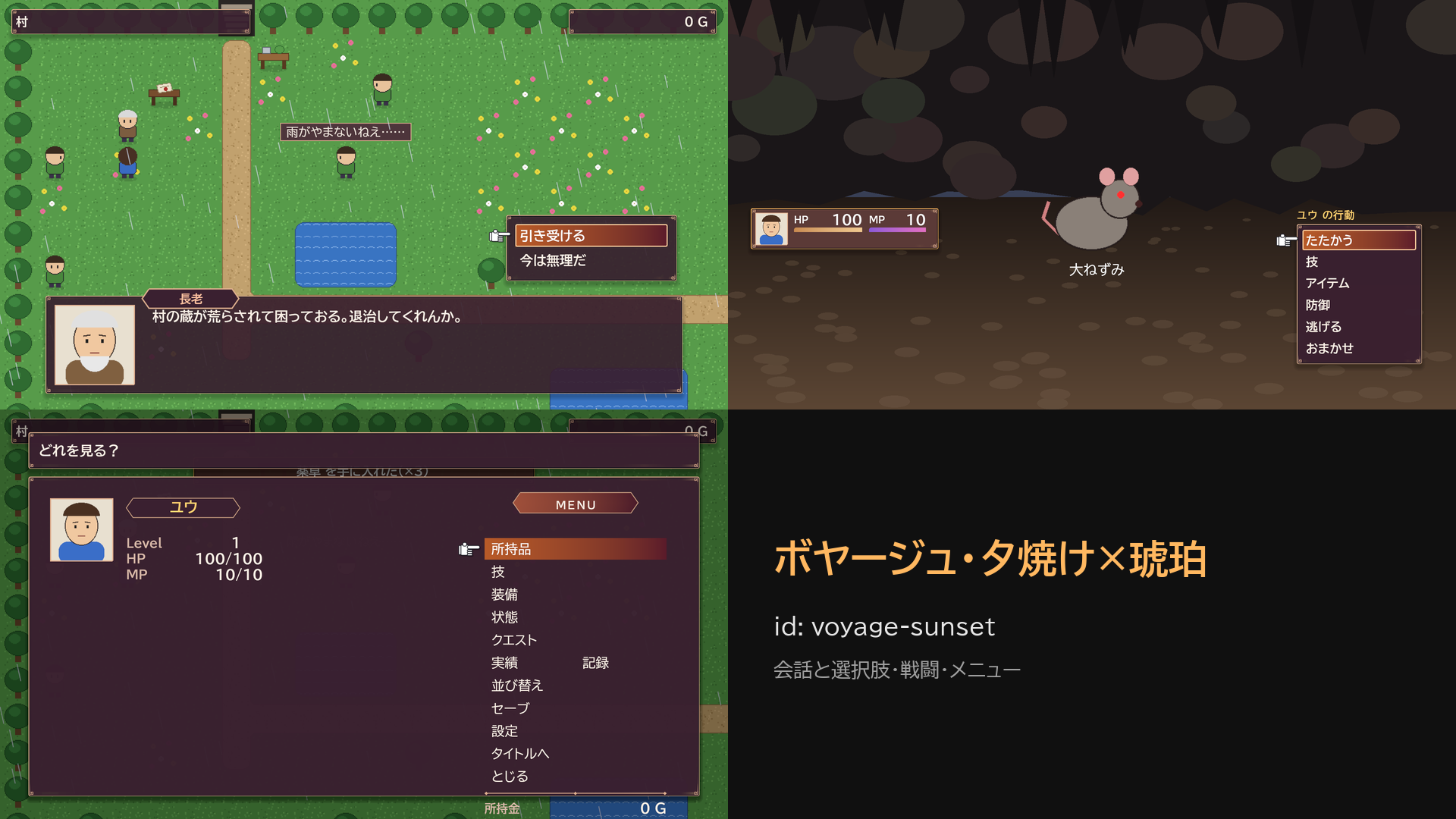
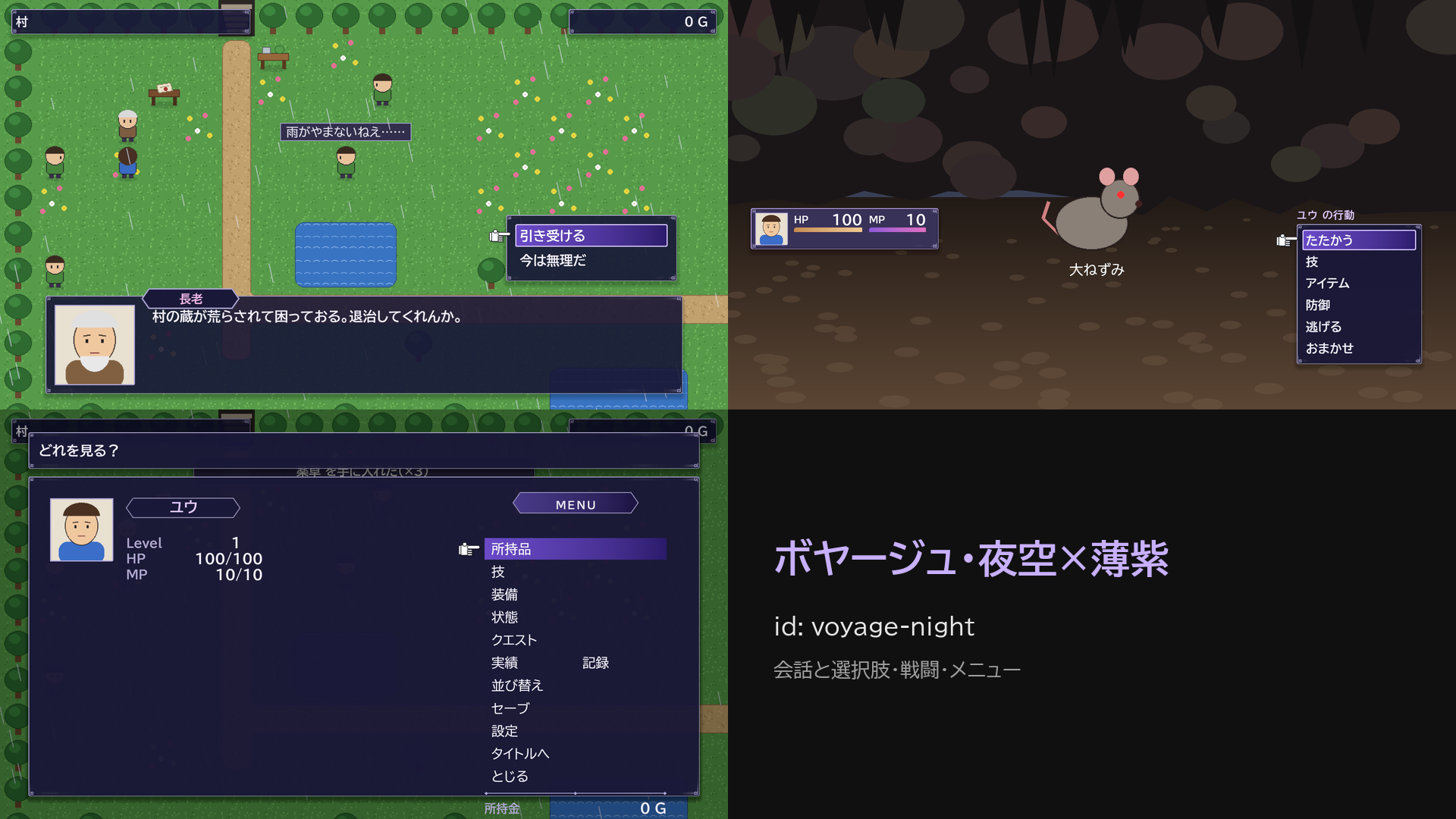
voyage(ボヤージュ) 紺の板と角の飾り・青い濃淡の選択帯・手のカーソル・濃淡のゲージ
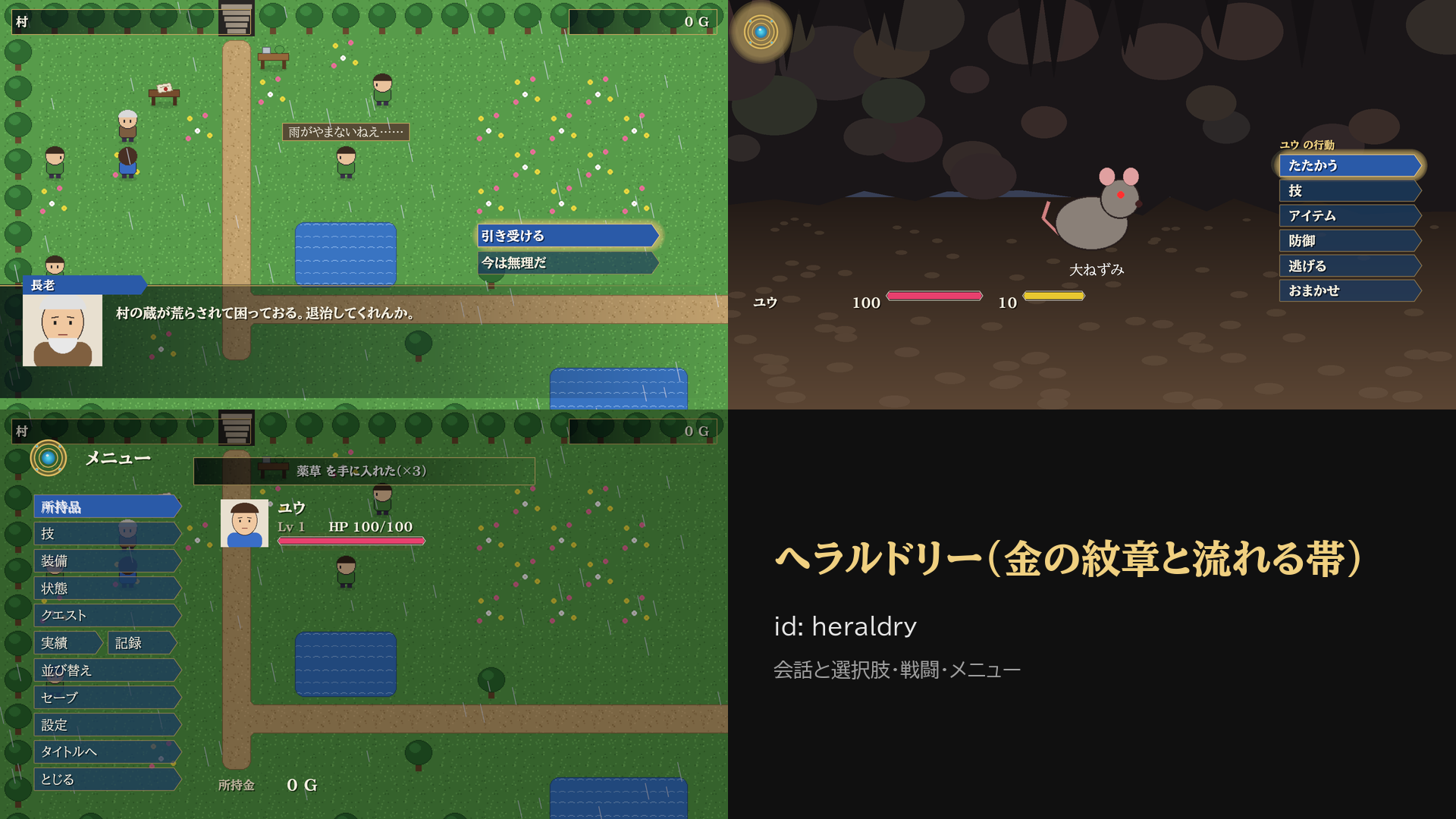
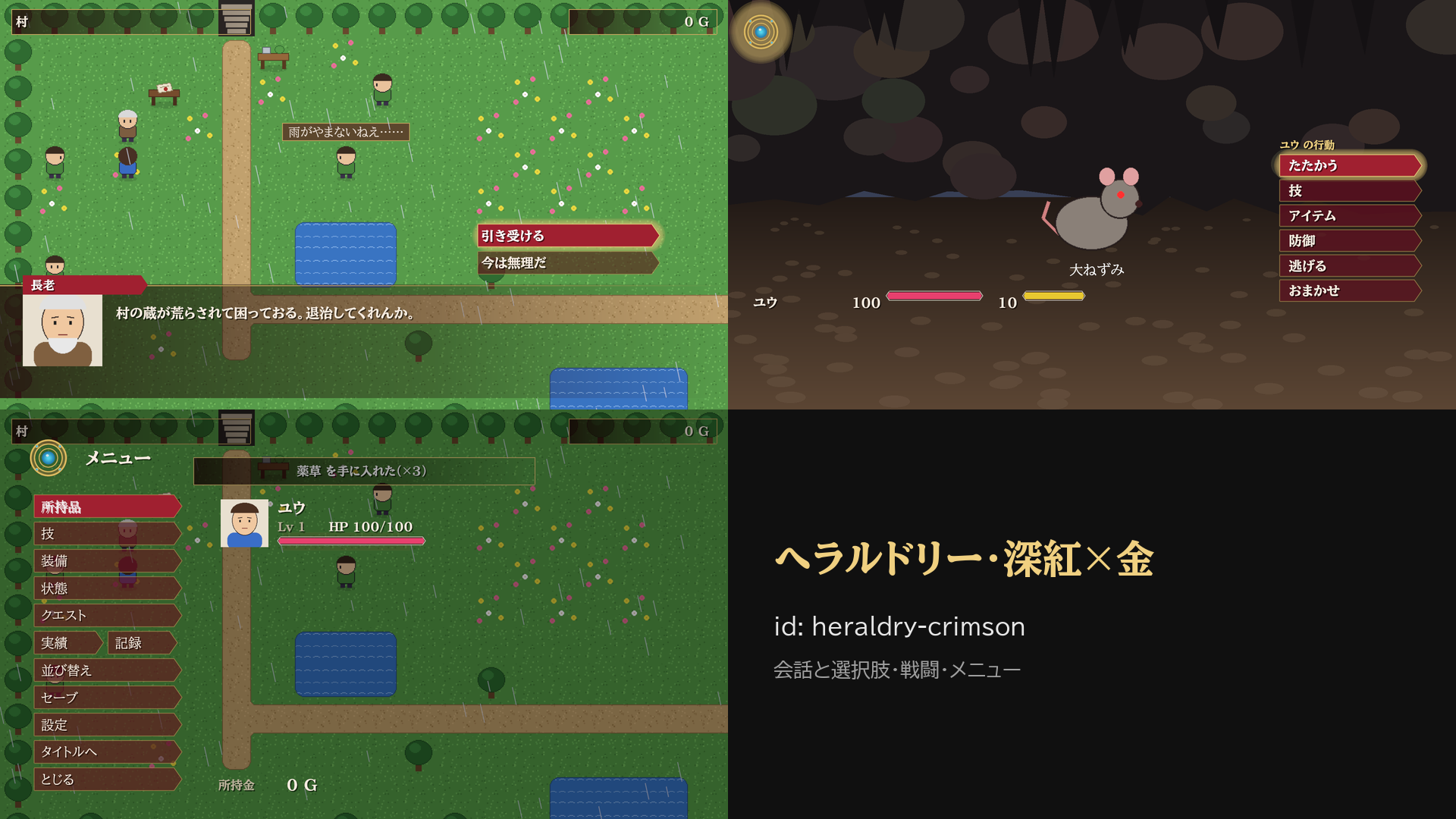
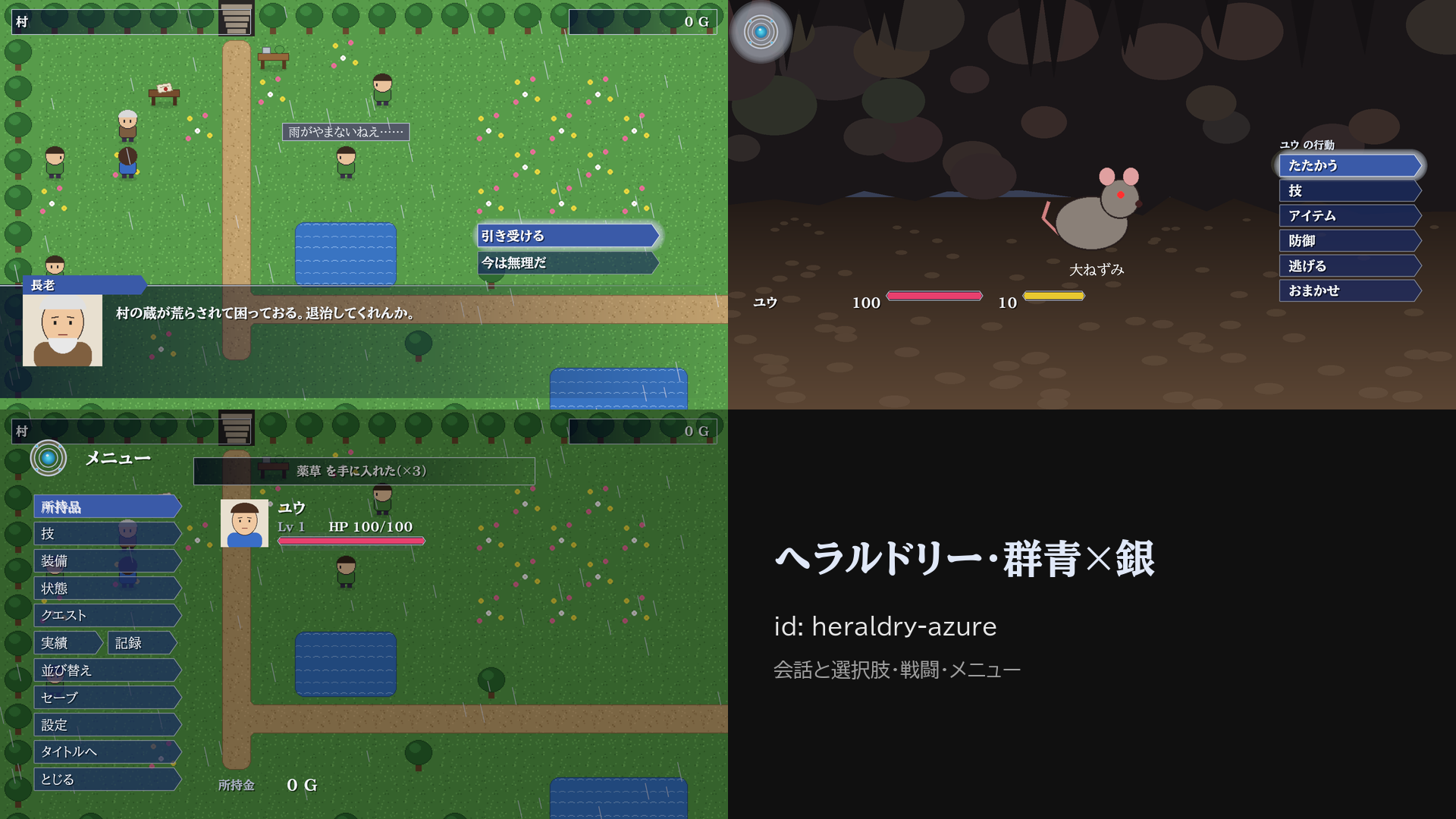
heraldry(ヘラルドリー) 金の紋章の輪・右へ消える帯・旗の札・尖ったゲージ・明朝体
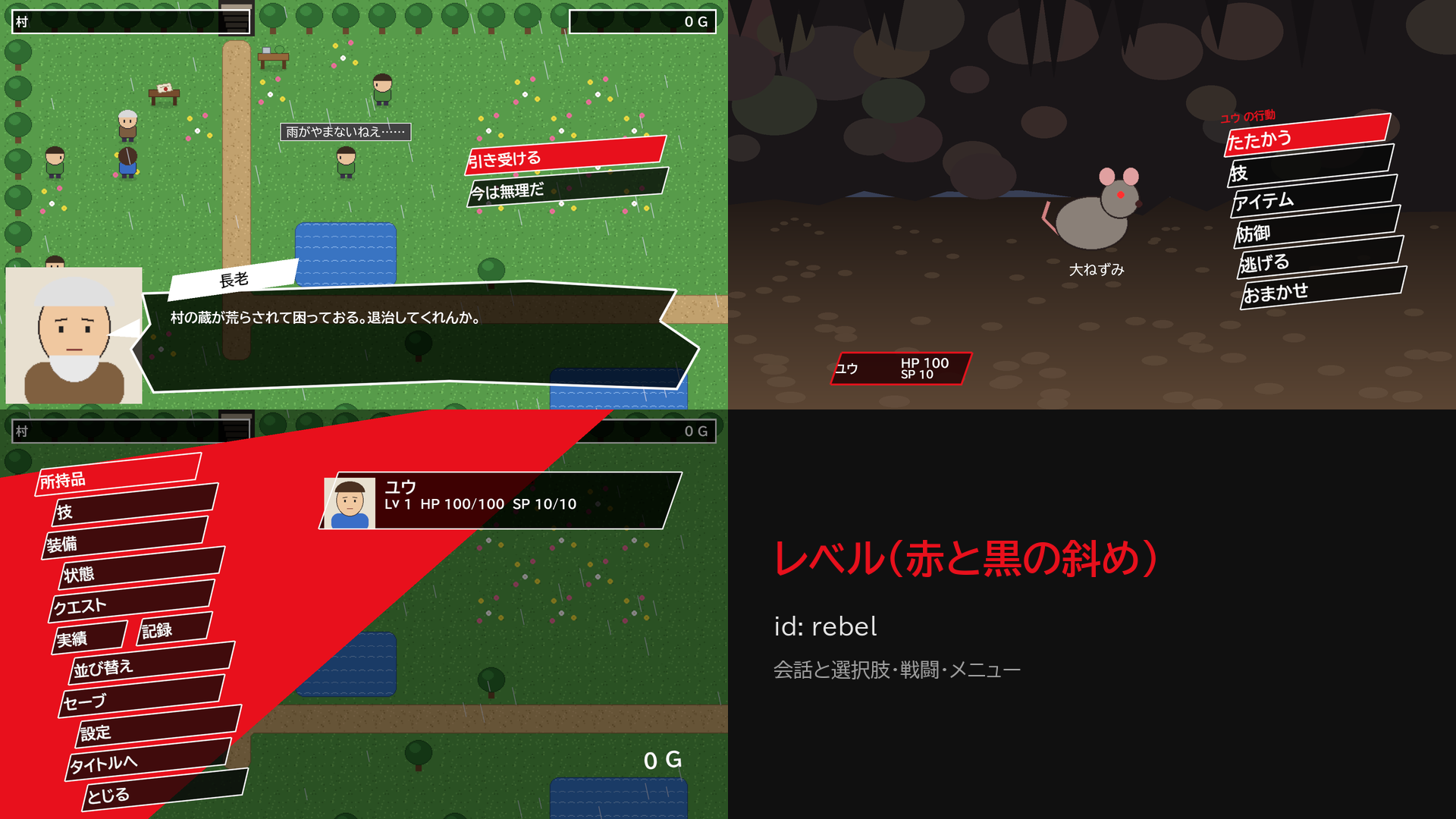
rebel(レベル) 赤・黒・白・斜めの板・ギザギザの吹き出し・傾いた名札
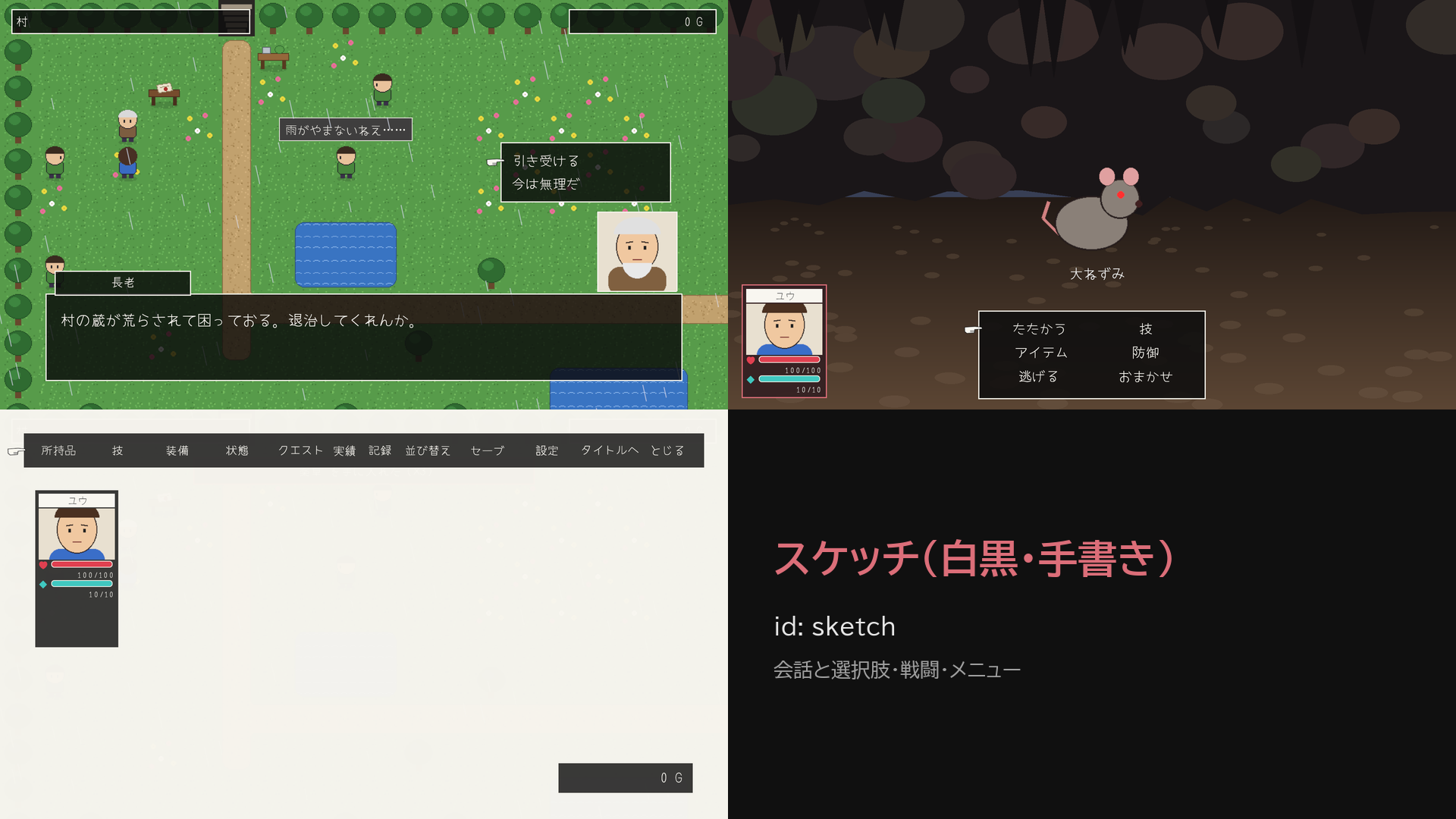
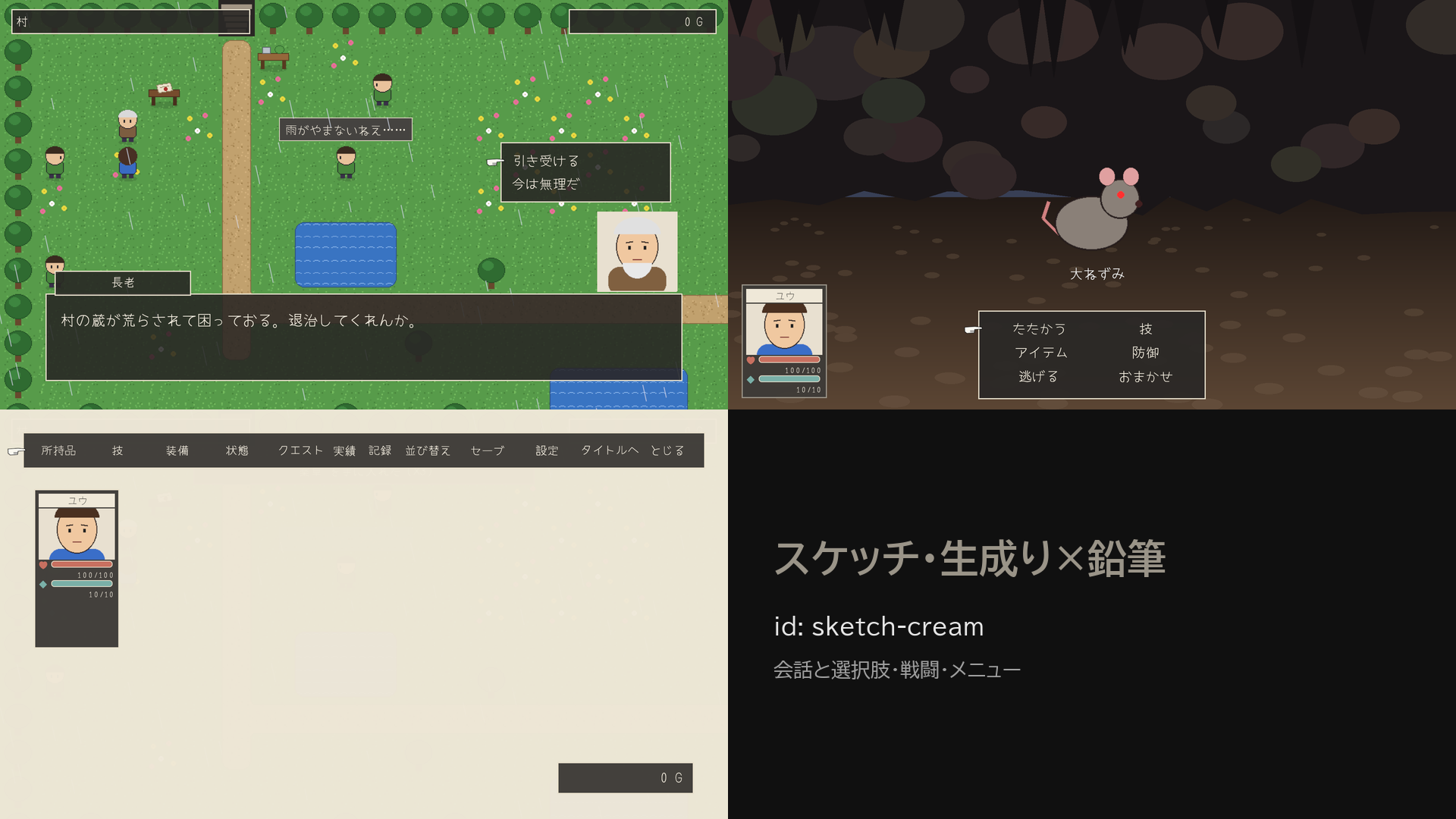
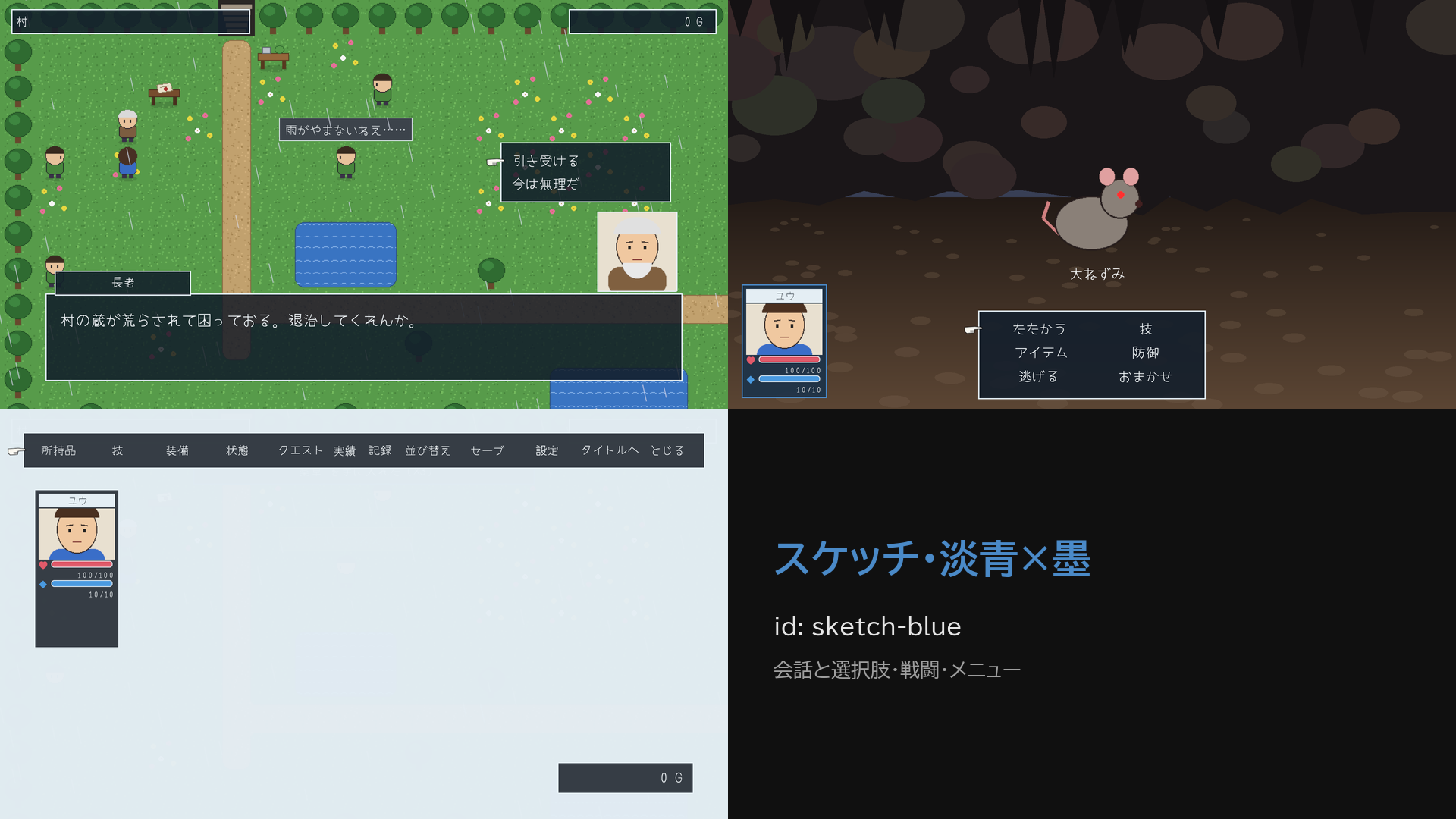
sketch(スケッチ) 白黒・手書き風の書体・指のカーソル・顔の札と ♥ ◆ のゲージ
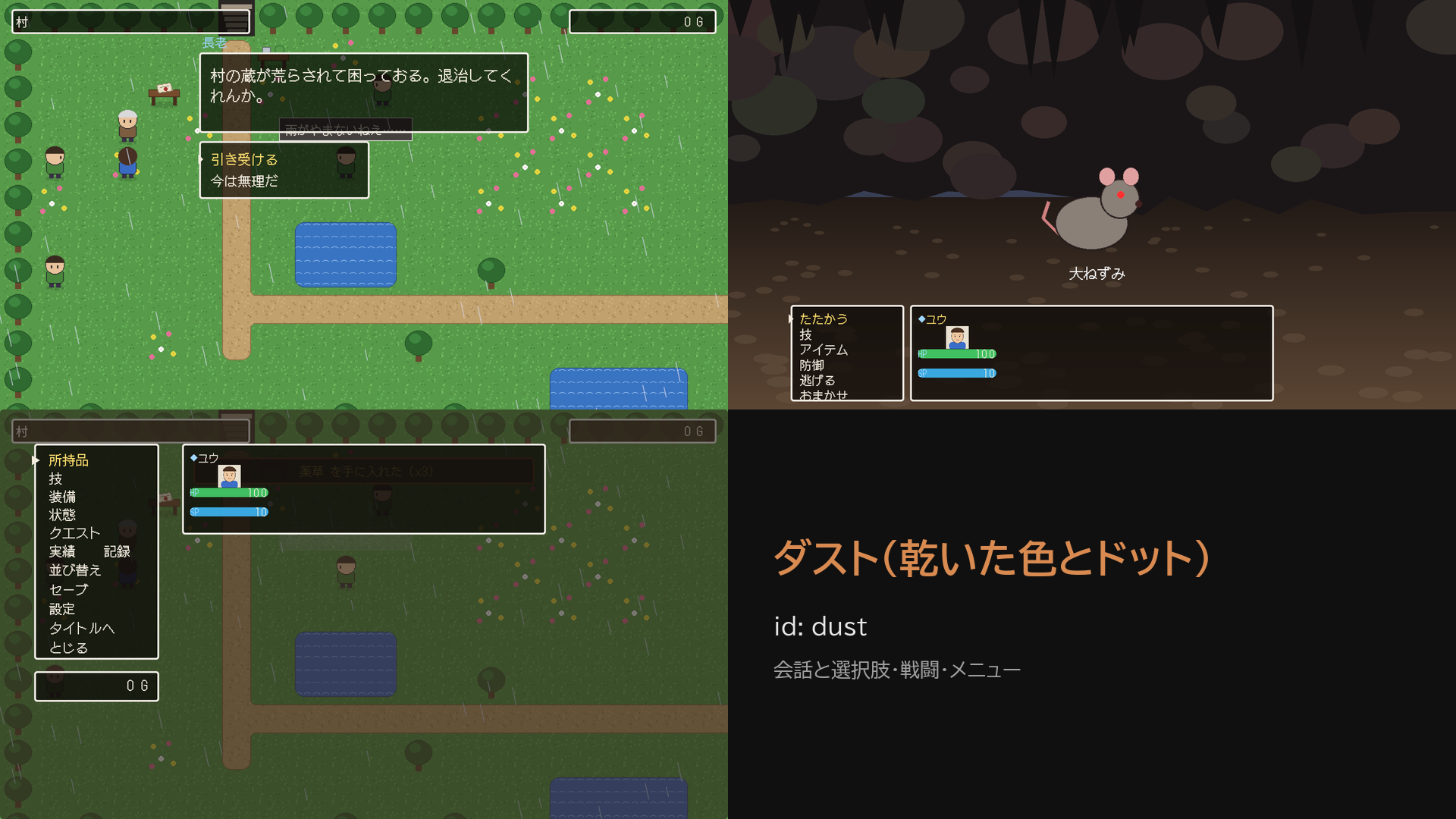
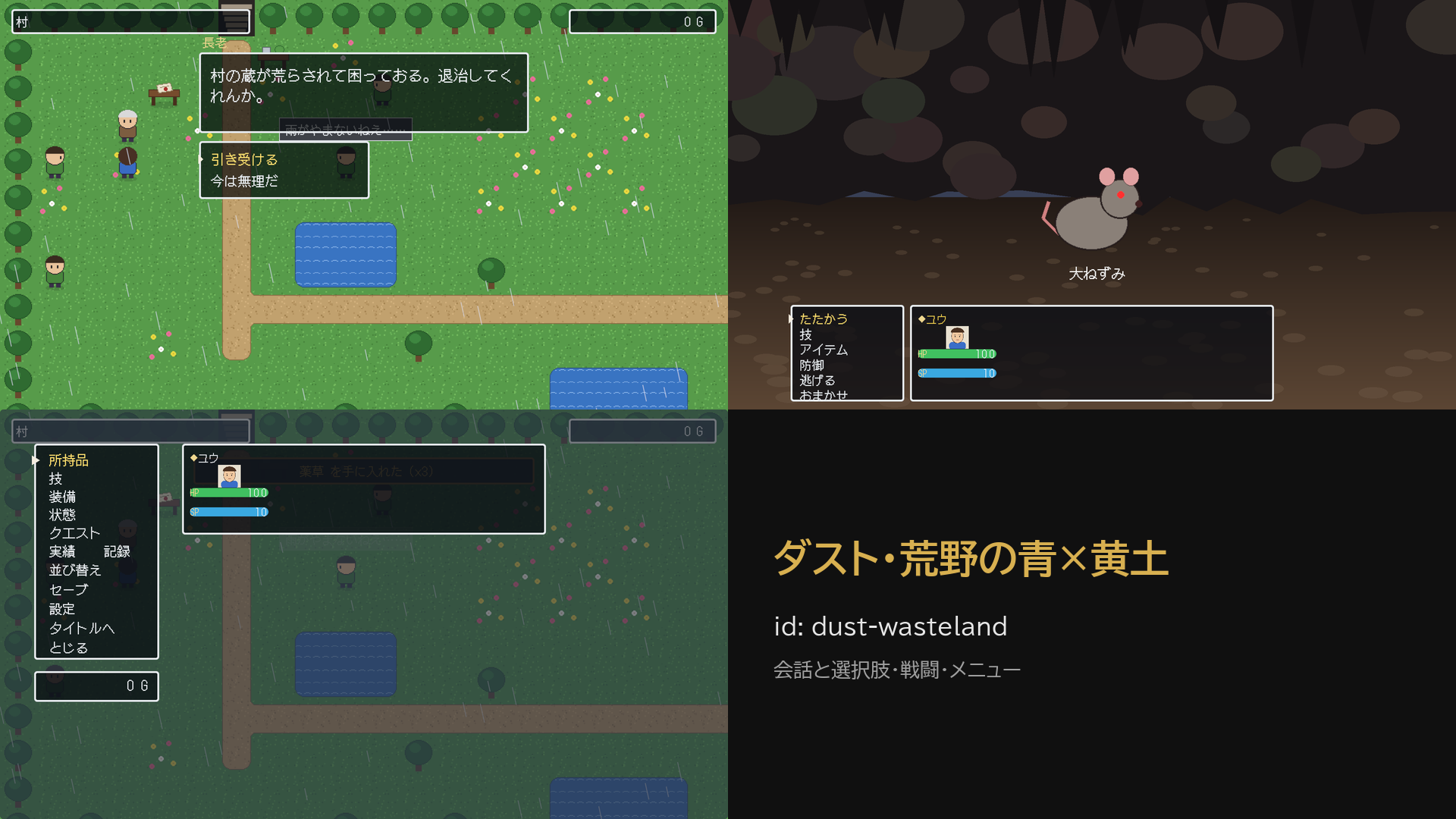
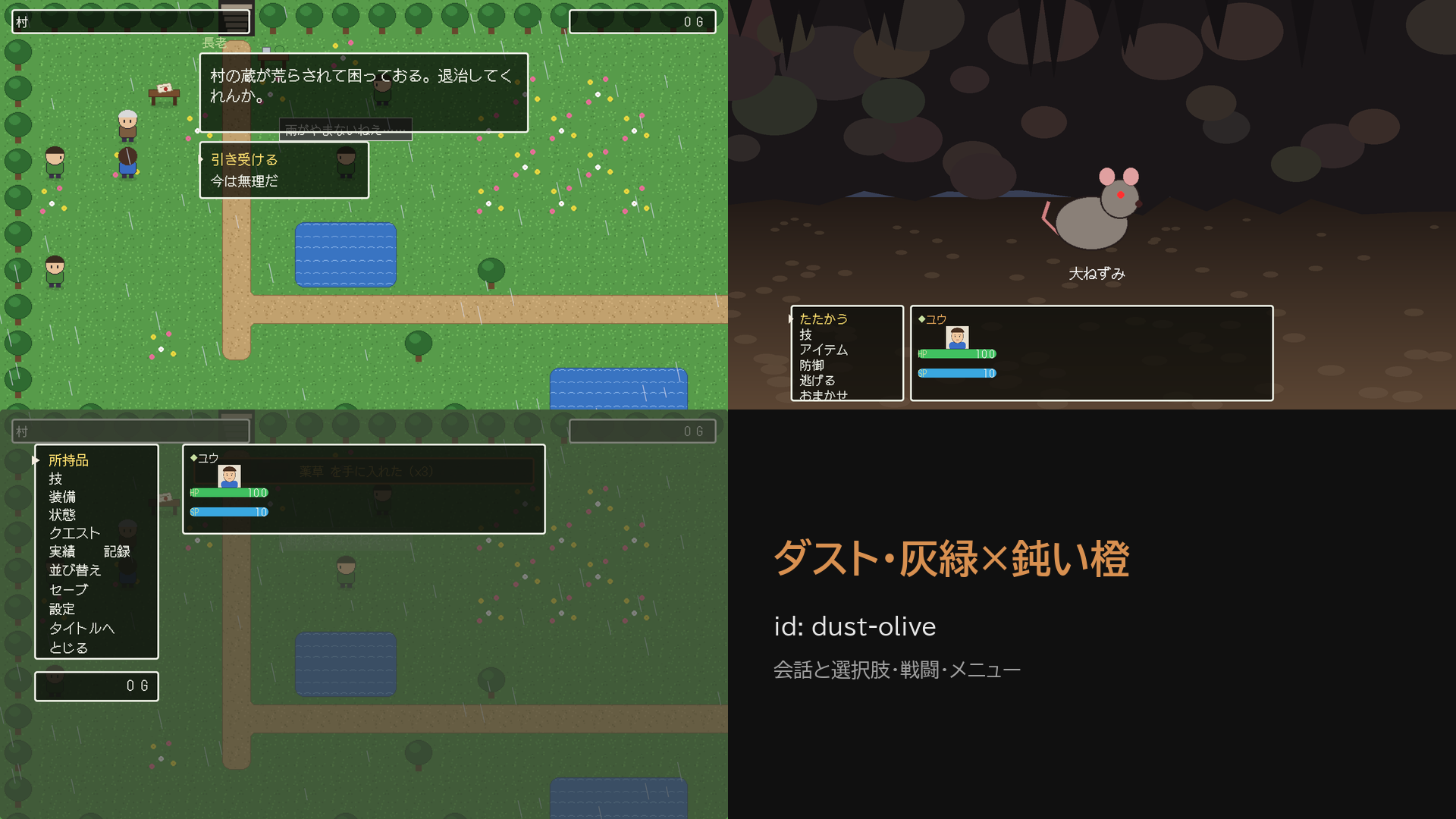
dust(ダスト) 乾いた色・ドットの書体・角の丸い白枠・下に並ぶ仲間の窓・滲ませない絵
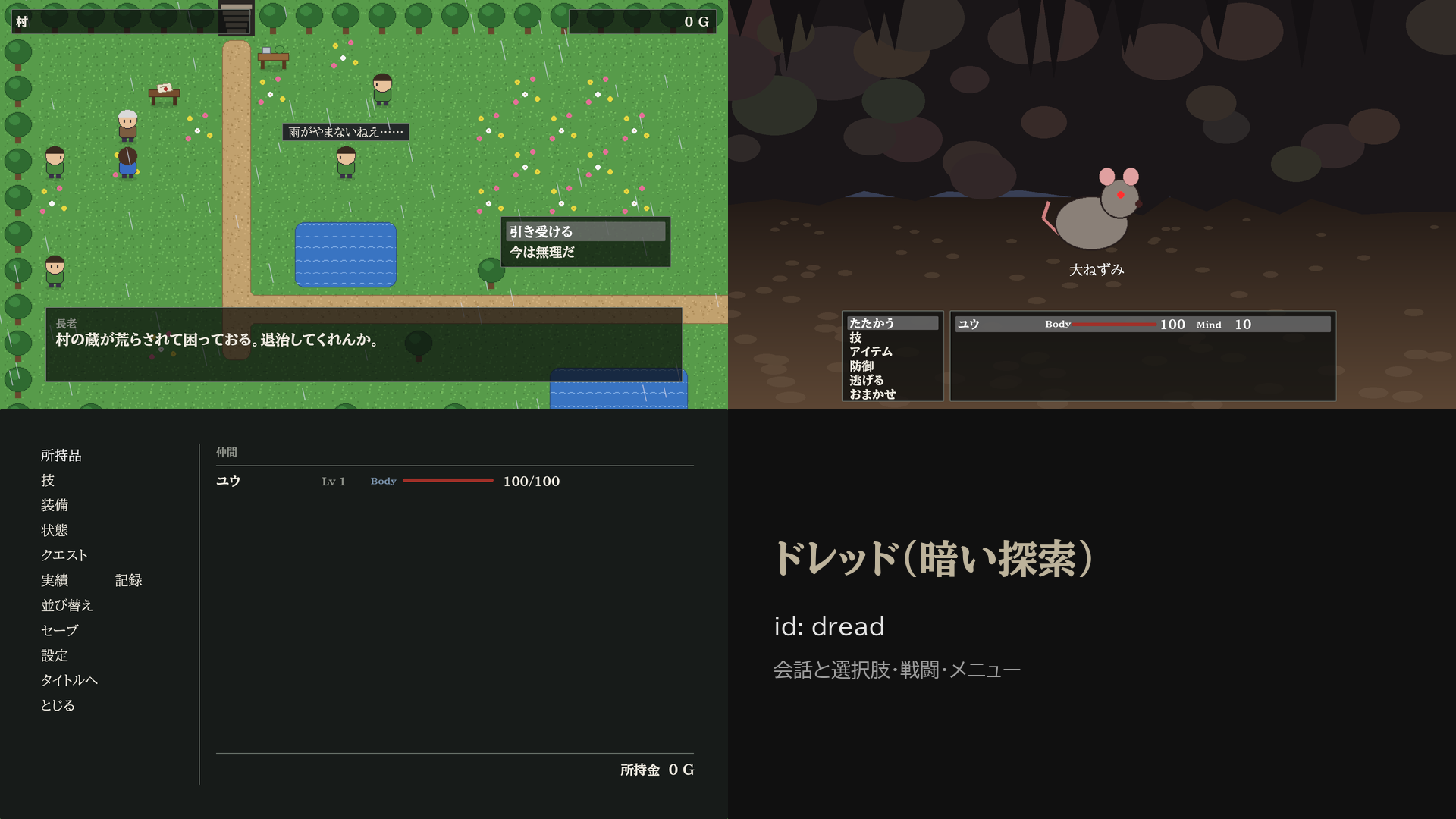
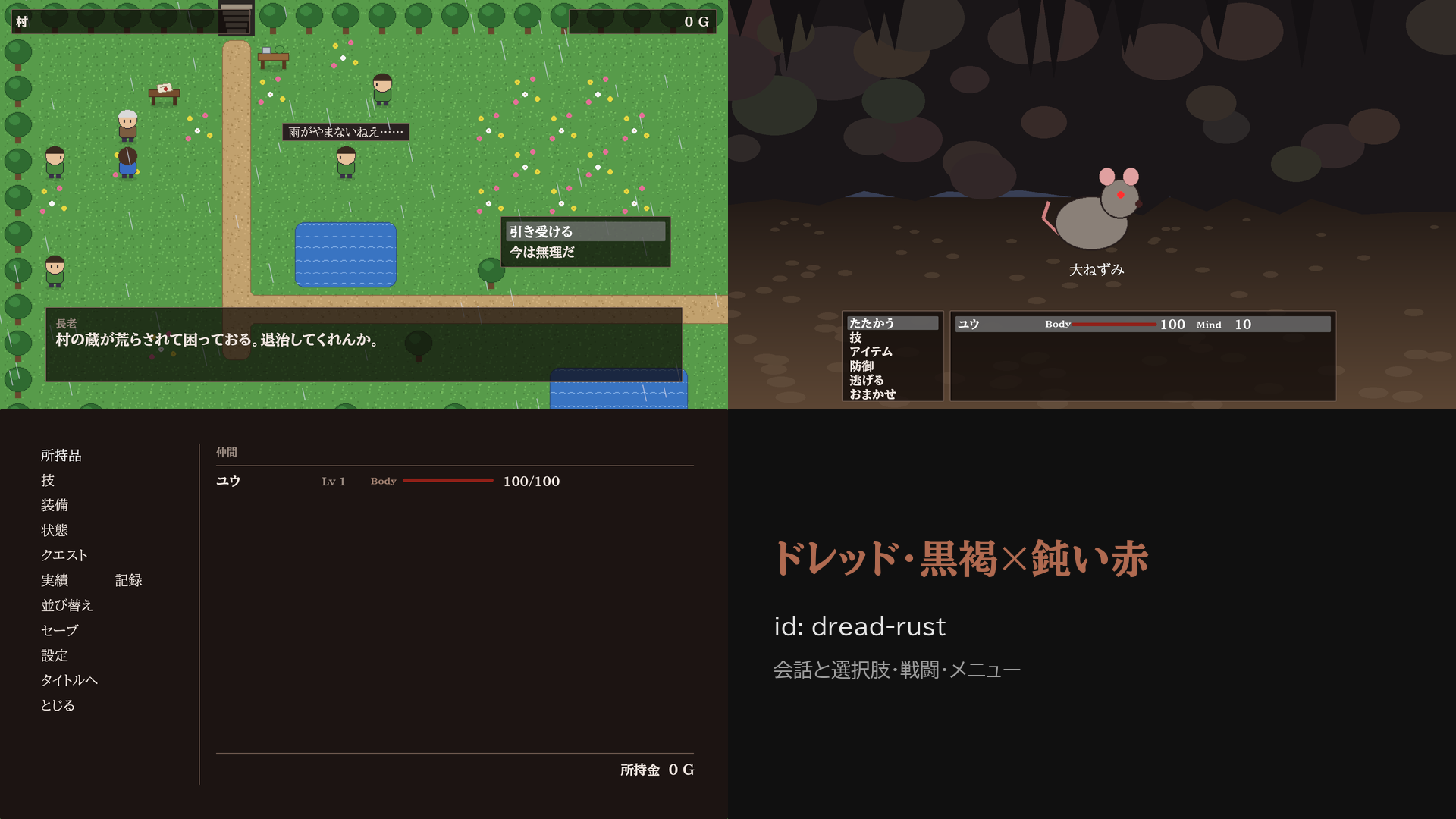
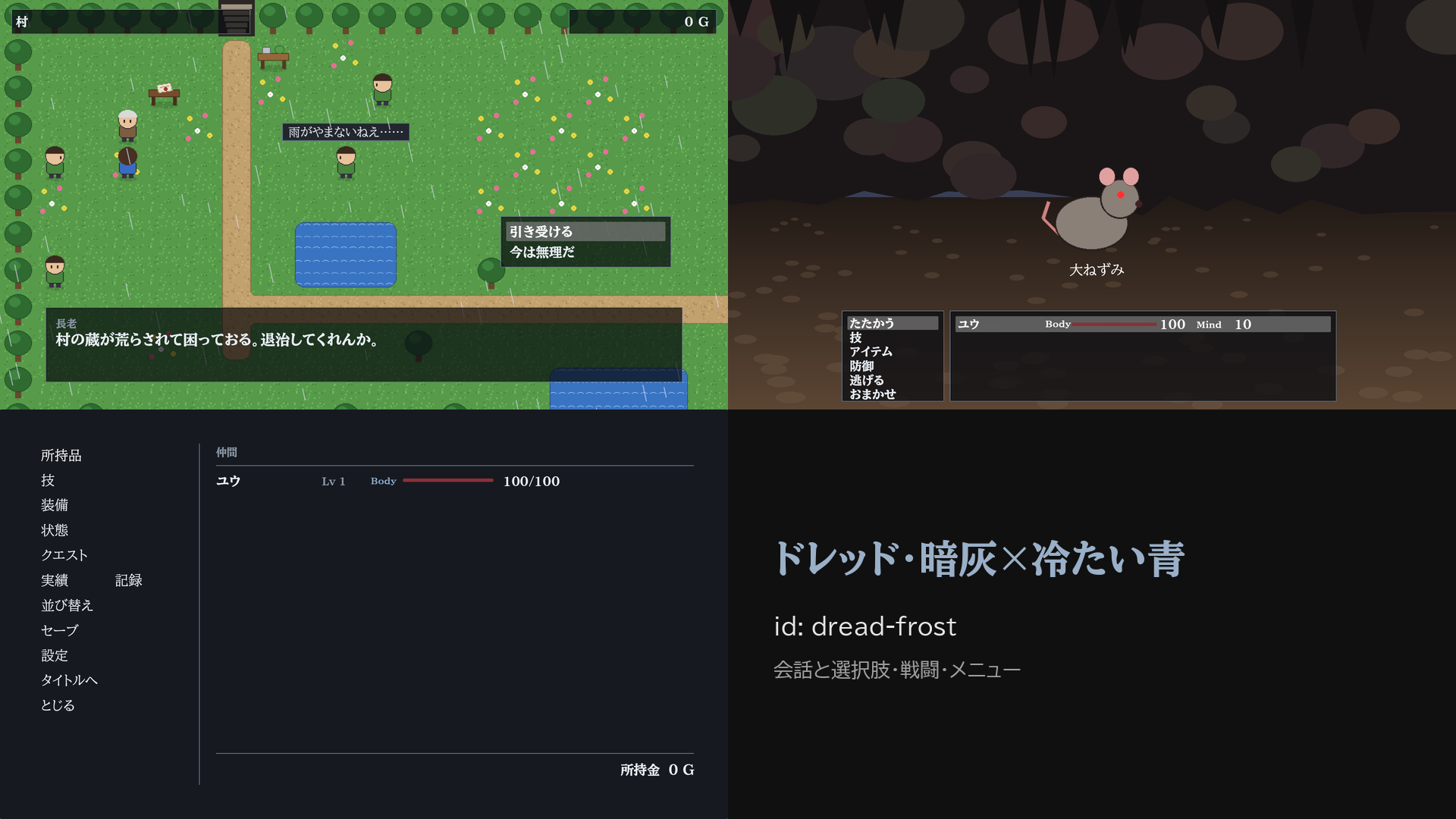
dread(ドレッド) 暗い探索・細い枠・赤い Body のゲージ・明朝体
fantasy modern crystal
legend filigree voyage
heraldry sketch dust
dread cinematic rebel
系統 色 2 色 3 見本
fantasy fantasy-parchment fantasy-forest parchment · forest
modern modern-light modern-ink light · ink
crystal crystal-jade crystal-amber jade · amber
legend legend-navy legend-moss navy · moss
filigree filigree-wine filigree-moss wine · moss
voyage voyage-sunset voyage-night sunset · night
heraldry heraldry-crimson heraldry-azure crimson · azure
sketch sketch-cream sketch-blue cream · blue
dust dust-wasteland dust-olive wasteland · olive
dread dread-rust dread-frost rust · frost

入力の画面: 命令 input_name・input_number・input_item(§5)が開く画面は ui/input_name.json・ui/input_number.json・ui/input_item.json です。名前は文字欄(MomijiUI の TextInput。開くとすぐ打てる・Enter で決定)、数は桁ごとの ▲▼、アイテムは持っている物の一覧です。ほかの画面と同じく作品の ui/ に写して形を変えられます(渡す値と action は目録 catalog.json)。

画面の文言: 既定の画面の決まった文言は、文字を直に書かず "text": "{t_items}" のように文言の表の鍵で書いてあります(§2 の「作品の言語」で日本語と英語が替わる)。作品の ui/ に写した画面でも同じ鍵が使えます。言語で替えたくない文は、直に "text": "持ち物" と書きます。鍵の文の中の {gold} のような差し込みは、その画面の値で置き換わります。

テーマを配る・取り込む

作ったテーマ(色・形・絵)とその画面の形を 1 つの zip にして、別の作品に入れられます。上の段の ライセンス・テーマを書き出す…・取り込む… を使います。

  1. 書き出す: 上の段の テーマ で書き出すテーマを選び、ライセンス の欄を書きます(own=自作・cc0・cc-by か、条件を文で)。テーマを書き出す… を押して zip の置き場を選びます。ライセンスが空なら書き出しません。ほかの制作ツールの素材や他人の素材は入れないでください。保存していない変更があるときは、先に 保存 します。
  2. 取り込む: 別の作品を開き、取り込む… で zip を選びます。テーマは作品の themes/ に、画面の形は ui/ に入り、プレビューのテーマがそれになります。ゲームで使うには、rpg.json の uiTheme(データベースのタブの作品の設定)をその名前にします(取り込みでは変えません)。

share-log.json(file:share-log)

項目 鍵 何を書くか 取りうる値 既定 必須
取り込んだ束 imports 取り込んだ部品の束の出どころの記録。取り込むたびに 1 件足される。クレジットを書くとき・取り込みを戻すときに見る。 一覧(1 件は§10 の「取り込んだ束」の表) なし(取り込んでいない)

取り込んだ束(share_import)

項目 鍵 何を書くか 取りうる値 既定 必須
部品の名前(名前を変えて入れたら変えたあと) id 取り込んだ部品(テーマ)の名前。名前を変えて入れたときは、変えたあとの名前。 文字 なし(必須) 必須
部品の種類 kind 取り込んだ部品の種類。いま配れるのはテーマ(とその画面の形)だけ。 theme。theme テーマ。 なし(必須) 必須
束の名前 name 束の share.json に書かれていた束の名前。 文字 空
束の版 version 束の share.json に書かれていた版。 文字 空
作った人 author 束の share.json に書かれていた作った人。クレジットに使う。 文字 空
ライセンス license 束のライセンス。ライセンスの無い束は取り込まないので、必ず入る。 文字。own 自作・cc0・cc-by か、条件を書いた文。 なし(必須) 必須
書いたファイル files 取り込みで作品に書いたファイルの一覧。取り込みを戻すときは、ここに書かれたファイルを消す。 一覧(1 件は 文字) 空
変えた名前(theme:<元>・layout:<元> → 新しい名前) renamed 同じ名前があって名前を変えて入れたときの、元の名前と新しい名前の対応。 鍵 → 値 の組(値は 文字)。鍵は theme:<元> か layout:<元>、値は新しい名前(例 crystal_1a2b)。 なし(名前を変えていない)

11. 検査のタブ(詰まない検査)

検査のタブ

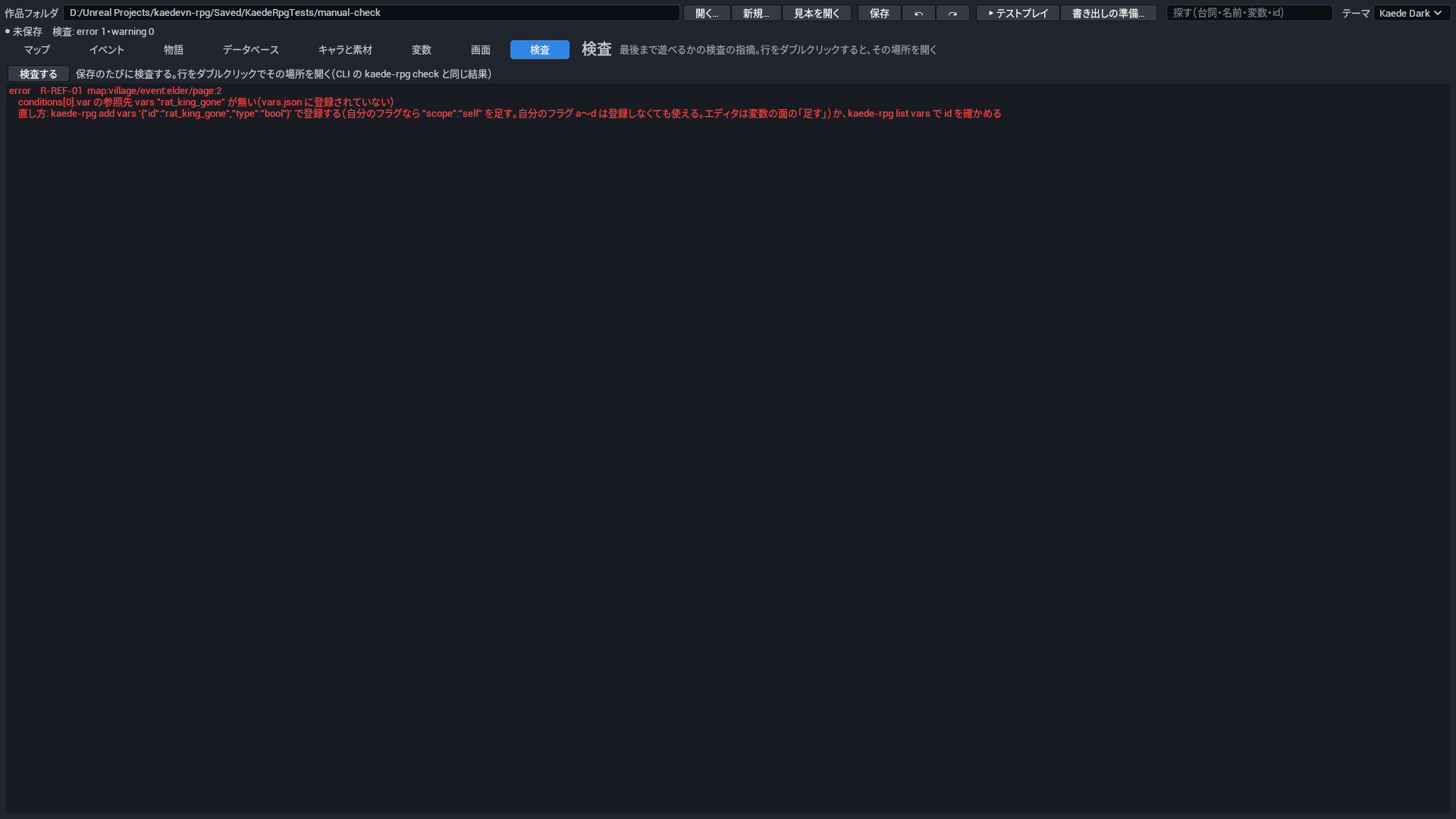
指摘の一覧です(error は赤、warning は黄)。行をダブルクリックすると、その場所(マップ・イベントの命令・データベースの行・変数)を開きます。CLI の kaede-rpg check と同じ結果です。

規則 見つけるもの
F 系・R-REF 必須の項目・書き方・無い素材や変数を指している
R-VAR 登録していない名前・書くだけで読まない変数
R-MAP 開始位置や移動先から歩いて行けないイベント・出口の無いマップ
R-EV 満たせない出現条件・使われないページ・終わらない自動のページ・並列で使えない命令
R-FLOW 行き先の無いラベル・届かない命令・呼び出しの輪
R-DB ダメージが 0 にしかならない・最初の戦闘に勝てない(20 回の試算)
R-GOAL 開始位置が無い・エンディングの印が無い・エンディングがどこからも呼ばれない
R-TEXT 文中の差し込みの知らない名前・credits の命令があるのに credits.txt が無い

12. ゲームの操作(プレイヤー向け)

操作 キーボード ゲームパッド
移動 矢印・WASD 十字キー・左スティック
ダッシュ Shift(押している間) RB
決定・話しかける・文を送る Enter・Space・Z A
取り消し・メニュー Esc・X B
既読スキップ(押している間) Ctrl LB
バックログ Page Up・マウスのホイールを上へ —
全画タブの切り替え Alt+Enter —
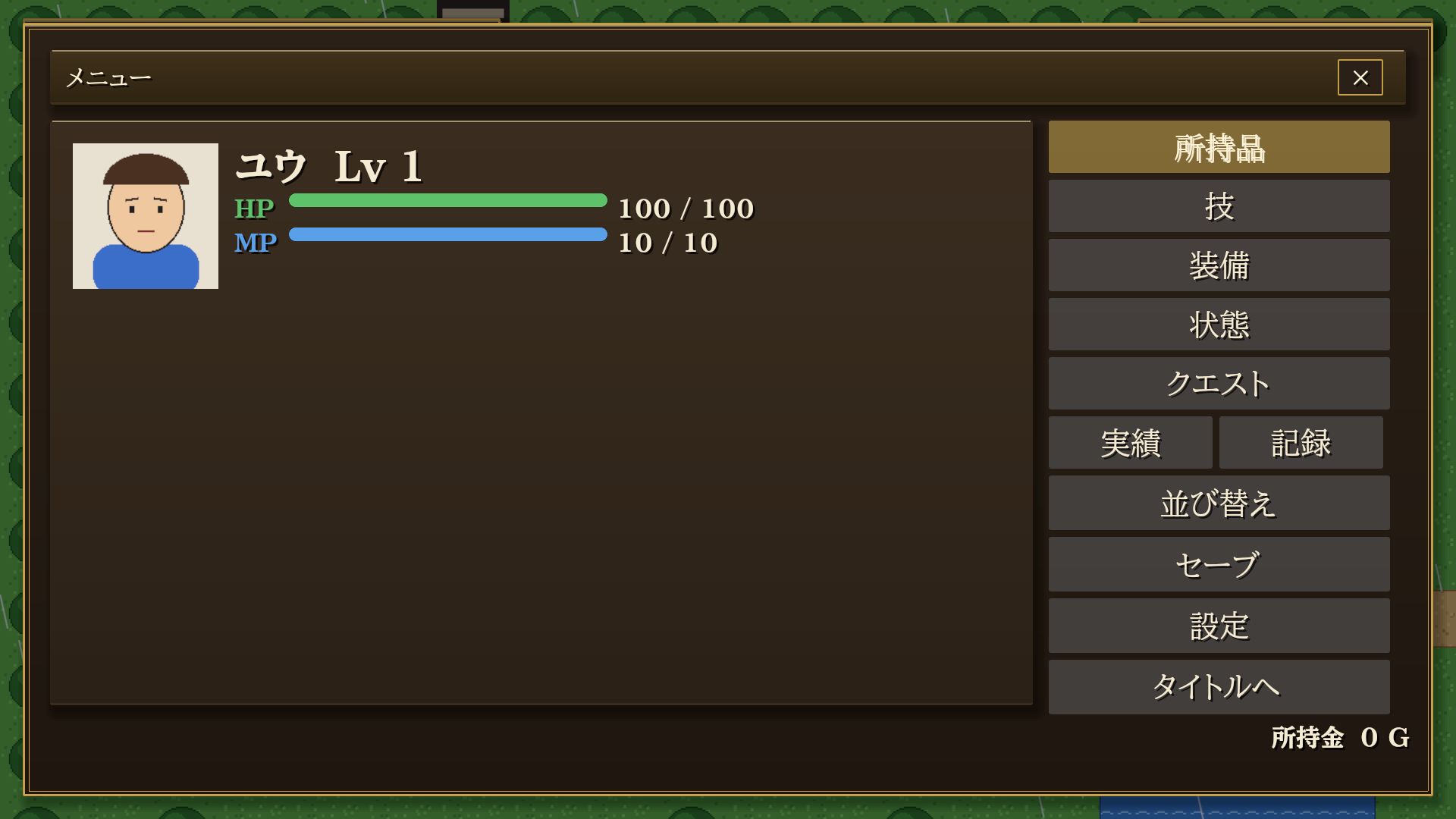
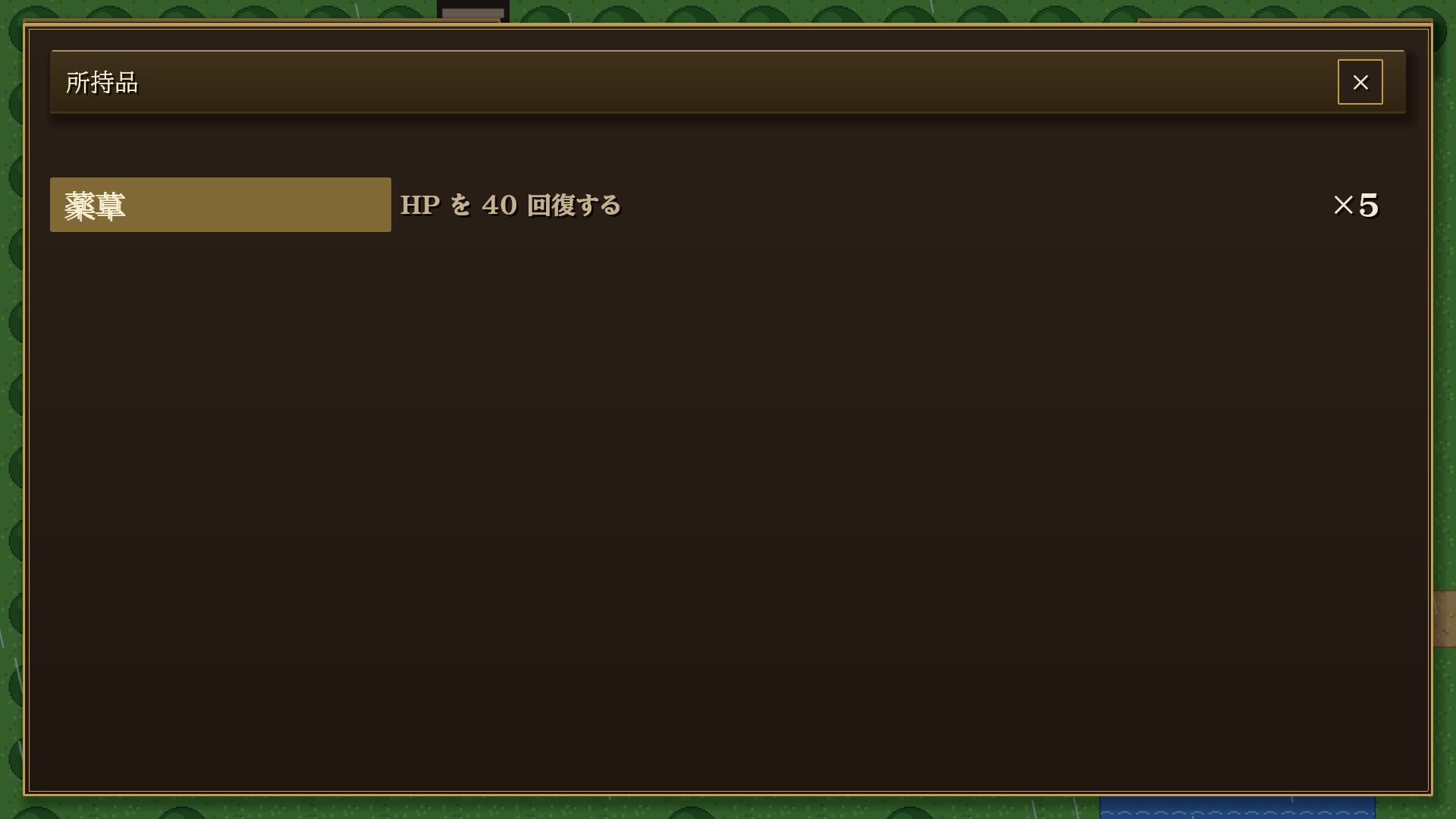
メニュー 所持品 装備
メニュー 所持品 装備
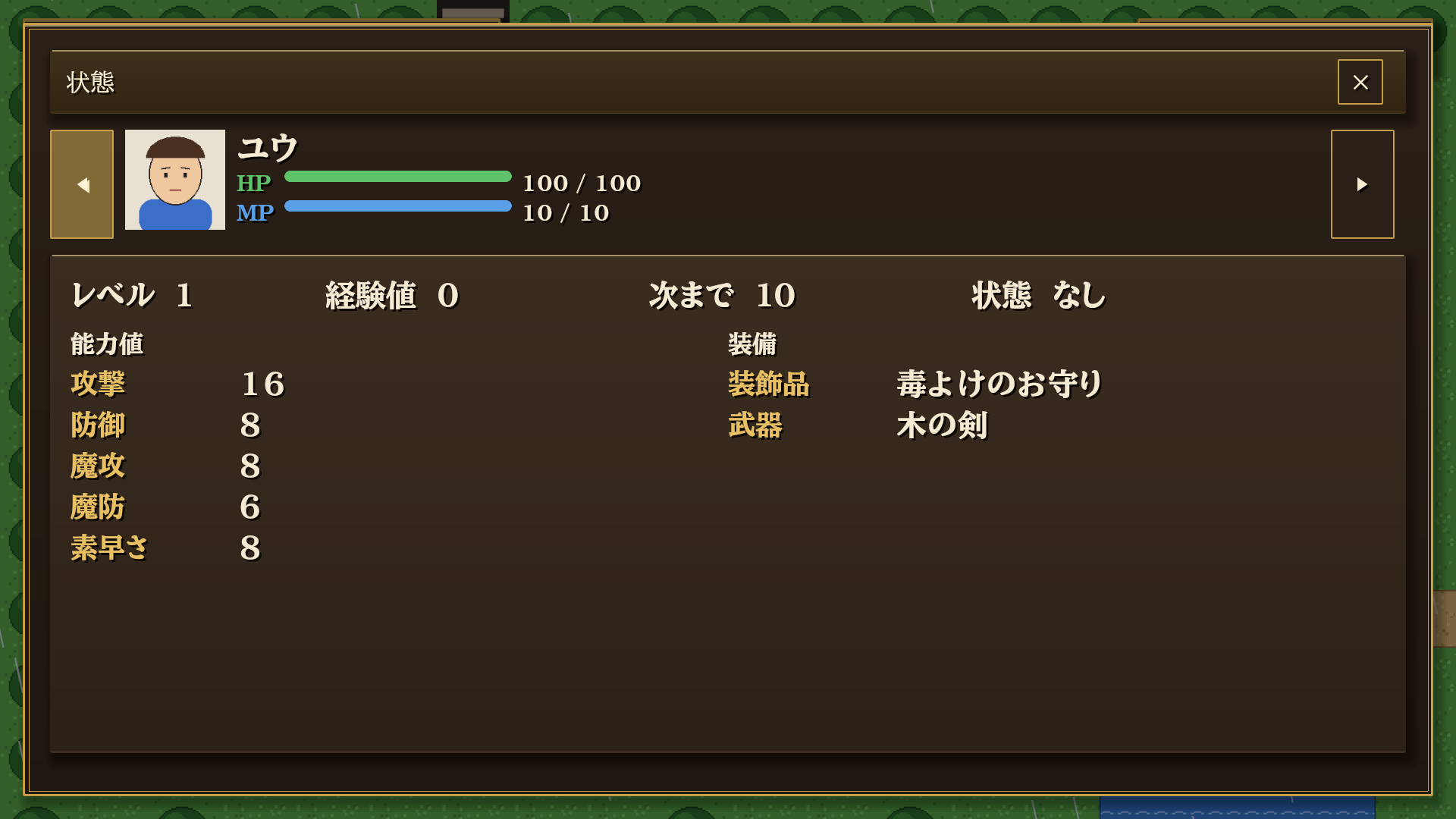
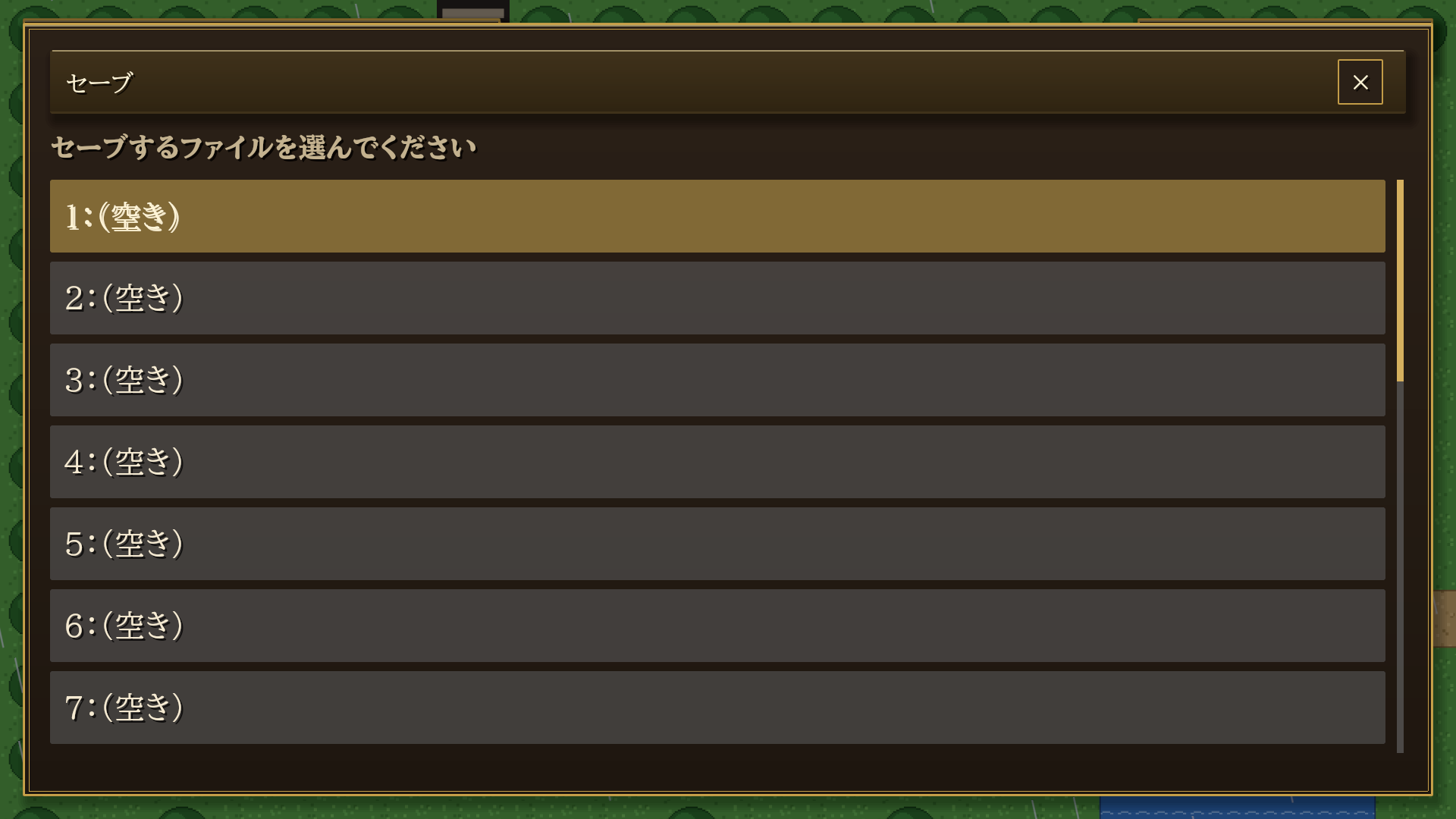
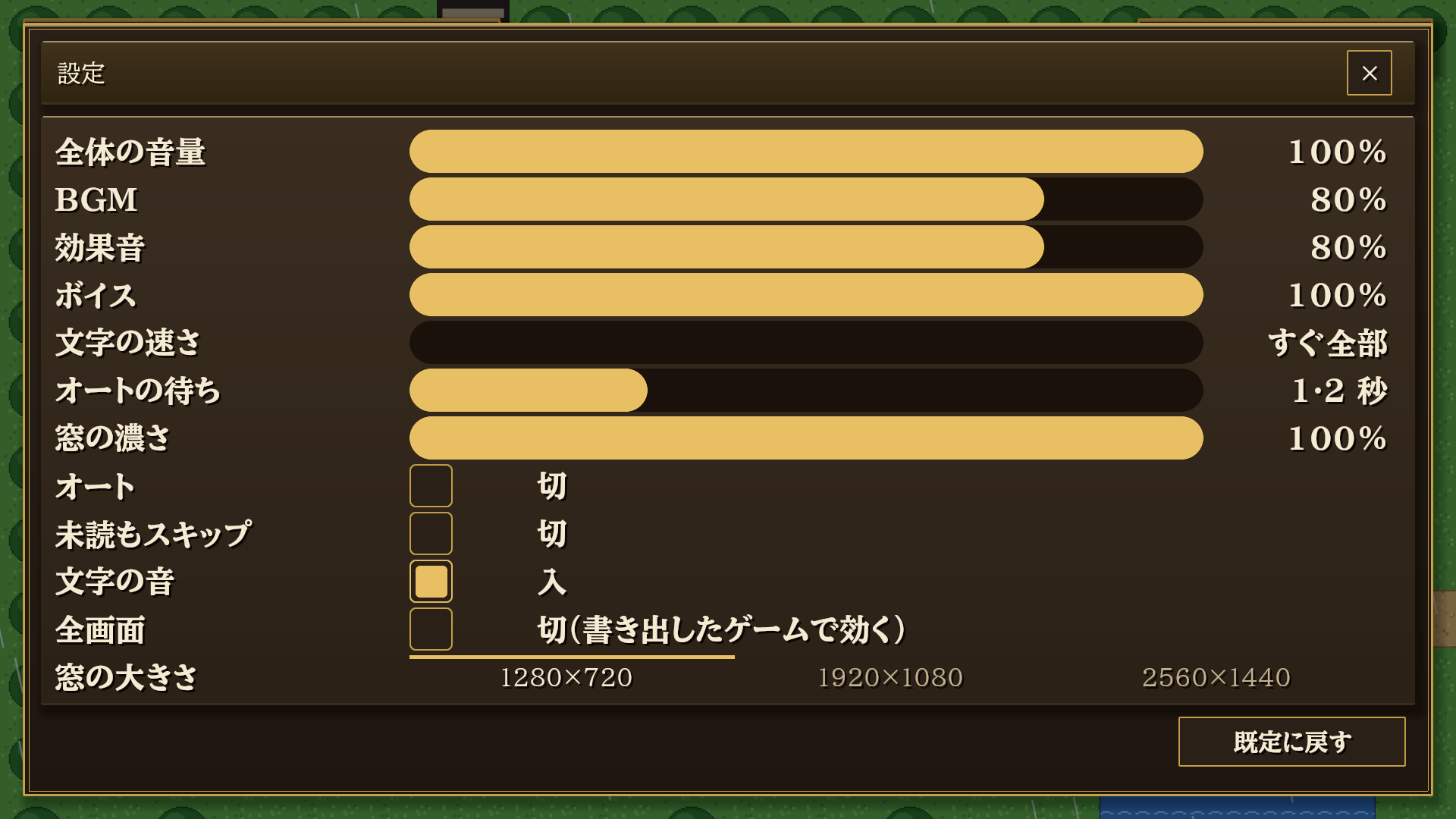
状態 セーブ 設定
状態 セーブ 設定

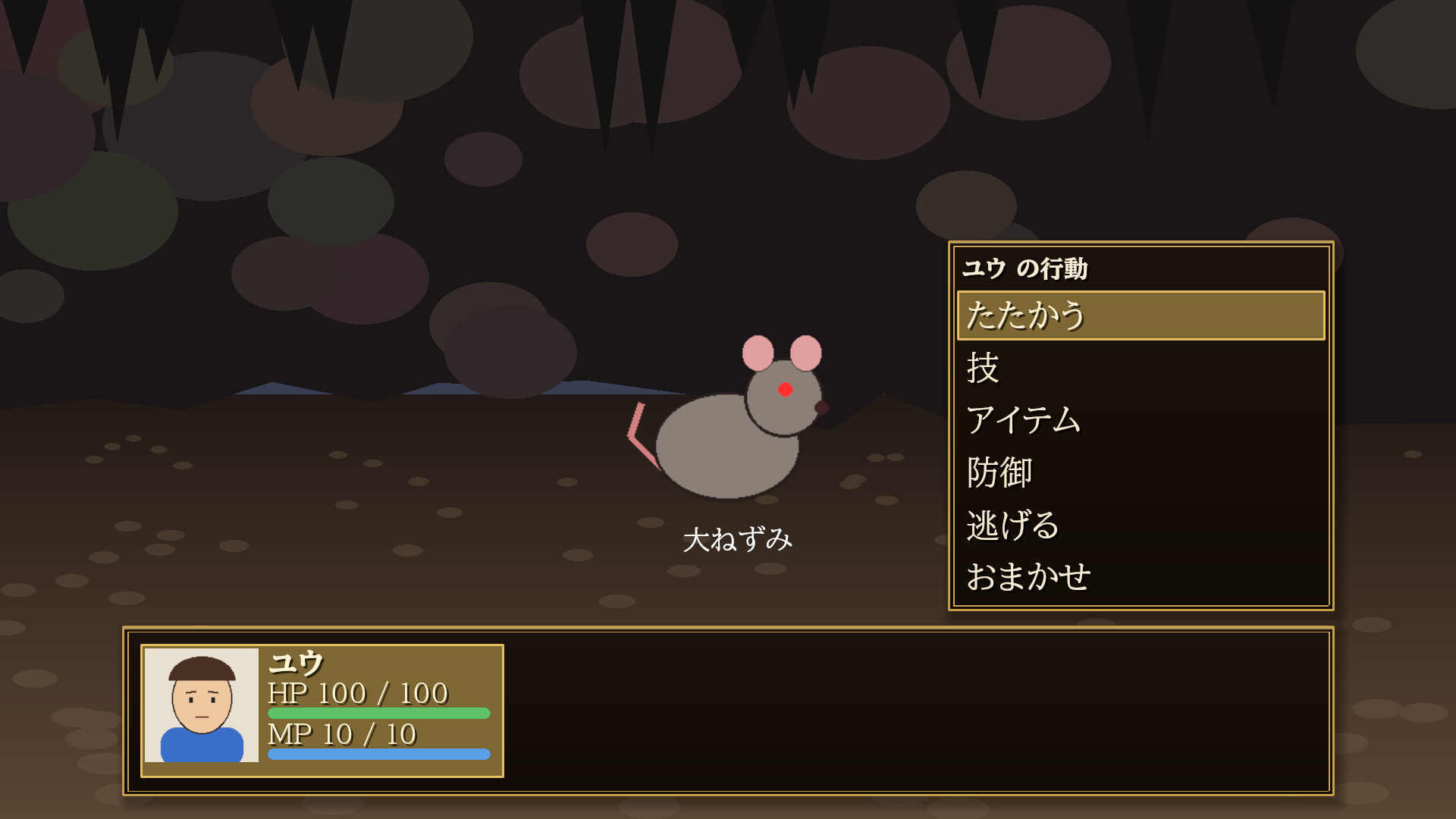
戦闘


13. 生成 AI と一緒に作る

はじめに: Claude Code(Anthropic)か Codex(OpenAI)を、それぞれの公式の案内のとおりに入れます。どちらも使うには各社の契約(有料のプランか API の利用料)が要ります。入れたら、Windows の PowerShell を開き(スタートメニューで「PowerShell」と打つ)、cd で作品フォルダへ移り、claude(Codex は codex)と打って起動します。

作品フォルダで Claude Code(または Codex)を起動して、作りたいものを頼みます。AI は次を読んで、CLI で作品を直します。

頼み方の例: 「村と洞窟とボス 1 体の短い RPG を作って。最後まで遊べることを play で確かめて」。

長い会話は、AI が story/<章>/<話>.ks に KS(§6.1)で書きます。JSON の命令の木を 1 つずつ足すより短く、読み返しやすい形です。書いたあとは今までどおり kaede-rpg check --json で検査します。

「長老の台詞を全部やさしい口調に」のように、作品のあちこちにあるものを直す頼みでは、AI はまず kaede-rpg search 長老 --json で場所を探し(CLAUDE.md にそう書いてあります)、見つかった場所を 1 つずつ set で直します。作者がエディタで同じ場所を見るには、上の段の 探す の欄(§3)で同じ文字を探します。

仲間・技・アイテム・敵・敵の組・状態の値(値段・能力値・名前など)を一覧で見比べて直すときは、表計算(Excel・Google スプレッドシートなど)が使えます。kaede-rpg db export-csv items --out items.csv で CSV に書き出し、表計算で直して保存し、kaede-rpg db import-csv items items.csv で戻します(形は §14)。戻すと検査(check)の結果が出ます。AI に「アイテムの値段を全部 2 割上げて」と頼むときも、AI は同じ CSV を使えます(CLAUDE.md にそう書いてあります)。

AI が直したファイルは、エディタが自動で読み直します(未保存の変更が無いとき)。AI が途中で出す CLI の出力(検査の規則の名前・play の JSON の行)は AI が読むものです。作者は、エディタの検査のタブとテストプレイで確かめれば足ります。


14. CLI(kaede-rpg.exe)

CLI はコマンドラインツール(Command Line Interface)のことです。エディタのボタンを押す代わりに、Windows の PowerShell に kaede-rpg check のように命令を打って、作品を検査したり直したり遊んだりします。PowerShell は、スタートメニューで「PowerShell」と打って開きます(コマンドプロンプトでも同じように使えます)。開いたら cd で作品フォルダへ移ってから打ちます。エディタと同じ作品フォルダを同じ規則で読み書きするので、どちらで直しても同じ結果になり、生成 AI(§13)もこれを使います。プラグインの ThirdParty/Win64/kaede-rpg.exe が組み立て済みで、ソース(Tools/KaedeRpgCli/)と組み立ての脚本(Build-KaedeRpgCli.bat)も入っています。

作品フォルダで実行するか、--work <フォルダ> を付けます。--json で結果を JSON にします。終了コードは 0=合格・1=指摘あり・2=使い方の誤り・3=内部の誤り(ツールの不具合)。

コマンド 何をする
new <フォルダ> [--language ja|en] 作品フォルダを作る(AI 用の雛形も)。--language en で英語の画面の作品(§2 の「作品の言語」)
validate 形と参照の検査
check 詰まない検査まで
list <種類> 一覧(maps events commons stories tilesets vars assets characters db:<種類>。stories は形式 format も)
show <場所> 中身を見る。show story:<章>/<話> --ks は話を KS(§6.1)で見る
set <場所> <JSON>・add <親> <JSON>・remove <場所>・move <場所> <番号> 直す
add <親> --id <id> JSON を書かずに、エディタの「足す」と同じ初めの中身で足す(親は db:<種類> vars assets characters tilesets commons story:<章>/<話>)
set story:<章>/<話> --ks @<ファイル.ks> 話を KS で丸ごと置き換える(読めない行があれば指摘を出して変えない)
add stories '{"story":"<章>/<話>","format":"ks", …}' 新しい話を .ks で作る
story to-ks <章>/<話>・story to-json <章>/<話> 話の形式を切り替える(.ks ⇔ .json)
refs <場所> 変数・アイテムなどを読む場所・書く場所
search <文字> [--in <範囲>] 作品全体から探す(台詞・名前・変数の名前・id。英字の大文字小文字は区別しない・§2 の「作品の中を探す」)。1 件ごとに場所 where(検査と同じ書き方で、そのまま show・set に使える。.ks の話は story:<章>/<話>#L<行>)・項目の名前 field・前後の文 text・ファイル file。--in は maps・commons・stories・db・vars・characters を , でつなぐ(例 --in maps,stories)。無ければ 0 件で終了コード 0・知らない範囲は 2
play --input <ファイル> [--seed <数>] 画面なしで遊ぶ(入力の列と expect で確かめる)。--seed は乱数の種(0〜4294967295。入力の列のファイルの "seed" より優先)。同じ種・同じ入力なら、戦闘もエンカウントも毎回同じ結果
play --input <ファイル> --var <名前>=<値> 外から変わる変数(§15)に値を入れてから遊ぶ(何度でも書ける)。外から変わる変数でない・取りうる値の外なら終了コード 2
play --var-matrix --input <ファイル> 外から変わる変数の値の組を全部(64 組まで)、1 組ずつ通しで回す。1 組でも外れれば終了コード 1
cloud-defs --out <ファイル> サーバーに送る定義(記録と外から変わる変数)を作る(§15。通信しない)
battle <敵の組> [--runs N] [--level L] [--seed <数>] 戦闘だけを全員「たたかう」で試す(--runs で勝率)。--seed で乱数の種を決めると、同じ結果を何度でも出せる
map show <マップ>・map paint … マップを文字で見る・塗る
share pack theme <名前> --out <zip> --license <ライセンス> テーマを束(zip)にする(§10 の「テーマを配る・取り込む」)。--license(own・cc0・cc-by か文)が無ければ断る。--name・--author・--version・--description も書ける
share import <zip> [--into <作品>] [--rename] 束を取り込む。同じ名前があれば断る(指摘 SHARE-ID-01・終了コード 1)。--rename で <名前>_<印> にして入れ、参照も直す
db export-csv <種類> --out <ファイル> データベースを CSV に書き出す(種類: actors・skills・items・enemies・troops・states)。1 行目は項目の鍵(定義表の順。鍵の集まりは schema --kind <種類> と同じ)、2 行目は項目の名前(language: en の作品は英語)、3 行目から 1 件 1 行。入れ子の項目(効果・特徴・落とす物・能力値など)は JSON の文字(例 {"atk":4})で 1 セル。無い項目は空のセル。BOM つき UTF-8・改行は CRLF(Excel でそのまま開けます)
db import-csv <種類> <ファイル> CSV を取り込む。id の列で突き合わせ、ある id は CSV にある列の項目だけ変え(空のセルはその項目を消す)、無い id は末尾に足します。CSV に無い列の項目と、CSV に無い id は変えません(列は id と直したい列だけでもよく、2 行目の名前の行は消してもかまいません)。1 行目に知らない鍵がある・数の欄が数でない・入れ子が JSON でない・同じ id が 2 度、のどれかなら何も変えず終了コード 2。取り込んだら check を回して結果を出します(error があれば終了コード 1)。ツクールの CSV の形は読みません
schema [--out <フォルダ>] JSON Schema
sync-agents CLAUDE.md を AGENTS.md へ写す
help 全部の使い方

場所の書き方: map:village/event:elder/page:0/block:t1・db:actors/hero・var:met_elder・story:01_main/01_opening。命令の id(block: の後ろ。add で足すと text_1 のように付きます)はファイルごとに振られ、別のファイルにも同じ id があります。命令を指すときは、マップ・イベント・ページか話から書きます。末尾に #/<項目> で中の項目(例 rpg#/start/x)。まだ無い「勝ったとき」(#/winBlocks)や出現条件(#/conditions)にも、そのまま add で足せます。add <イベント> '{}' で足したページは、前のページの見た目・高さ・起動を受け継ぎます(命令と出現条件は空)。

乱数の種(seed): ゲームの中で運で決まるもの(ダメージの振れ・命中・敵の行動・ランダムエンカウント・落とす物)は、全部 1 つの乱数の列から引きます。種はその列の出発点になる数で、同じ種なら乱数の列が同じになり、同じ入力で同じ結果になります。入力の列のファイルの "seed"(見本の tests/clear.json は 42)か、play・battle の --seed で決めます。入力の列を書くときは種を 1 つ決めて書いておくと、あとで何度回しても同じ道を通ります(種を変えれば別の運で確かめられます)。

遊ぶ入力の列(tests/clear.json など)の手: move・press(decide/cancel)・until(event_end/click/choices/battle/idle/screen)・choose・battle(auto)・use・skill・equip・buy・sell・craft・swap・input(入力の画面に値を渡す: {"input": "アル"}・{"input": 1234}・{"input": "herb"}。null は取消)・close・save・load・wait・expect(記録は {"expect": {"record": {"record": "clear_time", "atLeast": 1}}}・ピクチャは {"expect": {"picture": {"no": 1, "asset": "pic_letter", "opacity": 1}}}・消えたことは {"picture": {"no": 1, "shown": false}})。どの手にも when を付けると、変数がその値のときだけ流します({"when": {"var": "halloween", "value": true}, "press": "decide"}。外から変わる変数の値ごとの振る舞いを 1 本の列で確かめる)。

書き出したゲームでも、-KaedeRpgAutoplay=tests/clear.json を付けて起動すると、同じ入力の列で最後まで自動で遊びます(結果は終了コード 0/3〔結果のファイルを書けなければ 4〕と Saved/KaedeRpg/autoplay-result.txt)。


15. サーバーの機能(クラウドセーブ・記録の順位・遠隔の値・お知らせ)

作者が自分の Cloudflare に立てたサーバーと、ゲームがやり取りする機能です。作品フォルダの cloud.json にサーバーの住所を入れるだけで、標準の画面に次の欄が出ます。住所が空(見本はこの形で入っています)か cloud.json が無ければ、欄は出ず、通信もしません(今までどおり遊べます)。

機能 どこに出るか
お知らせ タイトルの画面の欄(3 件まで)
記録の順位 メニューの「記録・順位」。自己ベストの下にサーバーの上位と自分の順位
クラウドセーブ セーブ・ロードの画面のスロットごとの「預ける」「受け取る」と状態の文(預けていない・預けてある・手元の方が新しい・サーバーの方が新しい)
引き継ぎの合言葉 設定の画面の「引き継ぎ」の「合言葉を出す」「合言葉で受け取る」(別の PC で同じセーブを使う)
遠隔の値 外から変わる変数(下の 4)。パッチを出さずにイベントの印を切り替える

Steam で出すゲームは、記録と実績は Steam へ送り、預ける・受け取るの欄は出しません(Steam のクラウドを使います)。

15.1 手順

  1. サーバーを立てる: サーバーのひな形(GitHub のリポジトリ kaede-rpg-server・MIT。商品ページから案内しています)の README のとおりに、npm install → npx wrangler login → npm run setup -- --game <ゲームの id>。Node.js 22 と Cloudflare のアカウントが要ります。リポジトリには AI 用のスキルも入っていて、Claude Code に「README のとおりに立てて」と頼めば立てられます。最後に https://….workers.dev の住所が出ます。

  2. cloud.json に住所を入れる: データベースのタブの サーバー の表で住所を入れるか、cloud.json を直接書きます。ゲームの id(game)は省けば rpg.json の id で、サーバーの --game と同じにします。

    { "schemaVersion": 1,
      "server": { "url": "https://sample-quest.example.workers.dev" },
      "records": [
        { "id": "clear_time", "name": "クリアの時間", "nameEn": "Clear time",
          "kind": "time", "order": "asc", "min": 600, "max": 360000 } ] }
    
  3. つながるか確かめる: サーバーの表の つながるか確かめる を押すと、住所・遠隔の値の版・定義のずれ(作品の外から変わる変数でサーバーに無いもの・その逆)が出ます。

  4. 記録と外から変わる変数を書く:

    • 記録: cloud.json の records に定義(kind は点 score か時間 time〔秒〕・order は大きい順 desc か小さい順 asc・下限 min・上限 max)を書き、イベントの命令 記録を送る(record・値は式。playtime は遊んだ秒)で送ります。
    • 外から変わる変数: 変数のタブで 外から変わる(external)に印を付け、取りうる値(values・1〜16 個・初期値を含む)を書きます。作品の中ではふつうの変数として読めます(出現条件・分岐・式)が、作品の中からは書けません(検査 R-EXT-01)。セーブにも入りません。
  5. 定義をサーバーへ送る: エディタの サーバーの定義を書き出す…(CLI では kaede-rpg cloud-defs --out defs.json)で書いたファイルを、サーバーのリポジトリで npm run admin -- definitions push defs.json。記録・外から変わる変数を足したり直したりしたら、毎回送ります。

  6. 管理のコマンドで動かす(サーバーのリポジトリで):

    npm run admin -- remote set halloween true --from 2026-10-25 --to 2026-11-01   # 期間限定を切り替える
    npm run admin -- notice add --ja-title "イベント" --ja-body "ハロウィンが始まりました" --en-title "Event" --en-body "Halloween has started"
    npm run admin -- records top clear_time      # 上位を見る
    npm run admin -- records delete clear_time <持ち主>   # 記録を消す
    

    ゲームは作品を開いたときとタイトルに戻ったときに、遠隔の値とお知らせを取り直します。

見本で試す: 見本の作品には、外から変わる変数 halloween(真で、始まりの場所の右上にかぼちゃの商人が出る)と shop_rank(2 で道具屋の品ぞろえが増える)、エンディングの前の記録 clear_time、住所の空の cloud.json が入っています。住所を入れて書き出し、remote set halloween true を送ると、次の起動で商人が出ます。CLI では kaede-rpg play --input tests/play-halloween.json --var halloween=true(false でも通ります)で確かめられます。外から変わる変数の値の組を全部(64 組まで)通しで回すのは play --var-matrix --input tests/clear.json です(どれかの組で詰めば終了コード 1)。

15.2 つながらないとき

15.3 ずるへの手当て

値は遊ぶ人の PC が送るので、ずるは防げません。サーバーは次の 3 つで手当てします: 定義の下限・上限・取りうる値の外を受け取らない・送れる回数の上限・管理のコマンドで記録を消せる(records delete)。

15.4 遊ぶ人の情報(プライバシーの説明のひな形)

サーバーが持つのは、端末の鍵(ハッシュ)・預けたセーブ・順位の名前と値・送り元の IP(回数の上限にだけ使い、2 日で消える)です。アカウントとメールは持ちません。データを持つのはゲームの作者(あなた)です。次のひな形を、ストアのページかゲームの中に載せてください(作者の国の法に合うかは作者が確かめてください)。

このゲームは、オンラインの機能(クラウドセーブ・記録の順位・お知らせ)のために、〈作者の名前〉が運営するサーバー(Cloudflare)へ、端末ごとの識別子・預けたセーブ・順位に出す名前と記録を送ります。通信元の IP アドレスは、送りすぎを防ぐためにだけ使い、2 日で消します。アカウントやメールアドレスは集めません。預けたセーブと記録を消したいときは〈連絡先〉までご連絡ください。

15.5 よくある失敗

こんなとき 直し方
検査が R-REC-03 を出す・つながらない 住所は https:// で始め、末尾に / を付けない
記録が順位に出ない・「受け付けない」 定義を送り忘れている(手順 5)。記録の値が下限・上限の外でも受け付けません
つながるのに、遠隔の値が変わらない・定義のずれが出る ゲームの id の違い。cloud.json の game(省けば rpg.json の id)と、サーバーの npm run setup -- --game を同じにする
外から変わる変数を書いた所で error(R-EXT-01) 外から変わる変数は作品の中から書けません。別の変数に写してから使う

16. まだできないこと


17. 同梱物の権利

THIRD_PARTY_NOTICES.txt を見てください(nlohmann/json・MomijiUI は MIT、BIZ UDP の書体は SIL OFL 1.1、テーマの zip を読み書きする miniz 3.0.2 は MIT)。見本の作品の絵と音は、このプラグインの作者がスクリプトで描いたものです。

目次Contents

KaedeRPG — Reference

This reference is for KaedeRPG 0.1.0 (2026-10-21).

Every pane and every field of the editor of KaedeRPG, a plugin for making 2D RPGs and visual novels inside Unreal Engine.

The editor and the sample game currently use Japanese labels. Each label is given in English in this reference.


Contents

  1. How to read this reference
  2. The work folder
  3. The editor
  4. Map pane
  5. Event pane and commands
  6. Story pane
  7. Database pane
  8. Characters & assets pane
  9. Variables pane
  10. Screens pane
  11. Check pane ("no dead end" checks)
  12. In-game controls (for players)
  13. Working with generative AI
  14. CLI (kaede-rpg.exe)
  15. Server features (cloud saves, leaderboards, remote values, notices)
  16. Not available yet
  17. Third-party components

1. How to read this reference

This document lets you look up, from the name of a field you see in the editor, what to write in it, which values it takes, and what happens when you leave it empty.

Column Contents
Field The English name of the field, and under it the Japanese name the editor currently shows
Key The JSON key in the work folder (the name the CLI's set and generative AI use)
What to write What goes in the field and what it affects
Values Number ranges, choices, what it points to ("An item ID" means the id of an item in the database). Nested fields point to their own table
Default The value or behavior when you leave the field out (empty)
Required A "Required" field that is missing is an error in the checks (its name is red in the editor)

2. The work folder

New game: press 新規… (New). A window opens; choose how to start and the work folder, then press 作る (Create).

Either way it creates rpg.json, the registries, and the AI files (CLAUDE.md, AGENTS.md, .claude/; the AI reads them when you work with generative AI, §13 — you can leave them alone).

File Contents
rpg.json Title, start position, starting party, starting gold
vars.json Variables (flags, numbers, text)
assets.json Art and sound registry; files live under media/
characters.json Characters (name, face, expressions, walking sprite)
tilesets/*.json Tilesets (48 px, passability)
maps/*.json Maps (3 layers, passability overrides, events)
common/*.json Common events
story/<chapter>/<episode>.json Story episodes; mark the last one as the ending
db/*.json Database
ui/*.json Screens (the plugin's defaults when missing)
themes/<name>.json, themes/<name>/ The work's own themes (colors, shapes) and their images (§10; the plugin's themes when missing)
share-log.json Where imported bundles came from (name, version, author, license; "Share and import themes" in §10)
strings/<language>.json Overrides for the game's screen text (optional; see "Game language" below)
tests/ Input sequences for the CLI play and autoplay

Supported files: PNG images, OGG and WAV audio. Tiles are 48 × 48 px.

Search the work: to find where a line of dialogue, a name, a variable name or an id is used, use the 探す Search box in the top row (§3) or the CLI's search (§14). It searches the JSON files in the tool windowle above (maps, templates, common events, stories, database, variables, characters, assets, tilesets, rpg.json and so on) and the .ks files under story/, ignoring upper/lower case of English letters. It does not search screens (ui/), themes (themes/) or string tables (strings/). There is no replace (bulk change).

Game language: language in rpg.json (ja or en; ja when missing) sets the language of the game's built-in text — menu items such as Items and Skills, New Game on the title, battle messages such as "… attacks!", "Obtained …", save messages and so on. An unknown value is check F-LANG-01 (error).


3. The editor

Editor (map pane)

Area Contents
Top row Work folder, 開く… Open, 新規… New, 見本を開く Open sample, 保存 Save (Ctrl+S), ↶ Undo (Ctrl+Z), ↷ Redo (Ctrl+Y), ▶ テストプレイ Test play, 書き出しの準備… Prepare export, 探す Search box, テーマ Theme
Below it Save state (● unsaved) and check counts (errors, warnings). After a search, the result list appears below
Pane tabs マップ Map, イベント Event, 物語 Story, データベース Database, キャラと素材 Characters & assets, 変数 Variables, 画面 Screens, 検査 Check. To the right on the same row: the current pane's name and what you can do in it (cut with "…" when it does not fit; hover for the full text)

Inside each pane, blue sub-headings name each area (map list, selected map settings, tiles, commands, selected command fields…).

Color theme: the tool window uses the same colors as the Unreal Editor theme. The plugin ships two editor themes, Kaede Dark and Kaede Light. Every screenshot in this manual uses Kaede Dark.


4. Map pane

The layout follows classic RPG creation tools.

Area Use
Top left Tile palette; click a tile to pick it (the picked number is shown in the heading). In Regions mode it becomes the region number table
Lower left Map list; click to open
Toolbar タイル / 通行 / イベント / リージョン Tiles / Passage / Events / Regions (Tab cycles), region number, layer 下 / 中 / 上 lower / middle / upper, tools (icon and name buttons), マップの設定 Map settings
Middle The map. Ctrl + wheel zooms. A map opens at the zoom that fits the pane (large maps open at 50% centred on the events)
Bottom strip Map name and size, zoom, the cell under the cursor and its region
Right (shown with マップの設定) Selected map settings (name, tileset, BGM, encounters, floor effects, battle background, atmosphere) and new id and width × height → 新規 New / 複製 Duplicate / 大きさを変える Resize / 削除 Delete. Hidden by default so the map gets more room

4.1 Tiles

Tools (Tiles mode)

Key Tool Use
1 Pen Click or drag to paint. One drag is one undo step
— Erase Clear the cell
2 Rectangle Paint the dragged rectangle
3 Fill Paint connected cells of the same tile
4 Eyedropper Pick the tile under the cursor

All layers are drawn as they are; the 下 / 中 / 上 buttons in the toolbar show which layer you are painting.

Autotiles: pick one from the Autotiles row (A0, A1, …) under the tile palette and paint. Edges of grass, roads, water, walls and so on join up with the neighbouring cells automatically, and are redrawn whenever the neighbours change, so you never pick edge tiles one by one. Animated ones (such as water) move in the game (the editor shows the first frame). See Tilesets under Characters & assets for how to draw them.

Title and game over images: in 作品の設定 (Game settings) of the database, choose background assets for タイトルの背景の絵 (Title background) and ゲームオーバーの絵 (Game over image); they fill the screen.

Battle backgrounds: in the map settings, 戦闘の背景 (Battle background) takes two background assets, a floor (drawn first) and a wall (drawn on top). Every battle that starts on that map (random encounters and event battles) shows them. To give one troop (such as a boss) its own background, set 戦闘の背景(床)/(壁) (Battle background floor / wall) on the troop in the database; it takes priority over the map. The sample cave has a cave background.

Atmosphere (press 作る (Create) on the "雰囲気" (atmosphere) field in the map settings on the right): darkness (0–1; 1 is pitch black), player light radius, fog (opacity, color, drift speed), weather (rain / snow and strength), parallax (images under the map, with camera follow ratio and drift speed), foreground (an image above the characters). On a dark map only the player's light and the light of event pages are visible. The weather and atmosphere commands change it while you stay on that map.

Pictures: above the map (including atmosphere and foreground) and below the message window and the map HUD, the picture command shows numbered images (maps, letters, stills…) (see "Picture commands" in §5). They stay when you change maps and are not drawn during battle.

Shadows: a map's shadows (0-15 per cell: 1 top-left, 2 top-right, 4 bottom-left, 8 bottom-right quarter) draws shadows under walls and buildings (no painting tool in the editor yet; write them in JSON or with the CLI set).

maps/<id>.json (file:map)

Field Key What to write Values Default Required
ID
ID
id The name that identifies the map. Transfers (transfer), the start position and check locations (map:<id>) use it; it must match the file name (maps/<id>.json). ID (starts with a lowercase letter; lowercase letters, digits, _). A mismatch with the file name is check F-ID-03. None (required) Required
Name
名前
name The map name shown to the player, in the map HUD and the save list. Text None (required) Required
Width
幅(マス)
width The number of cells across. The layer, passage override, region and shadow lists must all be width × height long. 1–500. One cell is 48 px. None (required) Required
Height
高さ(マス)
height The number of cells down. The layer, passage override, region and shadow lists must all be width × height long. 1–500. One cell is 48 px. None (required) Required
Tileset
タイルセット
tileset The tileset this map is painted with. It gives the tile images and each tile's own passability (trees, water and rocks block, etc.). A tileset ID None (required) Required
Layers
層
layers The tiles of the three layers (lower, middle, upper). Painting in the Map tab fills these. An object (the "Layers" table in §4.1) None (required) Required
Shadows (0-15 per cell: 1 TL, 2 TR, 4 BL, 8 BR)
影(マスごとの 0〜15: 1 左上・2 右上・4 左下・8 右下)
shadows Per-cell shadows that darken quarter cells under walls and buildings (there is no painting tool in the editor yet; write them in JSON or with the CLI set command). A list (each: 0–15). A sum of bits (1 top left, 2 top right, 4 bottom left, 8 bottom right; 15 is the whole cell). Length is width × height. None (no shadows)
Battle background (floor, wall)
戦闘の背景(床・壁)
battleBack The floor and wall backgrounds shown behind every battle that starts on this map (random and event battles). A troop's own battle background takes priority. An object (the "Battle background (floor, wall)" table in §4.1) None (plain dark background)
BGM
BGM
bgm The BGM played when the player enters this map. An asset ID (kind bgm) None (the previous BGM keeps playing)
Atmosphere
雰囲気(暗さ・霧・天候・遠景・前景)
atmosphere The map's atmosphere: darkness, player light, fog, weather, parallax and foreground. The weather and atmosphere commands change it while you stay on the map. An object (the "Atmosphere" table in §4.1) None (fully lit; no fog, weather, parallax or foreground)

Battle background (floor, wall) (battle_back)

Field Key What to write Values Default Required
Floor (lower)
床(下に描く)
floor The floor background drawn first in the battle screen, scaled to cover the screen and centred. An asset ID (kind bg) None (no floor image)
Wall (upper)
壁(上に重ねる)
wall The wall background drawn on top of the floor, scaled to cover the screen and centred. An asset ID (kind bg) None (no wall image)

Atmosphere (atmosphere)

Field Key What to write Values Default Required
Darkness
暗さ(0〜1)
darkness How dark the map is. On a dark map only the player's light and the lights of event pages are visible. 0–1. 0 is fully lit, 1 is pitch black. 0 (not dark)
Player light radius (cells)
プレイヤーの明かりの半径(マス)
playerLight The radius of the light around the player on a dark map. 0–20 0 (no light)
Fog
霧
fog Fog over the whole map (opacity, colour, drift speed). An object (the "Fog" table in §4.1) None (no fog)
Weather
天候
weather The map's weather (rain or snow, and its strength). An object (the "Weather" table in §4.1) None (no weather)
Parallax layers
遠景(下から重ねる)
parallax Parallax images drawn under the map, stacked from the bottom in list order. A list (each entry: the "Parallax layers" table in §4.1) None (no parallax)
Foreground
前景
foreground A foreground image drawn above the characters (leaves, mist, etc.). An object (the "Parallax layers" table in §4.1) None (no foreground)

Fog (fog)

Field Key What to write Values Default Required
Opacity
濃さ(0〜1)
opacity How thick the fog is. 0–1. 0 is none, 1 is solid. 0 (invisible)
Color
色
color The fog colour. Color. In #rrggbb form. #ffffff (white)
Speed (px/s)
流れる速さ(px/秒)
speed How fast the fog drifts. Number. Pixels per second. 0 keeps it still. 20

Weather (weather)

Field Key What to write Values Default Required
Kind
種類
kind What falls from the sky. none, rain, snow. none: nothing, rain: rain, snow: snow. None (required) Required
Power
強さ(1〜10)
power How heavy the rain or snow is. 1–10. 1 is light, 10 is the heaviest. 5

Parallax layers (layer)

Field Key What to write Values Default Required
Image
画像
asset The image for the parallax or foreground layer (a picture or background asset). It is tiled to fill the screen. An asset ID (kind picture, bg) None (required) Required
Scroll X
横にカメラへ付いてくる割合
scrollX How far the image moves horizontally when the camera moves. 0–2. 0 stays fixed on the screen, 1 moves exactly with the map. 0.5
Scroll Y
縦にカメラへ付いてくる割合
scrollY How far the image moves vertically when the camera moves. 0–2. 0 stays fixed on the screen, 1 moves exactly with the map. 0.5
Speed X
横に流れる速さ(px/秒)
speedX How fast the image keeps drifting horizontally on its own (clouds, etc.). Number. Pixels per second. Positive values drift left. 0 (no drift)
Speed Y
縦に流れる速さ(px/秒)
speedY How fast the image keeps drifting vertically on its own. Number. Pixels per second. Positive values drift up. 0 (no drift)
Opacity
不透明度
opacity The image's opacity. 0–1. 0 is invisible, 1 is as is. 1 (opaque)

Layers (layers)

Field Key What to write Values Default Required
lower
lower
lower The lower layer tiles, for the ground (grass, roads, water, etc.). A list (each: -1 or more). Width × height tile numbers (row by row from the top left). -1 is empty. None (required) Required
middle
middle
middle The middle layer tiles, for things on the ground (trees, fences, buildings, etc.). A list (each: -1 or more). Width × height tile numbers (row by row from the top left). -1 is empty. None (required) Required
upper
upper
upper The upper layer tiles, for things drawn above the characters (roofs, tree tops, etc.). A list (each: -1 or more). Width × height tile numbers (row by row from the top left). -1 is empty. None (required) Required

4.2 Passage

Passage: each click cycles the cell through "as the tile → × (blocked) → ○ (passable)". A tile's own passability (trees, water and rocks block, etc.) is set on the tileset in the Characters & assets pane.

Passage

Field Key What to write Values Default Required
Passage override
通行の上書き(0 1 2)
passOverride Overrides the tile passability cell by cell. These are the values you cycle by clicking in Passage mode of the Map tab. A list (each: 0–2). 0 as the tile, 1 blocked (×), 2 passable (○). Length is width × height (row by row from the top left). None (all cells as the tile)

4.3 Events

Events: double-click an empty cell to add an event, drag to move, double-click an event to open it in the Event pane. Right-click a cell for:

Events (elder selected)

Field Key What to write Values Default Required
Events
イベント
events The events placed on this map (people, chests, doors, entrances, etc.). A list (each entry: the "Events" table in §5.1) None (no events)

The fields of "Events" (event) are in the table in §5.1.

4.4 Regions

Regions: press リージョン (Regions) above the map, pick a number from the number table at the top left (1–255; or type it in the toolbar box) and paint; each cell shows its number in a colour (eight colours repeating; Erase sets it back to 0). Regions limit where random encounters appear, and the condition expression region is the region under the player (e.g. region == 2).

The settings below are written as field names (English keywords) and values. You can make and play maps without them.

Floor effects: in the map settings, 床の効果 (Floor effects) maps a region number to damage per step (damage; never below 1 HP, the screen flashes red), slippery floor (slip; keep moving until stopped) and encounter rate (encounterRate; 0 means none). In the sample, the back right of the cave is slippery and the bottom right corner is a damage floor.

Random encounters: in the map settings on the right (shown with マップの設定), fill in ランダムエンカウント (Random encounters): the average number of steps (steps) and the troops (list: troop, weight, regions). With 12 steps, a battle starts about every 12 steps. A row with regions appears only on those regions. Encounter battles can be escaped; losing one is game over. The event command encounter turns them off and on.

maps/<id>.json (file:map)

Field Key What to write Values Default Required
Regions (0-255 per cell, 0 = none)
リージョン(マスごとの番号 0〜255・0 はなし)
regions The region number of each cell. Used for where random encounters appear, floor effects and the region value in condition expressions. A list (each: 0–255). Length is width × height (row by row from the top left). None (all 0)
Random encounters
ランダムエンカウント
encounters Random encounters while walking on this map: the average number of steps and the troops that appear. Encounter battles can be escaped; losing one is game over. An object (the "Random encounters" table in §4.4) None (no encounters)
Floor effects (region → effect)
床の効果(リージョンの番号 → 効果)
regionEffects Floor effects per region number (damage per step, slippery floor, encounter rate). Key → value pairs (value: the "Floor effects (region → effect)" table in §4.4). Keys are region numbers ("3", etc.). None (no floor effects)

Floor effects (region → effect) (region_effect)

Field Key What to write Values Default Required
Damage per step
1 歩ごとのダメージ(仲間の HP。1 は残る)
damage HP the party loses for every step onto this region. The screen flashes red and HP never drops below 1. 0 or more 0 (no damage)
Slippery
滑る(向いた方へ止まるまで進む)
slip When true, the floor is slippery: the player keeps moving in the facing direction until stopped. Yes / no (true / false) false (not slippery)
Encounter rate (%)
エンカウントの率(%。0 で出ない)
encounterRate How likely encounters are on this region, as a percentage of the map's average steps rate. 0 means none. 0–1000. Percent. 50 is half as often, 200 twice as often. 100 (as the map)

Random encounters (encounters)

Field Key What to write Values Default Required
Average steps (0 = none)
平均の歩数(0 で出ない)
steps The average number of steps between encounters. With 12, a battle starts about every 12 steps. 0–999. 0 turns encounters off. None (required) Required
Troops
出る敵の組
list The troops that can appear. Each row has a troop, a weight and regions; a troop is picked in proportion to the weights. A list (each entry: the "Troops" table in §4.4) None (required) Required

Troops (encounter_entry)

Field Key What to write Values Default Required
Troop
敵の組
troop The troop this row brings into battle (a troop from the database). A troop ID None (required) Required
Weight
重み
weight How often this row is picked compared with the others. A row with weight 2 appears twice as often as one with weight 1. 0 or more 1
Regions (empty = anywhere)
出るリージョン(空ならどこでも)
regions The region numbers where this row can appear. It appears only on cells with those numbers. A list (each: 1–255) None (anywhere)

5. Event pane and commands

Event pane

5.1 Map events

Field Meaning
Conditions Variable (comparison and value), self flag, item (at least N), party member — all must hold
Look Character and direction (none = invisible event)
Trigger Action (face it and press confirm), Touch (step on / bump), Auto (runs while the page is active — make sure it clears its own condition), Parallel (runs alongside; no dialogue, choices, battles or shops)
Priority Below (walk over), Same (blocks), Above
Through Pass through walls and other events
Movement Fixed, random, approach, route (frequency, speed, repeat)
Light Radius (cells). On a dark map (atmosphere darkness) the area around the event is visible (torches, street lamps…)

Template events: when the same event (villagers, signs, chests…) goes in many places, make one and press テンプレートにする (Make template) in the Event pane — its pages move to templates/<id>.json. Then right-click the map → "テンプレート「…」を置く" (Place template "…"). Editing the template (テンプレートを開く, Open template) changes every placed copy. Each copy can override only its look (look).

Events (event)

Field Key What to write Values Default Required
ID
ID
id The name that identifies the event within the map. Used in check and search locations (map:<map>/event:<id>), for self flags and as the target of move commands. Must be unique within the map. ID (starts with a lowercase letter; lowercase letters, digits, _) None (required) Required
Name
名前
name A name for the author. It appears next to the id in the Event tab list (not in the game). Text None (only the id is listed)
X
X
x The column of the cell the event stands on. 0 or more. 0 is the left edge; must be less than the map width. None (required) Required
Y
Y
y The row of the cell the event stands on. 0 or more. 0 is the top edge; must be less than the map height. None (required) Required
Pages (omit when using a template)
ページ(テンプレートを使うなら書かない)
pages The event's pages. Checked from the last page backwards; the first page whose conditions are met is used. Leave it out when using a template. A list (each entry: the "Pages (omit when using a template)" table in §5.1) None (without a template the event does nothing)
Template
テンプレート(§2.8.1・pages を書かなければこの中身で動く)
template The template event to borrow from. Without pages, the event runs the template's pages; editing the template affects every event placed from it. A template ID None (uses its own pages)
Look override (all template pages)
見た目の上書き(テンプレートのページ全部)
look Overrides the look of every template page for this event only (e.g. the same villager with a different character). Only the fields you write change. An object (the "Look override (all template pages)" table in §5.1) None (the template's look)

templates/<id>.json (file:template)

Field Key What to write Values Default Required
ID
ID
id The name that identifies the template. Events refer to it in template; it must match the file name (templates/<id>.json). ID (starts with a lowercase letter; lowercase letters, digits, _). A mismatch with the file name is check F-ID-03. None (required) Required
Name
名前
name A name for the author, shown in editor lists and in the map's right-click "Place template …". Text None (the id is shown)
Pages
ページ
pages The pages used by the events placed from this template, written the same way as event pages. A list (each entry: the "Pages (omit when using a template)" table in §5.1) None (required) Required

Pages (omit when using a template) (page)

Field Key What to write Values Default Required
Conditions
出現条件
conditions When this page is used: variables, self flags, items and party members. The page is used when all of them are met. A list (each entry: the "Conditions" table in §5.1) None (always used)
Look
見た目
look How the event looks on this page (character and direction). An object (the "Look override (all template pages)" table in §5.1) None (invisible event)
Trigger
起動
trigger What starts this page's commands. action, touch, auto, parallel. action: face it and press confirm; touch: step on or bump into it; auto: runs while the page is active (make it clear its own condition); parallel: runs alongside other things (no dialogue, choices, battles or shops). None (required) Required
Priority
高さ
priority The event's height relative to the player. It decides draw order and whether the event blocks the player. below, same, above. below: can be walked over; same: blocks; above: drawn above characters and can be walked under. same (blocks)
Through
すり抜け
through When true, the event passes through walls and other events, and the player does not bump into it. Yes / no (true / false) false (no pass-through)
Movement
自律移動
move How the event moves by itself while this page is active (fixed, random, approach, route). An object (the "Movement" table in §5.1) None (stays still)
Light
明かり(暗いマップで見える)
light A light that makes the area around this event visible on a dark map (atmosphere darkness) — torches, street lamps, etc. An object (the "Light" table in §5.1) None (no light)
Commands
命令
blocks The commands run when this page is triggered (dialogue, branches, battles, etc.). A list of commands None (does nothing)

Conditions (condition)

Field Key What to write Values Default Required
Variable
変数
var The variable to compare, using the compare operator and value. Each condition holds one of: variable, self flag, item or party member. A variable ID. A variable with no value yet is compared as false. None (no variable check)
Compare
比べ方
op How the variable is compared with the value. ==, !=, >=, <=, >, <. == equal, != not equal, >= at least, <= at most, > greater than, < less than. Self flags are always compared with ==. == (equal)
Value
値
value The value the variable or self flag is compared with. Text, number or true/false. true/false, a number or a string. true
Self variable
自分のフラグ
self The event's own self flag to check (a per-event mark set with the set_self command). Met when it equals the value. A variable ID. A flag never set is false. None (no self flag check)
Item
アイテム
item The item to check for. Met when the party holds at least the count. A item ID None (no item check)
Count
個数(以上)
count For an item condition, how many must be held. 1 or more 1
Actor in party
仲間がいる
actor The party member to check for. Met when that actor is in the party. A actor ID None (no party check)

Light (light)

Field Key What to write Values Default Required
Radius (cells)
半径(マス)
radius The radius of the light around the event. 0–20. In cells. None (required) Required

Look override (all template pages) (look)

Field Key What to write Values Default Required
Character
キャラ
character The character whose walking sprite the event uses. A character ID None (invisible)
Direction
向き
dir The direction the event faces at first. up, down, left, right. up, down, left, right. down

Movement (move)

Field Key What to write Values Default Required
Type
動き
type How the event moves by itself. fixed, random, approach, route. fixed: stays still; random: wanders; approach: walks toward the player; route: follows the route steps. None (required) Required
Frequency
頻度
frequency For random and approach, how long the event waits between steps. Higher numbers wait less. 1–5. It waits (5 − frequency) × 0.5 s per step; 5 means no wait. 3
Speed
速さ
speed How fast the event walks one cell. 1–6. At 4 one cell takes 0.25 s; each step up doubles the speed, each step down halves it. 4 (same as the player)
Route
手の列
route The steps performed in order when the type is route. A list (each: Text). up, down, left, right (move one cell; skipped if blocked), turn_up etc. (face), turn_toward_player, wait:<ms>, face_fixed:on/off, through:on/off, hide, show. None (does not move)
Repeat
繰り返す
repeat Whether the route starts over after the last step. Yes / no (true / false) true (repeats)

5.2 Common events

Switch to コモンイベント (Common events) with the switch at the top left to list the work's common events (common/<id>.json). A common event is a list of commands without pages; events, stories and other common events call it with the call_common command. The command tree works as in §5.1.

Field Key What to write Values Default Required
ID
ID
id The name that identifies the common event. The call_common command uses it; it must match the file name (common/<id>.json). ID (starts with a lowercase letter; lowercase letters, digits, _). A mismatch with the file name is check F-ID-03. None (required) Required
Name
名前
name A name for the author, shown next to the id in the editor's selection lists (call_common, etc.); not shown in the game. Text None (only the id is shown)
Commands
命令
blocks The commands run when the common event is called. Use it to share the same steps across many events. A list of commands None (does nothing)

5.3 Commands (60 types)

Commands

Group Commands
Dialogue text (body, speaker, face; set style to balloon for a speech balloon over the speaker), text_clear, text_style (window and name colors), choice (options, each with its own commands and an optional condition), chatter (a short line over someone for a few seconds, without stopping the player)
Flow if (condition; when true / when false), label, jump, end_event, wait, call_common, call_story
Variables set_var (= set, + add, - subtract), set_self (self flag)
Input input_name (type a name), input_number (pick a number digit by digit), input_item (choose one owned item). The result goes into the var variable (see "Input commands" below)
Things item, gold, party (add / remove a member), recover_all
Quests and records quest (start, complete or fail a quest), record (send a value to a server record; §15), achievement (unlock an achievement)
Movement transfer (change map, direction, fade), move_route (move the player or an event), erase_event
Battle etc. battle (troop; can escape, can lose; commands for win / lose / escape), shop (goods, can sell), save_screen, game_over, return_title, credits (scrolls credits.txt from the work folder), encounter (turn random encounters off / on), craft_screen (crafting screen)
Novel visuals bg, bg_clear, ch (portrait, expression, left / center / right), ch_hide, ch_clear, ch_expr, ch_move
Effects effect (shake, flash, fades), filter, transition, mask, mask_clear, animation (play an animation over someone), weather (rain / snow), atmosphere (darkness), camera (zoom and focus), camera_reset
Pictures picture (show a numbered image; the same number replaces it), picture_move (change position, size, opacity over time), picture_clear (remove one or all) (see "Picture commands" below)
Sound bgm, bgm_stop, se, se_stop, voice

Inline values (text body, chatter): {var:name} (a variable), {item:id} (an item name), {actor:id} (an actor name), {gold}, {currency}. Color part of the text with {color:#ff4040}red words{/color}. Unknown names are shown as written (check R-TEXT-01 reports them).

Conditions (if, choice conditions): combine met_elder == true, gold >= 100, item.herb >= 1, self.done… with && (and), || (or), ! (not). Comparisons: == != >= <= > <. Variables are the names registered in the Variables pane (gold, item.<id>, party., actor., region (region under the player), quest.<id>.state, quest.<id>.ready need no registration).

Input commands: the player's input goes into a variable. Register the variable in the Variables pane first, with the matching type (otherwise check R-INP-01).

Command Fields Variable type Cancel
input_name (name) var, maxLen (characters, default 8), default (initial name; empty = the variable's current value) string keeps the initial name
input_number (number, PIN) var, digits (1-8, default 4), default number not possible
input_item ("which one?") var, kind (all, consumable, key) string (item id) continues with an empty id

Any characters can be used in a name (line breaks are removed). input_item does not remove the chosen item (follow it with an item command to take it). Use the result in text as {var:hero_name}.

Picture commands: show maps, letters, stills or your own gauges as numbered images (1-20), move them and remove them. Coordinates are the screen's 1280x720 logical coordinates (the same as screen JSON; the same place at any window size). Higher numbers are drawn on top.

Command Fields
picture (show) no (1-20; the same number replaces), asset (an asset of kind picture or bg), x y (default 0), w h (0 = image size), opacity (0-1, default 1), origin (what x y point at: topleft (default) or center)
picture_move (move) no, x y w h opacity (only the fields you write change), durationMs (time; default 0 = at once), wait (do not go on until it ends; default off)
picture_clear (remove) no (empty = all)

The fields of each command are in the tables below (in the order of the command types in the editor).

text (Dialogue)

Shows one message window and waits until the player presses the confirm key. With the window style set to balloon, it is shown as a speech balloon above the target instead of the window at the bottom of the screen.

Field Key What to write Values Default Required
Speaker
話す人(キャラの id か名前)
speaker The speaker shown in the name field of the window. A character id shows that character's name and face; any other text is shown as the name as written. Text. e.g. elder (a character id) or Villager None (narration with no name)
Body
本文
body The text shown in the window. You can use the placeholders {var:name}, {item:id}, {actor:id}, {gold} and {currency}, and color part of it with {color:#ff4040}...{/color}. Text (multiple lines) None (required) Required
Face
顔
face The face image shown in the window. Write it to show a face other than the character's own (such as a different expression). An asset ID (kind face) The character's face when the speaker is a character id; otherwise no face
Window style
窓の形(window=画面の下・balloon=話す人の上のフキダシ)
style The window style. With balloon, the text appears above the head of the balloon target (the window at the bottom is used when the target cannot be found or options are shown). window, balloon. window: window at the bottom; balloon: speech balloon above the head window (the window at the bottom of the screen)
Balloon target
フキダシの相手(player・self・イベントの id)
target Who the balloon appears above: player is the player, self is this event, anything else is the id of an event on the map. Only used when style is balloon. Text self (this event)

text_clear (Dialogue)

Clears the text, speaker and face from the message window.

No fields.

text_style (Dialogue)

Changes the window color and the name color for the message windows that follow. A color that is not written goes back to the default (the screen and theme colors).

Field Key What to write Values Default Required
Window color
窓の色
bgColor The background color of the message windows (and balloons) that follow. The window opacity setting still applies to this color. Color. #rrggbb. default also goes back to the default color None (goes back to the screen JSON and theme color)
Name color
名前の色
nameColor The color of the speaker's name in the message windows that follow. Color. #rrggbb. default also goes back to the default color None (goes back to the screen JSON color, or the theme accent)

choice (Dialogue)

Shows options for the player to choose from and runs the actions of the chosen option. When no option passes its condition, nothing is shown and the next command runs.

Field Key What to write Values Default Required
Options
選択肢
options The list of options. Each one has its text, a condition for showing it, and the actions to run when chosen. They are shown in order from the top. A list (each entry: the "Options" table) None (required) Required

Options (choice_option)

Field Key What to write Values Default Required
Text
文
text The text the player sees for this option. Text None (required) Required
Condition
出す条件(条件式)
condition A condition for showing this option. When it does not hold, only this option is hidden. Text. e.g. gold >= 100 or item.herb >= 1 && !self.done None (always shown)
Actions
選んだときの命令
actions The commands run when this option is chosen. Afterwards, the command after the choice runs. A list of commands None (goes on to the command after the choice)

if (Flow)

Runs one list of commands or the other depending on whether the condition holds.

Field Key What to write Values Default Required
Condition
条件式
condition The condition to test. Compare variables, gold, item.<id>, self.<name> and so on, and join them with && (and), || (or) and ! (not). Text. e.g. met_elder == true or gold >= 100 None (required) Required
Then
成り立つとき
thenBlocks The commands run when the condition holds. A list of commands None (does nothing)
Else
成り立たないとき
elseBlocks The commands run when the condition does not hold. A list of commands None (does nothing)

set_var (Variables)

Sets a variable, or adds to or subtracts from it. Variables can be used in conditions, text placeholders and page conditions.

Field Key What to write Values Default Required
Variable
変数
var The variable to change, chosen from the names registered on the Variables tab. A variable ID None (required) Required
Operation
操作
op How to change it: = stores the value as is; + and - add to or subtract from the current number. =, +, -. = set, + add, - subtract (+ and - work on numbers; true counts as 1, anything else as 0) None (required) Required
Value
値
value The value to store, or the amount to add or subtract. Text, number or true/false. A number, true/false or text None (required) Required

set_self (Variables)

Sets a flag that belongs to this event only (a self variable). Page conditions and self.<name> in conditions read it.

Field Key What to write Values Default Required
Self variable
自分のフラグ
var The name of this event's self variable, read by the page condition "self variable" and by self.<name> in conditions. A variable ID. e.g. done None (required) Required
Value
値
value The value stored in the self variable. Text, number or true/false. Usually true or false None (required) Required

call_common (Flow)

Runs the commands of a common event, then comes back to the command after this one.

Field Key What to write Values Default Required
Common event
コモンイベント
common The common event to run. A common event ID None (required) Required

call_story (Flow)

Runs a story, then comes back to the command after this one. Use it for long conversations and scenes with portraits or backgrounds.

Field Key What to write Values Default Required
Story
話(章/話)
story The story to run, given as chapter/story. A story ID. e.g. 01_main/01_opening None (required) Required

jump (Flow)

Jumps to a label in the same event (or the same story).

Field Key What to write Values Default Required
Label
行き先のラベル
label The name of the label to jump to. Only labels in the same event (or the same story) can be used. A missing name is reported by check R-FLOW-01, and the game jumps to the end of the command list. Text None (required) Required

label (Flow)

Places a marker that jump can go to. The label itself does nothing.

Field Key What to write Values Default Required
Name
ラベル
name The marker name that jump refers to. Keep it unique within the event (duplicates are reported by check R-FLOW-01, and jump goes to the first one). Text None (required) Required

end_event (Flow)

Ends the command list here. Inside a common event or story started by call_common or call_story, it returns to the command after the call.

No fields.

wait (Flow)

Waits for the given time before the next command runs.

Field Key What to write Values Default Required
Wait (ms)
待つ時間(ミリ秒)
ms How long to wait before the next command. 0 or more. 1000 = 1 second None (required) Required

bg (Novel visuals)

Shows a background image behind the conversation (replacing the current one).

Field Key What to write Values Default Required
Background
背景
asset The image shown as the background (asset type bg). An asset ID (kind bg) None (required) Required
Fade (ms)
フェードの時間(ミリ秒)
fadeMs The fade time when the background appears. 0 or more. 1000 = 1 second 0 (appears at once)

bg_clear (Novel visuals)

Removes the conversation background image.

Field Key What to write Values Default Required
Fade (ms)
フェードの時間(ミリ秒)
fadeMs The fade time when the background is removed. 0 or more. 1000 = 1 second 0 (removed at once)

ch (Novel visuals)

Shows a character portrait with an expression and a position (left, center or right). If the character is already shown, it is replaced.

Field Key What to write Values Default Required
Character
キャラ
character The character whose portrait is shown (registered on the Characters tab). A character ID None (required) Required
Expression
表情
expression The name of the expression to show, chosen from the expressions registered for the character. Text The character's default expression
Position
位置
pos Where the portrait is placed. L, C, R. L left, C center, R right C (center)
Fade (ms)
フェードの時間(ミリ秒)
fadeMs The fade time when the portrait appears. 0 or more. 1000 = 1 second 0 (appears at once)

ch_hide (Novel visuals)

Removes one character's portrait.

Field Key What to write Values Default Required
Character
キャラ
character The character whose portrait is removed. A character ID None (required) Required
Fade (ms)
フェードの時間(ミリ秒)
fadeMs The fade time when the portrait is removed. 0 or more. 1000 = 1 second 0 (removed at once)

ch_clear (Novel visuals)

Removes all character portraits.

Field Key What to write Values Default Required
Fade (ms)
フェードの時間(ミリ秒)
fadeMs The fade time when all portraits are removed. 0 or more. 1000 = 1 second 0 (removed at once)

ch_expr (Novel visuals)

Changes the expression of a portrait that is shown. Does nothing for a character that is not shown.

Field Key What to write Values Default Required
Character
キャラ
character The character whose expression changes. Nothing happens if its portrait is not shown. A character ID None (required) Required
Expression
表情
expression The name of the new expression, chosen from the expressions registered for the character. Text None (required) Required

ch_move (Novel visuals)

Moves a shown portrait to another position (left, center or right) over time. The next command runs while it moves. Not drawn on the RPG game screen yet (§16).

Field Key What to write Values Default Required
Character
キャラ
character The character whose portrait moves. A character ID None (required) Required
Position
位置
pos The position to move to. L, C, R. L left, C center, R right None (required) Required
Duration (ms)
時間(ミリ秒)
durationMs How long the move takes. 0 or more. 1000 = 1 second 300

effect (Effects)

Plays a screen effect: shake, flash, fade to black or white, or fade back in from black or white. The next command waits until the effect ends. On the RPG game screen, shake and flash currently only wait for their time, and fades to black or white switch at once when the time is up (§16).

Field Key What to write Values Default Required
Effect
演出
kind The kind of effect. After fade_black or fade_white, the screen stays black or white until black_in or white_in. shake, flash, fade_black, black_in, fade_white, white_in. shake, flash, fade_black (fade to black), black_in (fade in from black), fade_white (fade to white), white_in (fade in from white) None (required) Required
Intensity
強さ
intensity The strength of the shake. Only used when kind is shake. 0 or more 5
Duration (ms)
時間(ミリ秒)
durationMs How long the effect takes. The next command waits for this time. 0 or more. 1000 = 1 second shake 300, flash 200, others 500

filter (Effects)

Applies a color filter (grayscale, sepia, etc.) to the whole screen. An empty filter or none removes it. Not drawn on the RPG game screen yet (§16).

Field Key What to write Values Default Required
Filter
フィルタ
filter The name of the filter for the screen. Empty or none removes the filter. Text. grayscale, sepia, warm (morning is the same), cool, none (remove) None (required) Required
Intensity
強さ
intensity How strongly the filter applies. 0–1. 0 = none, 1 = full 1 (full strength)

transition (Effects)

Starts a KaedeVN transition (TRANSITION). The next command runs without waiting for it to end. Not drawn on the RPG game screen yet (§16).

Field Key What to write Values Default Required
Target
対象
target The layer the transition applies to. Text. background, character, overlay (top) overlay
Kind (TRANSITION type)
種類(fade など。KaedeVN の TRANSITION の type)
kind The kind of transition, passed as the type of the KaedeVN TRANSITION command. Text. e.g. fade None (required) Required
Duration (ms)
時間(ミリ秒)
durationMs How long the transition takes. 0 or more. 1000 = 1 second 0 (at once)

mask (Effects)

Covers the whole screen with one color. It stays until mask_clear. Not drawn on the RPG game screen yet (§16).

Field Key What to write Values Default Required
Color
色
color The color that covers the screen. Color. #rrggbb #000000 (black)
Opacity
不透明度
opacity How opaque the cover is. 0–1. 0 = transparent, 1 = opaque 1 (fully opaque)
Duration (ms)
時間(ミリ秒)
durationMs How long it takes to cover. 0 or more. 1000 = 1 second 0 (at once)

mask_clear (Effects)

Removes the color cover set by mask. Not drawn on the RPG game screen yet (§16).

Field Key What to write Values Default Required
Duration (ms)
時間(ミリ秒)
durationMs How long it takes to remove the cover. 0 or more. 1000 = 1 second 0 (at once)

picture (Pictures)

Shows a numbered picture (1-20) on the screen. The same number replaces the old one, and higher numbers are drawn on top. It stays across map transfers and is saved.

Field Key What to write Values Default Required
Number (1-20; same number replaces)
番号(1〜20。同じ番号は置き換える)
no The picture number, used by picture_move and picture_clear. A picture with the same number is replaced, and higher numbers are drawn on top. 1–20 None (required) Required
Image (picture or bg asset)
絵(素材の picture か bg)
asset The image to show, such as a map, a letter or an illustration. An asset ID (kind picture, bg). An asset of type picture or bg (other types are reported by check R-REF-02) None (required) Required
X (1280x720 logical; default 0)
X(1280×720 の論理座標・既定 0)
x The horizontal position, in the screen's 1280x720 logical coordinates (the same place whatever the window size). The point chosen by origin is placed here. Number. 0 is the left edge, 1280 the right edge 0
Y (default 0)
Y(既定 0)
y The vertical position (1280x720 logical coordinates). Number. 0 is the top edge, 720 the bottom edge 0
Width (0 = image size)
幅(0 で絵の大きさ)
w The drawn width (logical coordinates). 0 or more. Write it here if you will animate the size with picture_move later 0 (image size)
Height (0 = image size)
高さ(0 で絵の大きさ)
h The drawn height (logical coordinates). 0 or more. Write it here if you will animate the size with picture_move later 0 (image size)
Opacity (0-1; default 1)
不透明度(0〜1・既定 1)
opacity The opacity of the picture. Show it at 0 and move it to 1 with picture_move to fade it in. 0–1. 0 = transparent, 1 = opaque 1
Origin (topleft / center; default topleft)
X・Y の指す所(topleft 左上・center 真ん中。既定 topleft)
origin Which point of the picture x and y refer to. topleft, center. topleft: top-left corner; center: center topleft (top-left corner)

picture_move (Pictures)

Changes the position, size or opacity of a shown picture over time; only the fields you write change.

Field Key What to write Values Default Required
Number (R-PIC-01 if not shown)
番号(出ていないと R-PIC-01)
no The number of the picture to move. Nothing happens for a number that is not shown (check R-PIC-01 reports a number with no picture anywhere in the work). 1–20 None (required) Required
X (only written fields change)
X(書いた項目だけ変わる)
x The horizontal position to move to (1280x720 logical coordinates). Number None (stays where it is)
Y
Y
y The vertical position to move to (1280x720 logical coordinates). Number None (stays where it is)
Width
幅
w The width to change to. If picture left w at 0 (image size), it appears to grow from 0. 0 or more None (keeps the current width)
Height
高さ
h The height to change to. If picture left h at 0 (image size), it appears to grow from 0. 0 or more None (keeps the current height)
Opacity (0-1)
不透明度(0〜1)
opacity The opacity to change to. 0–1. 0 = transparent, 1 = opaque None (keeps the current opacity)
Duration (ms; default 0 = at once)
時間(ミリ秒・既定 0=すぐ)
durationMs How long the change takes; it changes at a constant rate. 0 or more. 1000 = 1 second 0 (changes at once)
Wait until done (default off)
終わるまで待つ(既定は待たない)
wait When true, the next command waits until the change is finished. Yes / no (true / false) false (the next command runs without waiting)

picture_clear (Pictures)

Removes one picture or all pictures.

Field Key What to write Values Default Required
Number (empty = clear all)
番号(空なら全部消す)
no The number of the picture to remove. 1–20 None (removes all pictures)

bgm (Sound)

Plays background music (replacing the music that is playing).

Field Key What to write Values Default Required
BGM
BGM
asset The music to play (asset type bgm). An asset ID (kind bgm) None (required) Required
Volume
音量
volume The music volume. 0–1. 0 = silent, 1 = as recorded 1
Fade (ms)
フェードの時間(ミリ秒)
fadeMs The fade-in time when the music starts. 0 or more. 1000 = 1 second 0 (starts at once)

bgm_stop (Sound)

Stops the background music.

Field Key What to write Values Default Required
Fade (ms)
フェードの時間(ミリ秒)
fadeMs The fade-out time when the music stops. 0 or more. 1000 = 1 second 0 (stops at once)

se (Sound)

Plays a sound effect once.

Field Key What to write Values Default Required
SE
効果音
asset The sound effect to play (asset type se). An asset ID (kind se) None (required) Required
Volume
音量
volume The sound effect volume. 0–1. 0 = silent, 1 = as recorded 1

se_stop (Sound)

Stops the sound effects that are playing.

No fields.

voice (Sound)

Plays a voice clip once.

Field Key What to write Values Default Required
Voice
ボイス
asset The voice clip to play (asset type voice). An asset ID (kind voice) None (required) Required

transfer (Movement)

Moves the player to another map (or another tile on the same map). Moving resets the weather, darkness and camera changed by commands.

Field Key What to write Values Default Required
Map
移動先のマップ
map The map to move to. A map ID None (required) Required
X
X
x X of the destination tile (tiles from the left, counting from 0). 0 or more. In tiles. None (required) Required
Y
Y
y Y of the destination tile (tiles from the top, counting from 0). 0 or more. In tiles. None (required) Required
Direction
向き
dir The player's facing after the move. up, down, left, right. up, down, left, right. Keeps the facing from before the move.
Fade
暗転する
fade Whether the screen fades to black and back during the move. The next command waits until the fade ends. Yes / no (true / false) true (fades).

move_route (Movement)

Moves the player or an event along a list of steps (walk, turn, wait, and so on).

Field Key What to write Values Default Required
Target
動かすもの(player・self・イベントの id)
target What to move: player, self (the event running this command), or the id of an event on this map. Nothing happens if it is not found. Text None (required) Required
Route
手の列
route The steps to perform, in order. Steps that are blocked are skipped. A list (each: Text). Steps: up, down, left, right (one step); turn_<dir> such as turn_up (turn only); turn_toward_player; wait:<ms>. Events only: face_fixed:on/off, through:on/off, hide/show. None (required) Required
Wait
終わるまで待つ
wait Whether to wait until the movement ends before the next command. Yes / no (true / false) false (does not wait).

erase_event (Movement)

Removes the event running this command from the map. It stays gone until the player enters the map again.

No fields.

animation (Effects)

Plays an animation asset over the player or an event. If the animation has a sound effect, it plays too.

Field Key What to write Values Default Required
Target
どこで(player・self・イベントの id)
target Where to play the animation: player, self (the event running this command), or the id of an event on this map. Nothing happens if it is not found. Text None (required) Required
Animation
アニメ
asset The animation asset to play. An asset ID (kind animation) None (required) Required
Wait (default on)
終わるまで待つ(既定は待つ)
wait Whether to wait until the animation ends before the next command. Yes / no (true / false) true (waits).

quest (Quests and records)

Starts, completes, fails, or completes-if-goals-met a quest from the database. Completing it gives the rewards and shows a notice at the top of the screen.

Field Key What to write Values Default Required
Quest
クエスト
quest The quest to operate on (from the database). A quest ID None (required) Required
Operation
操作(start 受ける・complete 達成・fail 失敗・advance 目標を満たしていれば達成)
op What to do with the quest. Completing it gives the rewards. start, complete, fail, advance. start: accept; complete: complete; fail: fail; advance: complete only if all goals are met (otherwise nothing). None (required) Required

encounter (Battle etc.)

Turns random encounters off or back on. The setting is kept in save data.

Field Key What to write Values Default Required
Random encounters on
エンカウントする(false で止める)
enabled Whether random encounters happen. false turns them off, true turns them back on. Yes / no (true / false) None (required) Required

weather (Effects)

Changes the weather (rain or snow) and its strength on the current map. It lasts only while the player stays on the map.

Field Key What to write Values Default Required
Weather
天候
kind The weather on the current map. none, rain, snow. none: clear; rain; snow. None (required) Required
Power
強さ(1〜10)
power How heavy the rain or snow is. Larger is heavier. 1–10 5.
Transition (ms)
変わる時間(ミリ秒)
ms How long the change from the current weather takes. The next command does not wait. 0 or more. 1000 = 1 second. 0 (changes at once).

atmosphere (Effects)

Changes the darkness of the current map. It lasts only while the player stays on the map.

Field Key What to write Values Default Required
Darkness
暗さ(0〜1)
darkness The darkness of the current map. When dark, only the areas lit by the player and event lights are visible. 0–1. 0 = not dark, 1 = pitch black. None (required) Required
Transition (ms)
変わる時間(ミリ秒)
ms How long the change from the current darkness takes. The next command does not wait. 0 or more. 1000 = 1 second. 0 (changes at once).

chatter (Dialogue)

Non-blocking chatter: shows a short line over someone for a few seconds without stopping the player.

Field Key What to write Values Default Required
Target
誰の上に(player・self・イベントの id)
target Who the line appears over: player, self (the event running this command), or the id of an event on this map. Nothing happens if it is not found. A new line for the same target replaces the old one. Text None (required) Required
Text
文
text The short line shown over the target. Inserts such as {var:name} work. Text None (required) Required
Duration (ms)
出している時間(ミリ秒)
ms How long the line stays on screen. 300–20000. 1000 = 1 second. 2500 (2.5 seconds).

camera (Effects)

Changes the camera zoom and focuses it on the player, an event, or a tile. Moving to another map resets it.

Field Key What to write Values Default Required
Zoom
ズームの倍率(1 で元・2 で 2 倍)
zoom The camera zoom factor. 0.5–4. 1 = normal, 2 = twice as close, 0.5 = half. 1 (normal size).
Focus target
寄せる先(player・self・イベントの id。空なら x・y)
target Who the camera focuses on: player, self (the event running this command), or the id of an event on this map. When set, it takes priority over x and y. Text Empty. Focuses on the x/y tile if both are set; otherwise follows the player.
Focus X
寄せる先の X(マス)
x X of the tile to focus on. Used when target is empty and y is also set. 0 or more. In tiles. None (does not focus on a tile).
Focus Y
寄せる先の Y(マス)
y Y of the tile to focus on. Used when target is empty and x is also set. 0 or more. In tiles. None (does not focus on a tile).
Duration (ms)
移る時間(ミリ秒)
ms How long the camera takes to move to the new zoom and focus. 0 or more. 1000 = 1 second; 0 = instant. 500 (0.5 seconds).
Wait (default on)
終わるまで待つ(既定は待つ)
wait Whether to wait until the camera finishes moving before the next command. Yes / no (true / false) true (waits).

camera_reset (Effects)

Returns the camera to normal (zoom 1, following the player).

Field Key What to write Values Default Required
Duration (ms)
移る時間(ミリ秒)
ms How long the camera takes to return to normal. 0 or more. 1000 = 1 second; 0 = instant. 500 (0.5 seconds).
Wait (default on)
終わるまで待つ(既定は待つ)
wait Whether to wait until the camera has returned before the next command. Yes / no (true / false) true (waits).

credits (Battle etc.)

Opens a screen that scrolls credits.txt from the project folder. When it is closed, the next command runs.

No fields.

item (Things)

Adds or removes items. The count never goes below 0.

Field Key What to write Values Default Required
Item
アイテム
item The item to add or remove (from the database). A item ID None (required) Required
Operation
増やす・減らす
op Whether to add or remove. +, -. + adds, - removes. None (required) Required
Count
個数
count How many to add or remove. 1 or more 1.

gold (Things)

Adds or removes gold. Gold never goes below 0.

Field Key What to write Values Default Required
Operation
増やす・減らす
op Whether to add or remove. +, -. + adds, - removes. None (required) Required
Amount
金額
amount How much gold to add or remove. 0 or more None (required) Required

party (Things)

Adds an actor to the party or removes one. Adding an actor already in the party, or removing one who is not, changes nothing.

Field Key What to write Values Default Required
Actor
仲間
actor The actor to add or remove (from the database). A actor ID None (required) Required
Operation
加える・外す
op Whether to add the actor to the party or remove them. Added actors go to the end of the party. add, remove. add, remove. None (required) Required

recover_all (Things)

Restores HP and MP to full and clears states (including knocked out).

Field Key What to write Values Default Required
Target
対象(party か仲間の id)
target Who to restore: party for the whole party, or an actor id for that one actor. Text party (the whole party).

battle (Battle etc.)

Starts a battle with a troop. You can write commands for winning, losing and escaping. If the battle cannot start (for example, the troop does not exist), it is treated as an escape.

Field Key What to write Values Default Required
Troop
敵の組
troop The troop to fight (from the database). A troop ID None (required) Required
Can escape
逃げられる
canEscape Whether the player can choose Escape in battle. Escaping runs the On escape commands. Yes / no (true / false) false (cannot escape).
Can lose
負けても続く
canLose Whether losing goes on to the On lose commands instead of a game over. Yes / no (true / false) false (losing is a game over, unless the project's system settings make losing continue; then the On lose commands run).
On win
勝ったとき
winBlocks Commands to run after winning. Afterwards, the command after the battle runs. A list of commands Empty (goes straight to the next command).
On lose
負けたとき
loseBlocks Commands to run after losing (only when losing does not end the game). Afterwards, the command after the battle runs. A list of commands Empty (goes straight to the next command).
On escape
逃げたとき
escapeBlocks Commands to run after escaping (or when the battle could not start). Afterwards, the command after the battle runs. A list of commands Empty (goes straight to the next command).

craft_screen (Battle etc.)

Opens the crafting screen. Put it on a workbench or similar. When it is closed, the next command runs.

Field Key What to write Values Default Required
Recipes (empty = all)
作れる作り方(空なら全部)
recipes The recipes (from the database) that can be made on this screen. Use it to limit what each workbench can make. A list (each: A recipe ID) Empty (all recipes).

shop (Battle etc.)

Opens the shop screen where the player can buy the listed goods. When it is closed, the next command runs.

Field Key What to write Values Default Required
Goods
品物
goods The list of goods sold in the shop. Each row is an item and its price. A list (each entry: the "Goods" table) None (required) Required
Can sell
売れる
sellable Whether the player can sell their items to the shop. Items sell for half their price, rounded down. Yes / no (true / false) true (can sell).

Goods (shop_good)

Field Key What to write Values Default Required
Item
アイテム
item The item for sale (from the database). A item ID None (required) Required
Price
値段(空ならアイテムの値段)
price The buying price in this shop. Set it to give this shop its own price. 0 or more The item's price in the database.

record (Quests and records)

Calculates a value formula and submits it to a record (leaderboard) in cloud.json. In Steam builds it is sent to Steam. It does not wait.

Field Key What to write Values Default Required
Record (cloud.json records)
記録(cloud.json の records)
record The record to submit to (a record id defined in records in cloud.json). A record ID None (required) Required
Value formula (vars, item.<id>, gold, playtime)
値の計算式(変数・item.<id>・gold・playtime=遊んだ秒)
value The formula that calculates the value to submit. If the formula cannot be read, nothing is sent and an error is logged. Text. Examples: playtime (seconds played), gold, item.herb, a variable name. None (required) Required

achievement (Quests and records)

Unlocks an achievement, only if it has not been unlocked yet. In Steam builds it is sent to Steam. It does not wait.

Field Key What to write Values Default Required
Achievement (cloud.json achievements)
実績(cloud.json の achievements)
achievement The achievement to unlock (an achievement id defined in achievements in cloud.json). A achievement ID None (required) Required

input_name (Input)

Opens a name entry screen and stores the result in a string variable. Cancelling keeps the starting name.

Field Key What to write Values Default Required
Variable (string)
入れる変数(文字)
var The variable that receives the entered name. Register it as a string in the Variables tab (otherwise check R-INP-01). A variable ID None (required) Required
Max length (default 8)
最大の字数(既定 8)
maxLen The maximum number of characters in the name. Longer input is cut off. 1–32 8.
Default name (also on cancel; empty = current value)
最初の名前(取消でもこれ。空なら変数の今の値)
default The name shown when the screen opens. Cancelling also keeps this name. Text The variable's current value (empty if it is not a string).

input_number (Input)

Opens a screen where the player picks a number digit by digit (a passcode, for example) and stores it in a number variable. It cannot be cancelled.

Field Key What to write Values Default Required
Variable (number)
入れる変数(数)
var The variable that receives the chosen number. Register it as a number in the Variables tab (otherwise check R-INP-01). A variable ID None (required) Required
Digits (1-8, default 4)
桁の数(1〜8・既定 4)
digits How many digits the player chooses. 1–8 4.
Default number (empty = current value)
最初の数(空なら変数の今の値)
default The number shown when the screen opens. 0 or more The variable's current value (0 if it is not a number).

input_item (Input)

Lets the player pick one item they own and stores its id in a string variable. Cancelling stores an empty id. The item is not removed (follow with an item command to take it).

Field Key What to write Values Default Required
Variable (string = item id; empty on cancel)
入れる変数(文字=アイテムの id・取消は空)
var The variable that receives the chosen item's id. Register it as a string in the Variables tab (otherwise check R-INP-01). Cancelling stores an empty string. A variable ID None (required) Required
Items to list (all / consumable / key; default all)
出すアイテム(all 全部・consumable 消耗品・key 大事な物。既定 all)
kind Which of the player's items to list. all, consumable, key. all: every item; consumable: consumables; key: key items. all (every item).

save_screen (Battle etc.)

Opens the save screen and waits until it is closed. Loading a save made here continues from the next command.

No fields.

game_over (Battle etc.)

Ends the game with a game over. Commands after it do not run.

No fields.

return_title (Battle etc.)

Returns to the title screen. Commands after it do not run.

No fields.


6. Story pane

Story pane

Put dialogue-heavy scenes (opening, ending, flashbacks) in story episodes and call them from events with call_story. As a rule, long conversations and scenes with portraits or backgrounds go in the story; short one-liners (a villager's greeting) go in the event.

Edit as KS: press it, and the episode's KS (written as in §6.1, in the tidy form) appears in a multi-line box above the tree. Edit the box and press 反映 (Apply) or Ctrl+Enter: the whole episode is replaced by the KS in the box and the command tree is rebuilt.

An opening scene: put an event on the start map; page 1 has no condition, trigger Auto, and runs call_story then set_self (e.g. done = true); page 2 has the condition "self flag done is true" and no look.

Field Key What to write Values Default Required
ID
ID
id The episode's internal id. Episodes are referred to by their file path story/<chapter>/<episode> (call_story, etc.); for a .ks episode the file name is used. Text None (required) Required
Name
名前
name A name for the author. Edit it at the top right of the Story tab; it appears next to the episode path in the editor's selection lists (call_story, etc.). In KS write @story name=…. Text None (only the episode path is shown)
Ending
エンディング(ゲームの終わり)
ending Marks the episode as the end of the game (an ending). Put it on the last episode so the checks can find "the ending is never called". Yes / no (true / false) false (not an ending)
Commands
命令
blocks The commands that make up the episode (dialogue, character portraits, backgrounds, branches, etc.). Run when an event calls it with call_story. A list of commands None (does nothing)

6.1 Write an episode as text (KS)

For long conversations, writing text can be faster than adding commands one by one in the tree. An episode can be written in story/<chapter>/<episode>.ks in KS (the @command syntax of the bundled visual novel engine KaedeVN). A .ks and a .json file hold the same kind of episode, and both can be edited in the editor's tree and with the CLI (an episode is one or the other; if both exist, the checks report F-FILE-03).

@story name=The elder's request
; The village elder. Will you take the request?
@bgm bgm_village
#elder
Welcome, traveler. The Rat King has settled in the cave to the north.
He is ruining our fields. Will you deal with him?
@l
choice {
  "I'll do it" {
    #elder style=balloon target=self
    Thank you! Take these herbs with you.
    @l
    @item herb + count=3
    quest_accepted = true
    @quest rat_hunt start
  }
  "Not now" {
    #elder
    I see... come back if you change your mind.
    @l
  }
}
if (gold >= 100) {
  @se se_decide
} else {
  @wait 300
}
battle rat_king canEscape=true {
  win {
    boss_defeated = true
  }
  lose {
    @game_over
  }
}
Line Meaning
@story name=title The episode's name (one line at the top, optional). An ending episode is @story name=… ending=true
#speaker → text → @l One message window. #elder is a character id (its name and face are shown). Narration has no #. @p clears the window to start a new one. A speech balloon is #elder style=balloon target=self
@command required values … key=value … A command. Required fields in order, the rest as key=value (e.g. @bgm bgm_village volume=0.5, @item herb + count=3, @transfer cave 6 8 dir=up)
variable = value, +=, -=, self.name = value Variables and self flags
if (condition) { … } else { … } Branch
choice { and "text" if (condition) { … } Choices
battle troop canEscape=true { win {…} lose {…} escape {…} } Battle (win, lose, escape)
*name, @jump name Label and jump
; text Comment (shown in gray in the tree)

7. Database pane

Actor Enemy
Actor Enemy

Pick a kind in the tool windows at the top, then an entry in the numbered list on the left; all its fields appear on the right in two columns: one-line fields and image previews on the left, grouped values such as parameters on the right (coloured heading bars and frames), and lists such as learned skills and traits as tables (see "Lists are edited as tables" in §3). Type an id below the list and press 足す (Add); select one and press 消す (Delete).

7.1 Game settings

Main fields: Title, start position, starting party, starting gold, title screen.

rpg.json (file:rpg)

Field Key What to write Values Default Required
Work ID
作品の ID
id The name that identifies the work. Used for the save folder and as the server game id when cloud.json omits game. ID (starts with a lowercase letter; lowercase letters, digits, _). Lowercase letters, digits and _. None (required) Required
Title
題名
title The title of the work, shown as its name in the editor and in the exported game. Text None (required) Required
Type
種類
type The kind of work: a map-walking RPG or a novel. The check verifies the start position and ending only for rpg. rpg, novel. rpg: map-walking RPG; novel: a novel that starts from start.event (the game currently starts the same way as rpg). None (required) Required
Tile zoom
タイルの拡大率
tileZoom How many times the 48px map tiles are enlarged in the game. A larger value shows fewer cells on screen. 1–4. Decimals such as 1.5 are allowed. 2
Start
開始位置
start The map, cell and direction where the player stands when the game starts. You can also set it by right-clicking a cell on the Map tab and choosing the start-position item. An object (the "Start" table in §7.1) None (for rpg, check R-GOAL-02 reports an error; the game cannot start)
Initial party
最初の仲間
party The party members at the start of the game. List actor ids from the database in order; the first one walks on the map. A list (each: A actor ID) Empty (no members; check R-GOAL-02 warning)
Initial gold
最初のお金
gold The gold the player has at the start of the game. 0 or more 0
Title screen
タイトル画面
titleScreen The screen to use as the title. The game currently ignores this field and shows ui/title.json (or the product default when the work has none). A screen ID None (not used)
Screen theme (fantasy | modern | themes/<name>.json; empty = fantasy)
画面のテーマ(fantasy=装飾枠・modern=すっきり。作品の themes/<名前>.json も使える。空は fantasy)
uiTheme The theme of the game screens (window colors, frames, fonts and so on). Write a product theme name or the name of the work's themes/<name>.json. Text. The product has 12 families plus color variants (e.g. crystal-jade). fantasy
Screen layouts
画面のレイアウトの差し替え(画面 → 名前。ui/<画面>.<名前>.json)
uiLayouts Replaces the layout of individual screens. Map a screen name to a name, and ui/<screen>.<name>.json is used for that screen. Key → value pairs (value: Text). Example: {"message": "wide"} uses ui/message.wide.json. None (no replacement)
Show map HUD (ui/hud.json)
マップの HUD を出す(画面 ui/hud.json)
hud Whether to show the map HUD (screen ui/hud.json) while walking on the map. Yes / no (true / false) false (not shown)
Startup logos
起動のロゴ(タイトルの前に順に出す)
logos The logos shown in order before the title when the game starts, each with an image and a duration. A list (each entry: the "Startup logos" table in §7.1) None (goes straight to the title)
Title background
タイトルの背景の絵
titleImage The background asset shown full screen on the title. An asset ID (kind bg) None (no image)
Game over image
ゲームオーバーの絵
gameOverImage The background asset shown full screen on the game over screen. An asset ID (kind bg) None (no image)
Chapters
章の順
chapters The order of story chapters (the story/<chapter>/ folders). The game and the check currently do not read this field. A list (each: Text) None (not used)
Game screen language (ja | en; empty = ja)
ゲームの画面の言語(ja・en。空は ja。文言は製品の strings/<言語>.json、作品の strings/<言語>.json で上書き)
language The language of the fixed game text (menus, title, battle messages and so on). Dialogue and names written in the work do not change. ja, en. ja: Japanese; en: English. Unknown values are an error (check F-LANG-01). ja

Startup logos (logo)

Field Key What to write Values Default Required
Image
画像
asset The image asset shown as the logo. An asset ID (kind picture, bg, ui) None (required) Required
Duration (ms)
出している時間(ミリ秒)
ms How long the logo stays on screen. 500–10000. Milliseconds; 1000 is one second. 2000 (2 seconds)

Start (start)

Field Key What to write Values Default Required
Map
マップ
map The id of the map the player is on when the game starts. A map ID None (for rpg, check R-GOAL-02 reports an error; the game cannot start)
X
X
x The horizontal position of the start cell; the left edge is 0. 0 or more. In cells. 0
Y
Y
y The vertical position of the start cell; the top edge is 0. 0 or more. In cells. 0
Direction
向き
dir The direction the player faces at the start. up, down, left, right. up, down, left, right. down
First story
最初の話(story:章/話)
event The first story to play when type is novel. It is not used for rpg, and writing it gives a check R-GOAL-02 warning (for rpg, call the opening story from an autorun event page on the start map). Text. Example: story:ch1/opening. None (nothing is played)

7.2 Actors

Main fields: Name, character, starting level, parameters (HP, MP, attack, defense, magic attack, magic defense, agility), growth per level, EXP curve, learned skills, starting equipment, attack animation, unarmed attack element, traits.

Elements and traits

Kind Fields Effect
Parameter rate (param) parameter, rate (%) e.g. attack 120%; included in the equipment and status screens
Element rate (element) element, rate (%) 200% doubles damage ("It's super effective!"), 0% means no effect
State resist (stateResist) state "Poison had no effect on …"
Attack state (attackState) state, chance (%) a landed normal attack adds the state at that chance
HP regen (hpRegen) rate (%) at the end of each turn, recover that share of max HP (negative drains; never below 1 HP)

db/actors.json (file:db/actors)

Field Key What to write Values Default Required
Actors
仲間
actors The list of actors (characters who join the party). The starting party and events that add members refer to them by the id here. A list (each entry: the "Actors" table in §7.2) None (required) Required

Actors (actor)

Field Key What to write Values Default Required
ID
ID
id The name used to refer to this actor. The starting party, the command that adds a member and conditions refer to it by this id. ID (starts with a lowercase letter; lowercase letters, digits, _) None (required) Required
Name
名前
name The actor's name shown in menus, in battle and in messages. Text None (required) Required
Character
キャラ
character The character used for this actor's look. When the actor leads the party, that character's walking sprite appears on the map, and menus show that character's face. A character ID None (no walking sprite on the map; the face uses a character with the same id as the actor, if there is one)
Initial level
初期レベル
level The level the actor starts at. EXP starts at the amount needed to reach that level, and the actor already knows every skill whose learning level is at or below it. 1–99 1
Parameters
能力値(レベル 1)
params Parameters at level 1 (max HP, max MP, attack, defense, M.attack, M.defense, agility). The value at level L is "this value + growth × (L − 1)", plus equipment and trait rates. An object (the "Parameters" table in §7.2) None (required) Required
Growth
成長(1 レベルごと)
growth How much each parameter grows per level. Written per parameter. An object (the "Parameters" table in §7.2) All 0 (parameters do not change on level up)
EXP curve
経験値の曲線
expCurve The curve of EXP needed for the next level. EXP from level L to L+1 is floor(base × L^factor). An object (the "EXP curve" table in §7.2) Base 10, factor 1.5
Skills
覚える技
skills The skills this actor learns and the level for each. When a battle win raises the actor to that level, the skill is learned and a "learned …" message appears. A list (each entry: the "Skills" table in §7.2) None (learns no skills)
Equipment
初期装備
equip The weapon, armor and accessory the actor wears at the start of the game. An object (the "Equipment" table in §7.2) None (nothing equipped)
Attack animation
「たたかう」のアニメ
attackAnimation The animation played on the target in battle when this actor uses Attack. An asset ID (kind animation) The System's default attack animation (none if that is empty too)
Attack element (unarmed)
素手の「たたかう」の属性
attackElement The element of Attack when the actor has no weapon, or the weapon has no element. The target's element-rate traits apply to it. A element ID None (non-elemental attack)
Traits
特徴
traits Traits this actor always has (parameter rate, element rate, state resist, attack state, HP regen). They add to the traits from equipment. A list (each entry: the "Traits" table in §7.2) None

Parameters (params)

Field Key What to write Values Default Required
Max HP
最大 HP
hp Max HP. At 0 the actor is knocked out (an enemy is defeated). 0 or more None (required) Required
Max MP
最大 MP
mp Max MP. Using a skill spends its MP cost. 0 or more None (required) Required
Attack
攻撃
atk Attack. Read in formulas as a.atk / b.atk (Attack uses a.atk * 4 - b.def * 2). 0 or more None (required) Required
Defense
防御
def Defense. Read in formulas as a.def / b.def (reduces damage taken from Attack). 0 or more None (required) Required
M.Attack
魔法攻撃
mat Magic attack. Read in formulas as a.mat / b.mat. 0 or more None (required) Required
M.Defense
魔法防御
mdf Magic defense. Read in formulas as a.mdf / b.mdf. 0 or more None (required) Required
Agility
素早さ
agi Agility. Decides the turn order in battle (higher acts first) and feeds the escape formula (party.agi, troop.agi). 0 or more None (required) Required

Traits (trait)

Field Key What to write Values Default Required
Kind (param / element / stateResist / attackState / hpRegen)
種類(param 能力値の倍率・element 属性の効き・stateResist 状態にかからない・attackState たたかうで状態・hpRegen 毎ターンの HP)
kind The kind of trait. Each kind needs its own fields (parameter rate: parameter and rate; element rate: element and rate; state resist: state; attack state: state and chance; HP regen: rate). param, element, stateResist, attackState, hpRegen. param parameter rate, element element rate, stateResist immune to a state, attackState Attack adds a state, hpRegen HP changes at the end of each turn. A missing required field is reported by the check as R-DB-04. None (required) Required
Parameter (param)
能力値(param)
param The parameter multiplied by a parameter-rate (param) trait. It is included in the numbers on the equipment and status screens. atk, def, mat, mdf, agi. atk attack, def defense, mat M.attack, mdf M.defense, agi agility (HP and MP cannot be chosen). None (nothing is multiplied)
Element (element)
属性(element)
element The element whose rate an element-rate (element) trait changes. Damage from skills or attacks of that element is multiplied by the rate. A element ID None (no effect)
State (stateResist / attackState)
状態(stateResist・attackState)
state For state resist (stateResist), the state that can no longer be inflicted; for attack state (attackState), the state a landed normal attack adds. A state ID None (no effect)
Rate (%)
割合(%。param・element は倍率・hpRegen は最大 HP の増減)
rate Rate (%). For parameter rate and element rate it is the multiplier; for HP regen it is the share of max HP gained or lost at the end of each turn. -100–1000. e.g. 120 on attack is ×1.2. For elements, 150 or more shows "super effective" and 0 means no effect. Negative HP regen drains (never below 1 HP). 100 for parameter rate and element rate (no change); 0 for HP regen (no change)
Chance (% / attackState)
確率(%・attackState)
chance For attack state (attackState), the chance (%) that a landed normal attack adds the state. 0–100 100 (always added on hit)

EXP curve (exp_curve)

Field Key What to write Values Default Required
Base
基本
base The base of the EXP curve: the "base" in floor(base × L^factor), the EXP from level L to L+1. Larger values make every level slower. 1 or more None (required) Required
Factor
指数
factor The exponent of the EXP curve. Larger values make higher levels need much more EXP. 1–4. e.g. 1 grows linearly; 1.5 is the default curve. None (required) Required

Skills (learn)

Field Key What to write Values Default Required
Skill
技
skill The skill to learn. A skill ID None (required) Required
Level
レベル
level The level at which the skill is learned. At or below the initial level, the actor knows it from the start. 1–99 None (required) Required

Equipment (equip)

Field Key What to write Values Default Required
Weapon
武器
weapon The weapon equipped at the start (an item of kind weapon). A item ID None (not equipped)
Armor
防具
armor The armor equipped at the start (an item of kind armor). A item ID None (not equipped)
Accessory
装飾品
accessory The accessory equipped at the start (an item of kind accessory). A item ID None (not equipped)

7.3 Skills

Main fields: Name, MP cost, HP cost (unusable without enough HP), target, effect (damage, heal, add state), formula (e.g. a.atk * 2 - b.def), variance (%), hit (%), state to add, element, animation.

You can keep the default skill formula (adding a skill in the editor fills in a.atk * 2 - b.def). To change it: a is the user and b is the target (a.atk, b.def, a.mat, a.level…).

db/skills.json (file:db/skills)

Field Key What to write Values Default Required
Skills
技
skills The list of skills. Actors' learned skills and enemy actions refer to them by the id here. A list (each entry: the "Skills" table in §7.3) None (required) Required

Skills (skill)

Field Key What to write Values Default Required
ID
ID
id The name used to refer to this skill. Actors' skills, enemy actions and commands refer to it by this id. ID (starts with a lowercase letter; lowercase letters, digits, _) None (required) Required
Name
名前
name The skill's name shown in the battle skill list, in menus and in "… used …" messages. Text None (required) Required
MP cost
消費 MP
mpCost MP spent on use. The skill cannot be used without enough MP. 0 or more 0 (uses no MP)
HP cost
消費 HP(HP が足りないと使えない)
hpCost HP spent on use. It cannot be used if it would knock the user out (only when HP is more than the cost). 0 or more. If it is at or above the max HP at the learning level, the check reports R-DB-05. 0 (uses no HP)
Target
対象
target Who the skill affects. When an enemy uses it, sides are seen from the enemy ("enemy" means the party). enemy, enemies, ally, allies, self. enemy one foe, enemies all foes, ally one ally, allies all allies, self the user. None (required) Required
Kind
効き方
kind How the skill works. Damage and heal use the formula's value; any kind adds the state if one is set. damage, heal, state. damage deals damage (battle only), heal restores HP, state adds a state (used on the field, it cures that state). None (required) Required
Formula
計算式
formula The formula for the amount of damage or healing. The user is a and the target is b (a.atk, b.def, a.mat, a.level, …). Text. Arithmetic plus min, max, floor. After a. / b.: hp mp mhp mmp atk def mat mdf agi level. Unreadable formulas and unknown names are reported by the check as R-DB-02. None (no damage or healing; adding a skill in the editor fills in a.atk * 2 - b.def)
Variance (%)
振れ(%)
variance The variance (%) of the formula's value. The value is multiplied by a random factor within 1 ± variance (battle only). 0–100 20
Hit (%)
命中(%)
hit The chance (%) to hit. On a miss a "missed" message appears and nothing happens (battle only). 0–100 100 (always hits)
State
付ける状態
state The state added to the target on a hit. A state ID None (adds no state)
State chance (%)
状態の確率(%)
stateChance The chance (%) that the state is added. 0–100 100 (always added)
Element
属性
element The skill's element. The target's element-rate traits multiply the damage. A element ID None (non-elemental)
Description
説明
description The text shown as the selected skill's description on the menu's skill screen. Text (multiple lines) None (not shown)
Scope
使える場面
scope Where the skill can be used. It decides whether it appears in the battle skill list, the menu's skill screen, or both. battle, field, both. battle in battle only, field from the field menu only, both either. battle (battle only)
Animation
アニメ
animation The animation played on the target when the skill is used in battle. An asset ID (kind animation) None (no animation)

7.4 Items

Main fields: Name, kind (consumable, weapon, armor, accessory, key item), price, description, effect (consumables; can carry an element), where usable (battle, field, both), parameter bonus (equipment), traits from equipment, weapon attack element, animation when used.

Parameters (params_partial)

Field Key What to write Values Default Required
Max HP
最大 HP
hp Amount added to max HP while equipped. 0 or more 0 (nothing added)
Max MP
最大 MP
mp Amount added to max MP while equipped. 0 or more 0 (nothing added)
Attack
攻撃
atk Amount added to attack while equipped. 0 or more 0 (nothing added)
Defense
防御
def Amount added to defense while equipped. 0 or more 0 (nothing added)
M.Attack
魔法攻撃
mat Amount added to M.attack while equipped. 0 or more 0 (nothing added)
M.Defense
魔法防御
mdf Amount added to M.defense while equipped. 0 or more 0 (nothing added)
Agility
素早さ
agi Amount added to agility while equipped. 0 or more 0 (nothing added)

db/items.json (file:db/items)

Field Key What to write Values Default Required
Items
アイテム
items The list of items (consumables, equipment, key items). Shops, chests, drops and equipment refer to them by the id here. A list (each entry: the "Items" table in §7.4) None (required) Required

Items (item)

Field Key What to write Values Default Required
ID
ID
id The name used to refer to this item. Item commands, shops, drops and equipment refer to it by this id. ID (starts with a lowercase letter; lowercase letters, digits, _) None (required) Required
Name
名前
name The item's name shown in the inventory, in shops and in item-get notices. Text None (required) Required
Kind
種類
kind The item's kind. It decides whether it can be used, which equipment slot it fits, and whether it can be sold. consumable, weapon, armor, accessory, key. consumable usable if it has an effect, weapon, armor, accessory, key a key item (cannot be sold). None (required) Required
Price
値段
price The price in shops. Selling gives half of it (rounded down). A price written in the shop command overrides it. 0 or more 0 (free; sells for 0)
Description
説明
description The text shown as the selected item's description in the inventory and in shops. Text (multiple lines) None (not shown)
Effect
効果(消耗品)
effect What a consumable does when used (target, kind, formula, state, element). Only used when the kind is consumable. An object (the "Effect" table in §7.4) None (cannot be used)
Scope
使える場面
scope Where a consumable can be used: in the battle item list, from the menu's inventory, or both. battle, field, both. battle in battle only, field from the field menu only, both either. both (either)
Parameters
足す能力値(装備)
params Amounts added to parameters while equipped (weapon, armor, accessory). An object (the "Parameters" table in §7.4) None (nothing added)
Animation
使ったときのアニメ
animation The animation played on the target when the item is used in battle. An asset ID (kind animation) None (no animation)
Traits
装備で付く特徴
traits Traits granted while equipped. The equipment screen lists them, e.g. "Traits: immune to poison". A list (each entry: the "Traits" table in §7.2) None
Attack element (weapon)
「たたかう」の属性(武器)
attackElement For a weapon, the element of the wearer's Attack. It takes priority over the actor's unarmed element. A element ID None (the actor's unarmed element is used)

Effect (item_effect)

Field Key What to write Values Default Required
Target
対象
target Who the item affects. enemy, enemies, ally, allies, self. enemy one foe, enemies all foes, ally one ally, allies all allies, self the user. None (required) Required
Kind
効き方
kind How the item works. Damage and heal use the formula's value; any kind adds the state if one is set. damage, heal, state. damage deals damage (battle only), heal restores HP, state adds a state (used on the field, it cures that state; curing knock-out revives with 1/4 of max HP). None (required) Required
Formula
計算式
formula The formula for the amount of damage or healing. The user is a and the target is b. In battle a 20% variance applies; on the field the value is used as is. Text. Same syntax as skill formulas (e.g. 50, a.mat * 2). None (no damage or healing)
State
付ける・治す状態
state In battle, the state added to the target; on the field with kind state, the state that is cured (e.g. an antidote). A state ID None (adds or cures no state)
Element
属性
element The effect's element. The target's element-rate traits multiply the damage. A element ID None (non-elemental)

The fields of "Traits" (trait) are in the table in §7.2.

7.5 Enemies

Main fields: Name, image, parameters, EXP, gold, drops (chance), actions (skill and condition), traits, attack element, bestiary text.

Bestiary and gallery: defeated enemies, element rates you discovered in battle, backgrounds seen and music heard are remembered per game (separately from saves, kept across new games). Players open them from 図鑑と鑑賞 (Bestiary & gallery) on the title screen. Give enemies a bestiary text, and mark background / picture / BGM assets with gallery. In battle, discovered weaknesses appear under the enemy's name ("Weak: fire").

db/enemies.json (file:db/enemies)

Field Key What to write Values Default Required
Enemies
敵
enemies The list of enemies. Troops (the groups you fight) refer to them by the id here. A list (each entry: the "Enemies" table in §7.5) None (required) Required

Enemies (enemy)

Field Key What to write Values Default Required
ID
ID
id The name used to refer to this enemy. Troops and quest goals (defeat) refer to it by this id. ID (starts with a lowercase letter; lowercase letters, digits, _) None (required) Required
Name
名前
name The enemy's name shown in battle and in the bestiary. When several share a name, A, B, C are added. Text None (required) Required
Image
画像
image The enemy's picture shown in battle (an asset id). An asset ID (kind enemy) None (required) Required
Parameters
能力値
params The enemy's parameters. HP and MP start the battle at these values. In formulas the enemy's level reads as 1. An object (the "Parameters" table in §7.2) None (required) Required
EXP
経験値
exp EXP for defeating it. On a win, each surviving battle member gets the total of all enemies (reserve members get the System's reserve EXP share). 0 or more 0
Gold
お金
gold Gold gained for defeating it. On a win, the total of all enemies is added. 0 or more 0
Drops
落とす物
drops Items dropped on a win, each with its chance. Each is rolled separately. A list (each entry: the "Drops" table in §7.5) None (drops nothing)
Actions
行動
actions The skills the enemy uses, with weight and condition. Each turn one action is picked among those whose condition holds, in proportion to weight. A list (each entry: the "Actions" table in §7.5) None (always Attack)
Traits
特徴
traits Traits this enemy has (elemental weaknesses, state immunity, …). Parameter rates are applied to its parameters before battle. A list (each entry: the "Traits" table in §7.2) None
Attack element
「たたかう」の属性
attackElement The element of this enemy's Attack. A element ID None (non-elemental attack)
Bestiary
図鑑(§2.11.5)
bestiary What the Bestiary & gallery (from the title screen) shows for this enemy once defeated. An object (the "Bestiary" table in §7.5) None (no text in the bestiary)

Bestiary (bestiary)

Field Key What to write Values Default Required
Description
説明
description The text shown in the bestiary together with the defeated enemy's stats, weaknesses and drops. Text (multiple lines) None (not shown)

Drops (drop)

Field Key What to write Values Default Required
Item
アイテム
item The item dropped. When obtained, an "obtained …" message appears. A item ID None (required) Required
Chance (%)
確率(%)
chance The drop chance (%). Rolled once per defeated enemy. 0–100 None (required) Required

Actions (enemy_action)

Field Key What to write Values Default Required
Skill
技
skill The skill the enemy uses. Without enough MP it fails and the enemy does nothing that turn. A skill ID None (required) Required
Weight
重み
weight How likely it is to be picked: its share of the total weight of the actions whose condition holds. 1 or more. e.g. weights 3 and 1 are picked 3:1. 1
Condition
条件(always・hp_below:<%>・turn_every:<n>)
condition When this action can be picked. Text. always any time, hp_below:<%> when HP is below that share of max HP (e.g. hp_below:30), turn_every:<n> every n turns (e.g. turn_every:3). Anything else is never picked. always (any time)

The fields of "Parameters" (params) are in the table in §7.2.

The fields of "Traits" (trait) are in the table in §7.2.

7.6 Troops

Main fields: Name, enemies and positions.

Check a battle's difficulty with kaede-rpg battle <troop> --runs 20 (§14).

db/troops.json (file:db/troops)

Field Key What to write Values Default Required
Troops
敵の組
troops The list of enemy groups that appear together in one battle. Battle commands and map encounters point to a troop in this list. A list (each entry: the "Troops" table in §7.6) None (required) Required

Troops (troop)

Field Key What to write Values Default Required
ID
ID
id The name used to refer to this troop. Battle commands and map encounter settings call it by this id. ID (starts with a lowercase letter; lowercase letters, digits, _) None (required) Required
Name
名前
name The name that tells this troop apart in the editor's lists. Text None (required) Required
Members
敵
members The enemies that appear in this troop and their positions on the battle screen, one enemy per row. A list (each entry: the "Members" table in §7.6) None (required) Required
BGM
BGM
bgm The BGM played in battles against this troop. It takes priority over the battle BGM in System. An asset ID (kind bgm) None (the battle BGM in System is played)
Battle background (floor)
戦闘の背景(床)
background The floor image of the background drawn behind battles against this troop. An asset ID (kind bg) None (when both floor and wall are empty, the battle background of the map where the battle started is used)
Battle background (wall)
戦闘の背景(壁)
background2 The wall image of the background drawn behind battles against this troop, layered over the floor image. An asset ID (kind bg) None (when both floor and wall are empty, the battle background of the map where the battle started is used)

Members (troop_member)

Field Key What to write Values Default Required
Enemy
敵
enemy The enemy that appears, chosen from the Enemies in the database. A enemy ID None (required) Required
X
X(設計画面 1920×1080)
x The horizontal position of the enemy on the battle screen, in coordinates of the 1920×1080 design screen. 0–1920. 0 is the left edge. 960 (horizontal center of the screen)
Y
Y(設計画面 1920×1080)
y The vertical position of the enemy on the battle screen, in coordinates of the 1920×1080 design screen. 0–1080. 0 is the top edge. 500

7.7 States

Main fields: Name, icon (not shown in the game yet), restriction, duration (min / max turns), cured at battle end, HP change per turn (%), parameter rates, traits.

db/states.json (file:db/states)

Field Key What to write Values Default Required
States
状態
states The list of states such as poison or sleep that affect party members and enemies in battle. Skills, item effects and traits point to them by id. A list (each entry: the "States" table in §7.7). The state with id dead (knocked out) is reserved and is added automatically when not written. None (required) Required

States (state)

Field Key What to write Values Default Required
ID
ID
id The name used to refer to this state. Skills that inflict states, the state-resist trait and conditions call it by this id. ID (starts with a lowercase letter; lowercase letters, digits, _). dead is reserved for the knocked-out state. None (required) Required
Name
名前
name The state name shown in battle messages (such as "Poison had no effect on ...") and on screens. Text None (required) Required
Icon
アイコン
icon A small image that represents this state, chosen from the UI assets. An asset ID (kind ui) None (not shown)
Restriction
行動の制限
restrict Whether the affected battler cannot act while in this state. Used for sleep, paralysis and the like. none, cannot_act. none no restriction, cannot_act cannot act. none (can act)
Turns
続くターン [最小, 最大]
turns The minimum and maximum number of turns the state lasts. The count is chosen from this range when the state is applied, goes down by 1 at the end of each turn, and the state is cured at 0. A list (each: 0 or more). Example [2, 4]. With only one number, the minimum and maximum are the same. [1, 1] (1 turn)
Release on battle end
戦闘の終わりで治る
releaseOnBattleEnd Whether this state is cured when the battle ends. When off, it stays after the battle. Yes / no (true / false) true (cured)
Slip (%)
毎ターンの HP の増減(%)
slip The HP gained or lost at the end of each turn while in this state, as a percentage of max HP. Poison uses a negative number. -100–100. In percent. Example: -10 loses 10% of max HP each turn (HP does not go below 1). 0 (no change)
Parameter rate
能力値の倍率
paramRate Multipliers applied to parameters while in this state. Used for attack up, defense down and the like. An object (the "Parameters" table in §7.4). One multiplier per parameter. Example: {"atk": 1.5} makes attack 1.5 times. Parameters not written stay ×1. None (every parameter ×1)
Traits
特徴
traits Traits granted while in this state (parameter rate, element rate, state resist, attack state, HP regen). A list (each entry: the "Traits" table in §7.2) None (no traits)

The fields of "Parameters" (params_partial) are in the table in §7.4.

The fields of "Traits" (trait) are in the table in §7.2.

7.8 Quests

Main fields: Name, description, goals (a variable at least a value, holding some items, defeating enemies after accepting), rewards (gold, EXP, items).

Quests: write goals and rewards under クエスト (Quests) in the database, then use the event command quest to start, complete, fail, or advance (complete if all goals are met). Completing gives the rewards and shows a notice. Conditions can read quest.<id>.state (0 not started, 1 active, 2 done, 3 failed) and quest.<id>.ready (all goals met). Players see progress under クエスト in the menu. In the sample, accepting the elder's request starts "Rat Hunt", and reporting back after beating the king completes it.

db/quests.json (file:db/quests)

Field Key What to write Values Default Required
Quests
クエスト
quests The list of quests. The event command Quest (quest) starts, completes or fails them, and players check progress in the Quests menu. A list (each entry: the "Quests" table in §7.8) None (required) Required

Quests (quest)

Field Key What to write Values Default Required
ID
ID
id The name used to refer to this quest. The quest command and the conditions quest.<id>.state and quest.<id>.ready call it by this id. ID (starts with a lowercase letter; lowercase letters, digits, _) None (required) Required
Name
名前
name The quest name shown in the Quests menu and in the notices when it is started or completed. Text None (required) Required
Description
説明
description The description shown for the selected quest in the Quests menu. Text (multiple lines) None (not shown)
Goals
目標
goals The goals to reach. When all are met, quest.<id>.ready becomes true and the quest command's advance completes it. A list (each entry: the "Goals" table in §7.8) None (no goals; always treated as met)
Rewards
報酬
rewards The rewards given on completion (gold, EXP, items). An object (the "Rewards" table in §7.8) None (no rewards)

Goals (quest_goal)

Field Key What to write Values Default Required
Kind (var / item / defeat)
種類(var 変数・item アイテム・defeat 倒す)
kind The kind of goal: met when a variable reaches a value, when the party holds a number of an item, or when a number of an enemy has been defeated since the quest was started. var, item, defeat. var variable, item item, defeat defeat enemies. None (required) Required
Variable (var)
変数(var)
var The variable checked when the kind is var. A variable ID None (write it when the kind is var)
Item (item)
アイテム(item)
item The item counted in the inventory when the kind is item. A item ID None (write it when the kind is item)
Enemy (defeat)
敵(defeat)
enemy The enemy whose defeats are counted when the kind is defeat. Only defeats after the quest was started count. A enemy ID None (write it when the kind is defeat)
Count
数(変数はこの値以上)
count The number needed. The variable must be at least this value, the party must hold this many items, or this many enemies must be defeated. 1 or more 1
Text
画面に出す文(空なら作る)
text The text shown for this goal in the Quests menu. Text None (a text such as "Defeat 3 ..." is made from the kind and target)

Rewards (quest_rewards)

Field Key What to write Values Default Required
Gold
お金
gold The gold given on completion. 0 or more 0 (none given)
EXP (each party member)
経験値(パーティの全員)
exp The EXP given to each party member on completion. 0 or more 0 (none given)
Items
アイテム
items The items and counts given on completion. A list (each entry: the "Items" table in §7.10) None (none given)

The fields of "Items" (item_count) are in the table in §7.10.

7.9 Crafting

Main fields: Result and count, materials and counts, gold.

Crafting: write recipes (materials and result) under 合成 (Recipes) and place the event command craft_screen (optionally limited to some recipes) on a workbench or similar. The checker warns about materials that cannot be obtained anywhere. In the sample, the village workbench turns two rat tails into a herb.

db/recipes.json (file:db/recipes)

Field Key What to write Values Default Required
Recipes
合成の作り方
recipes The list of crafting recipes. When the event command Craft screen (craft_screen) is placed, players can make things from materials with these recipes. A list (each entry: the "Recipes" table in §7.9) None (required) Required

Recipes (recipe)

Field Key What to write Values Default Required
ID
ID
id The name used to refer to this recipe. The Craft screen command uses this id to limit which recipes can be made. ID (starts with a lowercase letter; lowercase letters, digits, _) None (required) Required
Name
名前(空ならできる物の名前)
name The recipe name shown in the list on the craft screen. Text None (the name of the result item is shown)
Result
できる物
result The item and count made by this recipe. An object (the "Items" table in §7.10) None (required) Required
Materials
材料
materials The material items and counts used to make it. They are removed from the inventory when crafting. The checker warns about materials that can never be obtained. A list (each entry: the "Items" table in §7.10) None (required) Required
Gold
お金
gold The gold it costs to make. It cannot be made without enough gold. 0 or more 0 (free)

The fields of "Items" (item_count) are in the table in §7.10.

7.10 System

Main fields: Currency name, battle BGM, victory ME (not played in the game yet), starting items, escape formula, full recovery after victory, victory screen (on by default), item notices (on by default), default text sound, default attack animation, list of elements, battle members (from the front of the party, default 4; the rest are reserves), reserve EXP (%), game over on defeat (turn off to keep going after any defeat).

db/system.json (file:db/system)

Field Key What to write Values Default Required
Currency
お金の単位
currency The unit shown after gold amounts in battle rewards, shops, quest rewards and so on. Text G
Battle BGM
戦闘の BGM
battleBgm The BGM played in battles. When the troop has its own BGM, that one is played instead. An asset ID (kind bgm) None (nothing is played unless the troop has one)
Victory ME
勝利の ME
victoryMe The ME (short jingle) played when a battle is won. An asset ID (kind me) None (not played)
Initial items
最初の所持品
initialItems The items and counts held when a new game starts. A list (each entry: the "Items" table in §7.10) None (nothing held)
Escape formula
逃走の成功率の式
escapeFormula The formula for the chance (%) that Escape succeeds in battle. party.agi (party agility) and troop.agi (enemy agility) can be used. Text 50 + (party.agi - troop.agi)
Recover after battle
勝ったあとに全回復
recoverAfterBattle Whether party members' HP and MP are fully restored after winning a battle. Yes / no (true / false) false (not restored)
Show victory screen (default on)
勝利の画面を出す(既定は出す)
victoryScreen Whether the victory screen listing EXP, gold and drops is shown after winning a battle. Yes / no (true / false) true (shown)
Default attack animation
「たたかう」の既定のアニメ
attackAnimation The default animation for Attack. When a party member has its own attack animation, that one is used. An asset ID (kind animation) None (no animation)
Show gain notices (default on)
入手のお知らせを出す(既定は出す)
notifyGain Whether a notice is shown on screen when items or gold are obtained. Yes / no (true / false) true (shown)
Default text sound
既定の文字の音(キャラに無いとき)
textSound The default sound effect played while dialogue text appears. When the speaking character has its own text sound, that one is used. An object (the "Text sound" table in §8.1). asset the sound effect, every how many characters per sound (default 2), volume the volume (default 0.5). None (no sound unless the character has one)
Elements
属性(技・特徴で使う)
elements The list of elements such as fire and ice used in the game. Skill and item effects, weapon attacks and the element-rate trait point to them by id. A list (each entry: the "Elements" table in §7.10) None (no elements)
Game over on defeat (default on)
負けたらゲームオーバー(false で作品全体が負けても続く。既定 true)
gameOverOnLose Whether losing a battle means game over. When off, play continues after any defeat throughout the game. Yes / no (true / false) true (game over)
Battle members (default 4)
戦う人数(パーティの先頭から。既定 4)
battleMembers How many members fight in battle. This many from the front of the party fight, and the rest are reserves. 1–8 4
Reserve EXP (%)
控えの経験値(%。既定 0)
reserveExp The EXP reserve members receive, as a percentage of the EXP given to the members who fought. 0–100. In percent. Example: 50 gives half. 0 (none received)

Elements (element_def)

Field Key What to write Values Default Required
ID
ID
id The name used to refer to this element. Skill and item effects and the element-rate trait call it by this id. ID (starts with a lowercase letter; lowercase letters, digits, _) None (required) Required
Name
名前
name The element name shown in battle, such as in the weakness display ("Weak: Fire"). Text None (required) Required

Items (item_count)

Field Key What to write Values Default Required
Item
アイテム
item The item, chosen from the Items in the database. A item ID None (required) Required
Count
個数
count The number of that item. 1 or more None (required) Required

The fields of "Text sound" (text_sound) are in the table in §8.1.

7.11 Server

The server address (server), game id (game), records (records) and achievements (achievements) in cloud.json. The つながるか確かめる (Test connection) button and the export of the server definitions are here too. How to use it: §15.

cloud.json (file:cloud)

Field Key What to write Values Default Required
Server
サーバー
server Settings for the server the author runs. With an address, the standard screens show news, leaderboards, cloud saves, transfer and remote values. An object (the "Server" table in §7.11) None (no server; the fields are not shown and nothing is sent)
Game id (empty = rpg.json id)
ゲームの id(空なら rpg.json の id)
game The id the server uses for this game. Make it the same as npm run setup -- --game on the server. ID (starts with a lowercase letter; lowercase letters, digits, _) The id in rpg.json
Records (leaderboards)
記録(順位)
records The definitions of the records used for leaderboards. Send them with the record command in events. A list (each entry: the "Records (leaderboards)" table in §7.11) None (no records)
Achievements (work locally even without a server)
実績(住所が空でも手元で働く)
achievements The achievement definitions, unlocked by an event command. They work locally even without a server address, and a game released on Steam sends them to Steam achievements. A list (each entry: the "Achievements (work locally even without a server)" table in §7.11) None (no achievements)

Server (cloud_server)

Field Key What to write Values Default Required
Address (https://, no trailing /; empty = no server)
住所(https:// で始まり末尾の / なし。空ならサーバーを使わない)
url The server address: the https://….workers.dev address shown when you set up the server. Text. Start with https:// and do not end with / (otherwise check R-REC-03 reports an error). None (no server)

Records (leaderboards) (cloud_record)

Field Key What to write Values Default Required
ID
ID
id The record's name. The record command refers to it, and the server keeps a separate leaderboard for each name. ID (starts with a lowercase letter; lowercase letters, digits, _) None (required) Required
Name
名前
name The record name shown as a heading in the menu's records and leaderboard screen. Text The id is shown
Name (English)
名前(英語)
nameEn The English name of the record. The game screens currently show name even when language is en. Text None (not used)
Kind (time / score)
種類(time 秒の時間・score 点)
kind Whether the record value is a time or a score. It changes how the value is shown on screen and how the Steam leaderboard displays it. time, score. time: seconds, shown as h:mm:ss; score: points, shown as a whole number. None (required) Required
Order (asc / desc)
よい順(asc 小さいほどよい・desc 大きいほどよい)
order Which values count as better and rank higher. asc, desc. asc: smaller is better (such as clear time); desc: larger is better (such as score). None (required) Required
Min
下限
min The lowest accepted value. The server rejects smaller values. Number. Must not exceed max (check R-REC-03). None (required) Required
Max
上限
max The highest accepted value. The server rejects larger values. Number. Must not be below min (check R-REC-03). None (required) Required

Achievements (work locally even without a server) (cloud_achievement)

Field Key What to write Values Default Required
ID (A-Z, 0-9, )
ID(英大文字・数字・
)
id The achievement's name. Event commands refer to it; make it the same as the Steam achievement API name. Text. 1 to 64 characters of A-Z, 0-9 and _ (otherwise check R-ACH-03 reports an error). None (required) Required
Name
名前
name The name shown on the achievements screen. Text None (required) Required
Name (English)
名前(英語)
nameEn The English name of the achievement. The game screens currently show name even when language is en. Text None (not used)
Description
説明
desc The description shown next to the name on the achievements screen (such as how to unlock it). Text Empty (no description)
Description (English)
説明(英語)
descEn The English description of the achievement. The game screens currently show desc even when language is en. Text None (not used)
Hidden until unlocked
隠す(取るまで「???」)
hidden Shows the name and description as ??? on the achievements screen until the achievement is unlocked. Yes / no (true / false) false (shown from the start)

8. Characters & assets pane

Character Asset
Character Asset

8.1 Characters

characters.json (file:characters)

Field Key What to write Values Default Required
Characters
キャラ
characters The list of characters in the work. Speakers, standing pictures and walking sprites on the map come from these characters. A list (each entry: the "Characters" table in §8.1) None (required) Required

Characters (character)

Field Key What to write Values Default Required
ID
ID
id The character's id. Database actors, events and dialogue speakers refer to the character by it. ID (starts with a lowercase letter; lowercase letters, digits, _) None (required) Required
Name
名前
name The name shown as the speaker in the message window. Text None (required) Required
Face
顔
face The face asset shown in the message window when a line does not name a face. An asset ID (kind face) None (no face)
Expressions
表情(名前 → 立ち絵)
expressions Maps expression names to standing-picture assets. Commands that show a standing picture choose it by expression name. Key → value pairs (value: An asset ID (kind ch)). Example: {"normal": "elder_normal", "smile": "elder_smile"}. None (no standing pictures)
Default expression
既定の表情
defaultExpression The expression used when a standing-picture command does not name one. Write a name from expressions. Text None (a command without an expression gets no picture)
Walk
歩行
walk The walking sprite used on the map (the walk image and its frame layout). An object (the "Walk" table in §8.1) None (not drawn on the map)
Text sound
文字の音
textSound The sound effect played as this character's text appears. An object (the "Text sound" table in §8.1) The default text sound in the database System settings (no sound if that is also missing)

Text sound (text_sound)

Field Key What to write Values Default Required
SE
効果音
asset The sound effect asset played as text appears. An asset ID (kind se) None (required) Required
Every N characters
何文字ごとに鳴らす
every Plays the sound once every this many characters. 1–10 2
Volume
音量
volume The volume of the text sound. 0–1. 0 is silent; 1 is full volume. 0.5

Walk (walk)

Field Key What to write Values Default Required
Walk image
歩行の画像
asset The walk image asset: one sheet with a row per direction and a column per walking frame. An asset ID (kind walk) None (required) Required
Frame width
コマの幅
frameW The width of one walking frame. 1 or more. Pixels. 48
Frame height
コマの高さ
frameH The height of one walking frame. 1 or more. Pixels. 48
Columns
列
cols The number of columns (frames across) in the walk image. 1 or more 3
Rows
行
rows The number of rows (directions) in the walk image. 1 or more 4
Row order
行の向きの順
order Which direction each row of the image shows, from the top row down. A list (each: Text). up, down, left, right. down, left, right, up
Pattern
歩くコマの順
pattern The order of columns used while walking. When standing still, the second entry is shown. A list (each: Number). Column numbers, starting at 0 on the left. 0, 1, 2, 1

8.2 Assets

assets.json (file:assets)

Field Key What to write Values Default Required
Assets
素材
assets The registry of the work's assets (images and sounds). Each key is an asset id, which maps, characters, the database and commands use to refer to the asset. Key → value pairs (value: the "Assets" table in §8.2) None (required) Required

Assets (asset)

Field Key What to write Values Default Required
Kind
種類
kind The kind of asset. Asset pickers list only assets of the kinds that fit the field. bg, ch, face, walk, tileset_image, enemy, picture, bgm, bgs, me, se, voice, ui, animation. bg: background; ch: standing picture; face: face; walk: walking sprite; tileset_image: tileset image; enemy: enemy; picture: picture; bgm: BGM; bgs: BGS (ambient); me: ME (short jingle); se: sound effect; voice: voice; ui: UI image; animation: animation. None (required) Required
Path
ファイル(作品フォルダからの相対)
path Where the asset file is, relative to the work folder. Importing with the import button copies the file under media/<kind>/ and fills this in. Text. Images: PNG; sounds: OGG and WAV. None (required) Required
Tags
タグ
tags Labels for organizing assets. The game does not read them. A list (each: Text) None (no effect)
Loop
繰り返す
loop Marks a sound to play in a loop; set it on BGM. The game currently ignores this field and always loops BGM. Yes / no (true / false) None (not used)
Show in gallery
鑑賞に載せる(背景・ピクチャ・BGM・§2.11.5)
gallery Lists the asset in the gallery under the title's bestiary and gallery. Set it on backgrounds, pictures and BGM; only what the player has seen or heard appears. Yes / no (true / false) false (not listed)
Frames (animation)
コマの数(animation)
frames The number of frames in an animation (kind animation). 1–200 1
Columns (animation)
1 行のコマの数(animation)
columns How many frames are placed in one row of the animation image; more frames continue on the next row. 1–200 Same as frames (all in one row)
Frame width (animation)
コマの幅(animation)
frameW The width of one animation frame. 1 or more. Pixels. 192
Frame height (animation)
コマの高さ(animation)
frameH The height of one animation frame. 1 or more. Pixels. 192
FPS (animation)
1 秒のコマ数(animation)
fps How many animation frames advance per second. 1–60 12
Scale (animation)
描く倍率(animation)
scale The scale at which the animation is drawn. 0.1–8 1
SE (animation)
始まりの効果音(animation)
se The sound effect asset played when the animation starts. An asset ID (kind se) None (no sound)

8.3 Tilesets

tilesets/<id>.json (file:tileset)

Field Key What to write Values Default Required
ID
ID
id The tileset id that a map's tileset field refers to. Make it the same as <id> in the file name tilesets/<id>.json (the game looks it up by file name). ID (starts with a lowercase letter; lowercase letters, digits, _) None (required) Required
Name
名前
name The tileset's name, for people to tell tilesets apart. Not shown in the game. Text None (no effect)
Image
画像
image The image asset containing the tiles (kind tileset_image). An asset ID (kind tileset_image) None (required) Required
Tile width
タイルの幅
tileWidth The width of one tile. Only 48×48px tiles are supported. 48–48. Pixels. 48
Tile height
タイルの高さ
tileHeight The height of one tile. Only 48×48px tiles are supported. 48–48. Pixels. 48
Columns
列の数
columns The number of tiles across the image. Tiles are numbered from the top left going right, wrapping to the next row after this many. 1 or more None (required) Required
Tiles
タイルの設定(番号 → 設定)
tiles Per-tile settings (passage, blocked directions, label), keyed by tile number. Key → value pairs (value: the "Tiles" table in §8.3). Keys are integer tile numbers starting at 0. None (every tile is passable)
Autotiles (cell value 10000 + index)
オートタイル(マップには 10000+番号で書く)
autotiles The list of autotiles. When painted, their edges join neighboring cells automatically. Map cells store 10000 plus the index in this list. A list (each entry: the "Autotiles (cell value 10000 + index)" table in §8.3). Each autotile is a strip of 5 tiles across in the image (island, horizontal run, vertical run, inner corners, center). None (no autotiles)

Autotiles (cell value 10000 + index) (autotile)

Field Key What to write Values Default Required
Name
名前
name The autotile's name, for people to tell them apart. Not shown in the game. Text Empty
Strip column (tiles)
帯の左上の列(タイル)
col The column of the top-left tile of the 5-tile strip in the image. 0 or more. In tiles, starting at 0 on the left. None (required) Required
Strip row (tiles)
帯の左上の行(タイル)
row The row of the top-left tile of the 5-tile strip in the image. 0 or more. In tiles, starting at 0 at the top. None (required) Required
Animation frames (strips downward)
アニメのコマ数(帯を下へ)
frames The number of animation frames. For moving tiles such as water, draw that many strips stacked downward. The editor shows the first frame. 1–8 1 (no animation)
Animation speed (frames/sec)
アニメの速さ(コマ/秒)
fps The animation speed (frames per second). 0.1–60 4
Style (floor / wall)
つながり方(floor 面・wall 壁と屋根)
style How the edges join. floor, wall. floor: ground and water; wall: walls and roofs (inner corners are not used). floor
Passage
通行
pass Whether cells with this autotile can be passed. o, x, star. o: passable; x: blocked; star: drawn above characters, passage decided by the layer below. o (passable)
Blocked directions
入れない方向(u d l r)
dir4 The sides from which the cell cannot be entered. Text. Combine u (top), d (bottom), l (left), r (right), e.g. ud. u means it cannot be entered through its top edge, i.e. by walking down into it. Empty (enterable from every side)

Tiles (tile)

Field Key What to write Values Default Required
Passage
通行
pass Whether cells with this tile can be passed. The Map tab's passage mode can override it per cell. o, x, star. o: passable; x: blocked; star: drawn above characters, passage decided by the layer below. o (passable)
Blocked directions
入れない方向(u d l r)
dir4 The sides from which a cell with this tile cannot be entered. Text. Combine u (top), d (bottom), l (left), r (right), e.g. ud. u means it cannot be entered through its top edge, i.e. by walking down into it. Empty (enterable from every side)
Label
名前
label The tile's label, for people to tell tiles apart. Not shown in the game. Text None (no effect)

9. Variables pane

Variables pane

Variables with type (boolean, number, text), scope (global / self flag), initial value and note. A self flag has a separate value for each event. The four flags a b c d are built in: use them in any event without registering (default false). To use your own name, register it once with scope "self flag" (e.g. done) and reuse it in every event (no need to register one per chest). Below, every place that reads or writes the selected variable is listed — click one to jump to that command.

vars.json (file:vars)

Field Key What to write Values Default Required
Variables
変数
vars The list of variables (flags, numbers, text) in the work. Events read and write them by name in conditions, branches and formulas. A list (each entry: the "Variables" table in §9) None (required) Required

Variables (var)

Field Key What to write Values Default Required
ID
ID
id The variable's name, used to read and write it in conditions, branches and formulas. ID (starts with a lowercase letter; lowercase letters, digits, _) None (required) Required
Type
型
type The type of value the variable holds. bool, number, string. bool: true/false (flag); number: number; string: text. None (required) Required
Scope
範囲
scope Whether the variable is one value for the whole work or a self flag with a separate value per event. Registering one self flag lets every event reuse the same name. global, self. global: whole work; self: per event. The four self flags a, b, c and d work without registering. global
Initial
初期値
initial The value at the start of the game. Write a value that matches the type. Text, number or true/false The empty value of the type (false for bool, 0 for number, empty for string)
Note
説明
note A note on what the variable is for. Not shown in the game. Text None (no effect)
Changed from outside (server remote value)
外から変わる(サーバーの遠隔の値)
external Makes the variable change from outside through the server's remote value. The work can read it but not write it (check R-EXT-01), and it is not saved. Self flags cannot use it (R-EXT-02). Yes / no (true / false) false (a normal variable)
Possible values (external)
取りうる値(外から変わる変数)
values The values an external variable can take. The server rejects values outside this list, and play --var-matrix runs every combination. A list (each: Text, number or true/false). 1 to 16 values of the variable's type, including the initial value. None (for an external variable, check R-EXT-03 reports an error)

10. Screens pane

Screens pane

This pane lets you edit game screens (title, menu, message window, choices, battle window, map HUD, …) while looking at them, without writing JSON. An edited screen is saved to the work's ui/<screen>.json and is used instead of the product default (the product defaults themselves are never changed). If you edit nothing, the default screens are used, and you can still change the look with a theme (below).

Edit while you look

Area Contents
Top left Screen list. ● marks screens edited in this work. Per-theme layout variants (menu.crystal, …) are listed too
Bottom left Element tree (the nesting of the screen JSON as is). Dimmed rows are elements hidden by a condition in the current sample state
Center Preview (drawn the same way as the game). Above it: 見本 (Sample), テーマ (Theme), 編集/操作 (Edit / Operate), ↶, ↷, 初期状態に戻す (Reset to default), 保存 (Save). Below it: buttons to move elements, and the diagnostics
Right Fields of the selected element (size and position, container, look, text, image, display, action, list, name), and at the bottom 詳細 (Details: the element's JSON)
  1. Pick a screen on the left (for example the menu).
  2. Click an element in the preview to select it (the smallest element under the cursor; click the same spot again to select the next element outward). Clicking in the tree does the same. Clicking a row of a list (the party list, …) selects the template for one row; your edits apply to every row.
  3. Edit in the fields on the right. Leave a color empty to use the theme's color. 表示する値 (Value to show: gold, name, …), 表示条件 (Show when: has a face image, …) and 押したときの動作 (Action on press) are chosen from the values the game passes and the actions it accepts on that screen (the list comes from the product catalog Resources/Rpg/ui/catalog.json). Keys without a field can be edited in the 詳細 JSON.
  4. 保存 (Save) writes to the work's ui/. Before writing, the screen is diagnosed; if there is an error (an action the game does not accept, no way to close the screen, …) nothing is written. The number of findings and the first one are shown under the preview.

Move by dragging

Dragging

Add and remove elements

Sample states

Sample states

The preview does not start the game; it draws with sample values. Switch the state with 見本 (Sample) above the preview and check for overflow, overlap and clipping.

Sample Contents
ふつう(仲間 2 人) (Normal, 2 members) Default
仲間 1 人 / 仲間 4 人 (1 member / 4 members) Number of rows in the party lists
長い名前・7 桁の所持金 (Long names, 7-digit gold) Four members with long names, gold 9999999
顔の絵なし (No face images) Members without face images (face elements disappear by their condition)

テーマ (Theme) changes only the colors and typeface of the preview (it does not change uiTheme in the work's rpg.json).

Reset to default

Test play and AI

Game screen theme: changes window colors, frames, corner rounding, typeface, ornaments and how the selected item is shown — and for some themes the layout of the dialogue, battle, menu and title screens — all at once. Write its name in Screen theme (uiTheme) in the game settings (rpg.json). The product ships 12 families, 10 of which have 2 color variants each (32 themes in all):

Theme Look
fantasy (default) Gold double frame with corner ornaments, Mincho (serif)
modern Rounded corners, thin frame, frosted glass, Gothic (sans)
crystal Blue gradient windows, bevelled edges, pointing-hand cursor, yellow selected text
legend Translucent black windows, thick white rounded frames, wide letter spacing, party windows on top
cinematic No windows — fading bands, diamond dividers, pointed chips, large/small numbers
filigree Ornate scroll-work frames, red ribbon, outlined text, paper speech bubble
voyage Navy panels with corner ornaments, blue gradient selection bar, pointing hand, gradient gauges
heraldry Gold emblem ring, bands fading to the right, flag tags, pointed gauges, Mincho
rebel Red, black and white; slanted plates, jagged speech bubble, tilted name tag
sketch Black and white, hand-drawn style font, pointing-finger cursor, portrait cards with heart/diamond gauges
dust Dry colors, pixel font, rounded white frames, party windows along the bottom, crisp (unfiltered) pixel art
dread Dark exploration, thin frames, red "Body" gauge, Mincho
fantasy modern crystal
legend filigree voyage
heraldry sketch dust
dread cinematic rebel
Family Color 2 Color 3 Samples
fantasy fantasy-parchment fantasy-forest parchment · forest
modern modern-light modern-ink light · ink
crystal crystal-jade crystal-amber jade · amber
legend legend-navy legend-moss navy · moss
filigree filigree-wine filigree-moss wine · moss
voyage voyage-sunset voyage-night sunset · night
heraldry heraldry-crimson heraldry-azure crimson · azure
sketch sketch-cream sketch-blue cream · blue
dust dust-wasteland dust-olive wasteland · olive
dread dread-rust dread-frost rust · frost

Input screens: the commands input_name, input_number and input_item (§5) open ui/input_name.json, ui/input_number.json and ui/input_item.json. The name uses a text field (MomijiUI TextInput; you can type right away; Enter confirms), the number has ▲▼ per digit, and the item screen lists what you own. Like other screens, copy them to the work's ui/ to change the layout (values and actions are in the catalog catalog.json).

Screen text: the built-in text of the default screens is not written directly; it uses keys of the text table, such as "text": "{t_items}" (it switches between Japanese and English with "Game language" in §2). Screens copied to the work's ui/ can use the same keys. To keep a text the same in every language, write it directly, e.g. "text": "Bag". Placeholders such as {gold} inside a key's text are filled with that screen's values.

Share and import themes

You can pack a theme you made (colors, shapes, images) and its screen layouts into one zip and add it to another game. Use ライセンス (License), テーマを書き出す… (Export theme) and 取り込む… (Import) on the top row.

  1. Export: choose the theme in テーマ (Theme) on the top row and fill in ライセンス (own = made by you, cc0, cc-by, or write the terms). Press テーマを書き出す… and choose where to save the zip. With an empty license nothing is exported. Do not put assets from other game-making tools or other people's assets in it. If you have unsaved changes, press 保存 (Save) first.
  2. Import: open the other game and press 取り込む… to choose the zip. The theme goes into the work's themes/ and the layouts into ui/, and the preview switches to that theme. To use it in the game, set uiTheme in rpg.json (the game settings in the Database pane) to its name — importing does not change it.

share-log.json (file:share-log)

Field Key What to write Values Default Required
Imported bundles
取り込んだ束
imports A record of where imported bundles came from; one entry is added per import. Read it when writing credits or undoing an import. A list (each entry: the "Imported bundles" table in §10) None (nothing imported)

Imported bundles (share_import)

Field Key What to write Values Default Required
Part name (after renaming)
部品の名前(名前を変えて入れたら変えたあと)
id The name of the imported part (theme). If it was renamed on import, the new name. Text None (required) Required
Kind
部品の種類
kind The kind of imported part. Currently only themes (with their screen layouts) can be shared. theme. theme: a theme. None (required) Required
Bundle name
束の名前
name The bundle name written in the bundle's share.json. Text Empty
Bundle version
束の版
version The bundle version written in the bundle's share.json. Text Empty
Author
作った人
author The author written in the bundle's share.json; use it for credits. Text Empty
License
ライセンス
license The bundle's license. Bundles without a license are never imported, so this is always present. Text. own (self-made), cc0, cc-by, or the terms written as text. None (required) Required
Written files
書いたファイル
files The files the import wrote into the work. To undo the import, delete the files listed here. A list (each: Text) Empty
Renamed (theme:<old> / layout:<old> -> new)
変えた名前(theme:<元>・layout:<元> → 新しい名前)
renamed When names clashed and were renamed on import, the mapping from the original name to the new one. Key → value pairs (value: Text). Keys are theme:<old> or layout:<old>; values are the new names (e.g. crystal_1a2b). None (nothing renamed)

11. Check pane ("no dead end" checks)

Check pane

All issues (errors in red, warnings in yellow). Double-click a row to open that place (map, event command, database entry, variable). Same results as kaede-rpg check.

Rules Finds
F rules, R-REF Required fields, formats, references to missing assets or variables
R-VAR Unregistered names, variables written but never read
R-MAP Events you cannot walk to from the start or any arrival point, maps with no way out
R-EV Conditions that can never be met, unused pages, auto pages that never end, commands not allowed in parallel pages
R-FLOW Jumps to missing labels, unreachable commands, call cycles
R-DB Damage that is always 0, a first battle you cannot win (20 simulated runs)
R-GOAL No start position, no ending mark, an ending that is never called
R-TEXT Unknown names in inline values, a credits command without credits.txt

12. In-game controls (for players)

Action Keyboard Gamepad
Move Arrow keys, WASD D-pad, left stick
Dash Shift (hold) RB
Confirm / talk / advance text Enter, Space, Z A
Cancel / menu Esc, X B
Skip read text (hold) Ctrl LB
Backlog Page Up, mouse wheel up —
Toggle fullscreen Alt+Enter —
Menu Items Equipment
Status Save Settings

Battle


13. Working with generative AI

First: install Claude Code (Anthropic) or Codex (OpenAI) by following its official guide. Both need a subscription with the vendor (a paid plan or API usage). Then open Windows PowerShell (type "PowerShell" in the Start menu), cd to the work folder and type claude (Codex: codex) to start it.

Start Claude Code (or Codex) in the work folder and describe what you want. The AI reads:

Example request: "Make a short RPG with a village, a cave and one boss. Confirm with play that it can be finished."

For requests that touch things spread across the work ("make all of the elder's lines sound gentler"), the AI first finds the places with kaede-rpg search 長老 --json (its CLAUDE.md says so), then fixes them one by one with set. To see the same places in the editor, search for the same text in the 探す Search box in the top row (§3).

To compare and fix values (prices, parameters, names…) of actors, skills, items, enemies, troops and states as a list, you can use a spreadsheet (Excel, Google Sheets, …). Export with kaede-rpg db export-csv items --out items.csv, edit and save it in the spreadsheet, then bring it back with kaede-rpg db import-csv items items.csv (format in §14). The import prints the result of the checks (check). When you ask the AI for something like "raise every item price by 20%", the AI can use the same CSV (its CLAUDE.md says so).

The editor reloads files the AI changed (when you have no unsaved changes). The CLI output the AI shows along the way (check rule names, play JSON lines) is for the AI to read; you only need the editor's Check pane and test play.


14. CLI (kaede-rpg.exe)

CLI stands for command-line interface. Instead of pressing buttons in the editor, you type commands such as kaede-rpg check into Windows PowerShell to check, edit or play your game. Open PowerShell by typing "PowerShell" in the Start menu (Command Prompt works the same way), then cd to the work folder before typing commands. It reads and writes the same work folder with the same rules as the editor, so both give the same result, and generative AI (§13) uses it too. The plugin ships a built ThirdParty/Win64/kaede-rpg.exe, plus the source (Tools/KaedeRpgCli/) and a build script (Build-KaedeRpgCli.bat).

Run it in the work folder or pass --work <folder>. --json prints JSON. Exit codes: 0 = pass, 1 = issues, 2 = usage error, 3 = internal error (a bug in the tool).

Command What it does
new <folder> [--language ja|en] Create a work folder (with the AI templates). --language en makes a work with English game screens ("Game language" in §2)
validate Form and reference checks
check All checks
list <kind> List (maps events commons stories tilesets vars assets characters db:<kind>)
show <ref> Show
set <ref> <JSON>, add <parent> <JSON>, remove <ref>, move <ref> <index> Edit
refs <ref> Where a variable, item, etc. is read and written
search <text> [--in <scope>] Search the whole work (dialogue, names, variable names, ids; upper/lower case of English letters is ignored; "Search the work" in §2). Each hit has the location where (written like the check issues, usable as is with show and set; .ks stories give story:<chapter>/<episode>#L<line>), the field name field, the text around the hit text and the file file. --in joins maps, commons, stories, db, vars and characters with , (e.g. --in maps,stories). No hits is 0 results with exit code 0; an unknown scope is exit code 2
play --input <file> [--seed <n>] Play without a screen (input steps with expect). --seed is the random seed (0–4294967295; overrides "seed" in the input file). Same seed and same steps give the same battles and encounters every time
play --input <file> --var <name>=<value> Set an external variable (§15) before playing (repeatable). Exit code 2 if it is not an external variable or the value is not one of its values
play --var-matrix --input <file> Play through once per combination of external values (up to 64). Exit code 1 if any combination fails
cloud-defs --out <file> Write the definitions to send to the server (records and external variables; §15; no network)
battle <troop> [--runs N] [--level L] [--seed <n>] Simulate a battle with everyone attacking (--runs gives the win rate). With --seed the same result can be reproduced
map show <map>, map paint … Show / paint a map as text
share pack theme <name> --out <zip> --license <license> Pack a theme into a bundle (zip; "Share and import themes" in §10). Refuses without --license (own, cc0, cc-by or the terms). --name, --author, --version and --description are optional
share import <zip> [--into <work>] [--rename] Import a bundle. Stops if a name is already used (issue SHARE-ID-01, exit code 1). --rename imports as <name>_<tag> and fixes the references
db export-csv <kind> --out <file> Export a database to CSV (kinds: actors, skills, items, enemies, troops, states). Row 1 has the field keys (in the order of the field table; the set of keys is the same as schema --kind <kind>), row 2 the field names (English for works with language: en, otherwise Japanese), then one entry per row. Nested fields (effect, traits, drops, parameters, …) are JSON text in one cell (e.g. {"atk":4}). A missing field is an empty cell. UTF-8 with BOM and CRLF line ends (Excel opens it as is)
db import-csv <kind> <file> Import a CSV. Rows are matched by the id column: an existing id changes only the fields that have a column in the CSV (an empty cell removes that field), a new id is added at the end. Fields without a column and ids not in the CSV are left alone (the CSV may have just id and the columns you changed; you may delete the names row 2). If row 1 has an unknown key, a number cell is not a number, a nested cell is not JSON, or an id appears twice, nothing changes and the exit code is 2. After importing it runs check and prints the result (exit code 1 if there are errors). RPG Maker CSV formats are not read
schema [--out <folder>] JSON Schema
sync-agents Copy CLAUDE.md to AGENTS.md
help Full usage

References: map:village/event:elder/page:0/block:t1, db:actors/hero, var:met_elder, story:01_main/01_opening; add #/<field> for a field inside (e.g. rpg#/start/x). Command ids (after block:; add gives ids like text_1) are numbered per file, so another file can have the same id. Point at a command through its map, event and page, or its episode. You can add straight into a list that does not exist yet, such as the win branch (#/winBlocks) or the page conditions (#/conditions). A page added with add <event> '{}' keeps the previous page's look, priority and trigger (commands and conditions start empty).

Random seed (seed): everything in the game that depends on luck (damage variance, hits, enemy actions, random encounters, drops) is drawn from one sequence of random numbers. The seed is the starting number of that sequence: the same seed gives the same sequence, so the same steps give the same result. Set it with "seed" in the input file (the sample's tests/clear.json uses 42) or with --seed on play and battle. Pick one seed when you write an input file and it will take the same path every time you run it (change the seed to test a different run of luck).

Input steps (tests/clear.json etc.): move, press (decide / cancel), until (event_end / click / choices / battle / idle / screen), choose, battle (auto), use, skill, equip, buy, sell, craft, swap, input (give a value to an input screen: {"input": "Al"}, {"input": 1234}, {"input": "herb"}; null cancels), close, save, load, wait, expect (records: {"expect": {"record": {"record": "clear_time", "atLeast": 1}}}; pictures: {"expect": {"picture": {"no": 1, "asset": "pic_letter", "opacity": 1}}}; removed: {"picture": {"no": 1, "shown": false}}). Any step can carry when; it then runs only while the variable has that value ({"when": {"var": "halloween", "value": true}, "press": "decide"}), so one input file can check the behavior for each value of an external variable.

A packaged game started with -KaedeRpgAutoplay=tests/clear.json plays the same steps to the end by itself (result: exit code 0 / 3, or 4 if the result file cannot be written, and Saved/KaedeRpg/autoplay-result.txt).


15. Server features (cloud saves, leaderboards, remote values, notices)

These features talk to a server that you, the author, run on your own Cloudflare account. Put the server address in cloud.json in the work folder and nothing else: the standard screens then show the items below. If the address is empty (the sample ships this way) or there is no cloud.json, none of them are shown and the game does not connect (it plays as before).

Feature Where it shows
Notices The "News" panel on the title screen (up to 3)
Leaderboards "Records & ranks" in the menu: the server's top entries and your rank under your personal best
Cloud saves "Upload" and "Download" per slot on the save and load screens, with the slot state (Not uploaded / Uploaded / Local is newer / Server is newer)
Transfer code "Get a code" and "Redeem a code" under "Transfer" on the config screen (use the same saves on another PC)
Remote values External variables (step 4 below): switch event flags without shipping a patch

In games released on Steam, records and achievements go to Steam and the upload / download items are not shown (Steam Cloud is used).

15.1 Steps

  1. Set up the server: follow the README of the server template (the GitHub repository kaede-rpg-server, MIT; linked from the product page): npm install → npx wrangler login → npm run setup -- --game <game id>. You need Node.js 22 and a Cloudflare account. The repository also has an AI skill, so you can ask Claude Code to set it up as the README says. At the end it prints an https://….workers.dev address.

  2. Put the address in cloud.json: enter it in the サーバー (server) table of the Database pane, or write cloud.json yourself. The game id (game) defaults to the id in rpg.json; make it the same as the server's --game.

    { "schemaVersion": 1,
      "server": { "url": "https://sample-quest.example.workers.dev" },
      "records": [
        { "id": "clear_time", "name": "クリアの時間", "nameEn": "Clear time",
          "kind": "time", "order": "asc", "min": 600, "max": 360000 } ] }
    
  3. Check the connection: press つながるか確かめる (check the connection) in the server table. It shows the address, the version of the remote values and any definition mismatch (external variables of the work that the server does not have, and the reverse).

  4. Write records and external variables:

    • Records: define them in records of cloud.json (kind is score (points) or time (seconds), order is desc (larger is better) or asc, plus the bounds min and max) and send them with the event command 記録を送る (send a record; record, the value is a formula, playtime is the seconds played).
    • External variables: in the Variables pane, tick 外から変わる (external; external) and list the possible values (values, 1 to 16, including the initial value). Inside the work they read like any variable (conditions, branches, formulas) but cannot be written (check R-EXT-01). They are not stored in saves.
  5. Send the definitions to the server: write the file with サーバーの定義を書き出す… (export server definitions; on the CLI kaede-rpg cloud-defs --out defs.json) and run npm run admin -- definitions push defs.json in the server repository. Send them again every time you add or change records or external variables.

  6. Run it with the admin commands (in the server repository):

    npm run admin -- remote set halloween true --from 2026-10-25 --to 2026-11-01   # switch a limited-time event
    npm run admin -- notice add --ja-title "イベント" --ja-body "ハロウィンが始まりました" --en-title "Event" --en-body "Halloween has started"
    npm run admin -- records top clear_time      # see the top entries
    npm run admin -- records delete clear_time <owner>   # remove a record
    

    The game fetches the remote values and notices again when the work opens and when you return to the title.

Try it with the sample: the sample work has the external variables halloween (true: a pumpkin merchant appears up and to the right of the starting spot) and shop_rank (2: the item shop sells more), the record clear_time sent before the ending, and a cloud.json with an empty address. Put an address in, package the game and send remote set halloween true; the merchant appears on the next start. On the CLI, check it with kaede-rpg play --input tests/play-halloween.json --var halloween=true (it also passes with false). play --var-matrix --input tests/clear.json plays through once per combination of external values (up to 64) and exits with 1 if any combination gets stuck.

15.2 When the server cannot be reached

15.3 Cheating

Values are sent by the player's PC, so cheating cannot be prevented. The server limits it in three ways: it refuses values outside the definition (bounds and possible values), limits how often a player can send, and lets you remove records with the admin command (records delete).

15.4 Player data (privacy notice template)

The server keeps device keys (hashed), uploaded saves, leaderboard names and values, and the sender's IP address (used only for the rate limits and deleted after 2 days). It keeps no accounts or e-mail addresses. You, the author of the game, hold this data. Put a notice like the following on your store page or in the game (check that it fits the law of your country).

For its online features (cloud saves, leaderboards and notices), this game sends a per-device identifier, uploaded saves, and the name and records shown on the leaderboards to a server (Cloudflare) run by <author>. The sender's IP address is used only to prevent excessive requests and is deleted after 2 days. No accounts or e-mail addresses are collected. To have your uploaded saves and records deleted, contact <contact>.

15.5 Common mistakes

Problem Fix
The check reports R-REC-03 / cannot connect The address must start with https:// and must not end with /
Records do not show on the leaderboard / "rejected" The definitions were not sent (step 5). Values outside min–max are refused as well
Connected, but remote values do not change / a definition mismatch is shown The game id differs. Make game in cloud.json (or the id in rpg.json) the same as npm run setup -- --game on the server
An error (R-EXT-01) where an external variable is written External variables cannot be written inside the work. Copy the value to another variable and use that

16. Not available yet


17. Third-party components

See THIRD_PARTY_NOTICES.txt (nlohmann/json and MomijiUI: MIT; BIZ UDP fonts: SIL OFL 1.1; miniz 3.0.2, which reads and writes the theme zips: MIT). The sample game's art and sound were drawn by a script by the plugin's author.