KaedeRPG — 2D の RPG とノベルを作る道具
KaedeRPG — 2D RPG & Novel Toolkit
最新の版 0.1.0(2026-10-21)Latest version 0.1.0 (2026-10-21) · すべての版All versions
- 導入ガイドSetup guide買ってから見本のゲームを書き出すまでの一本道From buying the plugin to packaging the sample game
- リファレンスReferenceエディタの全タブ・全項目と、命令 60 種Every pane and field of the editor, and the 60 commands
- 更新履歴Changelog版ごとに何が変わったかWhat changed in each version
KaedeRPG は、Unreal Engine の中で 2D の RPG とノベルゲームを作るためのプラグインです。作品のマップ・イベント・戦闘・物語は JSON のファイルに入ります。作者はその作品を、エディタでも、同梱の CLI でも、Claude Code や Codex からでも直せます。CLI はコマンドラインツールで、クリックの代わりに Windows の PowerShell に命令を打って使う道具です。Claude Code や Codex が作品を直すときに使うのも、この CLI です。作った作品を最後まで遊べるかどうかは、同梱の検査が確かめます。
Make 2D RPGs and visual novels inside Unreal Engine. Maps, events, battles and story live in plain JSON. You edit it in the editor, with the bundled CLI, or with Claude Code and Codex. The CLI is a command-line tool: you type commands into Windows PowerShell instead of clicking, and it is also what Claude Code and Codex use to edit your game. Built-in checks tell you whether your game can actually be finished.
Unreal Engine の中で、昔ながらの 2D RPG を。 KaedeRPG は、UE に RPG のエディタを足すプラグインです。このエディタはツールメニューから独立した窓で開き、ほかのエディタのタブと同じようにドッキングもできます。作者はこのエディタで、タイルのマップを塗り、イベントを置き、会話と場面を書き、データベースを整え、戦闘の強さを合わせ、準備のボタン 1 つで Windows のゲームとして書き出せます。
すべて JSON のファイル。生成 AI と相性がよい。
作品は、人が読める JSON のファイルを集めたフォルダです。作者はその作品を、エディタでも、同梱の CLI でも直せます。Claude Code や Codex のような生成 AI に作らせることもできます。新しい作品には CLAUDE.md と AGENTS.md とスキル 6 本が入っていて、AI がファイルを書くたびに、同梱の検査が自動で走ります。私たちの試しでは、AI が CLI とスキルだけで「村と洞窟とボス 1 体」の RPG を一から作り、検査に通って最後まで遊べました。
詰まない検査。 この検査は、プレイヤーが詰まる前に、歩いて行けないイベント・終わらない自動イベント・満たせない条件・勝てない最初の戦闘・どこからも呼ばれないエンディングなどを見つけます。最初の戦闘については、検査が 20 回試算して勝てるかどうかを見ます。作者が指摘の行をダブルクリックすると、エディタがそのマップ・命令・データベースの行を開きます。
ノベルゲームのエンジン入り。 「物語の話」は、背景・立ち絵と表情・顔・文字送り・オート・既読スキップ・バックログ・画面の演出を備えた会話の場面です。作者はこれを、どのイベントからでも呼べます。
試せる、決定論の戦闘。
戦闘は正面型のコマンド戦闘で、たたかう・技・アイテム・防御・逃げる・おまかせがあります。戦闘の背景は床と壁の 2 枚で、作者はマップごとにも敵の組ごとにも決められます。ダメージの計算式・属性と弱点・状態・落とす物・経験値とレベルも作者が作れます。特徴という仕組みで、仲間・装備・敵に、能力値の倍率・状態にかからない・毎ターンの回復などを付けられます。ランダムエンカウントは、マップのリージョンごとに出る敵を決められます。ゲームは、運で決まるもの、つまりダメージの振れ・命中・敵の行動・エンカウントを、全部 1 つの乱数の種から引きます。種は乱数の出発点になる数で、見本の入力の列のファイルには "seed": 42 と書いてあります。同じ種なら必ず同じ結果になるので、作者は CLI で勝率を試算でき、書き出したゲームも入力の列で最後まで自動で遊ばせて確かめられます。これは Shipping で書き出したゲームでも同じです。
入っているもの
- 8 つのタブのエディタ: マップ・イベント・物語・データベース・キャラと素材・変数・画面・検査
- マップ: 3 層・48px のタイル・オートタイル。草・道・水・壁・屋根の縁が隣に合わせてつながり、水は揺れます。塗る・四角・塗りつぶし・スポイトの道具、通行の上書き、リージョンとランダムエンカウント、イベントのドラッグ、ここからテストプレイ
- イベントの命令 60 種。フキダシ・止まらない会話・アニメ・天候・カメラ・クレジット・クエスト・合成・エンカウントの切り替えを含みます
- プラグインなしで入っているもの: 技と攻撃のアニメ・勝利の画面・マップの雰囲気として暗さとたいまつの明かり・霧・雨と雪・遠景・前景・マップの HUD と入手のお知らせ・文字の音・文中の差し込みと本文の色・起動のロゴ・流れるクレジット・テストプレイ中に F9 で開くデバッグの窓
- ゲームの画面: 起動のロゴ・タイトル・メニュー・所持品・技・装備・状態・セーブとロードは 20 枠とオートセーブ・設定・ショップ・ゲームオーバー・バックログ・勝利の画面・マップの HUD・クレジット。配置は JSON で変えられます
- 画面のテーマの配り合い: テーマとその画面の形を 1 つの zip に書き出し、別の作品に取り込めます。画面のタブからでも CLI からでもできます。書き出すときは、作者がライセンスを必ず書きます
- 元に戻す/やり直す。エディタの外でファイルが書き換わったときは、エディタが自動で読み直します
- UE のエディタのテーマ「Kaede Dark」「Kaede Light」。ツールからもエディタの環境設定からも選べます
- CLI
kaede-rpg.exe。JSON の出力と JSON Schema つき。ソースと一発の組み立てスクリプトも入っています - 見本の作品「ねずみ退治」と、最後まで遊ぶ入力の列。絵と音は私たちが作ったものです
- 説明書は導入ガイドと全項目のリファレンスの 2 本で、日本語と英語・画面の絵つきです
- 書体 BIZ UDP ゴシックと BIZ UDP 明朝。ライセンスは SIL OFL 1.1
ご注意
- 対応する OS は Windows だけです。エディタも、CLI も、書き出したゲームも、Windows でだけ動きます。
- いまは、エディタと見本のゲームの表示は日本語です。 英語の説明書に、各ラベルの英語の意味を添えています。
- ゲームを書き出すには Visual Studio 2022 以降が要ります。このプラグインの C++ が、あなたのゲームに組み込まれるためです。C++ の無いプロジェクトには、「書き出しの準備」が最小の C++ のモジュールを足します。
- テストプレイは、UE のエディタの中で遊ぶ PIE ではなく、別の窓で動きます。
- まだ無いもの: 物語と画面のプレビュー、表でのデータベースの一括編集、音の試聴、Mac・Linux。
これからの計画 — 順は入れ替わることがあります。時期は書きません。
- エディタの英語表示。ラベル・説明文・検査の文。
- エディタの中での物語と画面のプレビュー、データベースの表での一括編集、音の試聴。
- 命令と仕組みの追加: ジャンプ・速度の変化、橋、乗り物・隊列歩行、会心・反撃・身代わり・二回行動などの特徴、職業の細かい設定、物語のグラフの表示。
- 戦闘の広がり: 戦闘中のイベント、サイドビュー、タイム制。
- 生成 AI との連携の次: MCP サーバー、タイムライン、自動バランステストの集計。
- マップ・コモンイベント・データベース・キャラの配り合い。今配り合えるのは、テーマと画面の形だけです。
- 3D のダンジョン: 昔ながらの 3D ダンジョン RPG のような、一人称・マス目のダンジョン探索。壁・扉・宝箱・エンカウントをマス目のマップに置きます。パーティと正面型の戦闘は、今のものをそのまま使います。
- 3D のフィールド: Fab で買った 3D の素材をそのまま置いて歩ける、自由な 3D のフィールドと町。UE で作っている理由がこれです。見た目は、3D のキャラでも、3D の場に 2D のドット絵のキャラを立てる形でも選べます。作品のデータは同じ JSON のままです。
入れないもの: ほかのツールの作品ファイルの変換、スマホ向けの縦画面、ブラウザ版。
Build a classic 2D RPG without leaving Unreal Engine.
KaedeRPG adds an RPG editor to Unreal Engine. It opens from the Tools menu in its own window, and you can dock it like any editor tab. Paint tile maps, place events, write dialogue and cutscenes, set up a database, balance battles, and package a Windows game with one preparation step.
Everything is plain JSON — and AI-friendly.
A game is a folder of readable JSON files. Edit it in the editor, from the bundled command-line tool, or let generative AI such as Claude Code or Codex build it for you. Each new game ships with a CLAUDE.md, an AGENTS.md and six task skills, and every AI edit is validated automatically. In our own test, an AI built a short village-cave-boss RPG from scratch using only the CLI and skills. It passed the checks and played to the ending.
"No dead end" checks. Before your players get stuck, the checker finds events you cannot walk to, auto events that never end, conditions that can never be met, a first battle you cannot win, endings nobody calls, and more. The checker simulates the first battle 20 times. Double-click an issue to jump to the exact map, event command or database entry.
A visual novel engine inside. Story episodes with backgrounds, portraits and expressions, face graphics, text reveal, auto mode, read-skip, backlog and screen effects — call them from any event.
Deterministic battles you can test.
Front-view command battles with attack, skills, items, guard, escape and auto. Two-layer battle backgrounds, set per map or per troop. Your own damage formulas, elements and weaknesses, states, drops, EXP and levels. Traits add parameter rates, resistances and regeneration. Random encounters by region. Everything that depends on luck — damage variance, hits and misses, enemy actions, encounters — is drawn from one random seed. A seed is the starting number for the game's random numbers; the sample's playthrough file sets "seed": 42. The same seed always gives the same result, so you can simulate win rates from the command line and replay a full playthrough automatically, even in a packaged Shipping build.
Included
- Editor with 8 panes: Map, Event, Story, Database, Characters & Assets, Variables, Screens, Check
- Map editor: 3 layers, 48 px tiles, autotiles — grass, roads, water, walls and roofs join up with their neighbours automatically, and water is animated — pen, rectangle, fill and eyedropper tools, passability overrides, regions and random encounters, drag-and-drop events, and "test play from here"
- 60 event commands: dialogue, speech balloons, chatter, choices, branches, variables, transfers, move routes, battles, shops, crafting, quests, encounter on/off, items, gold, party, BGM / SE / voice, portraits, backgrounds, effects, animations, weather, camera zoom, credits
- Built in, no plugins needed: quests with a quest log, crafting, a bestiary and a gallery that are kept across playthroughs, party reordering with reserves, template events, auto battle, HP-cost skills, floor effects such as damage, slippery floors and no-encounter zones, skill and attack animations, victory screen, map atmosphere with darkness, torches and lights, fog, rain and snow, parallax and foreground, map HUD and item notices, text sounds, inline values and colored text, startup logos, scrolling credits, and a debug window on F9 during test play
- Game screens: startup logos, title, menu, items, skills, equipment, status, save and load with 20 slots plus autosave, settings, shop, game over, backlog, victory, map HUD, credits — layouts are editable JSON
- Share screen themes: export a theme and its screen layouts as one zip and import it into another game, from the Screens pane or the CLI. A license is required for export
- Undo / redo, auto-reload when files change outside the editor
- Two Unreal Editor themes, "Kaede Dark" and "Kaede Light", selectable from the tool or from Editor Preferences
- Command-line tool
kaede-rpg.exewith JSON output and JSON Schema. The source and a one-click build script are included - Sample game "Rat Hunt" with original art and music, and a full playthrough script
- Setup guide and full reference in English and Japanese, with screenshots
- Bundled fonts BIZ UDPGothic and BIZ UDPMincho for Japanese text, licensed under SIL OFL 1.1
Please note
- Windows only. The editor, the CLI and the games you package all run on Windows only.
- The editor and the sample game currently display Japanese labels. The English manual gives the English meaning of every label.
- Packaging your game requires Visual Studio 2022 or later, because the plugin's C++ is compiled into your game. "Prepare export" adds a minimal C++ module to Blueprint-only projects.
- Test play runs in its own window, not in the editor's Play In Editor mode.
- Not included yet: story / screen previews, spreadsheet-style database editing, sound preview, Mac / Linux.
Roadmap — the order may change, and there are no dates
- English editor UI: labels, help texts and check messages.
- Previews inside the editor for stories and screens, spreadsheet-style database editing, and sound preview.
- More commands and systems: jumps and movement speed, bridges, vehicles and party followers, more trait kinds such as critical, counter, cover and extra actions, class details, and a story graph view.
- Battle: in-battle events, side view, timed turns.
- AI next: an MCP server, timelines, aggregated balance tests.
- Sharing maps, common events, databases and characters between games. Today you can share only themes and screen layouts.
- 3D dungeons: first-person, grid-based dungeon crawling in the classic style. You place walls, doors, chests and encounters on a grid map. The party and the front-view battles are the ones you already have.
- 3D fields: free-roaming 3D fields and towns where you drop in 3D assets bought on Fab and walk around them. This is why we build on Unreal Engine. The look can be 3D characters, or 2D pixel-art characters standing in a 3D scene. Your game data stays the same JSON.
Not planned: importing other tools' project files, portrait phone layouts, a browser version.
画面Screenshots
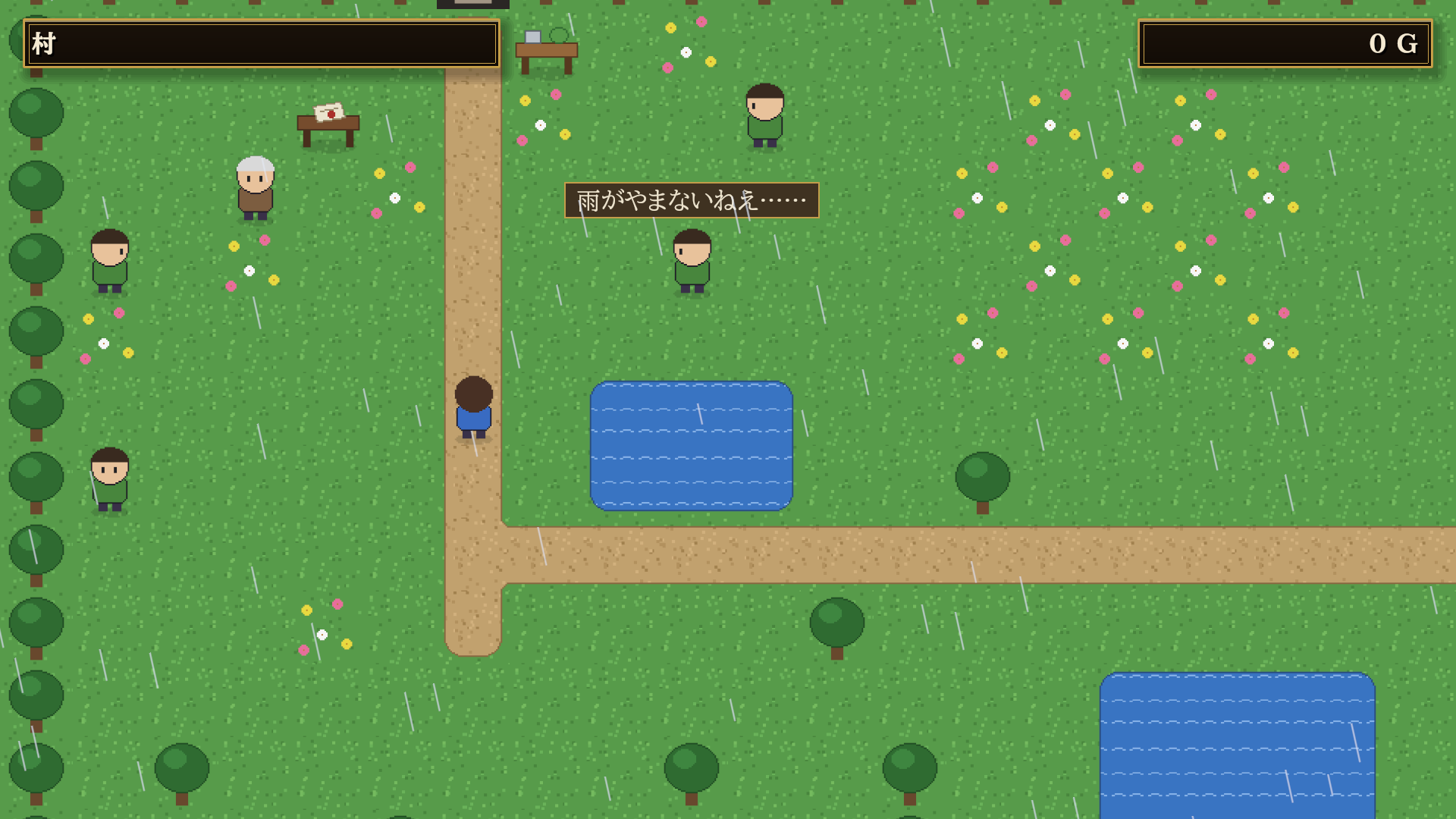
Classic top-down RPG maps 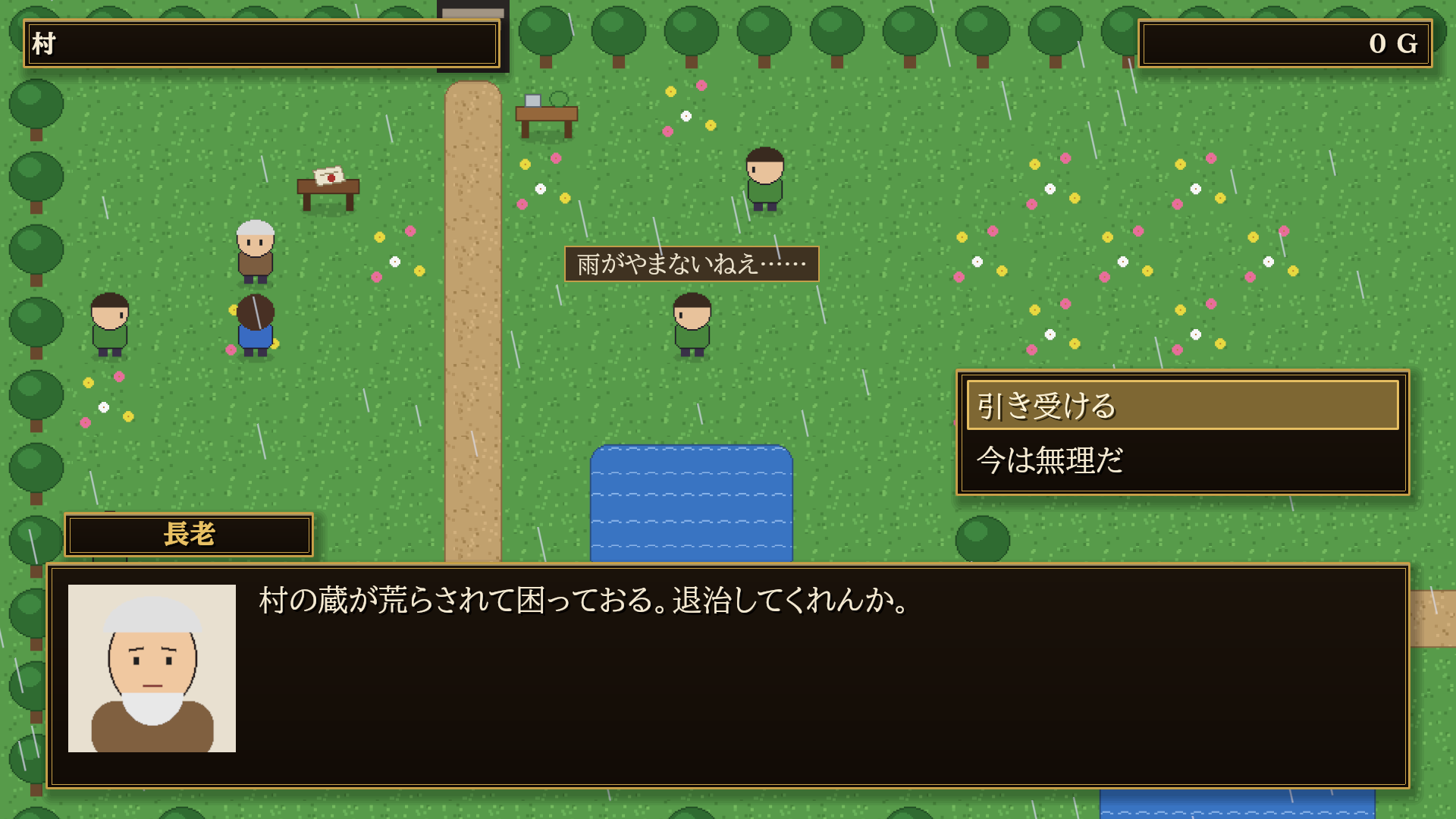
Dialogue with faces and choices 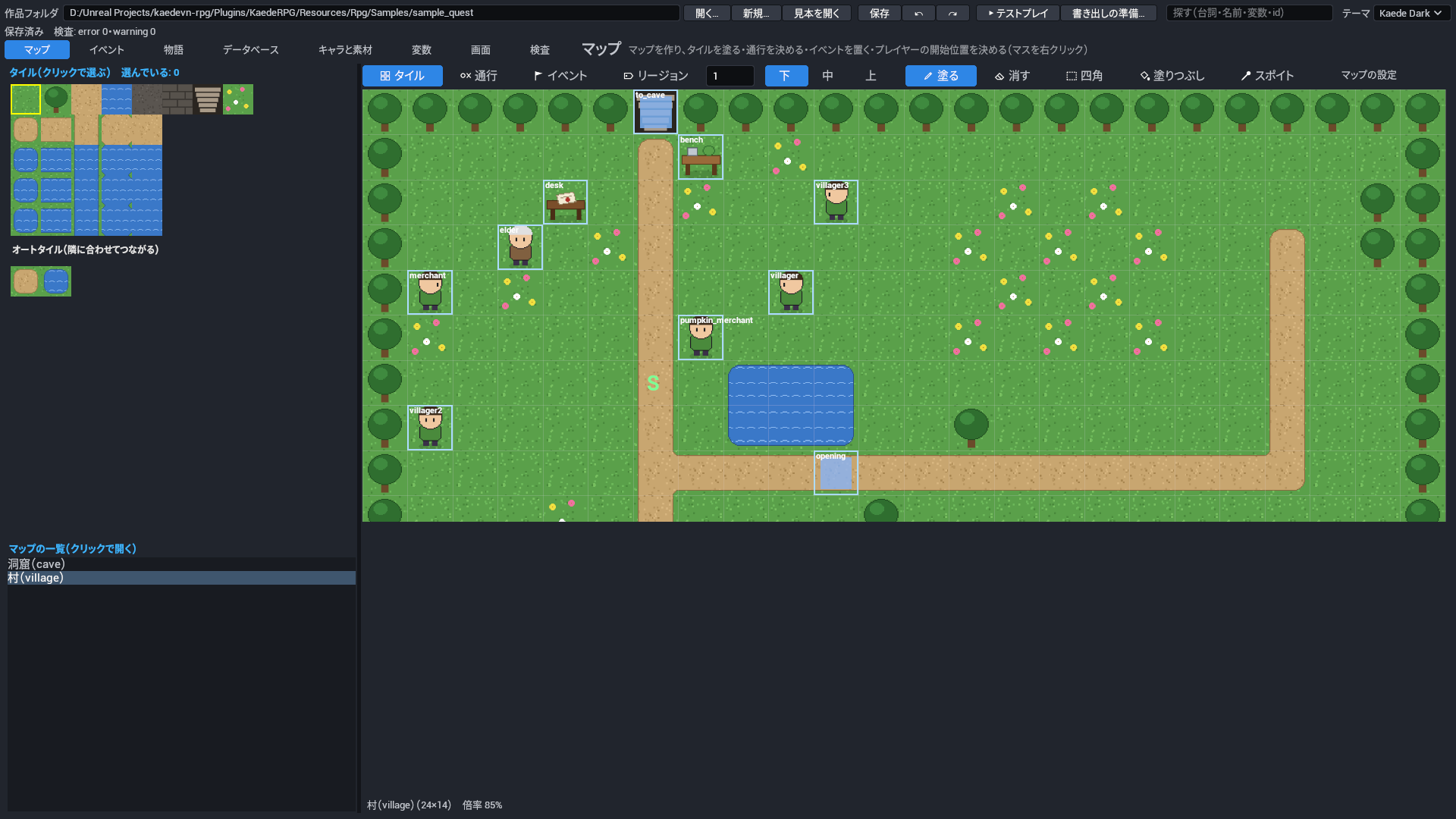
Map editor with layers, autotiles, events and passability 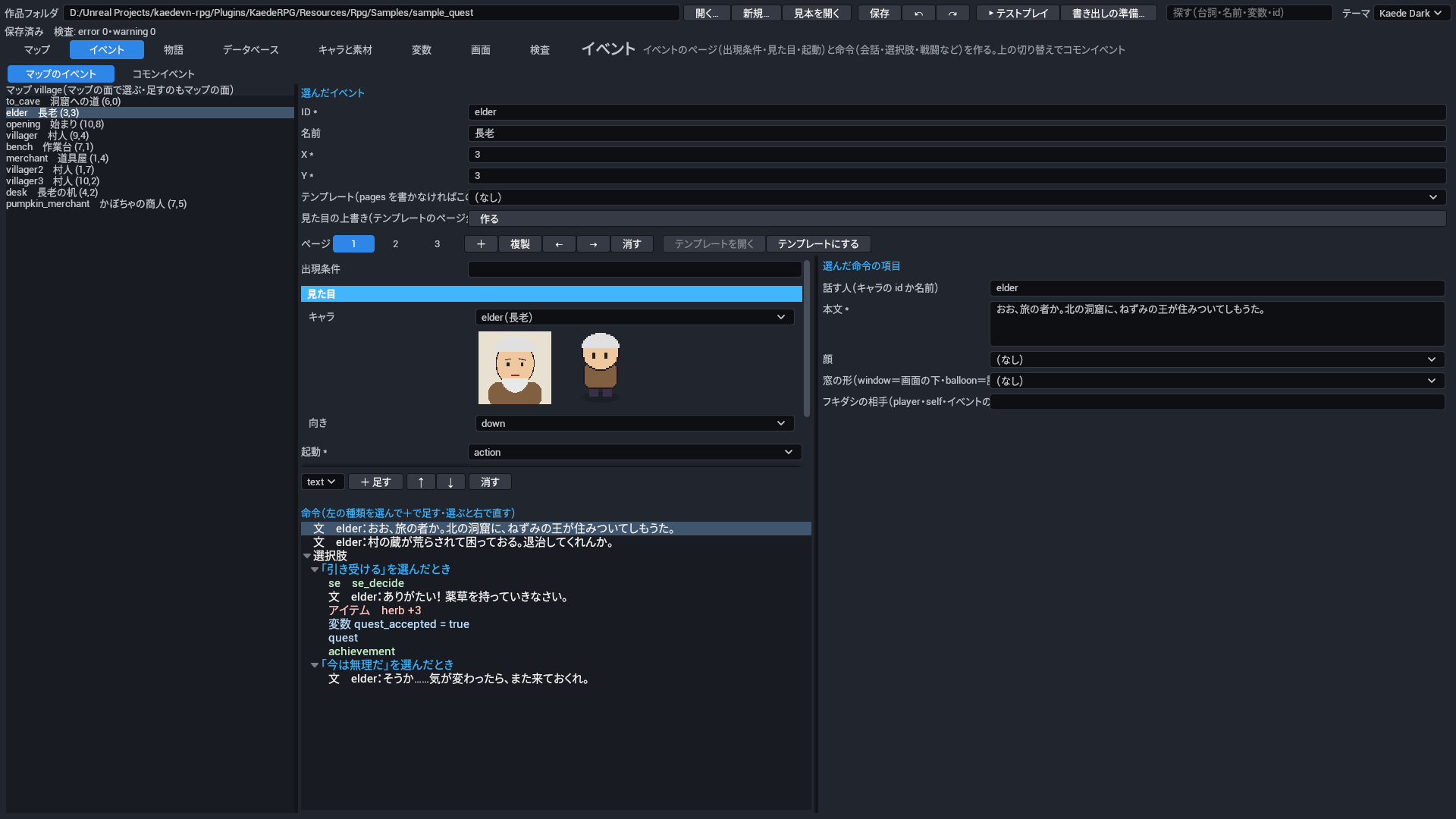
Event pages and a command tree 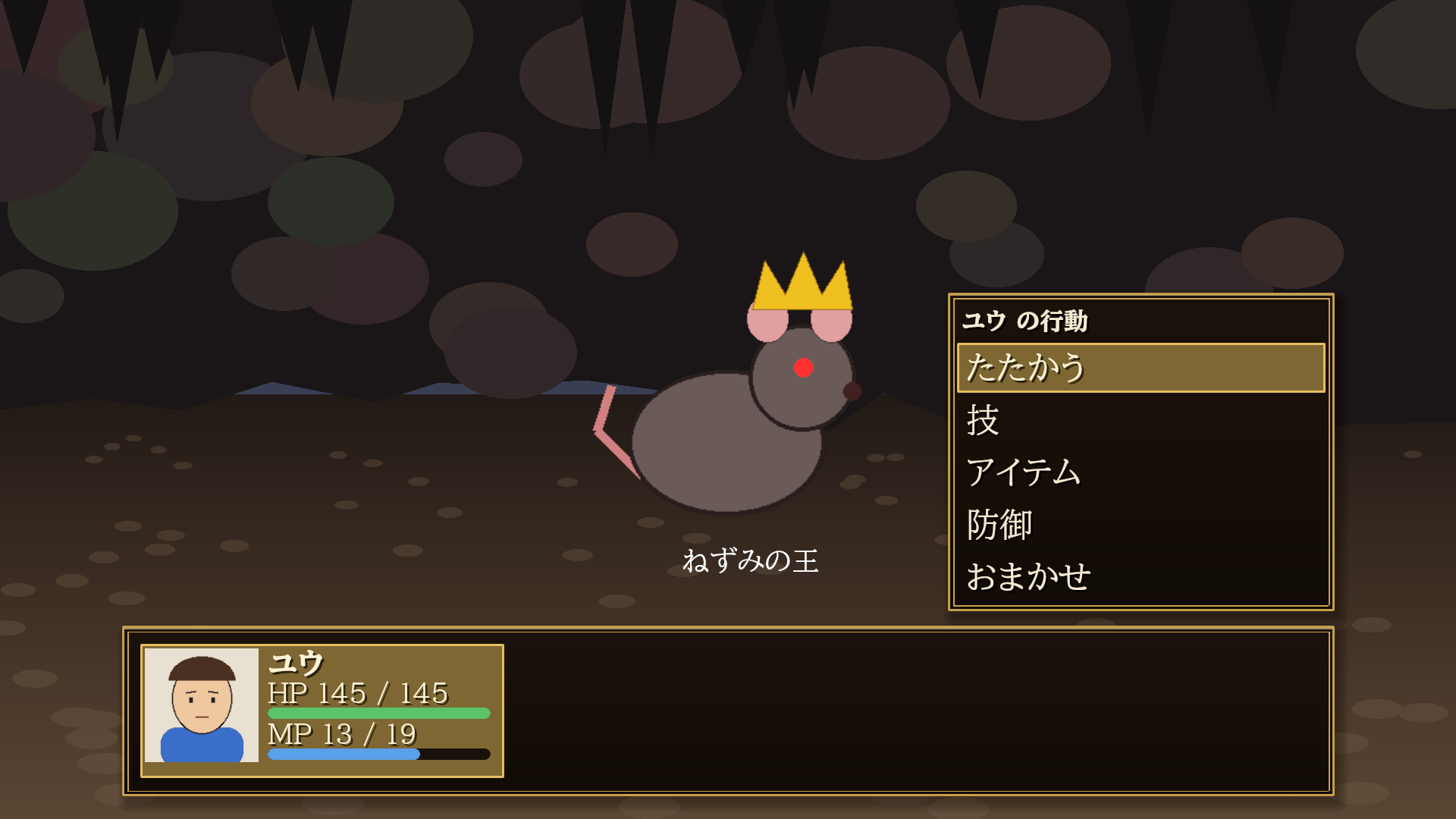
Deterministic command battles 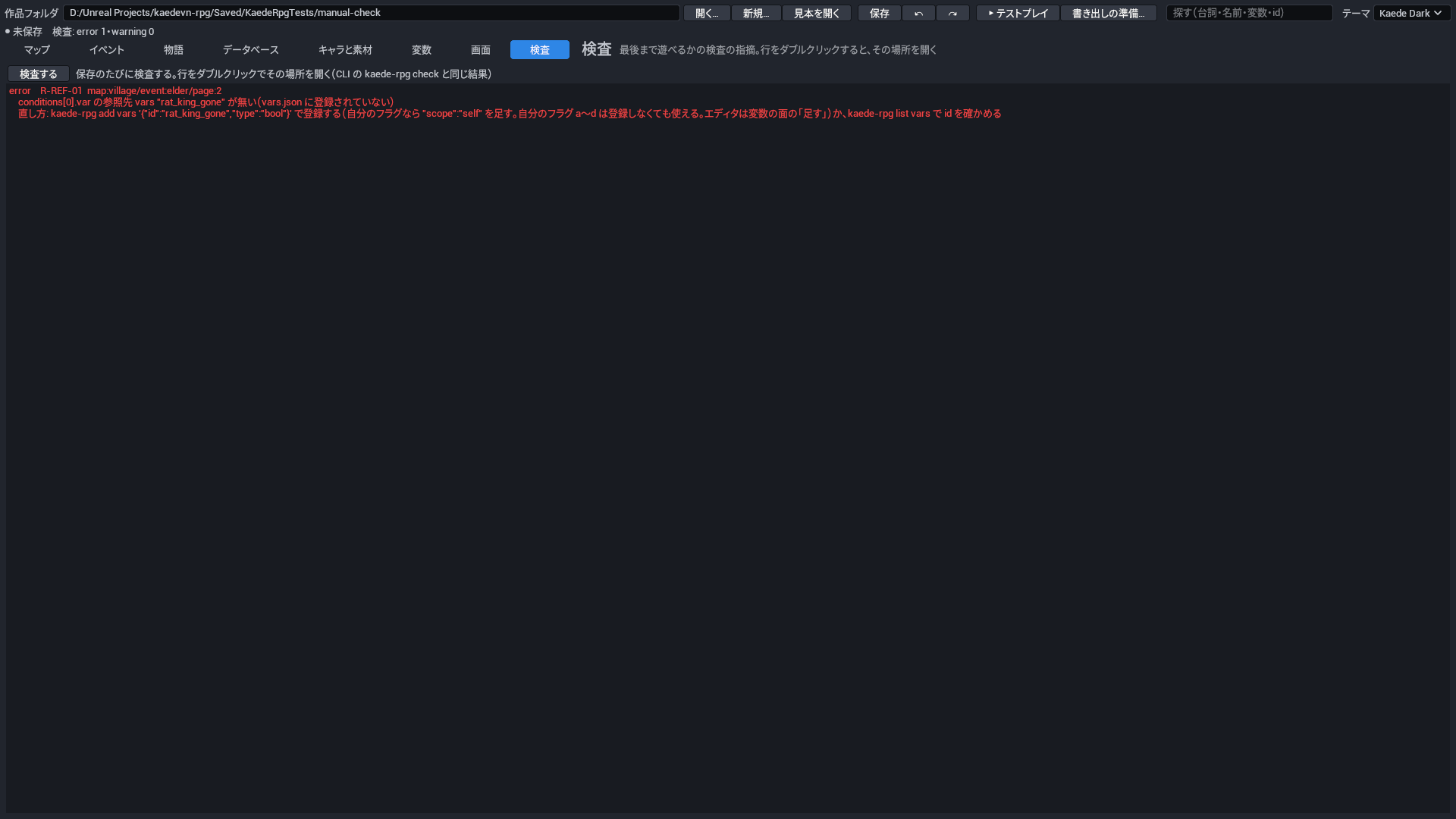
"No dead end" checks — double-click to jump to the problem 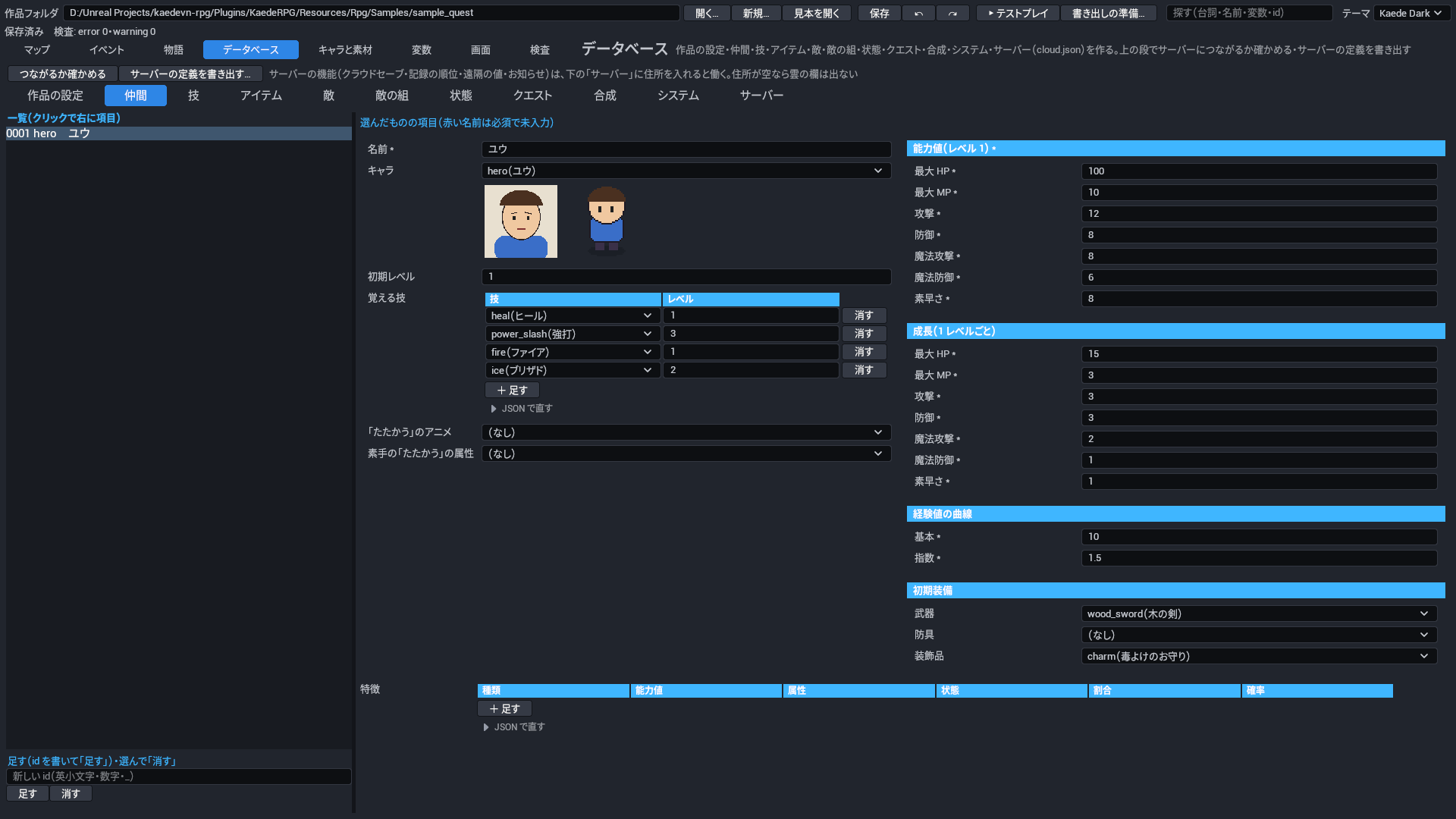
Database: actors, skills, items, enemies, troops, states 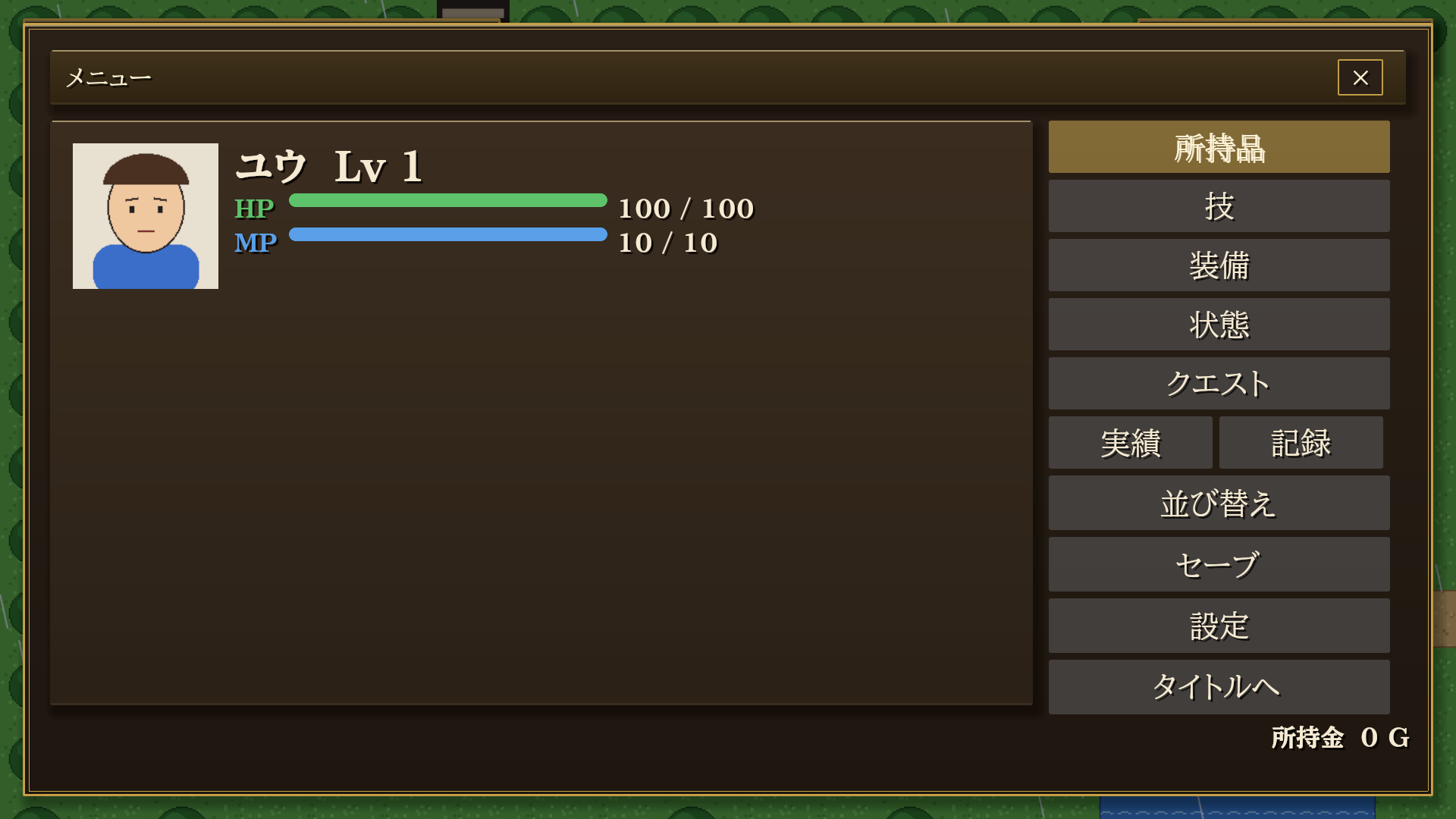
Built-in menu, save / load and settings screens 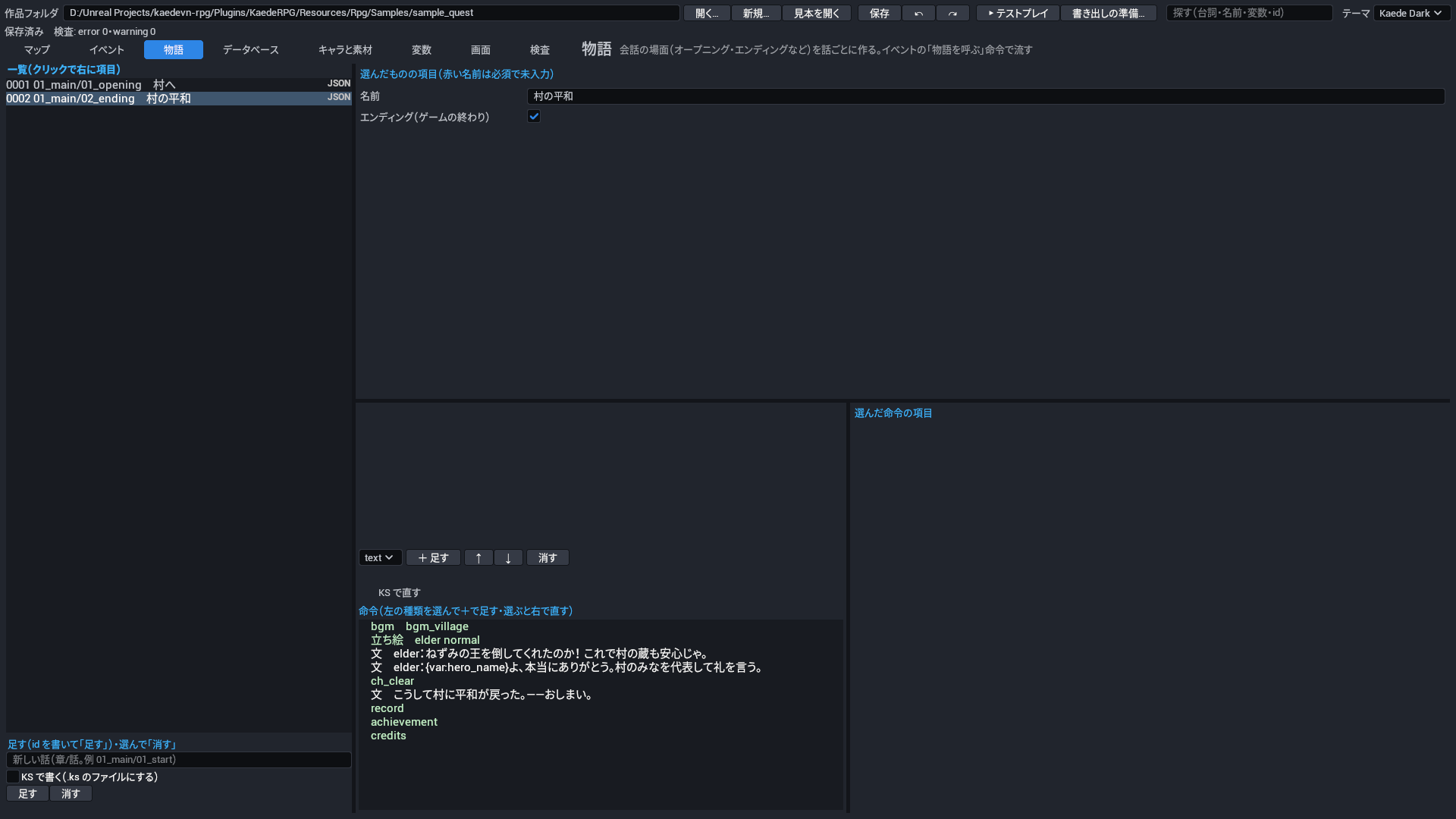
Visual-novel story episodes 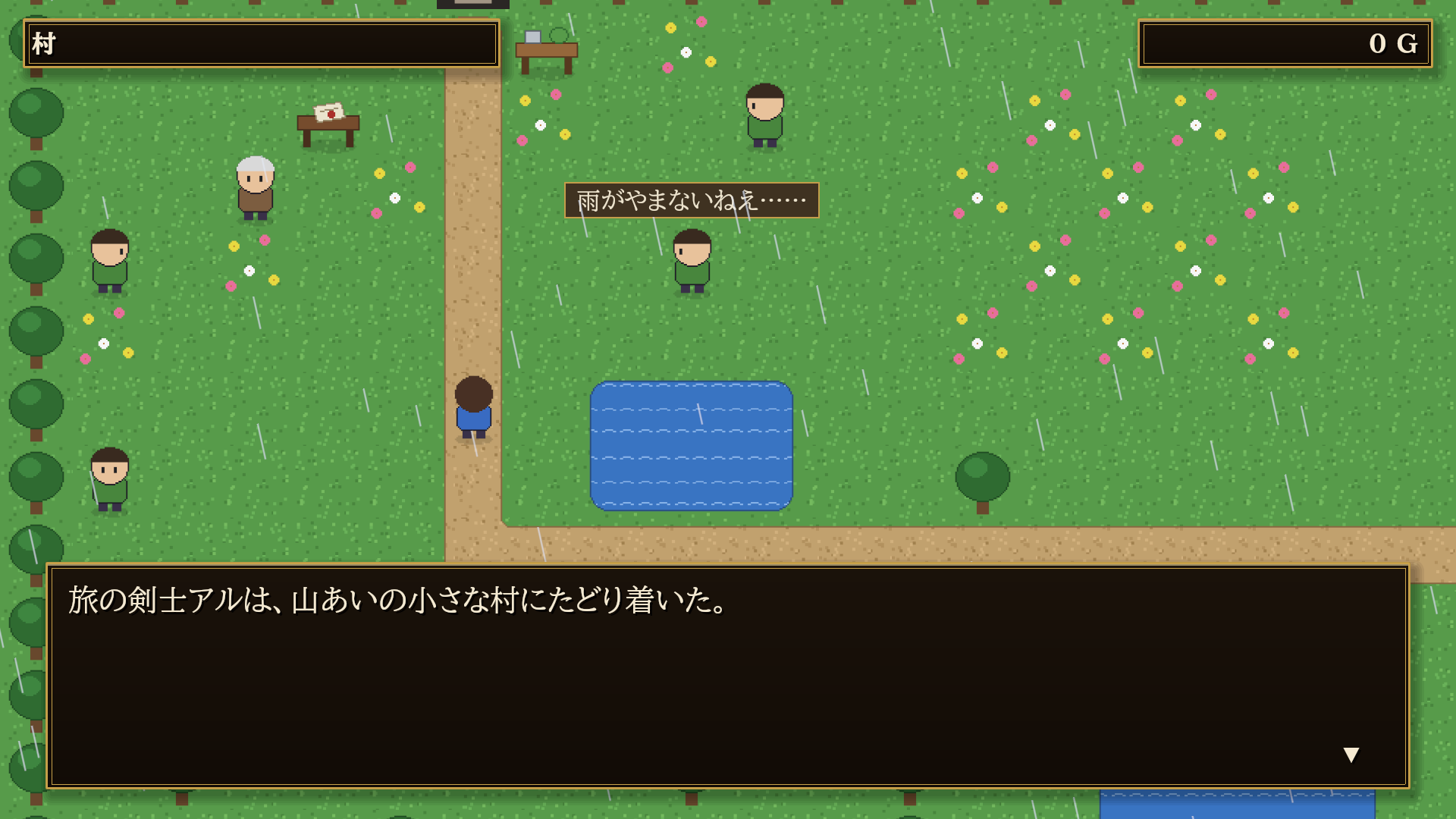
Story scenes on the map
技術の情報Technical details
| Item | Value |
|---|---|
| Features | 2D tile maps with 3 layers, events with pages and 60 commands, visual-novel story episodes, deterministic command battles, database, editable game screens in JSON, "no dead end" checker, CLI with JSON output and JSON Schema, AI templates: CLAUDE.md, AGENTS.md, skills and a validation hook, automatic playthrough with -KaedeRpgAutoplay=, one-step packaging preparation |
| Code modules | KaedeRpg, Runtime; KaedeRpgEditor, Editor. Depends on the free plugins KaedeVN and MomijiUI, which are separate Fab listings and are enabled automatically by the .uplugin |
| Number of Blueprints | 0 |
| Number of C++ classes | About 190 |
| Network replicated | No |
| Supported development platforms | Windows |
| Supported target build platforms | Windows |
| Supported engine version | 5.8 |
| Example project | Sample game included in the plugin at Resources/Rpg/Samples/sample_quest |
| Important / additional notes | Editor UI is currently Japanese; an English manual is provided. Packaging needs Visual Studio 2022 or later. Third-party: nlohmann/json, MIT; MomijiUI, MIT; BIZ UDP fonts, SIL OFL 1.1; miniz 3.0.2, MIT. See THIRD_PARTY_NOTICES.txt |
すべての版All versions
- 0.1.0 最新(0.1.0)latest (0.1.0)2026-10-21